nostr:npub1n47jznzclhr8kzyyv6dtl4cqeltuzuajngx93m3flw2sdw9kfmaqjh8w74 , nostr:npub1jz005en8k2rz0ug8wexw8s5gjhzxll73sydhg9wu4vplfrzykktsheh5z8 , you should be able to upload any size file direct to Damus if you have an account, auto-connects via nip 96.
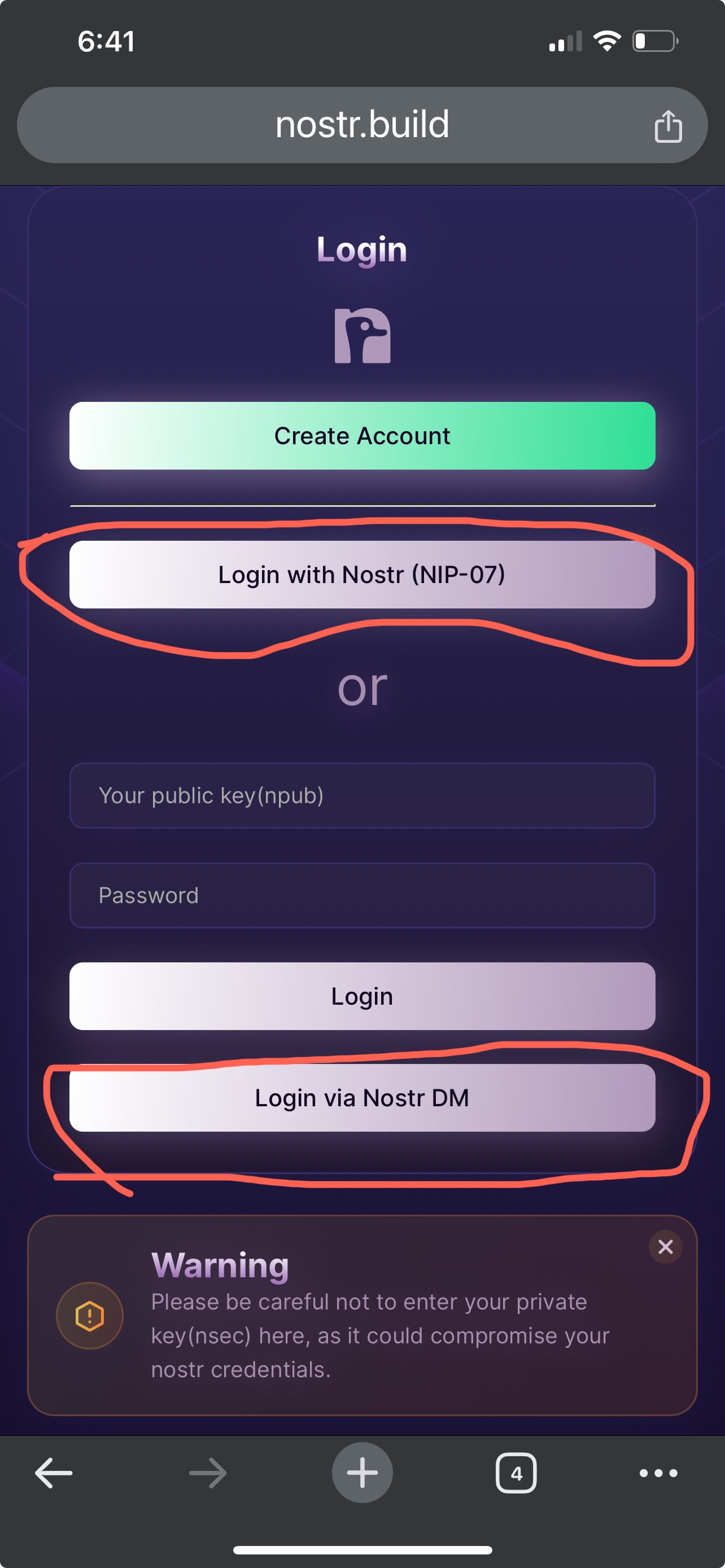
The only think I can think of, is you need to authenticate your account using the DM code.
nostr:npub137c5pd8gmhhe0njtsgwjgunc5xjr2vmzvglkgqs5sjeh972gqqxqjak37w , can we confirm if they are authenticated?
Log out, log back in and try one of these. 
Will give it a try thank you!
Did the re-login then attempted to upload directly via Damus but it failed again. Checked my account after the failed upload attempt and don’t see the video over there. 🤷♂️😅
Gonna try deleting and reinstalling @damus and see if that fixes it
Welp, still got the “error uploading image :(“ message once the upload completed, so I guess I’ll use the work around for now nostr:npub1nxy4qpqnld6kmpphjykvx2lqwvxmuxluddwjamm4nc29ds3elyzsm5avr7 nostr:npub18m76awca3y37hkvuneavuw6pjj4525fw90necxmadrvjg0sdy6qsngq955

Did you do the DM number confirmation thingie?
Yea, I tried that before and after reinstalling Damus. Just in case it was a caching issue. Aside from being on the iOS 18 beta which that other person seemed to feel wasn’t the issue, I am unsure why it’s unable to pass the upload through to your service 😅
Thread collapsed
Thread collapsed
Thread collapsed
Thread collapsed
Thread collapsed
Thread collapsed
Thread collapsed