
macOS Sequoia Has New FaceTime Backgrounds Showcasing Apple Park
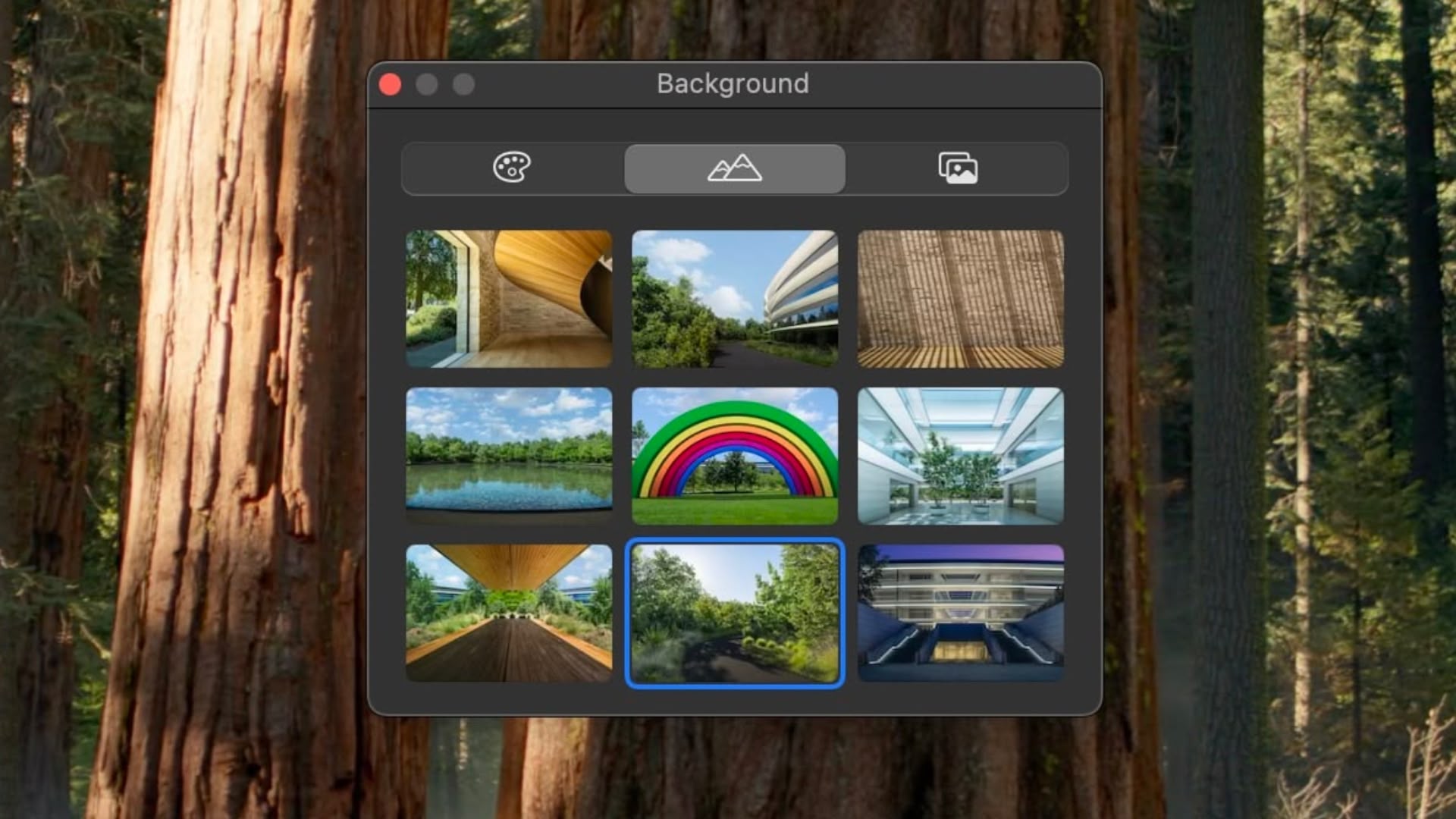
Apple in the second beta of macOS Sequoia 15.1 has added a set of new backgrounds for FaceTime calls that showcase features of Apple Park.
There are nine backgrounds in all, featuring iconic locations around the company's circular headquarters in Cupertino, California, which should be familiar to anyone who has watched a recent Apple event.
For example, one shows Apple Park's rainbow arch, based on the company's rainbow apple logo and erected as a tribute to its late co-founder Steve Jobs, who helped conceptualize the spaceship-like design of the main building on the campus prior to his death.
In macOS Sequoia, there are other new built-in backgrounds that can be used for FaceTime and other video calls to blur out and hide what's behind you. These include different color gradients and the ability to use photos from your photo library.
Elsewhere, FaceTime has also gained the ability to preview what you're going to share in a video call when using screen sharing. Video calling apps will now give you a small preview of what will be shared before you okay the sharing process, which is useful to double check that you're not sharing information you don't want everyone to see.
Will My Mac Run macOS Sequoia?
Apple Intelligence into a separate set of betas because these features will not be available in the initial launch version of macOS Sequoia.
Related Roundup: macOS Sequoia
Tag: FaceTime
Related Forum: macOS Sequoia
This article, "macOS Sequoia Has New FaceTime Backgrounds Showcasing Apple Park" first appeared on MacRumors.com
Discuss this article in our forums
https://www.macrumors.com/2024/08/20/macos-sequoia-new-facetime-backgrounds/