#notedeck beta is now available to everyone!
let us know what you think!
make sure to watch the video to see what's new 👀
nostr:note15mpncazmtqpvgktuzypzc3f8sd5yc5nd4ehhnyjw0j9np64jdv8sej60vh
#notedeck beta is now available to everyone!
let us know what you think!
make sure to watch the video to see what's new 👀
nostr:note15mpncazmtqpvgktuzypzc3f8sd5yc5nd4ehhnyjw0j9np64jdv8sej60vh
Notedeck has been my number one desktop app for a while now. It's still early, but it's badass for power users and those wishing to take complete control of their desktop feeds.
The “contact us” button is not “mailto”. It tries to redirect you to “https://damus.io/notedeck/install/support@damus.io%E2%80%9D that doesn’t exist.
dave ain't good at maths so far. I asked him about 5 and Dave gave 3. Btw I have a question: I am curious about the model and I see in docs it is Ollama or Openai. But how this should be configured to use ollama? Might be worth to add such thing to docs
But overall, Dave seems to be a nice guy 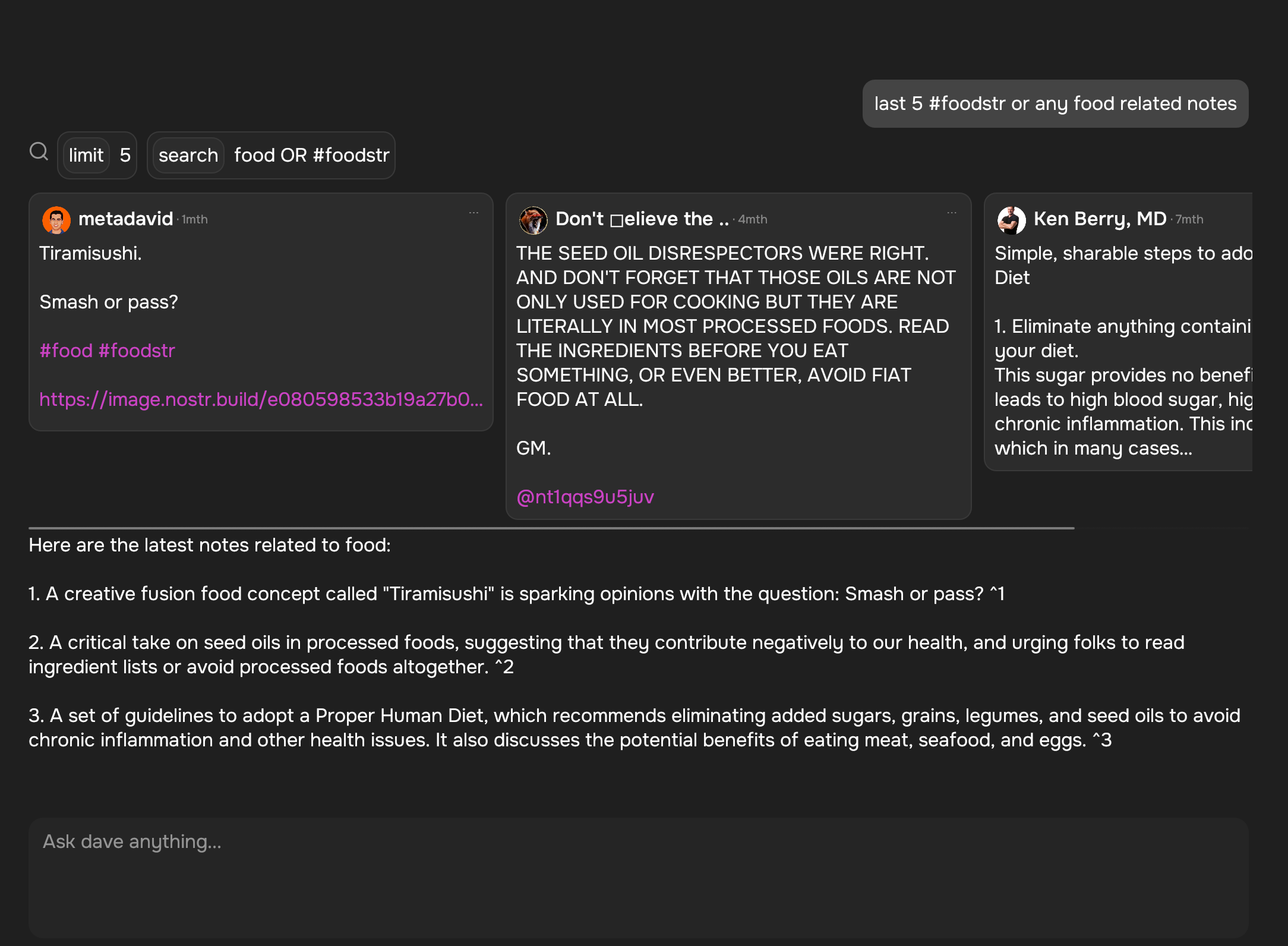
it will be configurable in the UI sometime in the future. for now you have to set environment variables and launch from the command-line to customize:
DAVE_ENDPOINT=http://localhost:11434
DAVE_MODEL=hhao/qwen2.5-coder-tools:latest
I haven't tested the best local model for this yet since my computer is crap.
Windows giving me an error on running the app 
''This version of %1 is not compatible with the windows version that is being executed''
It also tells me to get into to contact with you, so, here i am mister Bill
should be fixed now:
https://damus.io/notedeck/dl/v0.4.0/DamusNotedeckInstaller_v0.4.1.exe
sorry about that, not sure what happened
Dont say sorry. In any event, it works now, creating this note from Notedeck, so thank you.
Minor note, you will have to change the version to 0.4.1 now, because in the app itself it still says 0.4.0 :P
It looks nice. Maybe finaly a desktop client i like using, we shall see.
Linux Mint
scrolling sucks. The scrolling with the scroll wheel is slow, which is fine, if holding the scrollwheel plus moving the mouse would work, but it doesnt. Instead if you hold the scrollwheel, it just grabs the screen.
Now you can grab the screen and ''throw'' to go fast, but that is a touchscreen-finger-move, not a mouse move, il break my wrist doing that.
i also noticed scrolling on windows is a bit weird for some reason, it doesn’t have kinetic scrolling like on other platforms. Will open an egui issue.