
iPhone 14 Pro vs. iPhone 16 Pro: 50+ Upgrades to Expect
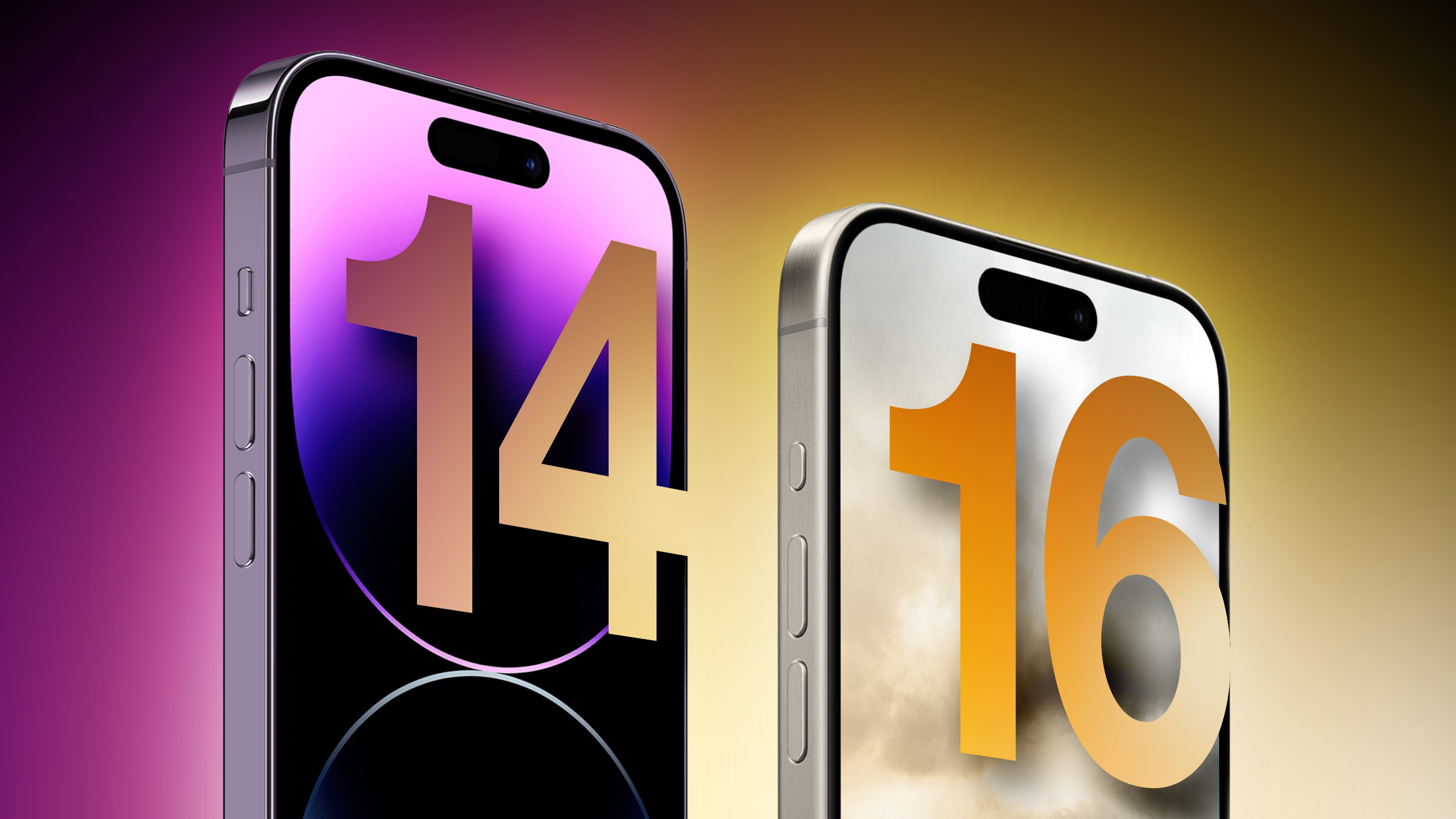
The iPhone 16 Pro is set to succeed 2023's iPhone 15 Pro, introducing over 25 new features and improvements to Apple's high-end smartphones. With many users adopting two-year upgrade cycles, plenty of iPhone 14 Pro owners will be looking to upgrade to the iPhone 16 Pro later this year, so this guide breaks down every major difference you should be aware of between the two generations based on rumors.
In 2022, Apple unveiled the iPhone 14 Pro as the successor to the popular iPhone 13 Pro, introducing an always-on display, the Dynamic Island, a 48-megapixel camera, the A16 Bionic chip, longer battery life, and more. Two years later, the iPhone 16 Pro is expected to offer over 50 upgrades. All of the changes the iPhone 16 Pro models are rumored to feature compared to their 2022 predecessor are listed below, using information from reliable sources that we have previously covered. We will update this article as more rumors emerge in the coming months.
Design
The design of the iPhone 16 Pro is expected to be a relatively significant evolution over the iPhone 14 Pro, iterating on the titanium frame and slightly rounded edges introduced on the iPhone 15 Pro models last year.
iPhone 14 Pro
iPhone 16 Pro
Surgical-grade stainless steel chassis with squared-off edges
Aerospace-grade titanium chassis with contoured edges
Ring/Silent switch
Action button
Thermal design with copper heatsink and black foil battery casing
New thermal design with graphene heatsink and metal battery casing
More repairable design
Lightning port
USB-C port
Space Black, Silver, Gold, and Deep Purple color options
Black Titanium/Space Black, White Titanium, Desert Titanium, Titanium Gray, and potentially Rose Gold color options
Dimensions
To accommodate larger displays, both iPhone 16 Pro models are rumored to grow in height and width. In addition to last year's increase in depth, the devices are due to be considerably larger, but with a notable reduction in weight thanks to the adoption of a titanium frame.
iPhone 14 Pro
iPhone 16 Pro
7.85mm depth
8.25mm depth (0.4mm thicker)
iPhone 14 Pro: 147.5mm height
iPhone 14 Pro Max: 160.7mm height
iPhone 16 Pro: 149.6mm height
iPhone 16 Pro Max: 163.0mm height
iPhone 14 Pro: 71.5mm width
iPhone 14 Pro Max: 77.6mm width
iPhone 16 Pro: 71.45mm width
iPhone 16 Pro Max: 77.58mm width
iPhone 14 Pro: 206g weight
iPhone 14 Pro Max: 240g weight
iPhone 16 Pro: 194g weight
iPhone 16 Pro Max: 225g weight
Displays
Both iPhone 16 Pro models are expected to feature larger displays than their predecessors, pushing the iPhone 16 Pro Max to be the biggest iPhone ever offered. There are also reportedly improvements to the underlying OLED technology in store, in addition to last year's slimmer bezels, making for a noticeable overall display upgrade.
iPhone 14 Pro
iPhone 16 Pro
6.1- or 6.7-inch display
6.3- or 6.9-inch display
Slimmer borders around the display
More efficient OLED display with brighter micro-lens technology
Performance
The iPhone 16 Pro models are rumored to bring notable improvements in processing power, including a 3nm Apple silicon chip and 33% more memory.
iPhone 14 Pro
iPhone 16 Pro
A16 Bionic chip (TSMC's "N4P" 5nm process)
A18 Pro chip (TSMC's "N3E" enhanced 3nm process)
16-core Neural Engine
Enhanced neural Engine with "significantly" more cores to support new AI features
Dedicated AV1 decoder
6GB memory
8GB memory
Connectivity
Connectivity is also due to get a significant upgrade on the iPhone 16 Pro, bolstering the device's 5G, Wi-Fi, Thread, and Ultra Wideband specifications.
iPhone 14 Pro
iPhone 16 Pro
Snapdragon X65 5G modem
Snapdragon X75 5G modem
Wi‑Fi 6 connectivity
Wi‑Fi 7 connectivity
Thread networking technology
First-generation Ultra Wideband chip
Second-generation Ultra Wideband chip (connects from 3x further away)
Precision Finding for Find My friends
Cameras
The iPhone 16 Pro models are slated to receive a range of substantial camera enhancements, such as a larger main camera sensor, a 48-megapixel sensor on the ultra wide camera, and a dedicated hardware button for photography and videography on the side of the device.
iPhone 14 Pro
iPhone 16 Pro
"Capture Button" to trigger photography and videography features
1/1.28-inch main camera sensor
iPhone 16 Pro Max: 1/1.14-inch main camera sensor (12% larger)
Sony IMX-803 main camera sensor
iPhone 16 Pro Max: Sony IMX-903 main camera sensor with stacked design for better performance, a 14-bit Analog-to-Digital Converter (ADC) for high-quality image data conversion, and Digital Gain Control (DCG) for better dynamic range and noise control
7P main camera lens
8P main camera lens
Telephoto camera with second-generation sensor-shift optical image stabilization
Telephoto camera with larger sensor, folded tetraprism design, optical image stabilization, and autofocus 3D sensor-shift module
77mm maximum focal length
iPhone 16 Pro: 120mm maximum focal length
iPhone 16 Pro Max: "Super" telephoto camera with focal length above 300mm
4P telephoto camera lens
5P telephoto camera lens
12-megapixel ultra wide camera
48-megapixel ultra wide camera
5P ultra wide camera lens
6P ultra wide camera lens
Anti-reflective coating on camera lenses
0.5x, 1x, 2x, and 3x optical zoom
0.5x, 1x, 2x, and 5x optical zoom
13mm, 24mm, 28mm, 35mm, and 120mm focal length picker
48-megapixel super-high-resolution photos
24- and 48-megapixel super-high-resolution photos
Smart HDR 4
Smart HDR 5
Portrait mode with Focus and Depth Control
Next-generation portraits with Focus and Depth Control
Night mode and Night mode portraits
Improved Night mode and Night mode portraits
Shoot and instantly transfer 48-megapixel ProRAW images to Mac via USB 3
Record video directly to an external drive
ProRes video recording up to 4K at 30 fps
ProRes video recording up to 4K at 60 fps with external recording
Action mode
Improved Action mode and low-light video
Log video recording
Academy Color Encoding System
Record spatial video for Apple Vision Pro
Batteries and Charging
The iPhone 16 Pro models could receive some major improvements in battery technology and charging, sporting bigger, denser batteries and faster charging capabilities.
iPhone 14 Pro
iPhone 16 Pro
Setting to prevent charging above 80%
Battery manufacture date, first use, and cycle count information in Settings
Single-layer battery technology
Stacked battery technology for increased energy density and prolonged lifespan
iPhone 14 Pro: 3,200 mAh battery
iPhone 14 Pro Max: 4,323 mAh battery
iPhone 16 Pro: 3,355 mAh mAh battery
iPhone 16 Pro Max: 4,676 mAh battery
Up to 27W wired charging
Up to 40W wired charging
15W charging via MagSafe
20W charging via MagSafe
Other Features and Changes
While many of Apple's devices are rumored to receive a series of new AI-based features via software updates later this year, the iPhone 16 Pro models are expected to take these further with exclusive capabilities and an upgraded microphone.
iPhone 14 Pro
iPhone 16 Pro
Upcoming support for new AI features in iOS 18
Upcoming support for new AI features in iOS 18, plus a suite of device-exclusive AI features
Microphone
Upgraded microphone with improved signal-to-noise ratio and water resistance, designed to support new AI features
Improved audio quality on phone calls
USB 2 transfer speeds (up to 480Mb/s)
USB 3 transfer speeds (up to 10Gb/s, 20x faster)
DisplayPort support for up to 4K HDR video output
Up to 1TB of storage
Up to 2TB of storage
Release Date
The iPhone 16 lineup is expected to launch in the fall. Apple usually hosts an event every September to unveil new iPhone models, with launch following just over a week later. For more information about the iPhone 16 Pro models, see our comprehensive roundup.
Will It Be Worth Upgrading?
The iPhone 15 Pro was a fairly significant upgrade over the iPhone 14 Pro in 2023, introducing a titanium chassis, slimmer bezels, the Action button, and a USB-C port. The iPhone 16 Pro will build on these upgrades, offering larger displays, the Capture button, and improved cameras. With over 50 upgrades likely to be in store, many iPhone 14 Pro users will find upgrading to an iPhone 16 Pro model worthwhile.
Related Roundup: iPhone 16 Pro
Related Forum: iPhone
This article, "iPhone 14 Pro vs. iPhone 16 Pro: 50+ Upgrades to Expect" first appeared on MacRumors.com
Discuss this article in our forums
https://www.macrumors.com/guide/iphone-14-pro-vs-iphone-16-pro/
iOS 18's Rumored AI Features for Siri, Spotlight, and More Revealed in New Report
Apple system features such as Siri and Spotlight Search are set to receive new AI features that work across apps like Messages, Mail, and Safari, AppleInsider reports.
Safari will apparently gain a text summarization tool called Intelligent Browsing that allows users to generate a short summary of any webpage, and Siri could gain a similar feature that works in the Messages app. Apple's AI technology can apparently analyze message content and generate responses. Spotlight search will be enhanced with more intelligent results and improved sorting, working across apps like Contacts and Calendar to generate responses.
Related Roundup: iOS 18
Tags: AppleInsider, Artificial Intelligence
This article, "iOS 18's Rumored AI Features for Siri, Spotlight, and More Revealed in New Report" first appeared on MacRumors.com
Discuss this article in our forums
https://www.macrumors.com/2024/05/03/ios-18-ai-features-for-siri-spotlight-revealed/
Report: Five Things Apple Won't Announce at Its Event Next Week

Apple is holding at least five announcements for later in the year that will not arrive at the company's "Let loose" special event next week, according to Bloomberg's Mark Gurman.
In a report detailing his expectations for Apple's upcoming event, Gurman noted that there are a total of five things that the company is holding for later in the year:
AI features: While Apple may tease new AI capabilities with the next-generation iPad Pro, Apple will not "formally unveil" the features until WWDC in June where iPadOS 18 will be previewed.
Lower-cost entry-level iPad: Apple is apparently working on a version of the 10th-generation iPad introduced in 2022 with a lower price. The current model is $449, sitting in the lineup above the $329 ninth-generation iPad that remains in the lineup. The company is likely to phase out this older model and bring the price down of the redesigned model, but Gurman says this "isn't expected until the end of the year at the earliest."
Seventh-generation iPad mini: A refreshed iPad mini is said to be in the works featuring improved performance thanks to a faster chip, but it is not due to be announced next week.
New Macs: While the new iPad Pro models may contain the M4 chip, a processor that will later come to the Mac, Apple is not planning to unveil any new Mac models at the "Let loose" event.
Fourth-generation AirPods: Apple is said to be nearing production of the fourth-generation AirPods, but these will not launch until the fall alongside the iPhone 16 lineup.
iPad Air models, a high-end Magic Keyboard accessory, and a new Apple Pencil. It will take place on Tuesday, May 7 at 7 a.m. Pacific Time (10 a.m. Eastern Time), with a live stream to be available on Apple.com and on YouTube as usual.
Tags: Bloomberg, Mark Gurman, May 2024 Apple Event
This article, "Report: Five Things Apple Won't Announce at Its Event Next Week" first appeared on MacRumors.com
Discuss this article in our forums
https://www.macrumors.com/2024/05/03/five-things-apple-wont-launch-next-week/
Apple's 2025 M4 MacBook Air: What to Expect
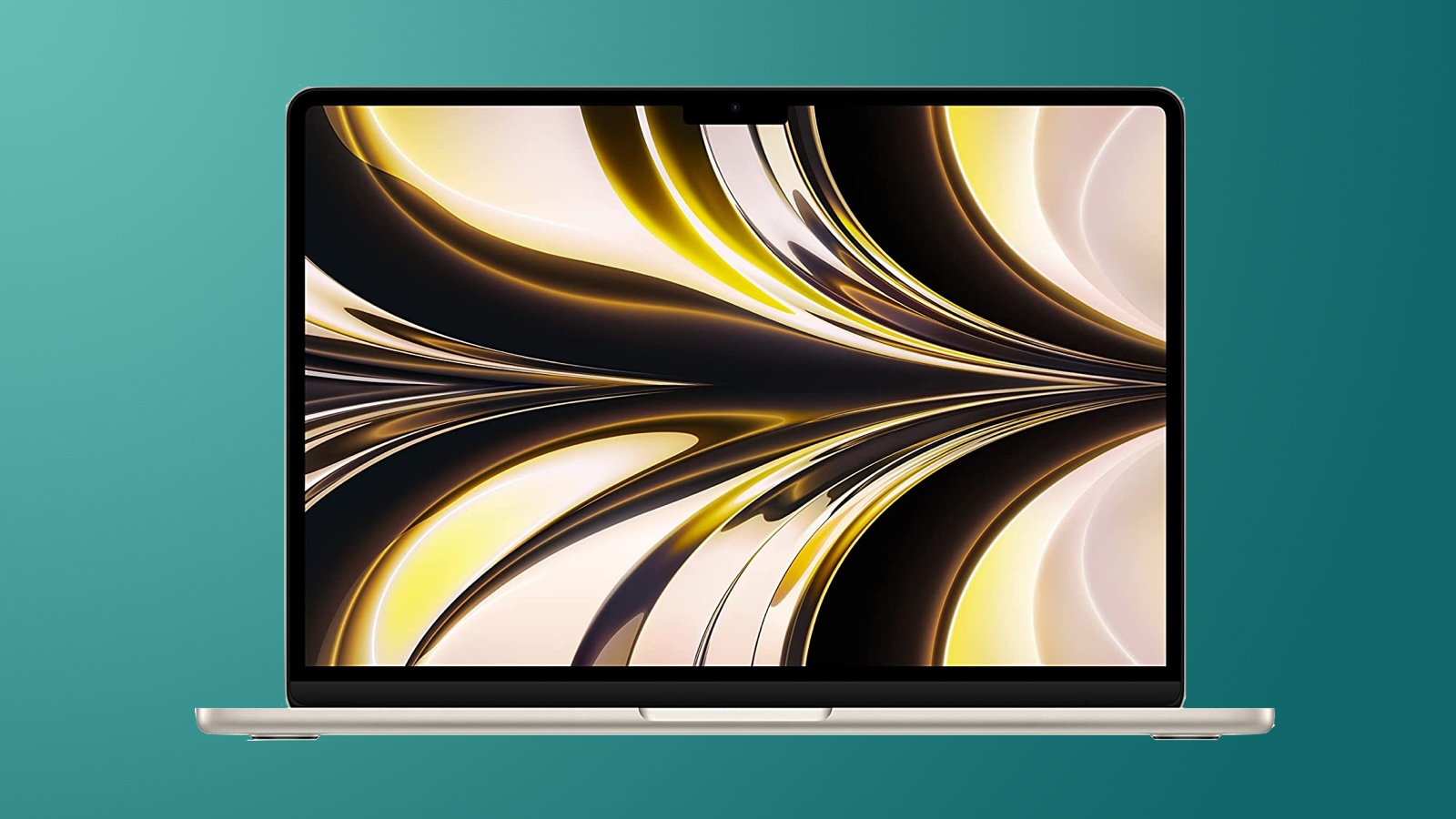
Apple is working to introduce a new fourth-generation Apple silicon chip across the Mac lineup, and while the first M4 Macs are coming in 2024, the MacBook Air won't get updated until 2025.
This guide highlights everything that we know about the next-generation MacBook Air so far.
M4 Chips
The 13-inch and 15-inch MacBook Air models were just updated with M3 chips in March 2024, so it's no surprise that they're not going to be the first devices to get the M4 chip. Apple plans to wait until 2025, so there will be about a year between the M3 and M4 chip lineups.
Rumors suggest that the M4 chip will have a focus on artificial intelligence to support AI features that are coming with the next round of software updates. Most AI talk has been about iOS 18, but Apple is expected to roll out AI integrations across its platforms. The M4 chip is expected to have a Neural Engine with more cores, with the Neural Engine handling AI and machine learning tasks. The M3 chip has a 16-core Neural Engine.
While Apple is working on M4, M4 Pro, M4 Max, and M4 Ultra chips, the MacBook Air models are expected to get only the standard M4 chip. There will likely be at least two variants of the M4, with the difference being the number of GPU cores. For the current MacBook Air, for example, the base M3 chip has an 8-core GPU, but there is also a 10-core GPU option. The M3 CPU is the same for all versions, and that should be the case with the M4 as well.
M2 and M3 because there's no change in node size, but we can still expect modest GPU and CPU speed boosts.
Design
Apple overhauled the MacBook Air design in 2022, and we're not expecting the design to be tweaked with the 2025 refresh. Apple often waits several years between design changes, and there are no rumors that there will be a refreshed look.
Apple is likely to stick with the 15.3 and 13.6-inch size options, and we can expect to see the same flat, MacBook Pro-style body with Force Touch trackpad, and display with notch. As of now, it looks like the 2025 MacBook Air refresh will be focused on internal updates.
Launch Date
According to Bloomberg's Mark Gurman, the MacBook Air will get an update in the spring of 2025. Spring starts on March 20, 2025, and ends on June 20, 2025.
Related Roundup: MacBook Air
Buyer's Guide: 15" MacBook Air (Buy Now), 13" MacBook Air (Buy Now)
Related Forum: MacBook Air
This article, "Apple's 2025 M4 MacBook Air: What to Expect" first appeared on MacRumors.com
Discuss this article in our forums
Apple's Q2 2024 Earnings Call Takeaways
Apple today held its earnings call for the second fiscal quarter of 2024 (first calendar quarter), with Apple CEO Tim Cook and Apple CFO Luca Maestri providing us with some details on Apple's performance, Vision Pro sales, services growth, AI plans, and other topics.
We've highlighted the most interesting takeaways from today's earnings call.
Next Week's Announcements
Apple CEO Tim Cook said Apple is prepping for "an exciting product announcement" that the company thinks "customers will love." Cook also told CNBC that Apple has "big plans to announce" from an "AI point of view."
Generative AI
Apple CEO Tim Cook said that Apple is making "significant investments" in AI, and that it has some "very exciting things" to share with customers "soon."
Cook also said that he believes Apple has "advantages that will differentiate" the company, including Apple's hardware and software integration, Apple silicon with Neural Engine, and focus on privacy.
There's a "big opportunity" for generative AI across all of Apple's devices, and Cook said he is "extremely optimistic" about future consumer demand.
Digital Markets Act
Cook said that it's too early to determine the security risks and privacy implications of the changes that it has made to the app ecosystem in Europe. Apple is focused on complying while mitigating impacts to user privacy and security.
Vision Pro
Leading enterprise companies have been investing in Vision Pro, and Apple is seeing it used for things like aircraft engine maintenance, real-time collaboration for racing, and immersive kitchen design. Cook said that Apple "couldn't be more excited about the spatial computing opportunity in enterprise."
Services
Apple's services segment set a new all-time revenue record of $23.9 billion, up 14 percent from $20.9 billion in the year-ago quarter. Transacting accounts and paid accounts reached a new all-time high, with paid accounts and subscriptions showing double digit growth.
Apple has more than 1 billion paid subscriptions, more than double the number from four years ago.
Mac Sales
With the launch of new M3 MacBook Air models in March, Mac revenue saw growth, reaching $7.5 billion. Mac sales were at $7.17 billion in the year-ago quarter, for four percent growth.
iPad Sales
iPad revenue continued to drop with no new iPads released in 2024 as of yet. iPad revenue was at $5.6 billion, down 17 percent from $6.7 billion a year ago. iPad sales should see some improvement next quarter as Apple next week is planning to unveil new iPad Air and iPad Pro models.
Wearables
Wearables, Home and Accessories came in at $7.9 billion, down 10 percent compared to last year. Last year, Apple had launched the USB-C version of AirPods Pro, and there was a "difficult compare" this year.
June Quarter
Maestri said that Apple expects June quarter revenue to grow low single digits year-over-year, but Services is expected to grow double digits, as is iPad revenue.
Tags: Earnings, AAPL
This article, "Apple's Q2 2024 Earnings Call Takeaways" first appeared on MacRumors.com
Discuss this article in our forums
https://www.macrumors.com/2024/05/02/apple-q2-2024-earnings-call-takeaways/
Tim Cook on Generative AI: 'We Have Advantages That Will Differentiate Us'
During today's earnings call covering the second fiscal quarter of 2024, Apple CEO Tim Cook again spoke about Apple's work on generative AI. He said that Apple has "advantages" that will "differentiate" the company in the era of AI, and some "very exciting things" will be shared with customers in the near future.
We continue to feel very bullish about our opportunity in generative AI. We are making significant investments and we're looking forward to sharing some very exciting things with our customers soon.
Rumors have suggested that Apple's first AI features are designed to run on-device rather than contacting a cloud service, which would make Apple's AI much more private and secure than an online AI option. Apple's plan to have generative AI available on-device will require significant CPU and GPU power, and Apple is planning to focus on AI with the upcoming M4 chip.
iPad Pro models, with Bloomberg's Mark Gurman indicating last weekend that there is a chance Apple will unveil the chip in the iPad Pro models.
Tags: Earnings, AAPL
This article, "Tim Cook on Generative AI: 'We Have Advantages That Will Differentiate Us'" first appeared on MacRumors.com
Discuss this article in our forums
https://www.macrumors.com/2024/05/02/tim-cook-on-generative-ai/
Apple Reports 2Q 2024 Results: $23.6B Profit on $90.8B Revenue
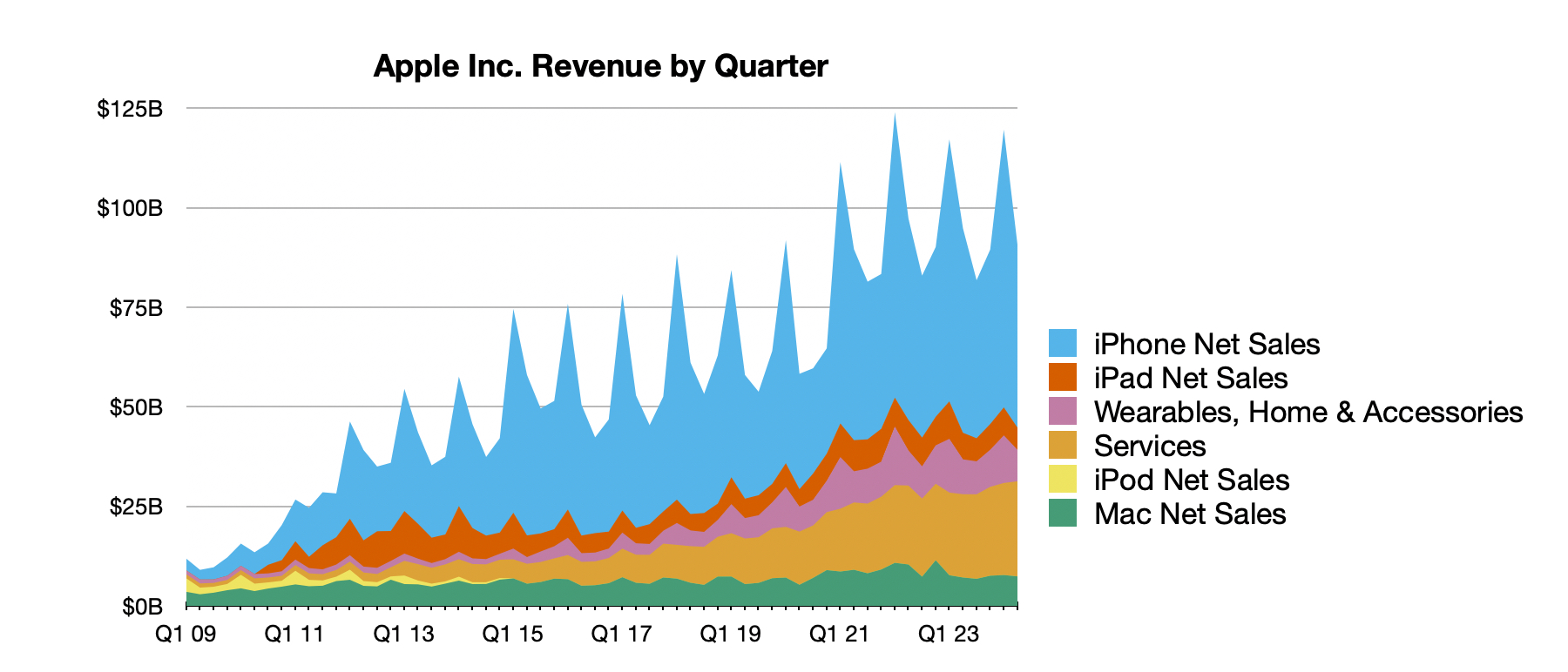
Apple today announced financial results for the second fiscal quarter of 2024, which corresponds to the first calendar quarter of the year.
For the quarter, Apple posted revenue of $90.8 billion and net quarterly profit of $23.6 billion, or $1.53 per diluted share, compared to revenue of $94.8 billion and net quarterly profit of $24.1 billion, or $1.52 per diluted share, in the year-ago quarter. Apple set an all-time quarterly record for Services revenue at $23.9 billion, but iPhone revenue dropped by over $5 billion compared to the year-ago quarter.
"Today Apple is reporting revenue of $90.8 billion for the March quarter, including an all-time revenue record in Services," said Tim Cook, Apple's CEO. "During the quarter, we were thrilled to launch Apple Vision Pro and to show the world the potential that spatial computing unlocks. We're also looking forward to an exciting product announcement next week and an incredible Worldwide Developers Conference next month. As always, we are focused on providing the very best products and services for our customers, and doing so while living up to the core values that drive us."
As has been the case for over four years now, Apple is once again not issuing guidance for the current quarter ending in June.
Apple will provide live streaming of its fiscal Q2 2024 financial results conference call at 2:00 pm Pacific, and MacRumors will update this story with coverage of the conference call highlights.
Conference call starts at 2:00 p.m. Pacific - No need to refresh
Loading live updates...
var reportinglive = new reportinglive_module;reportinglive.init();
Tag: Earnings
This article, "Apple Reports 2Q 2024 Results: $23.6B Profit on $90.8B Revenue" first appeared on MacRumors.com
Discuss this article in our forums
https://www.macrumors.com/2024/05/02/apple-2q-2024-earnings/
Unreleased Beats Pill Speaker Teased by F1 Driver Daniel Ricciardo

Following this past weekend's sighting of NBA superstar LeBron James carrying an unreleased Beats speaker reminiscent of the former Beats Pill, F1 driver Daniel Ricciardo has also been seen teasing the unreleased speaker at this week's Grand Prix stop in Miami.
Details on the unreleased speaker remain unknown, but it features a similar pill-shaped design to the rest of the Pill family and includes a lanyard that has not been present on previous models. The most recent model in the Pill family was discontinued in 2022, and this new one will likely include a USB-C port, updated Bluetooth specs, and other improvements.
Beats has yet to officially announce the upcoming Beats Pill, so a release date similarly remains unknown.
introduced the Solo 4 on-ear headphones and announced the all-new Solo Buds earphones that will be launching in early June.
Tag: Beats
This article, "Unreleased Beats Pill Speaker Teased by F1 Driver Daniel Ricciardo" first appeared on MacRumors.com
Discuss this article in our forums
https://www.macrumors.com/2024/05/02/unreleased-beats-pill-daniel-ricciardo/
Siri on HomePod Seems to Have Forgotten How to Give the Time
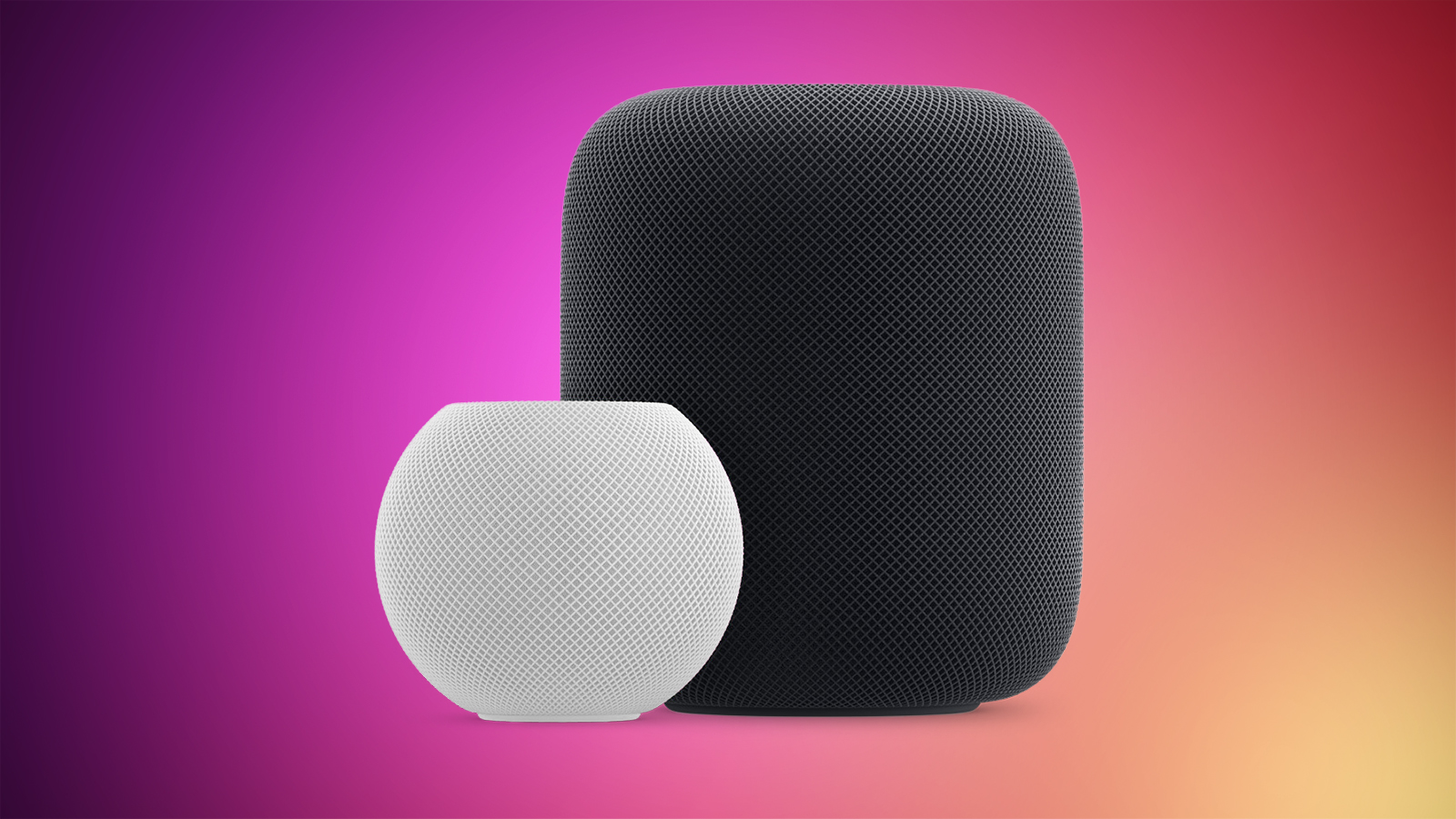
At some point in the last 24 hours, Siri on the HomePod and the HomePod mini seems to have forgotten how to relay the time. When asking Siri "what time is it?" Siri is unable to answer and directs users to the iPhone.
"I found some web results, I can show them if you ask again from your iPhone," is Siri's full response to the time question. If you ask what time it is in a specific location, Siri is able to respond, and Siri on iPhone, iPad, and Mac provides the time as usual when asked.
This is a bug that Apple will be able to fix server side, so it will likely be addressed quickly. In the meantime, to get the time from Siri on the HomePod without having to swap to an iPhone, include your location.
Siri has long been ridiculed for failing to understand requests and not providing the expected information, and small bugs like this are a bit embarrassing as Apple prepares for a major AI update.
HomeKit commands, and there have been many complaints from smart home users. Asking Siri to "turn off the lights in the living room," for example, often results in the lights being turned on or turned off in another room entirely. Hopefully some of these issues will be solved with a Siri overhaul in iOS 18 and its sister updates.
(Thanks, Ben!)
Related Roundups: HomePod, HomePod mini
Tag: Siri
Buyer's Guide: HomePod (Buy Now), HomePod Mini (Neutral)
Related Forum: HomePod, HomeKit, CarPlay, Home & Auto Technology
This article, "Siri on HomePod Seems to Have Forgotten How to Give the Time" first appeared on MacRumors.com
Discuss this article in our forums
Apple Confirms iPadOS Will Get Same EU App Changes as iOS This Fall
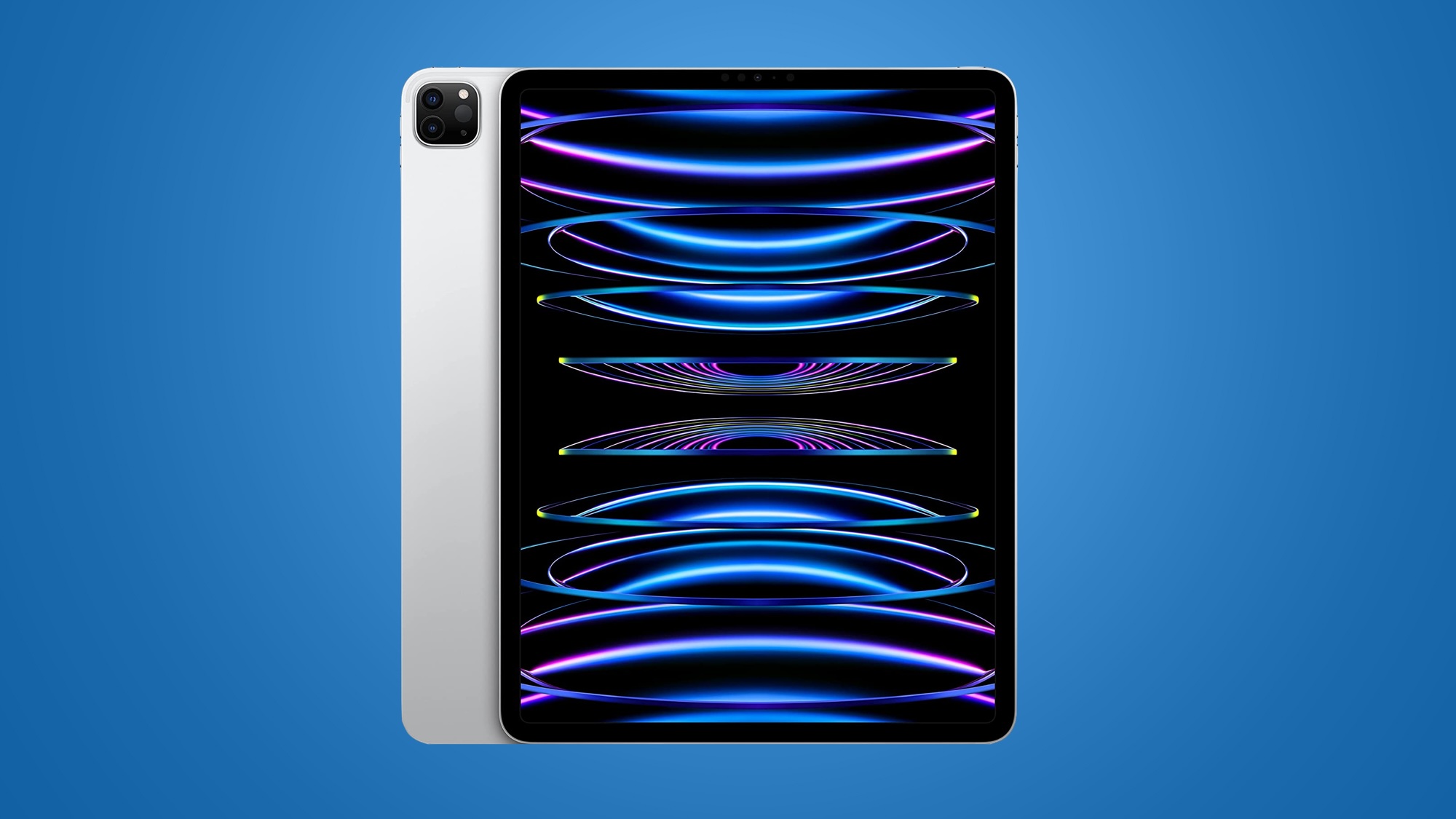
Apple today confirmed that it will be bringing all of the app ecosystem changes made to iOS in the European Union to iPadOS in the fall. Earlier this week, the European Commission said that iPadOS is also a gatekeeper platform under the Digital Markets Act.
EU developers will be able to distribute iPad apps outside of the App Store using alternative app marketplaces or websites, and all of the same terms will apply. The Core Technology Fee will be charged for apps that are distributed outside of the App Store and have more than one million first annual installs, though there are exceptions for small developers, which Apple also announced today.
With iPadOS being added to the mix, Apple has also confirmed that users who install the same app on both iOS and iPadOS in a 12-month period will only generate one first annual install for that app rather than two, which should help developers keep below the CTF threshold.
Tags: App Store, European Union
This article, "Apple Confirms iPadOS Will Get Same EU App Changes as iOS This Fall" first appeared on MacRumors.com
Discuss this article in our forums
https://www.macrumors.com/2024/05/02/ipados-eu-app-changes-fall/
Apple Tweaks EU Core Technology Fee to Avoid Bankrupting Unexpectedly Viral Apps

Apple today announced that it is tweaking the terms of the 0.50 euro Core Technology Fee (CTF) that apps distributed using the new EU business terms must pay, introducing a solution that would keep small apps that go viral from being bankrupt.
First, independent and small developers who earn no revenue at all will not have to pay the CTF. Students, hobbyists, and freeware app developers who distribute free apps and earn no money will not be charged the fee. Developers will need to declare their non-commercial status on an annual basis, and to maintain this status, developers must have no revenue in or out of the App Store for their app product.
Second, to address fears of the CTF causing outrageous fees for an app that suddenly goes viral, Apple has implemented a three year on-ramping process for small developers. The three year period begins when a developer agrees to the new App Store business terms, and during this time, if an app goes viral and exceeds the one million annual install threshold that triggers the CTF, the CTF won't be charged if the developer earns less than 10 million euros in global business revenue, and the fee is reduced after that.
Under 10 million euros: No CTF during the three year period.
Between 10 million and 50 million euros: CTF must be paid, but it is capped at one million euros per year for the three year period.
Beyond 50 million euros: Benefit is no longer available, and the full CTF has to be paid.
After three years: Developers will pay for each first annual install after the initial one million first annual installs per year.
Note that this ramp up period is only available to small developers who have not previously exceeded one million first annual installs, and it is calculated based on global business revenue rather than just App Store revenue.
Apple says that 99 percent of developers will not be subject to the CTF to begin with, but the new ramp up period will go further to make sure that small developers who get a breakout hit will have time to scale their businesses before having to pay fees.
Back in March, developer Riley Testut spoke with Apple officials at a workshop on the Digital Markets Act, and he asked what would happen if a young developer had an app go viral and unwittingly racked up millions in fees. Testut asked the question because when he was a high school student, he released GBA4iOS outside of the App Store. It was unexpectedly downloaded more than 10 million times, and that would have bankrupted him had he been subject to the Core Technology Fee.
In response, Apple VP of regulatory law Kyle Andeers said that Apple was working on a solution because the company is not trying to stifle innovation. Apple believes that a free app going viral and being subject to exorbitant fees will be a rare occurrence, but the changes will keep that from happening. The CTF update will also be a welcome change for those who want to release entirely free apps outside of the App Store.
The CTF is only applicable to apps that have opted in to the new App Store business terms in the European Union. Apps in the EU are now able to be distributed through alternative app stores and developer websites without having to rely on the App Store.
updated CTF support page.
Tags: App Store, European Union
This article, "Apple Tweaks EU Core Technology Fee to Avoid Bankrupting Unexpectedly Viral Apps" first appeared on MacRumors.com
Discuss this article in our forums
https://www.macrumors.com/2024/05/02/apple-updates-core-technology-fee-eu/
iPhone 15 and 15 Plus Proving Less Popular With Buyers This Year
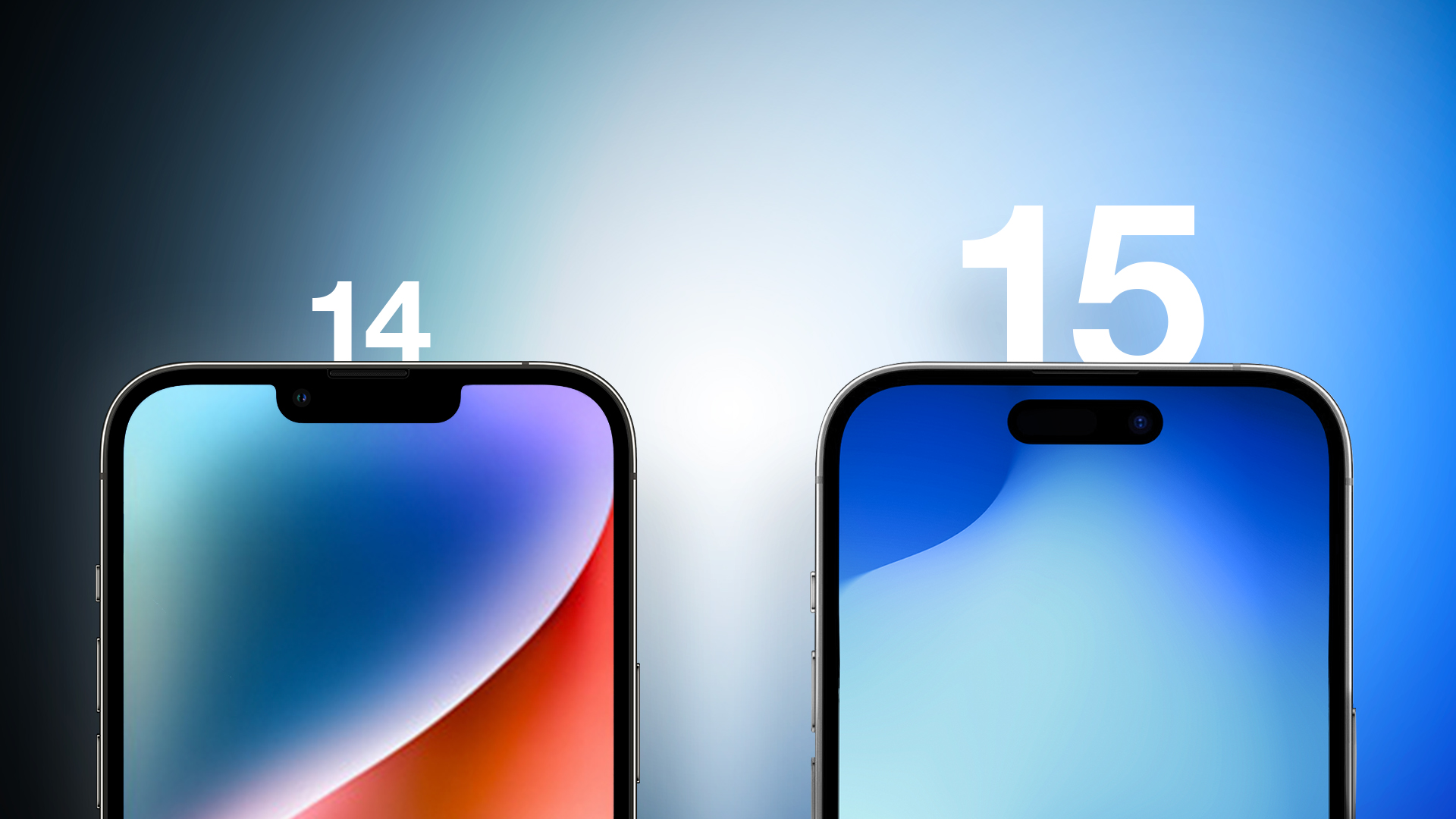
Apple's iPhone 15 Pro models were its most purchased smartphones in the U.S. in the first quarter of this year, according to the latest Consumer Intelligence Research Partners (CIRP) report.
The iPhone 15 Pro and Pro Max accounted for 22% and 23% of all iPhones sold in Q1 2024, for a 45% combined share. The iPhone 15 Plus took a 9% share of all iPhones sold, while the iPhone 15 and iPhone 14 were the third most popular, each taking 14% of the share.
iPhone sales.
By contrast, in Q1 2023 the iPhone 14 series had a 7% higher share of all iPhones sold, taking 75% combined. The percentages suggest that the iPhone 14 and iPhone 14 Plus were more popular than the iPhone 15 and iPhone 15 Plus over the equivalent quarter the previous year.
Noting the change, CIRP comments:
We see this as a continuation of a trend from the past couple of quarters, as the lower- priced current models give up some share to older models. The once flagship, now base iPhone 15, is no longer the leading-edge choice, as the Pro and Pro Max models take that role.
Last week, CIRP released a report indicating that new iPhone activations are down to a low not seen in the U.S. smartphone market for the last six years.
Tag: CIRP
This article, "iPhone 15 and 15 Plus Proving Less Popular With Buyers This Year" first appeared on MacRumors.com
Discuss this article in our forums
https://www.macrumors.com/2024/05/02/cirp-iphone-15-vs-14-sales-q1/
How to Enable Stolen Device Protection on iPhone
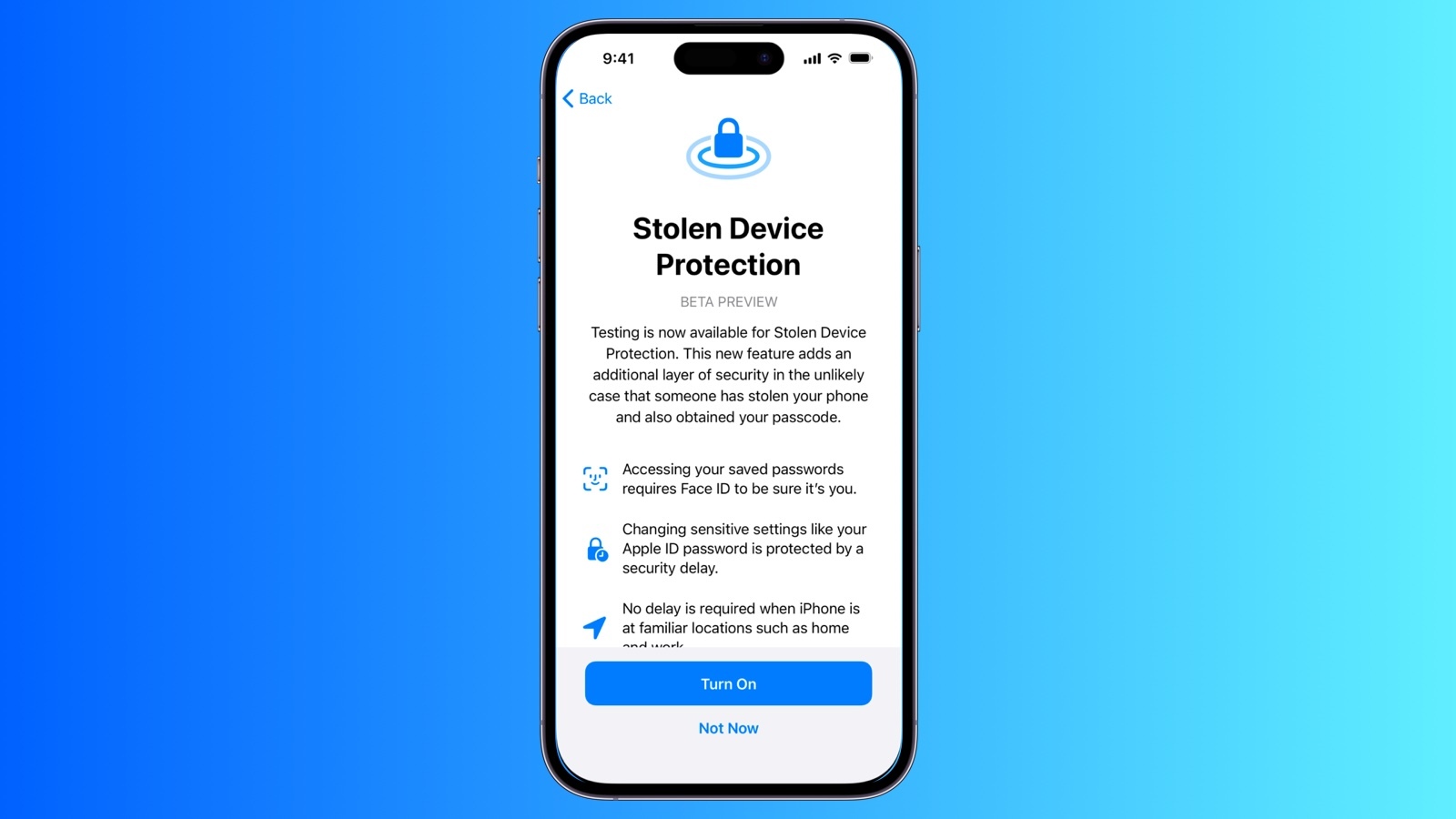
When Apple released iOS 17.3 in January, it introduced a Stolen Device Protection feature to provide iPhone users with added security. This article explains what it does, why you might want to turn it on, and how to go about doing so.
In 2023, reports began emerging about a new method thieves were using to steal iPhones and access users' highly sensitive data. Thieves would surreptitiously spy on their victims in public while they entered their passcode, before going on to steal the device. With the passcode known to them, criminals could empty bank accounts, steal passwords, and make the iPhone untraceable.
Enter, Stolen Device Protection
To make it harder for a thief to access passcode-protected data on a stolen iPhone, Apple in iOS 17.3 included Stolen Device Protection. With the feature enabled, Face ID or Touch ID is required to access passwords in iCloud Keychain, Lost Mode settings, options for erasing the device, and making purchases in Safari.
In addition to the new biometric requirements, the feature also imposes a one-hour security delay on actions like changing an Apple ID password. In other words, if someone tries to change Apple ID login information, Face ID authentication is required, and then an hour must pass before the password can be changed. The only time this wait period is not imposed is when the device at a trusted location like home or work.
Actions Requiring Face ID/Touch ID With Stolen Device Protection Enabled
Viewing/using passwords or passkeys saved in iCloud Keychain
Applying for a new Apple Card
Viewing an Apple Card virtual card
Turning off Lost Mode
Erasing all content and settings
Taking certain Apple Cash and Savings actions in Wallet
Using payment methods saved in Safari
Using your iPhone to set up a new device
Note that these actions do not have a passcode backup, so you can't use a passcode to avoid using Face ID or Touch ID.
Actions Requiring 1-Hour Delay With Stolen Device Protection Enabled
Actions that require biometric authentication and have a one-hour security delay include the following:
Changing your Apple ID password
Updating select Apple ID account security settings, including adding or removing a trusted device, trusted phone number, Recovery Key, or Recovery Contact
Changing your iPhone passcode
Adding or removing Face ID or Touch ID
Turning off Find My
Turning off Stolen Device Protection
How to Enable Stolen Device Protection
Note that Stolen Device Protection is only available on iPhones that are able to run iOS 17, which includes the iPhone XS and newer. Also, make sure your iPhone is up-to-date and running iOS 17.3 or later (Settings ➝ General ➝ Software Update). Here's how to enable the feature.
Open the Settings app.
Scroll down and tap Face ID & Passcode (or Touch ID and Passcode, depending on iPhone model).
Enter your passcode at the prompt.
Scroll down and tap Stolen Device Protection.
Toggle on the switch next to Stolen Device Protection, then tap Turn On at the prompt.
Away from Familiar Locations, or Always. Otherwise, that's all there is to it. You can just as easily turn off the feature by toggling off the Stolen Device Protection switch, but you'll need to biometrical authenticate to do so.
Tag: Apple Security
This article, "How to Enable Stolen Device Protection on iPhone" first appeared on MacRumors.com
Discuss this article in our forums
https://www.macrumors.com/how-to/enable-stolen-device-protection/
Apple Watch AFib History Feature Qualified by FDA to Evaluate Medical Devices
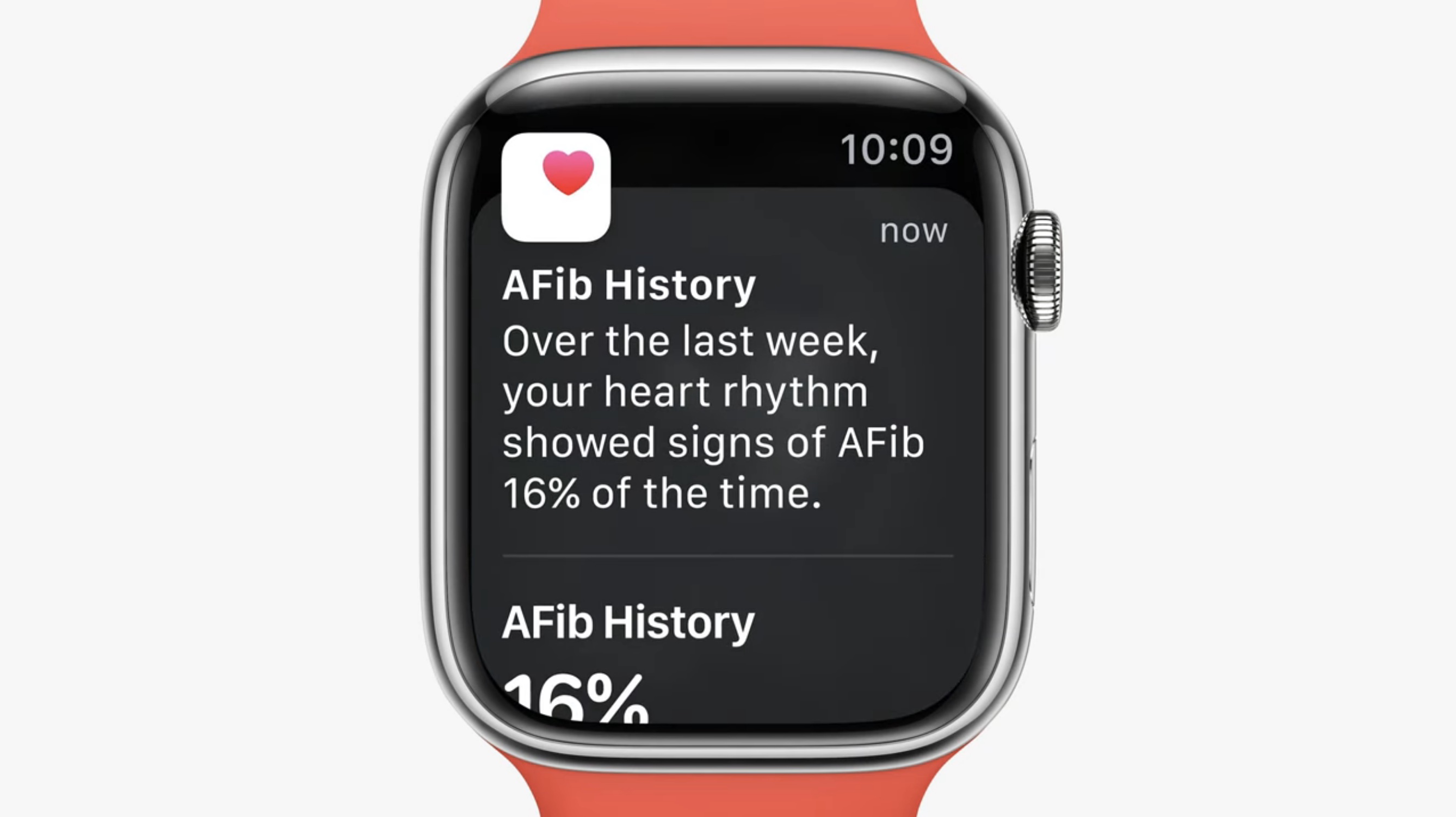
Apple's atrial fibrillation (AFib) history feature on Apple Watch has been qualified by the FDA under its Medical Device Development Tools (MDDT) program, the first digital health technology feature of its kind to do so.
Since 2022, Apple Watch has supported AFib History, which allows users diagnosed with atrial fibrillation to view an estimate of how frequently their heart is in this type of irregular rhythm.
The feature analyzes pulse rate data collected by a photoplethysmography (PPG) sensor to identify episodes consistent with AFib and provides the user with a retrospective estimate of AFib burden (a measure of the amount of time spent in AFib during past Apple Watch wear). Apple says the feature is intended for individuals aged 22 years or older who have been diagnosed with atrial fibrillation.
approved today is the FDA's method of qualifying tools that medical device sponsors can choose to use in the development and evaluation of medical devices.
According to the FDA, the Atrial Fibrillation History feature is:
The first digital health technology qualified under the MDDT program, providing a non-invasive way to check estimates of atrial fibrillation (AFib) burden within clinical studies.
Designed to be used as a biomarker test to help evaluate estimates of AFib burden as a secondary effectiveness endpoint within clinical studies intended to evaluate the safety and effectiveness of cardiac ablation devices to treat.
Designed to be used throughout the clinical study, both before and after cardiac ablation devices, to monitor a study participant’s weekly estimate of AFib burden.
(Via MyHealthyApple.com.)
Related Roundup: Apple Watch Series 9
Tag: FDA
Buyer's Guide: Apple Watch (Neutral)
This article, "Apple Watch AFib History Feature Qualified by FDA to Evaluate Medical Devices" first appeared on MacRumors.com
Discuss this article in our forums
https://www.macrumors.com/2024/05/02/apple-watch-afib-history-evaluate-medical-devices/
Google Paid Apple $20 Billion in 2022 to Be Default Safari Search Engine
Google paid Apple $20 billion in 2022 to be the default search engine for Safari on iPhone, iPad, and Mac, reports Bloomberg. The information was revealed in court documents Google provided in its antitrust dispute with the United States Department of Justice.
The DoJ has accused Google of having a monopoly on search, and in the lawsuit against Google, the search engine deal with Apple has been a major focus. In November, lawsuit documents indicated that Google was paying 36 percent of the total revenue that it earns from searches conducted on Safari, and now it turns out that equates to $20 billion.
billions per year.
was not interested. Microsoft blamed Google, but Apple's Eddy Cue said that Aplple was concerned that Bing could not compete in "quality and capabilities." Cue claimed that Apple uses Google as the iPhone's default search engine because Apple has "always thought it was the best."
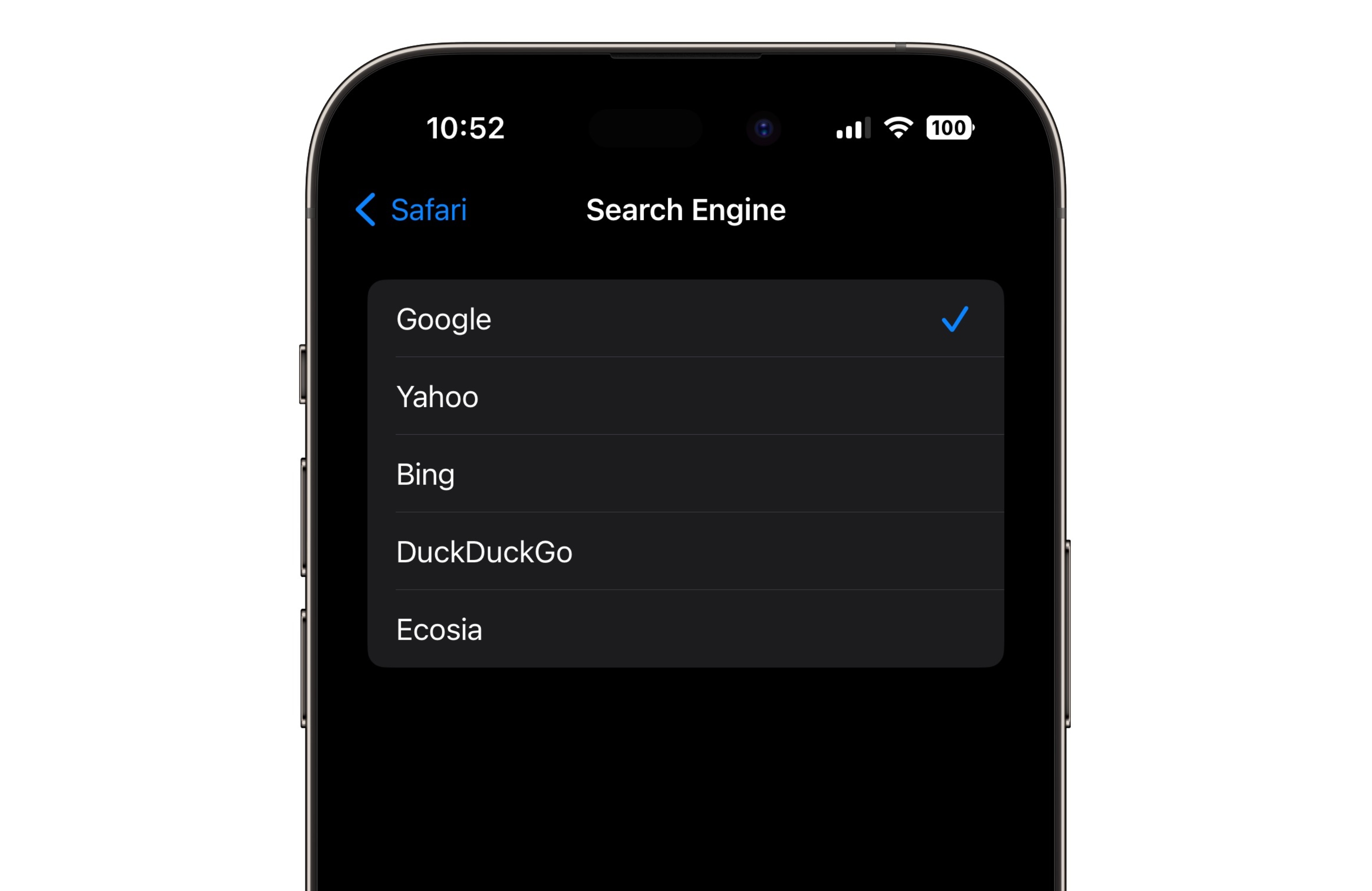
Google is the default search engine on Apple devices in most countries, but users can opt to swap to Yahoo, Bing, DuckDuckGo, and Ecosia as alternatives. Changing browser engines requires opening up the Safari settings.
In Europe, the Digital Markets Act has required Apple to make changes to how browsers work. Users are able to choose a default browser when setting up their iPhone, and there are more options than the handful of providers that Apple allows in the United States.
Tags: Google, Safari
This article, "Google Paid Apple $20 Billion in 2022 to Be Default Safari Search Engine" first appeared on MacRumors.com
Discuss this article in our forums
https://www.macrumors.com/2024/05/01/google-default-search-engine-safari-20-billion/
Check Out This Apple Watch iPad Demo Unit From 2014
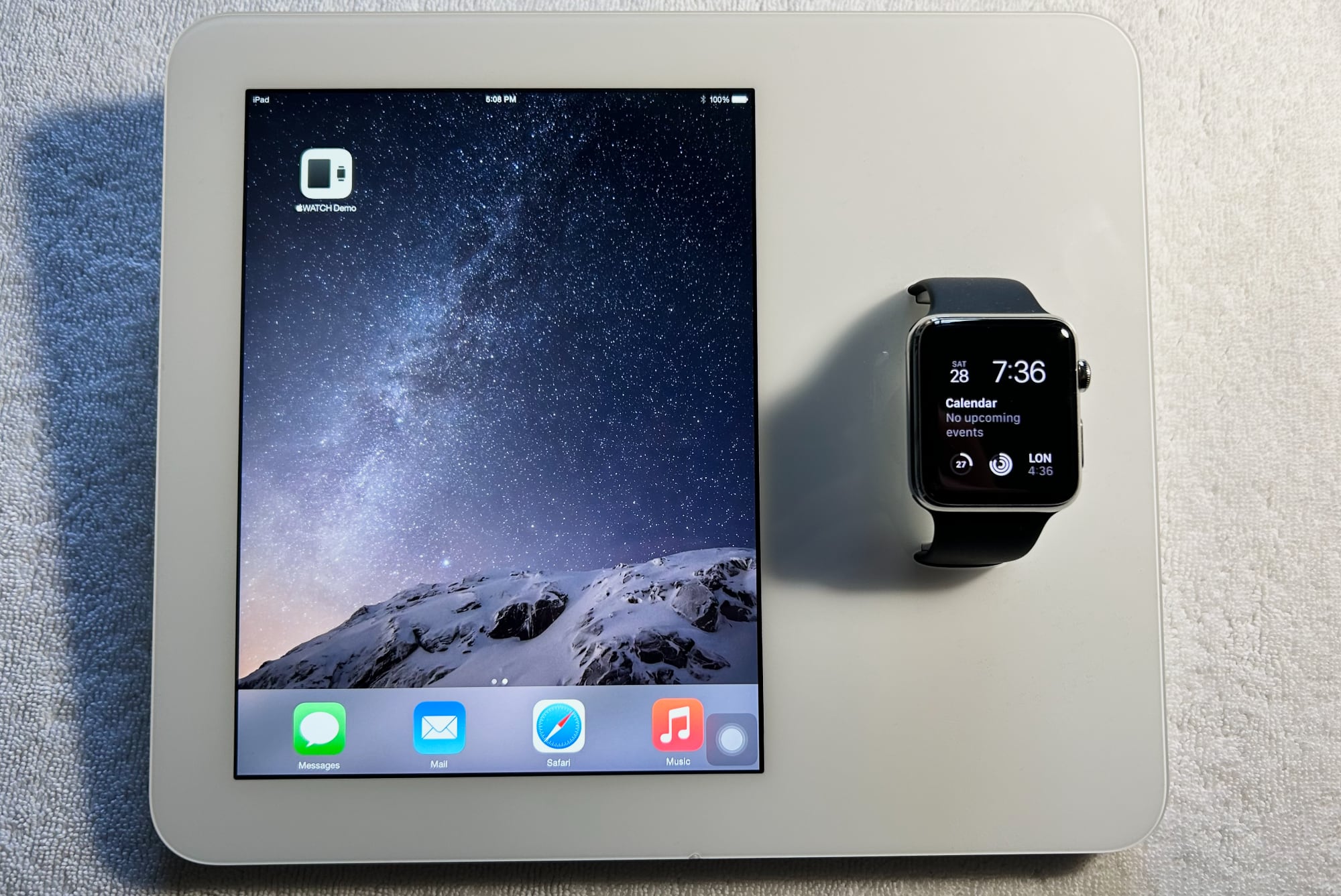
With the 10th anniversary of the Apple Watch approaching, we thought it would be fun to take a look back at an interesting bit of Apple Watch history.
After the Apple Watch was announced in 2014, and before it became available in 2015, Apple sent out custom Apple Watch iPad demo kiosks to retail stores. The Apple Watch and iPad units used for these devices were specially designed, had custom software, and represent the first and only time that an Apple Watch was able to pair with an iPad.
AppleDemoYT, known for sourcing rare prototypes, shared images and detailed information about the demo units with MacRumors, offering up detailed insight on the lengths Apple went to for this custom experience. AppleDemoYT was able to acquire one of these now-rare demo units.
Jony Ive and his design team came up with the Apple Watch iPad Kiosks as a way for customers to try out an Apple Watch without needing help from an employee. Apple used a modified iPad mini 2 running iOS 8.2 paired with an original Apple Watch running watchOS 1.0, with the two devices fused in a custom housing.
The iPad Apple used had multiple components removed, including the camera, microphone, and speakers, and the housing of the setup served as the body of the iPad. The Apple Watch was heavily modified as well, featuring a groove along the diagnostic port for cable routing, holes to affix it to the demo unit, and a special Sport Band that was shorter than normal.
The Apple Watch was paired to the iPad using a wired connection. A lightning cable attached to the Apple Watch diagnostic port connected to a converter board inside the iPad, allowing the iPad to communicate with and charge the Apple Watch. A special app called Apple Watch Demo was used to allow the Apple Watch to interface with the iPad, and a connection to Apple's server was required.
The server that Apple used for the Apple Watch Demo app has long since gone offline, so the only way to see how the setup worked is through a demo unit that was paired in 2014 and not reset since then. With a functional unit, the iPad is able to mirror the Apple Watch, offering up transition animations and providing tips on the actions that can be performed on the Apple Watch. This functionality is demoed in AppleDemoYT's video:
The custom iPad mini was not only the sole model able to connect with an Apple Watch, it was also the only iPad that could be charged using MagSafe 2, originally designed for the Mac. A MagSafe connector charged the iPad, Apple Watch, and extra batteries inside the iPad. A Lightning port is available as well, but Apple's documentation suggests that it is only meant to be used for data transfer.
Apple discontinued the demo unit in 2016 because it was riddled with issues. Updates to the iPad or Apple Watch would erase demo content, and the front glass was prone to cracking because of the design of the housing. Batteries degraded quickly due to the always-on charging, and overheating and failure were continual problems. Apple also had to deal with pairing and syncing issues, and that caused Apple to tweak the interactive part of the demo functionality in 2015. After that change, the iPad provided Apple Watch info, but no longer mirrored the content on the Apple Watch.
Demo units that were decommissioned were supposed to be destroyed, and so finding one that is still available, functional, and in good working condition is unusual. The Apple Watch iPad kiosk represents one of the most advanced custom devices that Apple had designed at the time, and it offers a neat look back at the Apple Watch's debut.
Apple Watch X" with an updated magnetic band attachment system, new health features, and more.
This article, "Check Out This Apple Watch iPad Demo Unit From 2014" first appeared on MacRumors.com
Discuss this article in our forums
https://www.macrumors.com/2024/05/01/apple-watch-ipad-demo-unit/
iOS 18 Rumor: Calendar App to Feature Integration With Reminders App
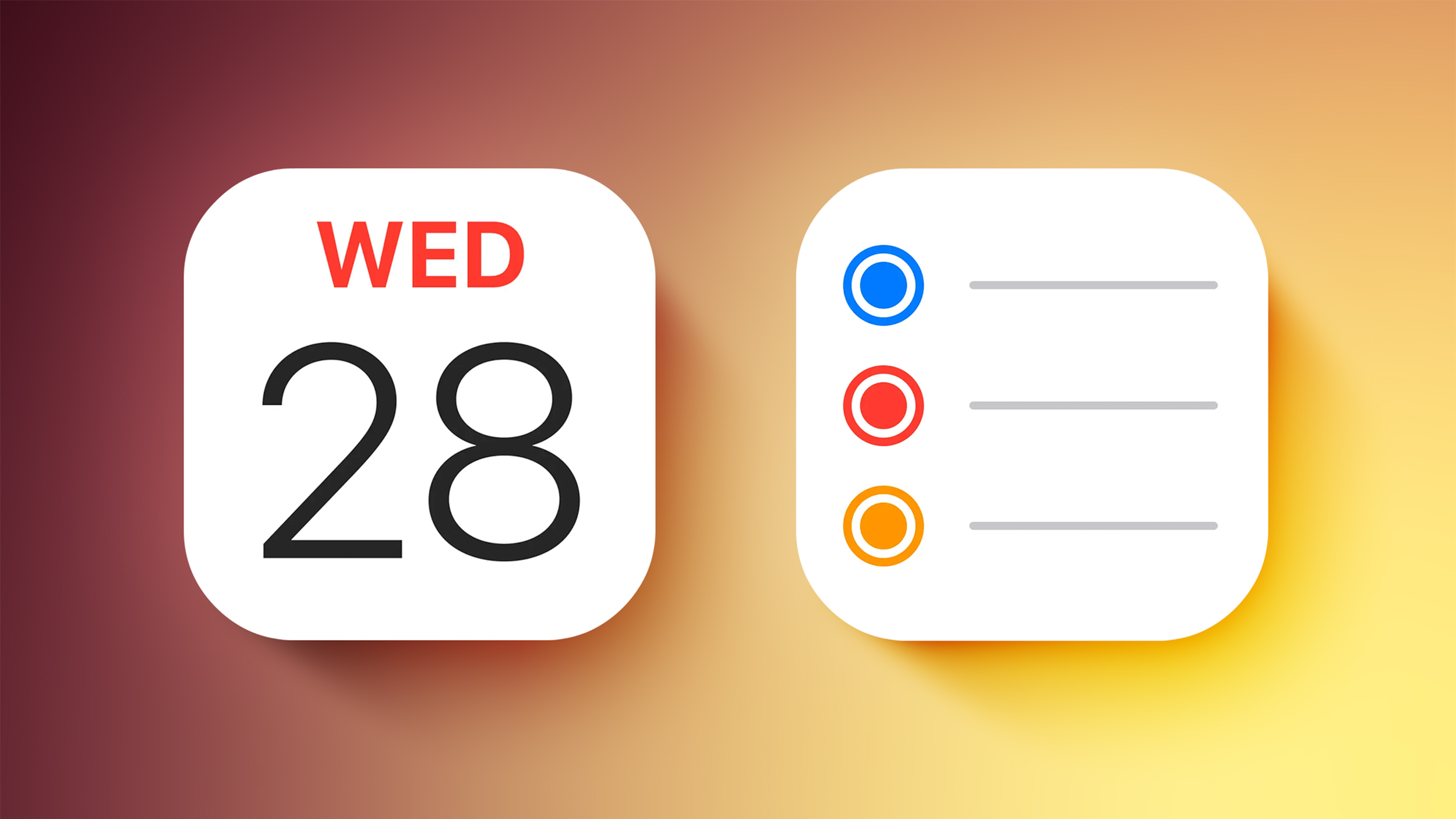
Starting with iOS 18, the Calendar app on the iPhone will feature integration with the Reminders app, according to information obtained by AppleInsider.
The report claims that iPhone users will be able to schedule and organize reminders directly within the Calendars app, without needing to open the Reminders app. Reminders are expected to be visible within the Day, Week, and Month calendar views.
The change will extend to the Mac with macOS 15, the report says.
Calculator and Notes app will also be integrated on iOS 18, and said that the update will include new Safari features such as "Intelligent Search" and "Web Eraser." We recently recapped iOS 18 rumors on a per-app basis, with new features also expected for Apple Music, Messages, and more.
WWDC keynote on June 10. The first betas of iOS 18 and macOS 15 will likely be made available to members of Apple's Developer Program immediately following the keynote, and the updates should be widely released in September.
Related Roundup: iOS 18
Tag: AppleInsider
This article, "iOS 18 Rumor: Calendar App to Feature Integration With Reminders App" first appeared on MacRumors.com
Discuss this article in our forums
https://www.macrumors.com/2024/05/01/ios-18-calendar-reminders-integration-rumor/
Will the New iPad Pro Really Have the M4 Chip?
While Apple's upcoming iPad Pro models have been expected to feature the M3 chip for over a year, recent reports have unexpectedly suggested that the new devices will instead feature the as-yet-unannounced M4 chip.
Last week, Bloomberg's Mark Gurman said that he now believes there is a "strong possibility" that the upcoming iPad Pro models will be equipped with Apple's next-generation M4 chip, rather than the M3 chip that debuted in the MacBook Pro and iMac six months ago. He said a key new feature of the M4 chip will be an upgraded Neural Engine that boosts performance for AI tasks, and he believes Apple will market the next iPad Pro as an AI-powered device.
iPad and only six months after the previous chip generation would be unprecedented moves. Yet this is not the first time that the new iPad Pro models have been rumored to feature the M4 chip. In March, the chip details of 16 new Apple devices were revealed by a source with a proven track record of sharing accurate information about Apple's plans.
The disclosed technical information contained four identifiers for an unreleased chip that relates to the upcoming 11- and 13-inch iPad Pro models display sizes. This sequence of identifiers suggested that the iPad Pro will contain the M4 chip, rather than the M3. With Gurman now supporting this possibility and the potential of an AI focus, it seems like an increasingly likely eventuality.
iPhone or Mac at this point in time.
"Let Loose" event on May 7. Do you think the new iPad Pro will contain the M4 chip and why? Let us know what you think in the comments.
This article, "Will the New iPad Pro Really Have the M4 Chip?" first appeared on MacRumors.com
Discuss this article in our forums
https://www.macrumors.com/2024/05/01/will-the-new-ipad-pro-really-have-m4/
MacRumors 2024 Blood Drive
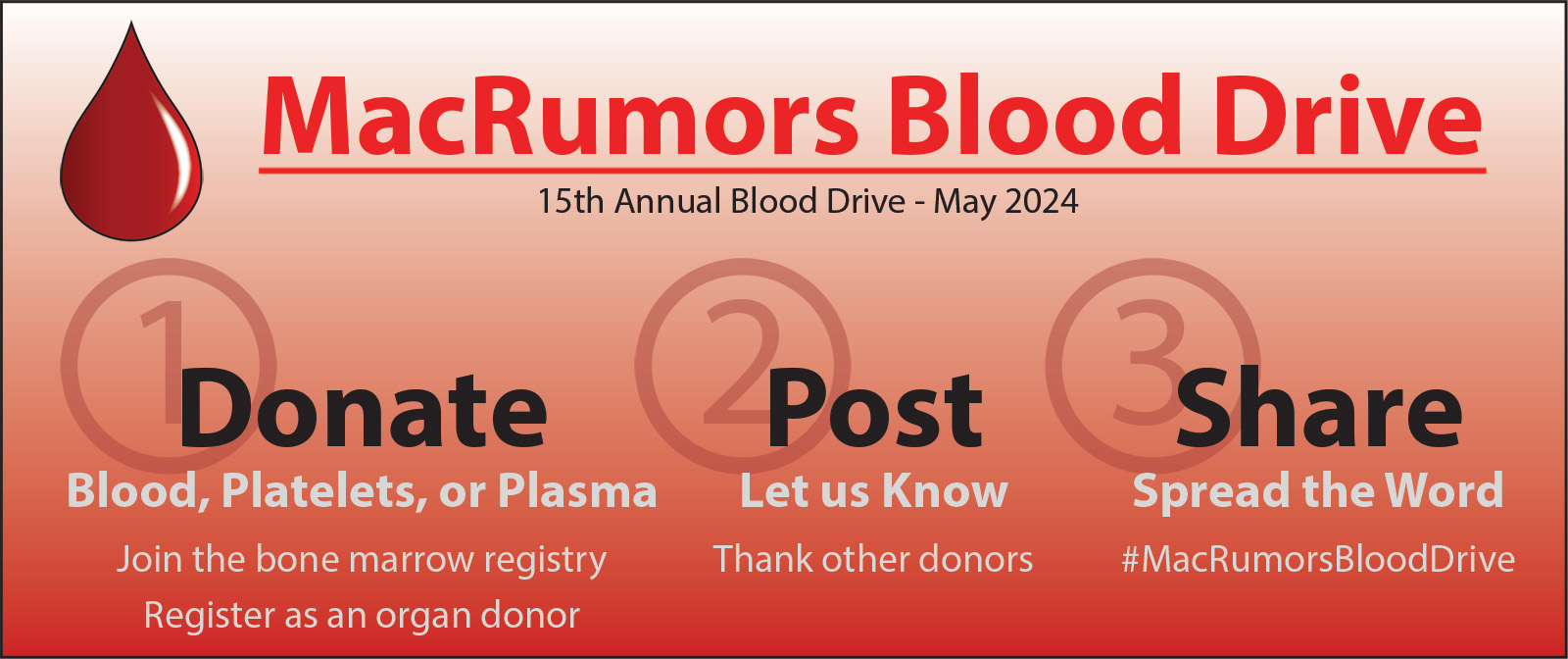
MacRumors is pleased to announce our Fifteenth Annual MacRumors Blood Drive, throughout the month of May 2024. Let's save lives together by encouraging donations of blood, platelets, and plasma. While most blood drives are specific to a geographic location, our blood drive is online and worldwide. Anyone can participate.
Over the past 14 years, MacRumors Blood Drives have recorded donations of 1,305 units of blood, platelets, and plasma, cheered for donors, and celebrated new signups for the organ donor and bone marrow registries. We've heard from hundreds of forum members who donate or whose lives were saved by the donations of strangers.
This year's featured donor is user Neil.gtis, a three-year forum member from England. Neil is a regular donor who has made 98 blood donations to date, and will reach his 100th donation this year. Whether you're a regular donor like Neil.gtis or someone overcoming apprehension to donate for the very first time, we congratulate you.
How to participate in the MacRumors Blood Drive
If you are an eligible donor (e.g., U.S. eligibility rules), schedule a blood, platelet, or plasma donation (FAQ) at any donation center near you. Post in the MacRumors 2024 Blood Drive! thread to tell us about it. Also post if you register as an organ donor or register for the bone marrow registry (FAQ). We'll add all donors and registrants to our Honor Roll.
If you aren't eligible to donate, such as for medical reasons, please encourage someone else to make a donation, and let us know. If they donate, you'll both be added to our Honor Roll. The FDA has changed the U.S. donor eligibility rules, by removing the blanket ban on MSM donors, so there are more eligible donors than ever before.
Share our message with friends, relatives, and followers. Thank the forum members who post in the MacRumors 2024 Blood Drive! thread.
Team MacRumors 2024-2025 page (see instructions). We'll tally your donations and count them for the MacRumors 2025 Blood Drive next May.
Tag: MacRumors Blood Drive
This article, "MacRumors 2024 Blood Drive" first appeared on MacRumors.com
Discuss this article in our forums
https://www.macrumors.com/2024/05/01/macrumors-2024-blood-drive/
Turn Several Live Photos into a Single Video on iPhone
Did you know it's possible to take multiple Live Photos from your iPhone's photo library and turn them into a single continuous video? Keep reading to learn how it's done.
On iPhone and iPad, Live Photos bring your pictures to life by adding a few seconds of video before and after the shot, creating a living memory rather than a static image.
While Live Photos are great on their own, it's also possible to weave several together to create a video montage. This process transforms a collection of moments into a cohesive narrative, and offers an easier way to share and relive your memories.
Whether it's a series of shots from a special event, a day out with friends, or a compilation of everyday moments, the following steps show you how to turn several Live Photos into a video that can encapsulate their essence in a way that a single photo or traditional video might not.
In the Photos app, tap the Albums icon at the bottom of the screen.
Scroll down to "Media Types," and tap Live Photos.
Tap Select in the top-right corner, then tap the Live Photos you want to include in your video so that a little checkmark appears on each one.
Tap the circle icon containing three dots in the bottom-right corner.
Choose Save as Video in the pop-up menu.
Albums view and select Videos under the "Media Types" section. Note that the video will be dated to when the Live Photos were originally taken, so they may not show as the latest video in your collection.
Tags: Photos, Live Photos
This article, "Turn Several Live Photos into a Single Video on iPhone" first appeared on MacRumors.com
Discuss this article in our forums
https://www.macrumors.com/how-to/turn-several-live-photos-into-video-iphone/