
Kuo: Apple Delays Change Aimed at Saving Space Inside Future iPhones
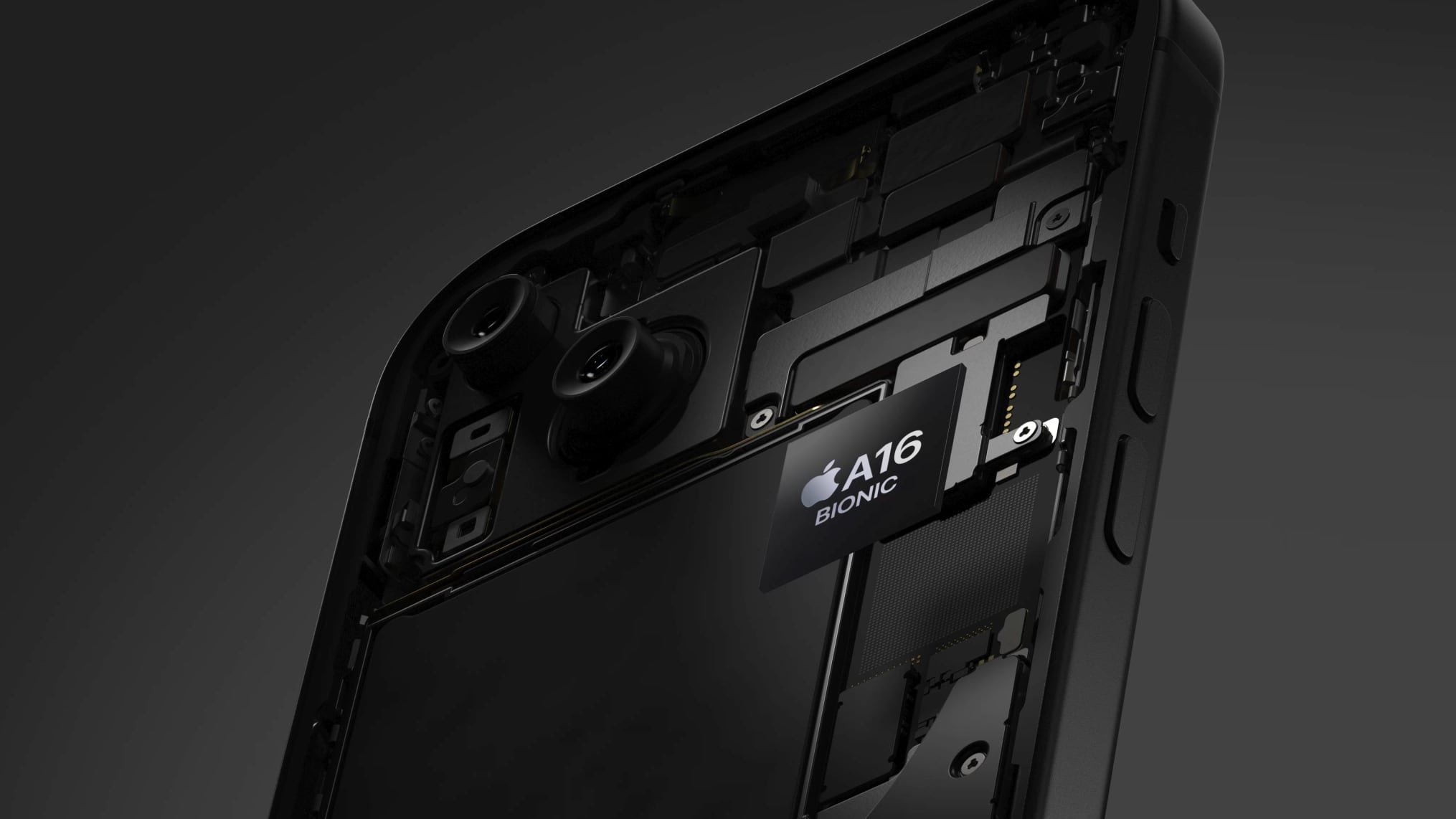
Apple no longer plans to use resin-coated copper for logic boards in iPhone 17 models next year, supply chain analyst Ming-Chi Kuo said today.
Kuo said resin-coated copper failed to meet Apple's "high-quality requirements," leading to the company scrapping its plans to adopt the material for iPhone 17 models. It is unclear if Apple will revisit resin-coated copper for iPhone 18 models or later, but it appears that the material is at least a few years away from being used in iPhones.
Resin-coated copper is a thin layer of copper foil coated with a resin, such as an epoxy. The material would allow for a thinner logic board, which in turn would provide more internal space for other components and sensors in future iPhones.
would use resin-coated copper this year, but it is unclear if that plan has been delayed too.
Related Roundup: iPhone 17
Tag: Ming-Chi Kuo
This article, "Kuo: Apple Delays Change Aimed at Saving Space Inside Future iPhones" first appeared on MacRumors.com
Discuss this article in our forums
https://www.macrumors.com/2024/07/17/kuo-iphone-17-wont-use-resin-coated-copper/
Kuo: Apple Delays Change Aimed at Saving Space Inside Future iPhones
Apple no longer plans to use resin-coated copper for logic boards in iPhone 17 models next year, supply chain analyst Ming-Chi Kuo said today.
Kuo said resin-coated copper failed to meet Apple's "high-quality requirements," leading to the company scrapping its plans to adopt the material for iPhone 17 models. It is unclear if Apple will revisit resin-coated copper for iPhone 18 models or later, but it appears that the material is at least a few years away from being used in iPhones.
Resin-coated copper is a thin layer of copper foil coated with a resin, such as an epoxy. The material would allow for a thinner logic board, which in turn would provide more internal space for other components and sensors in future iPhones.
would use resin-coated copper this year, but it is unclear if that plan has been delayed too.
Related Roundup: iPhone 17
Tag: Ming-Chi Kuo
This article, "Kuo: Apple Delays Change Aimed at Saving Space Inside Future iPhones" first appeared on MacRumors.com
Discuss this article in our forums
https://www.macrumors.com/2024/07/17/kuo-iphone-17-wont-use-resin-coated-copper/
The Best Prime Day Deals on Monitors, Charging Accessories, and More
Yesterday we highlighted some of the best Apple-related product discounts that you can find on Amazon during Prime Day, and now we're focusing on third-party accessory markdowns during the event. In this article you'll find all the best accessories for charging, smart homes, smartphones, and more.
Note: MacRumors is an affiliate partner with Amazon. When you click a link and make a purchase, we may receive a small payment, which helps us keep the site running.
Amazon Prime membership to get Prime Day deals. You can sign up for a free 30-day trial of Prime on Amazon if you're a new customer; afterwards the service runs for $14.99/month or $139/year.
Anker
Prime Day deals have hit Anker's most popular portable batteries, Bluetooth speakers, wall chargers, USB-C hubs, and portable power stations. We've collected some of the best Anker discounts in the list below, but be sure to browse Amazon for even more sales.
Audio
Soundcore Motion 300 Wireless Bluetooth Speaker - $59.99, down from $79.99
Portable Batteries
MagGo Power Bank 10,000 mAh - $64.99, down from $89.99
Nano Power Bank with Built-In USB-C Cable - $35.99, down from $49.99
Prime Power Bank 20,000 mAh with 100W Charging Base - $129.99, down from $184.99
Wireless Chargers
MagGo 3-in-1 Wireless Charging Station - $71.99, down from $99.99
MagGo 3-in-1 Folding Charging Station - $87.99, down from $109.99
Power Stations
Portable Power Station with Smart Display + Retractable Light - $104.99, down from $149.99
3-in-1 MagSafe Charging Cube - $112.46, down from $149.99
SOLIX C800 Power Station with Camping Lights - $449.00, down from $649.00
SOLIX C1000 Power Station - $499.00, down from $999.00
SOLIX C1000 Power Station with Solar Panel - $799.00, down from $1,549.00
SOLIX F2000 Power Station - $1,099.00, down from $1,999.00
SOLIX F2000 Power Station with 200W Solar Panel - $1,299.00, down from $2,549.00
SOLIX F2000 Power Station with 400W Solar Panel - $1,599.00, down from $2,899.00
SOLIX F3800 Power Station with 400W Solar Panel - $3,099.00, down from $4,899.00
Wall Chargers
20W USB-C Charger - $9.99, down from $16.99
100W 3-Port USB-C Charger - $42.99, down from $74.99
6-in-1 Nano Charging Station - $45.99, down from $65.99
Prime 67W 3-Port Charger - $39.99, down from $65.99
Hubs
4-Port USB-C Hub - $9.99, down from $19.99
10-in-1 USB-C Hub - $45.99, down from $149.99
Jackery
Jackery's Prime Day deals include a large selection of portable power stations at big discounts.
Explorer 100 Plus with Solar Panel - $169.00, down from $229.00
Solar Generator 240 with Mini Solar Panel - $249.00, down from $349.00
Solar Generator 300 Plus with Solar Panel - $398.98, down from $499.00
Expansion Battery Pack 1000 Plus - $479.00, down from $599.00
Solar Generator Explorer 500 - $479.00, down from $799.00
Explorer 1000 Power Station - $599.00, down from $799.00
Expansion Battery Pack 2000 Plus - $999.00, down from $1,599.00
Explorer 2000 PRO Power Station - $999.00, down from $1,899.00
Explorer 2000 Plus + Expandable Battery + Solar Panel - $2,599.00, down from $4,999.00
Beats
$79.00, down from $149.95. The newer Beats Studio Buds+ are on sale for $129.99, down from $169.95.
UP TO 51% OFF
Beats Headphones for Prime Day
$169.99, down from $349.99, which is a new record low price. You can also get the Beats Solo 4 Headphones for $119.99, down from $199.99 and the Beats Fit Pro for $149.99, down from $199.99.
Monitors
Samsung's popular 32-inch Smart Monitor M8 (Model M80D) is down to the best price we've ever seen it on Amazon, available for $499.99, down from $699.99. This is the newest model of the Smart Monitor M8, and it beats the first discount we tracked last week by $50.
$200
Samsung 32-inch Smart Monitor M80D for $499.99
$700
Samsung 27-inch ViewFinity S9 5K Monitor for $899.99
wide array of monitors and PCs on sale from HP, Acer, Samsung, and more for Prime Day. One of the highlights is Samsung's 27-inch ViewFinity S9 5K Monitor for $899.99, down from $1,599.99.
TVs
50-inch Vizio 4K Smart TV - $449.99, down from $629.99
55-inch TCL 4K Smart TV - $498.00, down from $699.99
55-inch The Frame 4K TV - $997.99, down from $1,499.99
65-inch LG G3 OLED 4K TV - $1,846.99, down from $2,799.99
65-inch Samsung Quantum HDR Smart TV - $1,797.99, down from $3,297.99
Amazon Devices
Of course, some of the best discounts can be found on Amazon's own line of products. This includes Kindle e-readers, Blink security cameras, Fire tablets, and more.
Echo Dot - $24.99, down from $49.99
Echo Show 8 - $84.99, down from $149.99
Kindle - $84.99, down from $99.99
Kindle Scribe - $259.99, down from $369.99
Fire HD Kids Tablet - $109.99, down from $189.99
Ring Video Doorbell - $49.99, down from $99.99
Blink Outdoor 4 Camera - $159.99, down from $399.99
Google Nest Thermostat
$84.99, down from $129.99 during Prime Day. This is one of the lowest prices we've seen for the Nest Thermostat, and it's available at this price in two colors.
$45 OFF
Nest Thermostat for $84.99
More Sales
Belkin - Save on headphones, chargers, and more
Eufy - Save on smart home products
iVANKY - Save on USB docks for Macs
Flexispot - Save on standing desks
If you're on the hunt for more Prime Day discounts, be sure to visit our big Prime Day post where we recap the best Apple-related bargains of the event. Remember that you'll need an Amazon Prime membership to get Prime Day deals. You can sign up for Prime on Amazon if you don't have the service yet.
Related Roundup: Apple Deals
Tag: Prime Day
This article, "The Best Prime Day Deals on Monitors, Charging Accessories, and More" first appeared on MacRumors.com
Discuss this article in our forums
https://www.macrumors.com/2024/07/17/the-best-prime-day-deals-accessories/
M5 MacBook Models to Use New Compact Camera Module in 2025
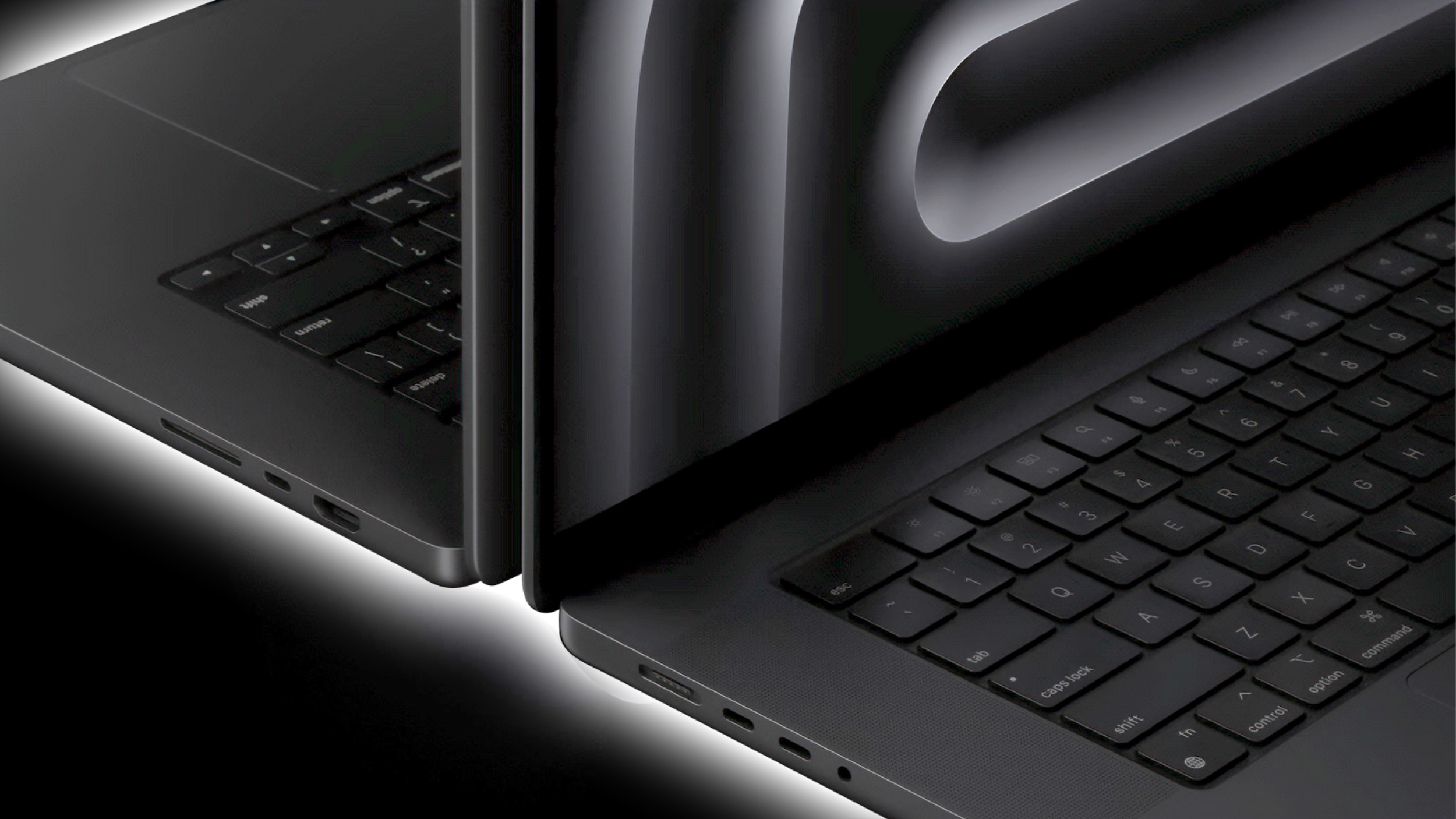
Apple in 2025 will take on a new compact camera module (CCM) supplier for future MacBook models powered by its next-generation M5 chip, according to Apple analyst Ming-Chi Kuo.
Writing in his latest investor note on Medium, Kuo said Apple will turn to Sunny Optical for the CCM in its M5 MacBooks. The Chinese optical lens company will mass produce the CCMs in Vietnam, and provide a complete imaging system integrated into a compact form factor for the new laptops.
The primary suppliers of camera modules for MacBooks are currently LG InnoTek and Sharp. In Apple's optical component supply chain, only Sunny Optical can simultaneously supply CCM and lenses in a single package, which gives the company the advantage of vertical integration. If shipments for the MacBooks go smoothly, Kuo predicts that Sunny Optical could also become the new CCM supplier for future iPhone and iPad models.
Apple plans to update the 14-inch MacBook Pro with an M4 chip as soon as late 2024, and we could perhaps see a refresh before the end of the year. The high-end 14-inch and 16-inch MacBook Pro models are also expected to see a late 2024 refresh with M4 Pro and M4 Max chips.
thinner version of the MacBook Pro, according to Bloomberg's Mark Gurman. The ultrathin 2024 iPad Pro serves as a model for Apple's upcoming design philosophy, with the company planning to offer "the thinnest and lightest products" in each category across the tech industry.
rumored to be working on Face ID for the Mac, and it's likely that the MacBook Pro will be one of the first Macs to get Face ID, but there are no concrete details about when that might happen.
Related Roundup: MacBook Pro 14 & 16"
Tag: Ming-Chi Kuo
Buyer's Guide: 14" & 16" MacBook Pro (Caution)
Related Forum: MacBook Pro
This article, "M5 MacBook Models to Use New Compact Camera Module in 2025" first appeared on MacRumors.com
Discuss this article in our forums
https://www.macrumors.com/2024/07/17/apple-camera-module-supplier-macbook-models-2025/
iOS 18 Passwords App: All the Features
With iOS 18, Apple created a standalone Passwords app that streamlines login and password management. You've been able to store password information on your Apple devices through iCloud Keychain for years, but accessing passwords was a little difficult because the data was tucked away in the Settings app. That's no longer the case, and in iOS 18, it's much simpler to create and manage passwords for websites and more.
This guide goes over everything you need to know about the iOS 18 Passwords app.
Layout
The Passwords app is installed automatically when upgrading to iOS 18, iPadOS 18, or macOS Sequoia. The app has a simple layout with a search bar right at the top, so you can look up the information that you're looking for.
If you've already used the iCloud Keychain feature, all of your saved logins and passwords will be ready to go as soon as you authenticate with Face ID or Touch ID. There are separate sections for passwords and logins (under All), Passkeys, two-factor authentication codes, Wi-Fi passwords, security warnings, and logins that have been deleted.
You can tap in to any of the sections to see what's listed there, and tapping on an individual entry shows the login and password. Each entry has fields for site or app name, username, login, verification code, websites where the login is used, and notes. There's also a one-tap option for changing your password for any given entry.
The layout of the Passwords app is similar to what you see in the Passwords section of the Settings app in iOS 18.
Adding Logins and Passwords
To add a login or password to the Passwords app, it's as simple as tapping on the "+" button at the bottom of the main interface.
The Passwords app populates a new entry with a password automatically, and you just need to add the website name and username, then copy the password and put it in the app, website, or service you're signing up for. Tapping on Save will save the information.
If you want to add information to an existing entry, you can tap into the relevant section, such as All, search for the login you want to update, tap it, and then select the "Edit" option to get to the editing interface for adding notes, changing a password, or adding a verification code.
Passwords and logins are added automatically to the Passwords app when you have iCloud Keychain enabled and you create a new login in Safari or in an app.
Changing Passwords
To change a Password, you just need to open up the Passwords app, search for the login you want to update, tap on Edit, and then tap on the "Change Password..." option. You can also browse through Passwords using the "All" section.
Tapping on Change Password opens up the website associated with the login and password, but you will need to initiate the password change process on the site by logging into your account and finding the appropriate option for updating a password.
Deleting Passwords
To delete a password, go to the "All" section and browse until you find it, or search for a specific login. From the "All" overview, you can swipe from right to left to bring up a delete option. Just tap on delete to remove the password.
You can also tap into any of your logins, choose Edit, and select Delete Password from there. To delete multiple logins, tap on the Select tool at the top right of the display (it looks like a list with a checkmark) and then tap any of the logins you want to delete. When you're done, tap on Delete again to delete them all.
Passwords that you have deleted are stored in a Deleted folder in the Passwords app for 30 days before they're permanently deleted. You can tap into that folder and swipe to delete logins and passwords right away. Alternatively, you can use the select button at the top to delete multiple logins at one time.
Authentication Codes
The Passwords app can provide two-factor authentication codes for sites that make additional security options available. To add a two-factor authentication code, tap on the "Codes" section of the main Passwords interface.
From there, tap on the "+" button. You can either scan a QR code with a camera, which is a common way two-factor authentication apps work, or enter a setup key. Once the code is stored in the Passwords app, you can open up the Codes section at any time to get a temporary code to log in to a site or app.
Two-factor authentication codes also show up when you search for a password and login or browse through logins in the "All" section.
Passkeys
Websites have started transitioning from passwords to passkeys, and the Passwords app stores your passkeys as well as your logins and passwords.
Passkeys are more secure than passwords, and they let you log into your accounts using Face ID or Touch ID authentication on an Apple device. Passkeys basically use a cryptographic key pair, with one public key stored on a server and a private key stored on your device.
Private keys are not shared, they remain on-device only, and can't be sent to other people, protecting your accounts from phishing attempts.
You can see your stored passkeys in the Passkeys section of the Passwords app.
Password Sharing
The Passwords app lets you set up and share select passwords with trusted contacts. You can create one or more groups of people that include family and friends, providing them with access to shared logins and passwords.
Creating a group can be done by tapping on the folder on the left hand side of the main Passwords interface. Type in a name, and then select people to add. Note that anyone you add needs to be in your contacts list.
From there, you can select logins and passwords that you want to share. Logins and passwords can be removed at any time, and all members of a group can contribute logins. The group creator can remove people from the group at any time.
To share a password with someone in person, you can search for the login that you want to share and then use the Share Sheet to open up an AirDrop interface that will let you AirDrop the login and password information. The Share Sheet is only designed for this kind of in-person sharing.
AutoFill
If you have AutoFill enabled on your devices, your logins and passwords will be entered automatically when you visit a website in Safari that you have stored login information for. AutoFill will pop up an option for the appropriate login and password on any account login field in Safari or in an app.
AutoFill works the same as it did when passwords were limited to the Settings app.
Sorting
In the "All" section of the Passwords app, you can tap on the icon that features two arrows to get to sorting options.
Sorting options include Date Edited, Date Created, Website, or Title, and each of these can be displayed in a Descending or Ascending list by tapping on the desired option.
Syncing
Passwords are synced automatically between all of your Apple devices using iCloud Keychain. You just need to have the option turned on and you need to be logged in to your Apple ID on any device where you want to access your passwords.
You can even get to your logins and passwords on a Windows PC because Apple is adding the Passwords app to iTunes for Windows.
Security
There is a dedicated Security section in the Passwords app, and it lets you know if you have a password that is reused, too weak, or has been compromised in a data leak.
Warnings are accompanied by information letting you know that a password change is in order, and you can tap on the Change Password option to go to the website where you need to update your information.
For any individual login, you'll also see information letting you know if your password is weak or strong.
Importing Passwords
Apple plans to provide a tool for importing passwords from other services like 1Password and LastPass, but as of now, this functionality has not yet been implemented.
Read More
For more on the new features that Apple is adding in iOS 18, we have a dedicated iOS 18 roundup.
Related Roundups: iOS 18, iPadOS 18
Related Forums: iOS 18, iPadOS 18
This article, "iOS 18 Passwords App: All the Features" first appeared on MacRumors.com
Discuss this article in our forums
Apple Store App Gets Overhaul With Revamped For You Section
Apple today updated the Apple Store app to introduce a more personalized For You experience, which offers up more relevant product and service suggestions along with more information on what you can do with your existing devices.
The entire navigation bar has been refreshed, replacing Shop with Products and Sessions with Go Further. The For You tab provides relevant offers and suggestions such as free Apple Music and Apple TV+ trials, while the Products tab lets you see new products and also shop for accessories for your devices.
To create a personalised shopping experience, we'll collect and use data about your device, Apple account, Apple Store shopping activity and Apple subscriptions.
The updated version of the Apple Store app also includes a new Today at Apple video series with short videos that you can watch to get tips on device features.
Apple's full release notes for the refreshed Apple Store app are below.
A fresh, more curated experience that makes it easier to quickly find the most relevant content on the For You tab, shop the latest on the Products tab, and make the most of the devices you already own on the Go Further tab.
Check out the new video series from Today at Apple with featured guests that will inspire you to do more with your devices.
New options to customize your privacy settings and preferences give you enhanced control over how Apple will use the data you share with us.
The Apple Store app can be downloaded for free from the App Store. [Direct Link]
Tag: Apple Store
This article, "Apple Store App Gets Overhaul With Revamped For You Section" first appeared on MacRumors.com
Discuss this article in our forums
https://www.macrumors.com/2024/07/16/apple-store-app-overhaul/
Sonos Takes Up to 20% Off Select Audio Products in Prime Day-Like Sale
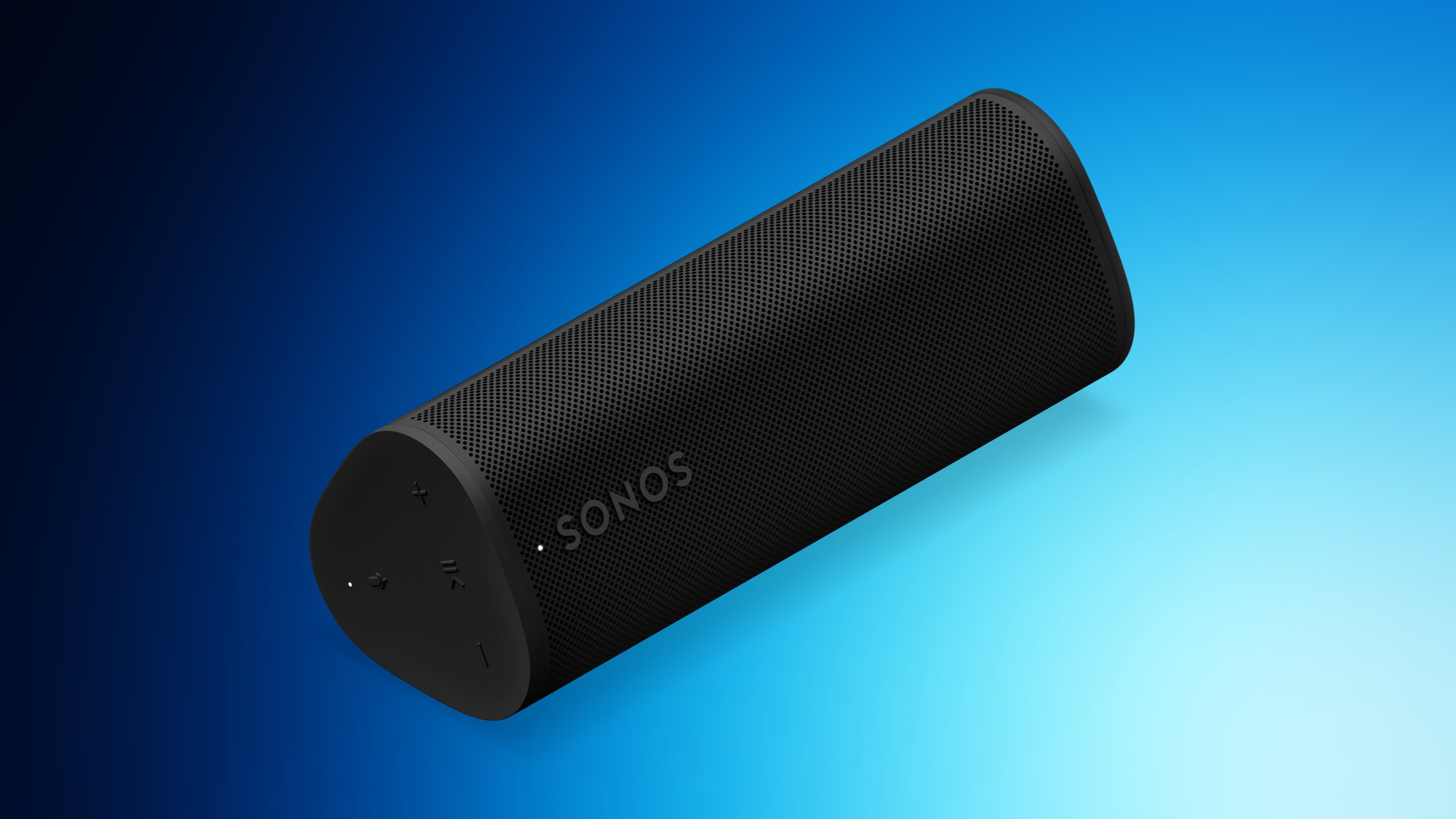
Sonos today has opened up its own Prime Day inspired sale, offering steep discounts on select home theater audio equipment. This includes low prices on the Sonos Roam 2 portable speaker, as well as various discounted bundles, all of which are rare deals we haven't tracked since earlier in the summer.
Note: MacRumors is an affiliate partner with Sonos. When you click a link and make a purchase, we may receive a small payment, which helps us keep the site running.
Sonos Roam 2 for $143 and Sonos Era 100 Smart Speaker for $199, both of which are all-time low prices.
UP TO 20% OFF
Sonos Home Theater Sale
browse this landing page on the Sonos website for everything being discounted.
Speakers
Roam 2 Portable Speaker - $143, down from $199
Roam 2 Charging Set - $192, down from $228
Era 100 Smart Speaker - $199, down from $249
Bundles
2 Room Set with Era 100 - $398, down from $498
Arc + Move 2 Speaker Bundle - $1,208, down from $1,348
Arc + Sonos Ace Headphones Bundle - $1,280, down from $1,348
Beam + Sub Bundle - $1,168, down from $1,298
Arc + 2x Era 100 Speakers Bundle - $1,257, down from $1,397
Arc + Sub Bundle - $1,528, down from $1,698
Beam + Sub + 2x Era 100 Speakers Bundle - $1,566, down from $1,796
Head to our full Deals Roundup to get caught up with all of the latest deals and discounts that we've been tracking over the past week.
Related Roundup: Apple Deals
This article, "Sonos Takes Up to 20% Off Select Audio Products in Prime Day-Like Sale" first appeared on MacRumors.com
Discuss this article in our forums
https://www.macrumors.com/2024/07/16/sonos-prime-day-like-sale/
The 9 Best Apple Deals Under $100 for Prime Day

As Prime Day continues today, we're highlighting all of the best Apple deals you can get for under $100 on Amazon. This includes AirPods, Apple Pencil 2, AirTags, iPhone cases, USB-C chargers, and more.
Note: MacRumors is an affiliate partner with some of these vendors. When you click a link and make a purchase, we may receive a small payment, which helps us keep the site running.
every Apple deal available during Prime Day in our dedicated post. Remember that you'll need an Amazon Prime membership to get Prime Day deals, and you can sign up for Prime on Amazon if you don't have the service yet.
$30 Or Under
In the cheapest category, you can get Apple's 20W USB-C Power Adapter for $14.99, down from $19.00 and the AirTag 1 Pack for $23.99, down from $29.00
$4 OFF
20W USB-C Power Adapter for $14.99
$4 OFF
60W USB-C Woven Cable (1m) for $15.00
$5 OFF
AirTag 1 Pack for $23.99
$50 Or Under
For accessories priced between $30 and $50, there are a few sales on Amazon for Prime Day. You can get the 35W Dual USB-C Port Power Adapter for $44.99, down from $59.00, as well as discounts on iPhone 15 cases.
$14 OFF
35W Dual USB-C Power Adapter for $44.99
$24 OFF
iPhone 15 Pro FineWoven Case for $34.99
$24 OFF
iPhone 15 Pro Max FineWoven Case for $34.99
$100 Or Under
Lastly, we're tracking a few deals on Apple products that are just under $100 for Prime Day. You can get an AirTag 4-Pack for $74.98 ($24 off), an Apple Pencil 2 for $79.00 ($50 off), and AirPods 2 for $69.00 ($60 off).
$60 OFF
AirPods 2 for $69.00
$24 OFF
AirTag 4 Pack for $74.98
$50 OFF
Apple Pencil 2 for $79.00
big Prime Day post where we recap the best Apple-related bargains of the event. Remember that you'll need an Amazon Prime membership to get Prime Day deals. You can sign up for Prime on Amazon if you don't have the service yet.
Related Roundup: Apple Deals
This article, "The 9 Best Apple Deals Under $100 for Prime Day" first appeared on MacRumors.com
Discuss this article in our forums
https://www.macrumors.com/2024/07/16/9-best-apple-deals-under-100/
The 9 Best Apple Deals Under $100 for Prime Day
As Prime Day continues today, we're highlighting all of the best Apple deals you can get for under $100 on Amazon. This includes AirPods, Apple Pencil 2, AirTags, iPhone cases, USB-C chargers, and more.
Note: MacRumors is an affiliate partner with some of these vendors. When you click a link and make a purchase, we may receive a small payment, which helps us keep the site running.
every Apple deal available during Prime Day in our dedicated post. Remember that you'll need an Amazon Prime membership to get Prime Day deals, and you can sign up for Prime on Amazon if you don't have the service yet.
$30 Or Under
In the cheapest category, you can get Apple's 20W USB-C Power Adapter for $14.99, down from $19.00 and the AirTag 1 Pack for $23.99, down from $29.00
$4 OFF
20W USB-C Power Adapter for $14.99
$4 OFF
60W USB-C Woven Cable (1m) for $15.00
$5 OFF
AirTag 1 Pack for $23.99
$50 Or Under
For accessories priced between $30 and $50, there are a few sales on Amazon for Prime Day. You can get the 35W Dual USB-C Port Power Adapter for $44.99, down from $59.00, as well as discounts on iPhone 15 cases.
$14 OFF
35W Dual USB-C Power Adapter for $44.99
$24 OFF
iPhone 15 Pro FineWoven Case for $34.99
$24 OFF
iPhone 15 Pro Max FineWoven Case for $34.99
$100 Or Under
Lastly, we're tracking a few deals on Apple products that are just under $100 for Prime Day. You can get an AirTag 4-Pack for $74.98 ($24 off), an Apple Pencil 2 for $79.00 ($50 off), and AirPods 2 for $69.00 ($60 off).
$60 OFF
AirPods 2 for $69.00
$24 OFF
AirTag 4 Pack for $74.98
$50 OFF
Apple Pencil 2 for $79.00
big Prime Day post where we recap the best Apple-related bargains of the event. Remember that you'll need an Amazon Prime membership to get Prime Day deals. You can sign up for Prime on Amazon if you don't have the service yet.
Related Roundup: Apple Deals
This article, "The 9 Best Apple Deals Under $100 for Prime Day" first appeared on MacRumors.com
Discuss this article in our forums
https://www.macrumors.com/2024/07/16/9-best-apple-deals-under-100/
Apple Seeds Fourth Beta of macOS Sonoma 14.6 to Developers
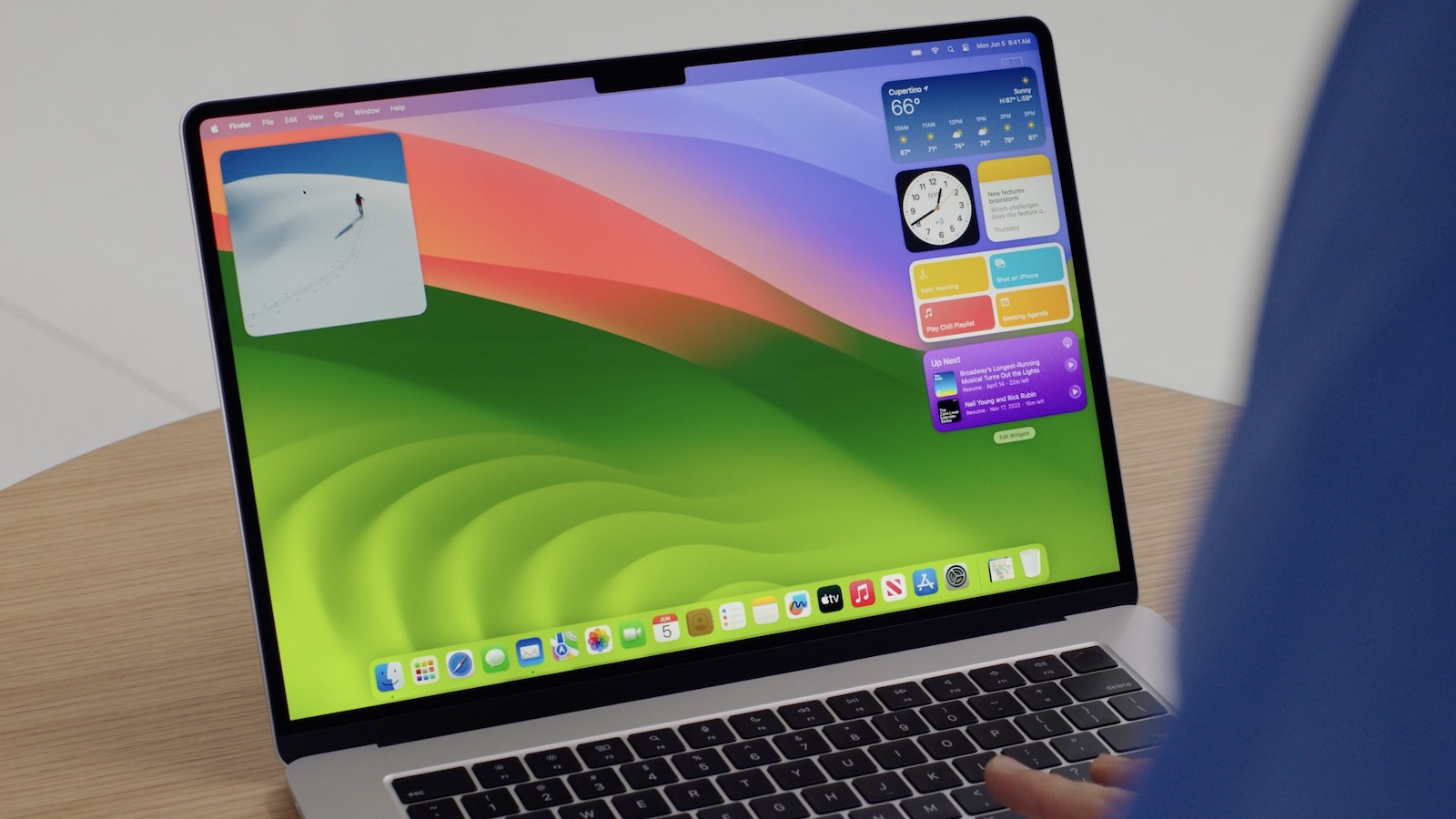
Apple today seeded the fourth beta of an upcoming macOS Sonoma 14.6 update to developers, with the software coming a week after Apple released the third beta.
Registered developers can opt-in to the beta through the Software Update section of the System Settings app. Note that an Apple ID associated with an Apple Developer account is required to get the beta.
Related Roundup: macOS Sonoma
Related Forum: macOS Sonoma
This article, "Apple Seeds Fourth Beta of macOS Sonoma 14.6 to Developers" first appeared on MacRumors.com
Discuss this article in our forums
https://www.macrumors.com/2024/07/16/apple-seeds-macos-sonoma-14-6-beta-4/
Apple Seeds Fourth Beta of macOS Sonoma 14.6 to Developers
Apple today seeded the fourth beta of an upcoming macOS Sonoma 14.6 update to developers, with the software coming a week after Apple released the third beta.
Registered developers can opt-in to the beta through the Software Update section of the System Settings app. Note that an Apple ID associated with an Apple Developer account is required to get the beta.
Related Roundup: macOS Sonoma
Related Forum: macOS Sonoma
This article, "Apple Seeds Fourth Beta of macOS Sonoma 14.6 to Developers" first appeared on MacRumors.com
Discuss this article in our forums
https://www.macrumors.com/2024/07/16/apple-seeds-macos-sonoma-14-6-beta-4/
Apple Launches New Safari Ad Campaign: 'A Browser That's Actually Private'
Apple today shared a new privacy-focused Safari ad, which is designed to highlight the ways that Safari protects user privacy compared to other browsers.
In the spot, security cameras are positioned as pesky birds and bats, hovering around smartphone users as they browse the web. The cameras are everywhere, representing website trackers. Much of the ad is focused on non-iPhone users, but toward the end, iPhone users opens up Safari and all the creepy cameras explode in mid-air.
on its WebKit blog.
Safari has long protected advertisers from tracking users across the web with cross-site tracking, and it uses Intelligent Tracking Prevention to suss out and block domains collecting tracking data.
IP addresses are hidden from known trackers in Safari, as this can be used to identify users across websites, plus location information is not shared without express user permission and with optional time limitations. To cut down on fingerprinting, a tracking technique that uses system configuration info, Safari provides limited information to trackers to make devices look more identical.
The Safari Private Browsing mode offers an option to use a different search engine, it strips information added to URLs for tracking purposes, it has a content blocker to block network requests from known trackers, and it restricts web extensions that have access to webpage content and browsing history.
iCloud+ subscribers have additional protections with iCloud Private Relay and Safari Private Browsing, including separate sessions for every tab so sites can't tell if two tabs came from the same device and a non-specific IP location based on country and time zone.
Tracking preventions that Apple designed specifically for Private Browsing mode are enabled by default when in that mode, but they can also be enabled for regular browsing by going to Settings > Apps > Safari > Advanced > Advanced Tracking and Fingerprinting Protection on an iPhone and toggling on the "All Browsing" feature. On a Mac, the setting can be found under Safari > Settings > Advanced.
According to Apple, a number of Safari's protections are not offered by other browsers such as Chrome, which makes Safari the ideal choice for privacy. Safari's unique features include using machine learning to combat cross-site tracking, removing unique trackers from URLs in Private Browsing, hiding IP address from known trackers, preventing web extensions from seeing browsing by default, not sharing location data with search engine, and blocking known trackers in Private Browsing.
Apple's privacy website, with specific technical information available on the WebKit blog.
Tags: Apple Ads, Apple Privacy
This article, "Apple Launches New Safari Ad Campaign: 'A Browser That's Actually Private'" first appeared on MacRumors.com
Discuss this article in our forums
https://www.macrumors.com/2024/07/16/apple-safari-ad-campaign/
Apple Wallet App Now Works With PRESTO Fare Card in Toronto Area
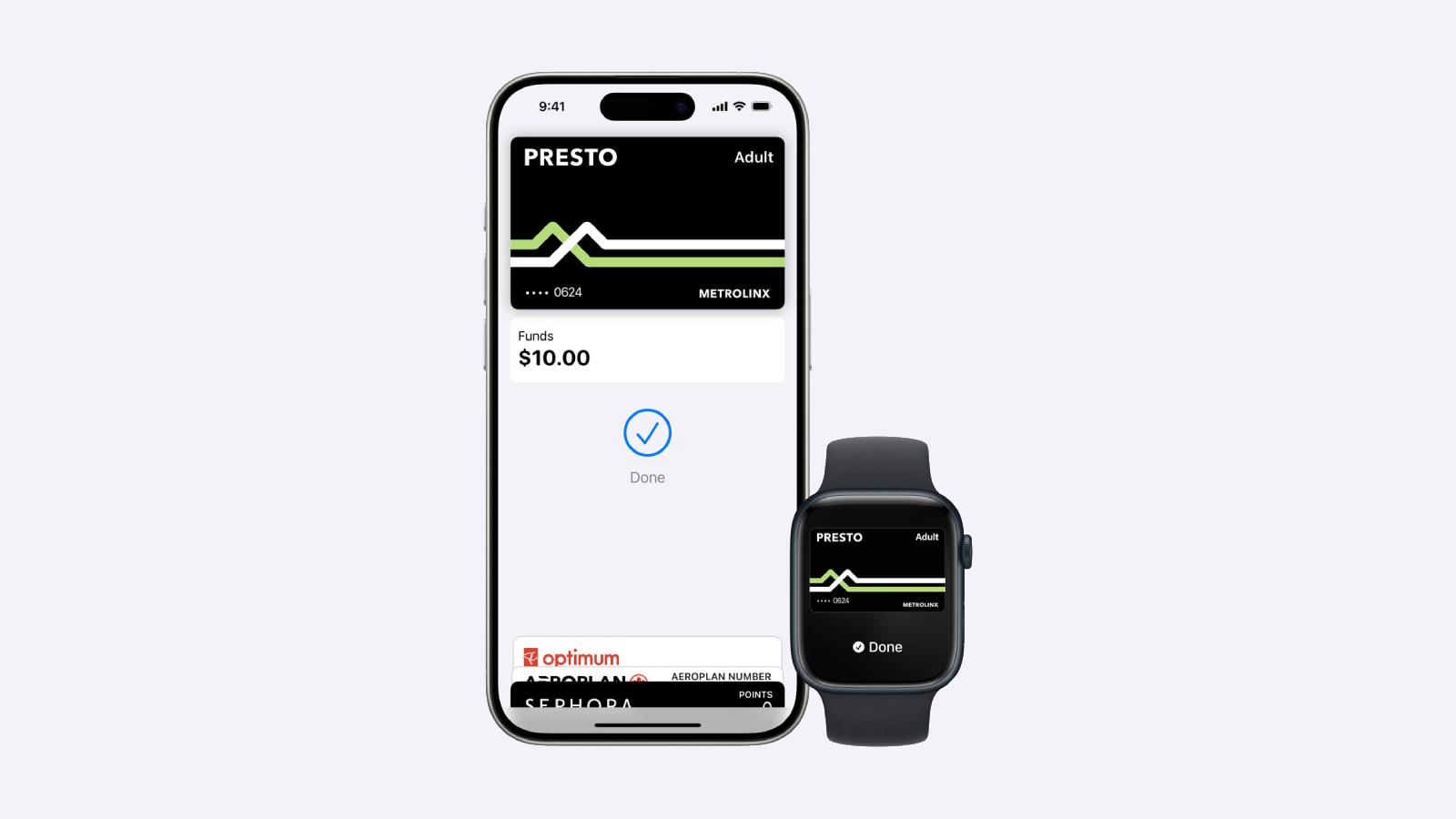
Apple and Metrolinx today announced that the PRESTO card can now be added to the Wallet app, allowing commuters in Toronto, Canada and the surrounding area to tap an iPhone or Apple Watch to pay for a fare on buses, streetcars, trains, and the subway. Funds can be loaded onto the card directly in the Wallet app for added convenience.
Express Mode allows commuters to simply hold their iPhone or Apple Watch near a payment reader to pay for their ride, without needing to unlock or wake the device. This mode even works for up to five hours after your iPhone runs out of battery power.
Transit agencies that accept the PRESTO card in the Wallet app include the TTC and UP Express in Toronto, HSR in Hamilton, MiWay in Mississauga, Brampton Transit, Burlington Transit, Durham Region Transit, Oakville Transit, and York Region Transit, as well as the GO Transit network. The feature does not work with OC Transpo in Ottawa.
To add the PRESTO card to the Wallet app, tap on the plus sign in the top-right corner, select Transit Card, and select PRESTO. A physical PRESTO card can also be converted for use in the Wallet app, but the physical card will no longer work. The version in the Wallet app supports various fare types, and Ontario's new One Fare program.
Adding a PRESTO card to the Wallet app requires an iPhone 8 or later with iOS 16.4 or later, or an Apple Watch Series 4 or later with watchOS 9.4 or later.
PRESTO in Apple Wallet page and FAQ.
(Thanks, Apollo Zhao!)
Tag: Apple Wallet
This article, "Apple Wallet App Now Works With PRESTO Fare Card in Toronto Area" first appeared on MacRumors.com
Discuss this article in our forums
https://www.macrumors.com/2024/07/16/apple-wallet-app-presto-card/
2024 Apple Watch Lineup: Key Changes We're Expecting
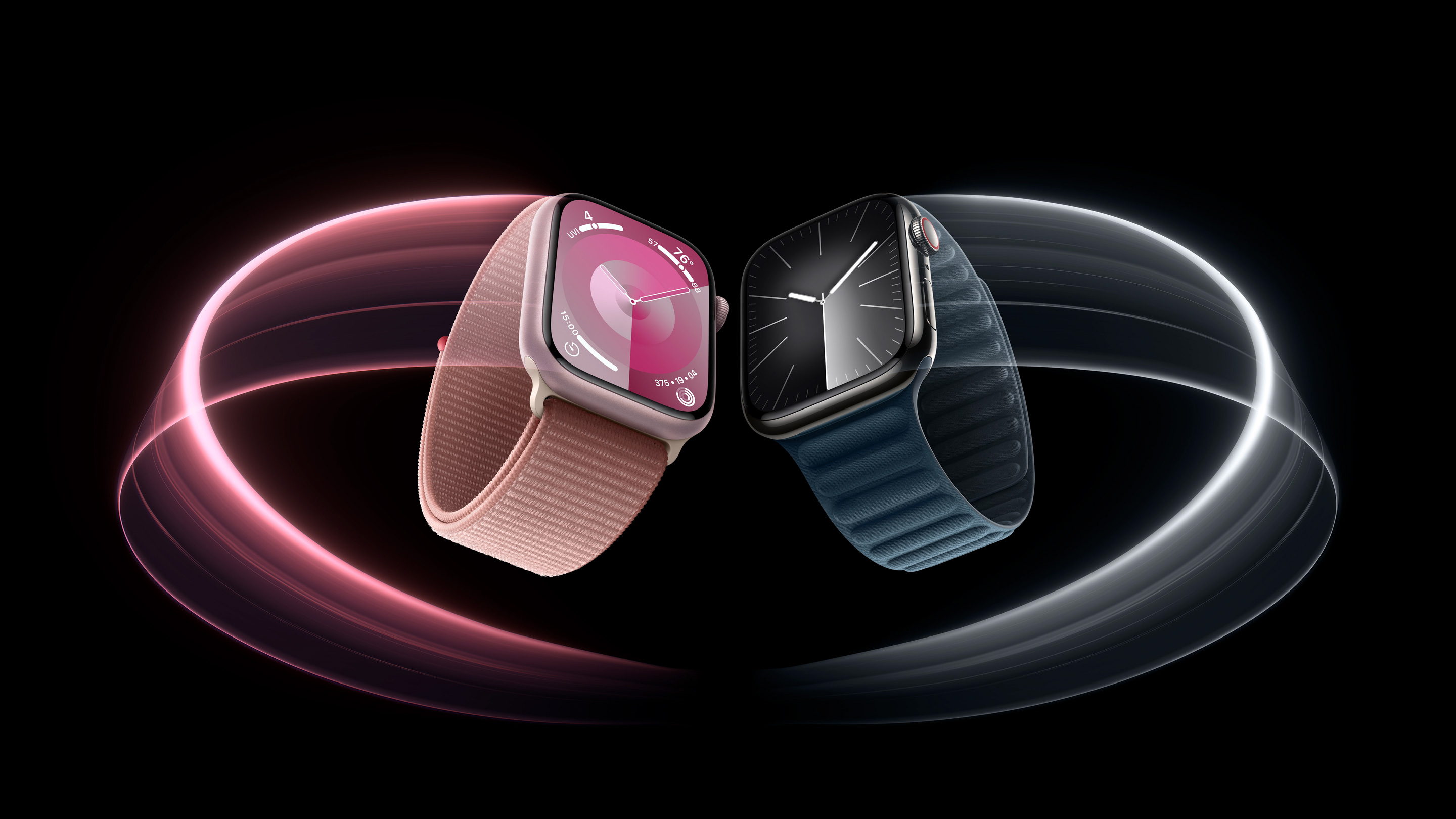
Apple is seemingly planning a rework of the Apple Watch lineup for 2024, according to a range of reports from over the past year. Here's everything we know so far.
Apple is expected to continue to offer three different Apple Watch models in five casing sizes, but the various display sizes will allegedly grow by up to 12% and the casings will get taller. Based on all of the latest rumors, this is what we are expecting to change:
Apple Watch Lineup 2023–2024
Apple Watch Lineup 2024–2025
Price
Apple Watch SE (second generation)
40mm casing
Apple Watch SE (third generation)
41mm casing
Starts at $249
Apple Watch SE (second generation)
44mm casing
Apple Watch SE (third generation)
45mm casing
Starts at $279
Apple Watch Series 9
41mm casing
Apple Watch Series 10
45mm casing
Starts at $399
Apple Watch Series 9
45mm casing
Apple Watch Series 10
49mm casing
Starts at $449
Apple Watch Ultra 2
49mm casing
Apple Watch Ultra 3
~52mm casing?
Starts at $799
Apple Watch SE models use the design of the Apple Watch Series 4, which was introduced in 2018. With the third generation, Apple is expected to update the SE to the design introduced with the Apple Watch Series 7 in 2021 for a more modern appearance with a larger screen and slimmer bezels.
discontinued. The original Apple Watch and Series 1, 2, and 3 were available in a 38mm casing, and this grew to 40mm with the Series 4. With the Series 7, it grew further still to 41mm.
all-new 49mm casing size, matching the current Apple Watch Ultra, is expected to be introduced as the new larger option. The 49mm Apple Watch Ultra is compatible with bands designed for the 45mm Apple Watch Series models, so it is possible that Apple Watch bands could be compatible across both Series 10 models and the Apple Watch Ultra for the first time.
leaked CAD renders, meaning that the all-new 49mm model will be the most striking addition.
Ross Young, Haitong International Securities's Jeff Pu, and Omdia's David Hsieh have claimed that the next-generation Apple Watch Ultra will feature a larger 2.13-inch display, but it is worth noting that many of these reports related to the now-canceled introduction of a microLED display. Bloomberg's Mark Gurman says that no design changes are expected for the Apple Watch Ultra 3, so the larger display size is far from certain and it could in reality have the same casing and display size as the current model.
S10 chip with AI enhancements, hypertension detection, and sleep apnea detection. The entire new Apple Watch lineup is expected to be announced in the fall as usual alongside the iPhone 16 models.
Related Roundups: Apple Watch Series 9, Apple Watch SE, Apple Watch Ultra 2
Buyer's Guide: Apple Watch (Caution), Apple Watch SE (Don't Buy), Apple Watch Ultra (Caution)
Related Forum: Apple Watch
This article, "2024 Apple Watch Lineup: Key Changes We're Expecting" first appeared on MacRumors.com
Discuss this article in our forums
https://www.macrumors.com/2024/07/16/2024-apple-watch-lineup-key-changes/
Lutron Debuts New Diva Smart Dimmer With ELV+, Additional Pico Paddle Remote Colors
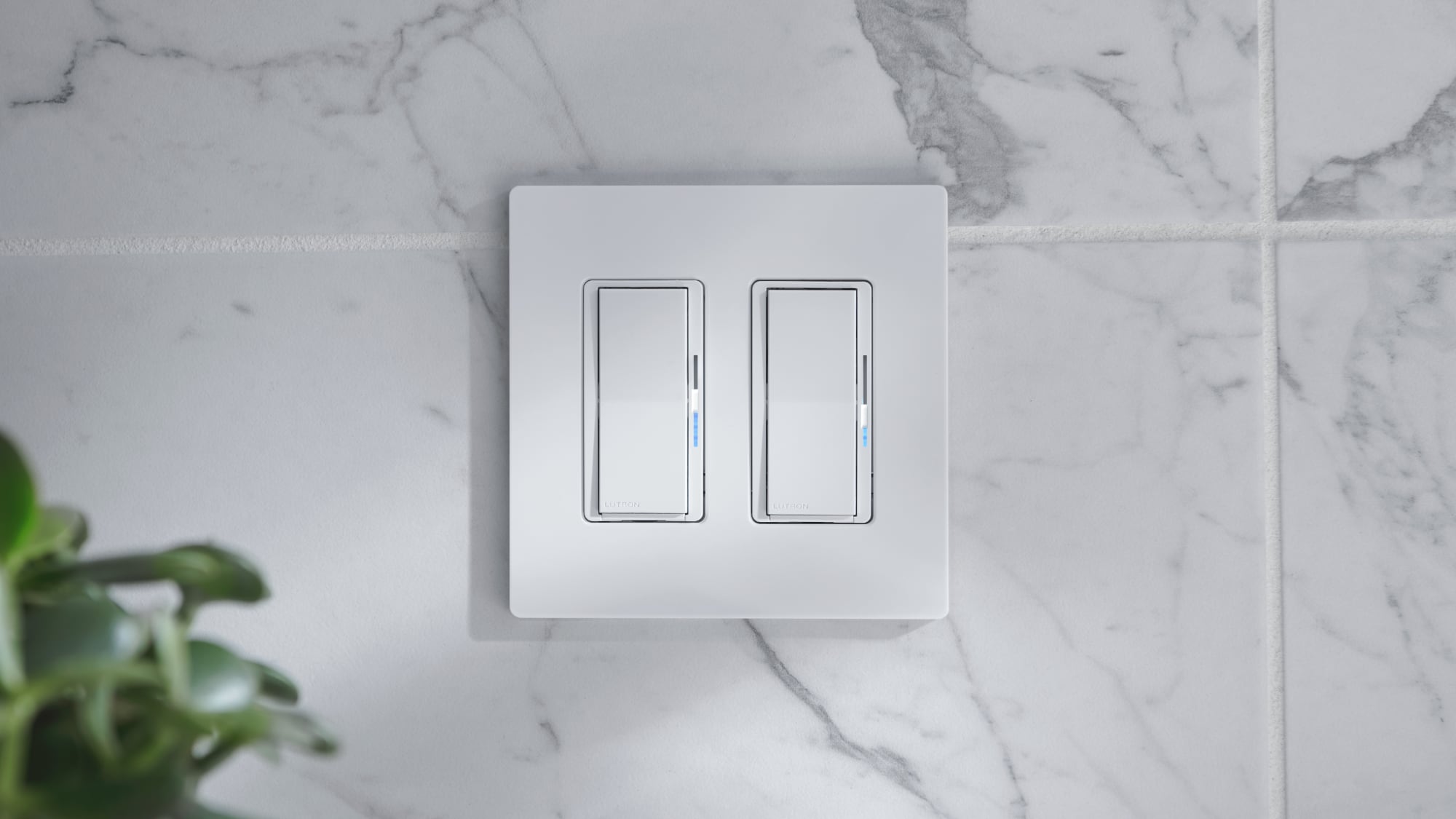
Smart home company Lutron today announced a few new additions to its Caséta line of products, expanding the range of lighting options available to consumers.
For professional installers, there is now a Diva smart dimmer with ELV+ technology, offering smart control for low-voltage applications like under-cabinet lighting, track lights, and accent lights. The dimmer works with ELV devices and with nearly all residential lighting types and loads, such as LED, MLV, incandescent, and halogen.
Like the Smart Dimmer Switch for ELV+ Lighting, the Diva version uses phase-selectable dimming to enable dimming across a range of load types. Installers can select between forward or reverse-phase dimming in the Lutron app or when installing the light.
The Diva smart dimmer with ELV+ is available in white, ivory, light almond, black, brown, and gray to match other switches and outlets in the home.
Lutron is also introducing new color options for the Pico Paddle Remote, which was previously only available in white. The Pico Paddle Remote now comes in white, ivory, light almond, black, brown, and gray, much like other Caséta accessories.
The Pico Paddle Remote can control Caséta smart switches and dimmers and Serena smart shades and fans, adding extra control options for lights and smart home products. The Pico Paddle Remotes have a 10-year battery life and do not require a hub, app, or Wi-Fi for operation.
are available through electrical distributors and online retailers that carry Caséta controls.
Tag: Lutron
This article, "Lutron Debuts New Diva Smart Dimmer With ELV+, Additional Pico Paddle Remote Colors" first appeared on MacRumors.com
Discuss this article in our forums
https://www.macrumors.com/2024/07/16/lutron-elv-diva-smart-dimmer/
Special-Edition Beats Solo 4 Headphones Celebrate 15th Anniversary of Minecraft
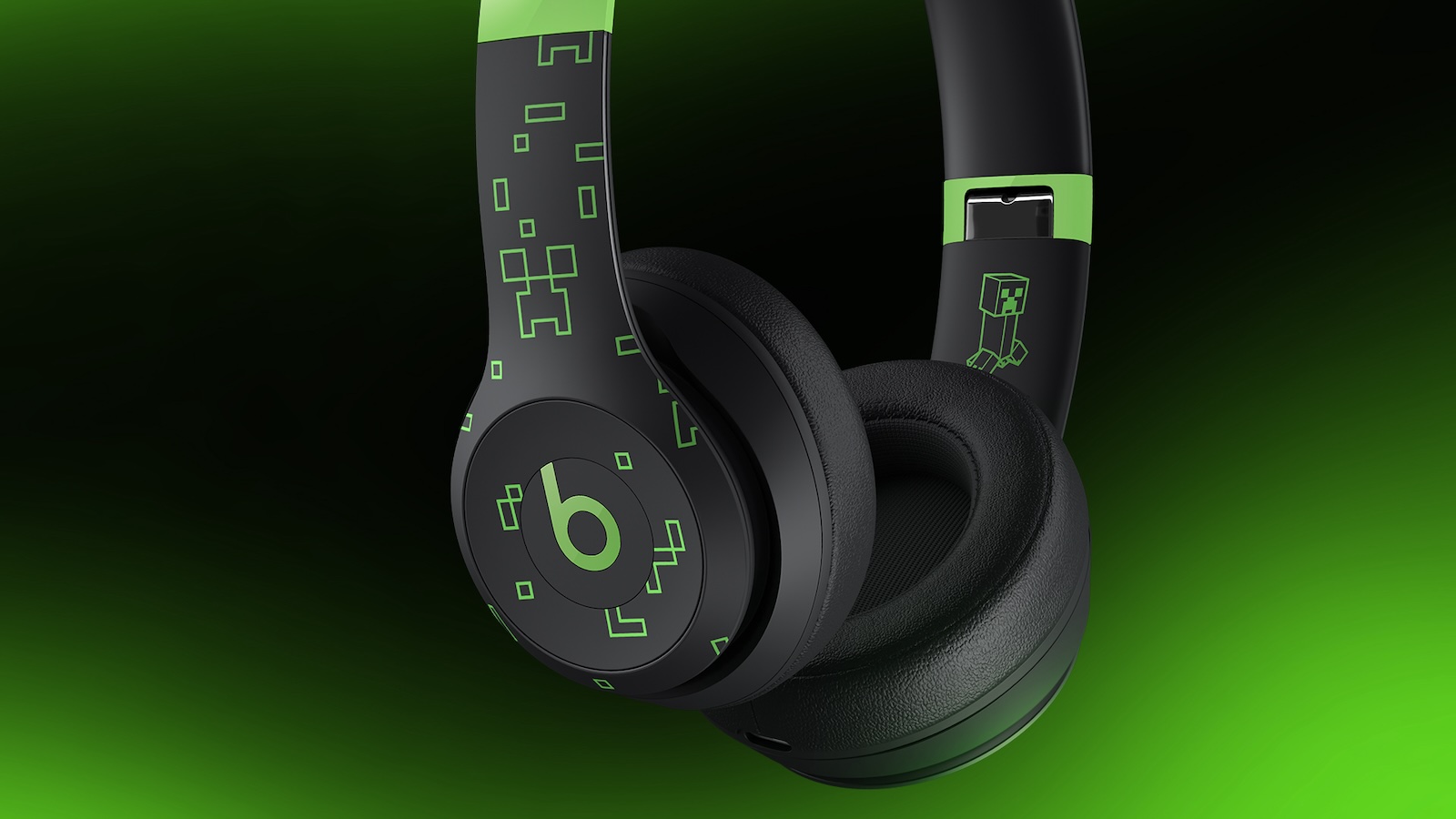
Apple's Beats brand has done a number of collaborations over the years with fashion designers, artists, and even Disney, and the latest partnership is with Minecraft for special-edition Beats Solo 4 headphones in recognition of the game's 15th anniversary.
Functionally, these are the same Solo 4 on-ear headphones that debuted several months ago, but they come in a unique Minecraft-themed design with the Minecraft text logo on the top of the headband and neon green Minecraft pixelated patterns and accents across the remainder of the band and the outside of the ear cups. Even the iconic Beats "b" logo button for controlling media is in neon green, and there's a hidden neon green creeper on the inside of the headband.
Minecraft branding extends to the case for the Solo 4 headphones, with the Beats logo and raised Minecraft pixelated patterns in neon green on the front panel. As with the standard versions of the Solo 4 headphones, the nylon case zips open to allow the folded headphones to slide in, and there are small pockets inside for the included USB-C to USB-C and 3.5mm to 3.5mm cables.
With the purchase of the Beats x Minecraft Special Edition Solo 4 headphones, customers will also receive a unique code that can be redeemed for an in-game headphone character creator item in Minecraft.
As a refresher, the Beats Solo 4 on-ear headphones support Bluetooth, wired USB-C, and wired 3.5mm connections, as well as support for Personalized Spatial Audio. They offer up to 50 hours of battery life when connected via Bluetooth, and a Fast Fuel charge gives you up to five hours of playback with just ten minutes of charging. There's no active noise cancelation included, but the on-ear design does help to block out a decent amount of ambient sound.
iCloud or Google, and support for Apple's Find My and Android's Find My Device services. iOS users also get access to always-on "Hey Siri" functionality and support for Audio Sharing.
As part of the Beats x Minecraft collaboration, there's a new promotional animated short film featuring "Wake Up," the latest track from Imagine Dragons, and Minecraft content creator TinaKitten is curating a Spatial Audio playlist on Apple Music. Finally, Apple will be holding a special Today at Apple session at Apple Fifth Avenue in New York City on July 18 at 6:30 p.m. where TinaKitten and Apple Music Radio host Travis Mills will discuss the power of creativity, self-expression, and connection.
Apple Store locations in the US and EE stores in the UK will also carry them.
Tags: Beats, Minecraft
This article, "Special-Edition Beats Solo 4 Headphones Celebrate 15th Anniversary of Minecraft" first appeared on MacRumors.com
Discuss this article in our forums
https://www.macrumors.com/2024/07/16/minecraft-beats-solo-4-headphones/
Amazon Prime Day: 10th Gen iPad Drops to Record Low $274.99 Price
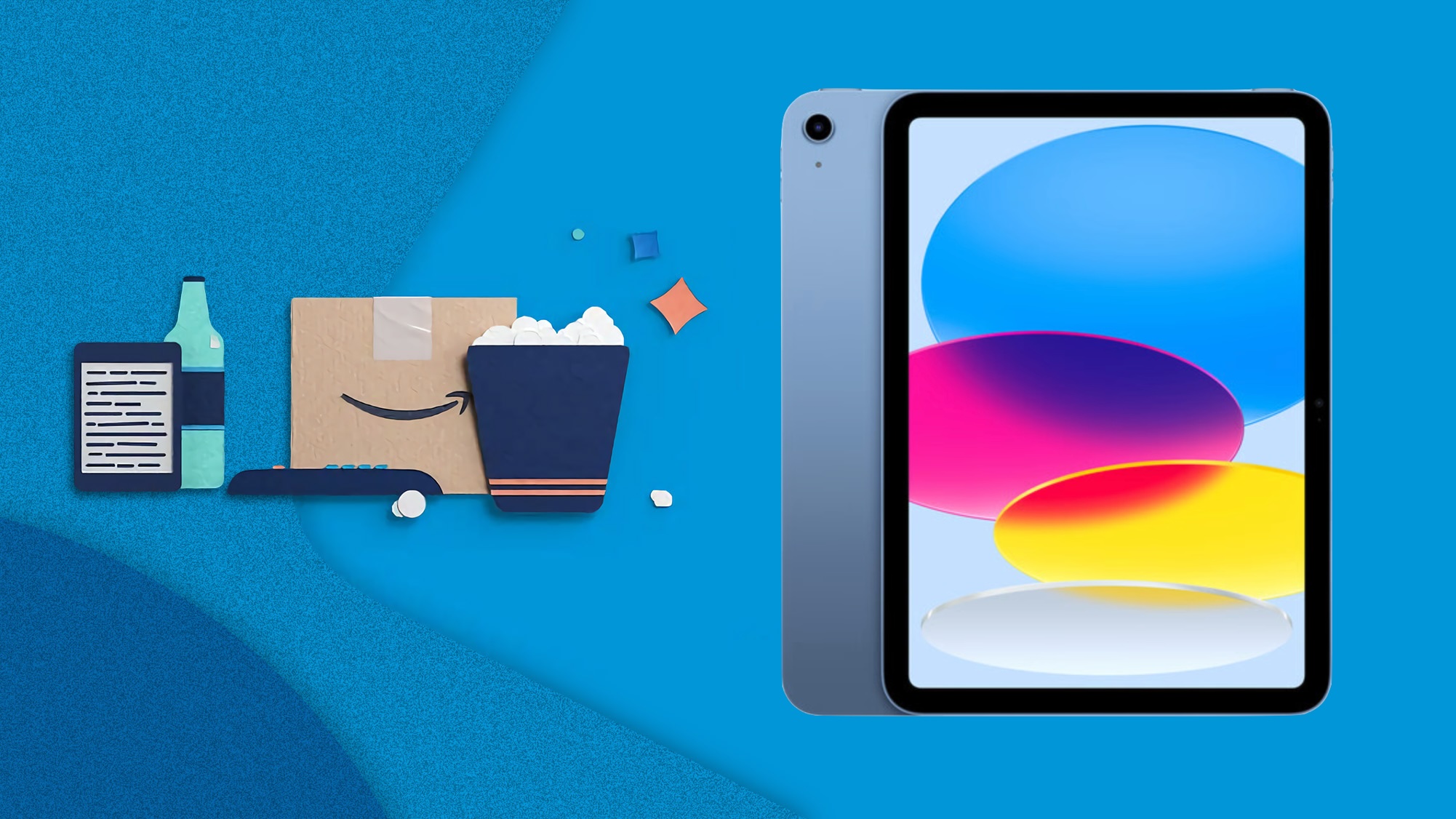
Amazon has introduced a new record low price on the 10th generation iPad for Prime Day. You can get the 64GB Wi-Fi iPad for $274.99 when you clip an on-page coupon, down from $349.00.
Note: MacRumors is an affiliate partner with Amazon. When you click a link and make a purchase, we may receive a small payment, which helps us keep the site running.
The iPad is available in two colors at this new all-time low price, and about $2-$5 higher in the remaining two colors. All deals in this sale will require you to clip an on-page coupon in order to see the discounts.
Note: You won't see the deal price until checkout.
$74 OFF
iPad (64GB Wi-Fi) for $274.99
$50 OFF
iPad (256GB Wi-Fi) for $449.00
big Prime Day post where we recap the best Apple-related bargains of the event. Remember that you'll need an Amazon Prime membership to get Prime Day deals. You can sign up for Prime on Amazon if you don't have the service yet.
Related Roundup: Apple Deals
This article, "Amazon Prime Day: 10th Gen iPad Drops to Record Low $274.99 Price" first appeared on MacRumors.com
Discuss this article in our forums
https://www.macrumors.com/2024/07/16/amazon-prime-day-10th-ipad/
Amazon Prime Day: Every AirPods Model Gets New Record Low Price
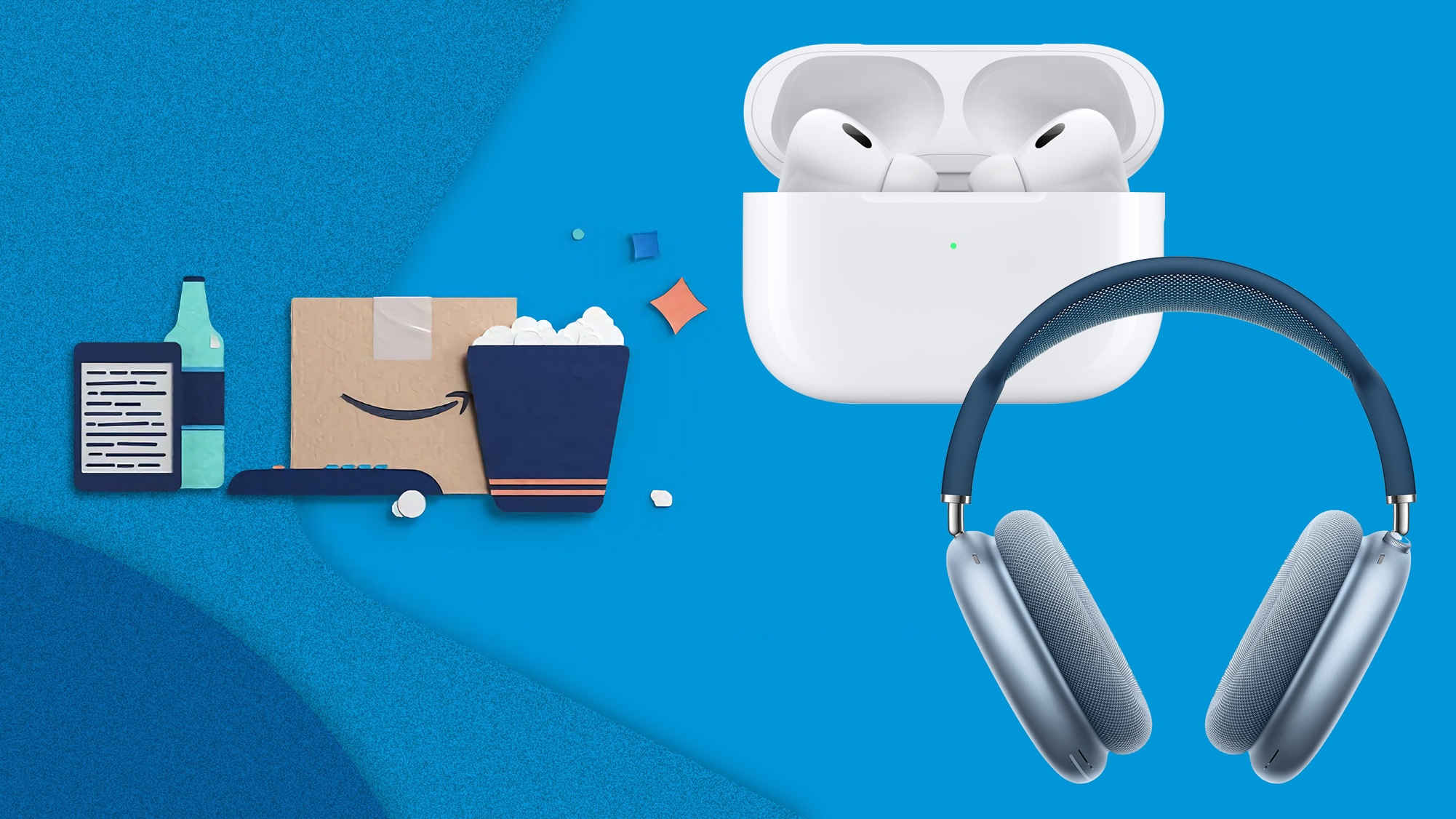
Amazon Prime Day is in full swing, and it includes all-time low prices across Apple's entire AirPods lineup. This includes savings on the AirPods 2, AirPods 3, AirPods Pro 2, and AirPods Max.
Note: MacRumors is an affiliate partner with Amazon. When you click a link and make a purchase, we may receive a small payment, which helps us keep the site running.
you can join Prime via a free 30-day trial to participate in this year's Prime Day. Once your trial is over, Prime membership will run for $14.99/month or $139/year. For students, that's $7.49/month or $69/year.
$69.00 ($60 off), but there's also a steep discount on the AirPods 3 at $119.99 ($49 off).
$60 OFF
AirPods 2 for $69.00
$49 OFF
AirPods 3 for $119.99
$80 OFF
AirPods Pro 2 (USB-C) for $168.99
$155 OFF
AirPods Max for $394.99
$168.99 ($80 off) and the AirPods Max for $394.99 ($155 off). Both of these deals are new record low prices on each model and just appeared for Prime Day 2024.
big Prime Day post where we recap the best Apple-related bargains of the event.
Related Roundup: Apple Deals
Tag: Prime Day
This article, "Amazon Prime Day: Every AirPods Model Gets New Record Low Price" first appeared on MacRumors.com
Discuss this article in our forums
https://www.macrumors.com/2024/07/16/amazon-prime-day-airpods-3/
How to Install the iOS 18 Public Beta
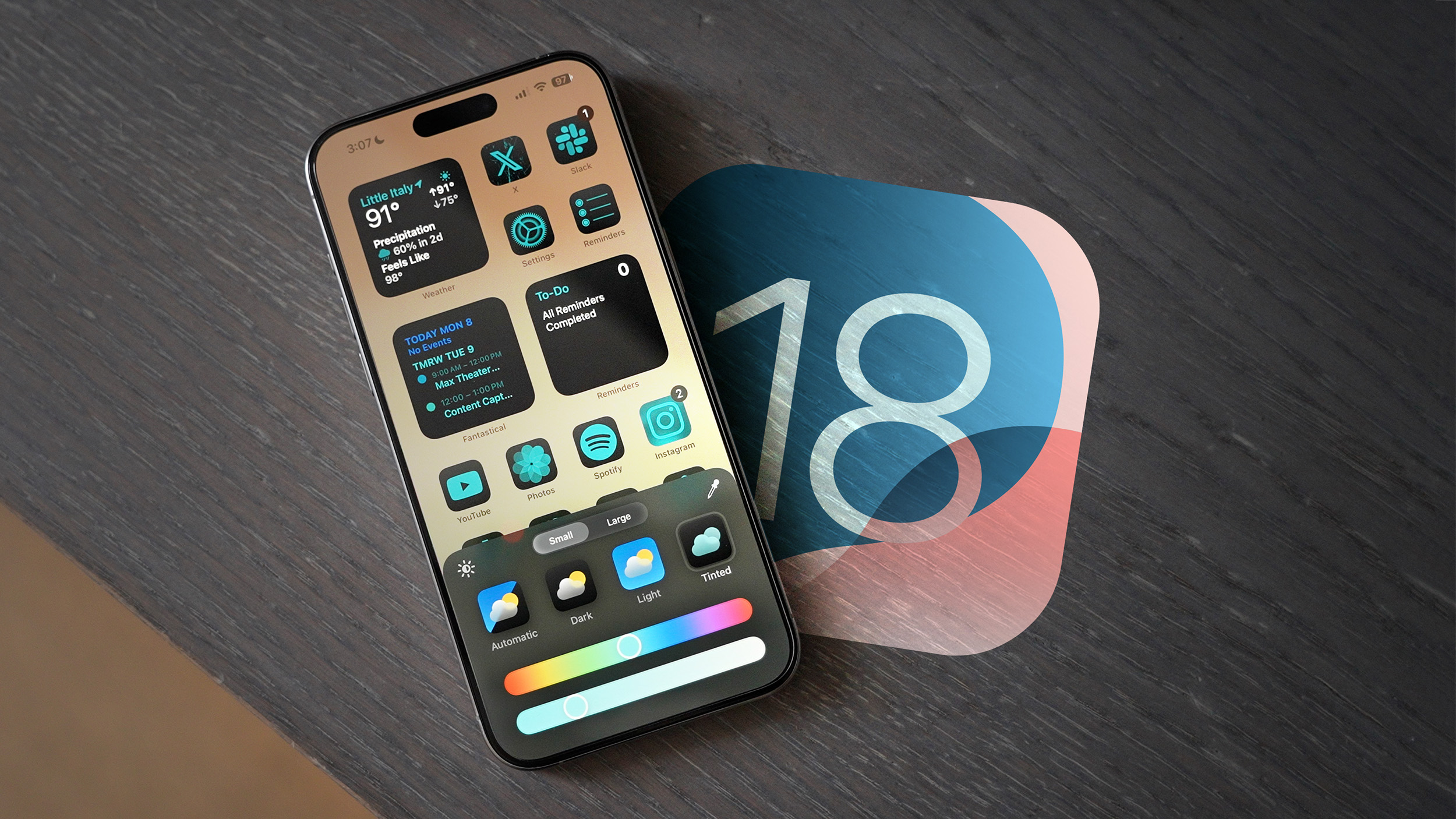
Apple has made available the first betas of iOS 18 and iPadOS 18 to public beta testers, opening up the new software to the general public for the first time since the Worldwide Developers Conference in June. Keep reading to learn how to prepare your device for the beta software and install it.
Signing up to get the iOS 18 or iPadOS 18 beta is simple, and can be done by enrolling an iPhone or iPad in Apple's free Apple Beta Software Program. The steps you need to complete to install the software on your device are provided towards the end of this article, but before you jump ahead, here are a few things worth considering.
Is My iPhone Compatible With iOS 18?
iOS 18 is compatible with the same iPhone models as iOS 17, so that includes the following devices:
iPhone 15
iPhone 15 Plus
iPhone 15 Pro
iPhone 15 Pro Max
iPhone 14
iPhone 14 Plus
iPhone 14 Pro
iPhone 14 Pro Max
iPhone 13
iPhone 13 mini
iPhone 13 Pro
iPhone 13 Pro Max
iPhone 12
iPhone 12 mini
iPhone 12 Pro
iPhone 12 Pro Max
iPhone 11
iPhone 11 Pro
iPhone 11 Pro Max
iPhone XS
iPhone XS Max
iPhone XR
iPhone SE (2nd generation)
iPhone SE (3rd generation)
iPadOS 18 drops support for iPad models with the A10X Fusion chip, used in the 10.5-inch iPad Pro and second-generation 12.9-inch iPad Pro. The sixth-generation iPad is also being dropped from the compatibility list, but the seventh-generation iPad is still supported. That means iPadOS 18 is compatible with the following iPad models:
iPad Pro: 2018 and later
iPad Air: 2019 and later
iPad mini: 2019 and later
iPad: 2020 and later
If you're unsure which iPad model you have, go to Settings -> General -> About, and you'll find the Model Name listed there.
Should I Install iOS 18 Public Beta?
Before downloading the update, it's worth noting that Apple does not recommend installing the iOS 18 Beta on your main iPhone, so if you have a secondary device, use that. This is beta software, which means there are often bugs and issues that pop up that can prevent software from working properly or cause other problems. If you're concerned about potential issues, hold off on installing and wait for Apple to launch its final stable release later this year.
Make an Archived Backup of Your Device First
Before installing the beta, make sure to back up your iOS device before installing the software using the following method, otherwise you won't be able to revert back to iOS 17 if things go wrong.
Plug your iPhone into your Mac using the supplied cable.
Allow the accessory to connect by clicking Allow in the dialog prompt.
Open a Finder window by clicking the Finder icon in the Dock.
Click your iOS device's name in the sidebar.
If this is the first time connecting your device to your Mac, click Trust in the Finder window.
Tap Trust on your device when prompted, then enter your passcode to confirm.
In the General tab, click the circle next to where it says Back up all of the data on your iPad to this Mac.
If you want to encrypt the backup, check the box next to Encrypt local backup, then enter a password to protect your data.
If you don't want to create an encrypted backup, or you've already set up encrypted backups, click Back Up Now.
General tab, just above the Manage Backups button. Remember that this backup will not be overwritten when you manually or automatically back up your iPhone in the future, so you can restore it at any time by using the Restore Backup... option in the same Finder screen.
How to Download iOS 18 Public Beta
On your iOS device, open up Safari and navigate to the Apple Beta Software Program website.
Tap the Sign up button and enter your Apple ID credentials, or sign in with your Apple ID if you've signed up to beta test a previous update.
Agree to the Apple Beta Software Program terms and conditions if required.
After signing in, you'll see a main screen that's a Guide for Public Betas. Click on iOS (or iPadOS if you're installing on an iPad).
Read through Apple's instructions carefully, and then using the link in the "Get Started" section, select enroll your iOS device.
Make sure to make an archived backup of your current version of iOS using Finder by following Apple's instructions or using our tutorial above. This will allow you to downgrade back to iOS 17 if necessary and is crucial if you don't enjoy the iOS 18 testing experience.
Now on your iOS or iPadOS device, go to Settings -> General -> Software Update -> Beta Update, then choose the iOS 18 public beta you'd like to install.
Once the beta update has been downloaded you can tap Install Now to get it set up, and from there, the iPhone will install the software, restart, and you'll be up and running with the iOS 18 software.
Note that if your device is running iOS 16.3 or earlier, you'll need to download the iOS 18 configuration profile after enrolling. On your iPhone, go to beta.apple.com/profile to download the configuration profile. Your iPhone will notify you when the profile has been downloaded. Open Settings, tap the profile and follow the onscreen instructions to allow installation.
iOS 18 Features
iOS 18 introduces Apple Intelligence, a suite of AI features deeply integrated into the operating system. While not all functionalities are available yet, it includes Writing Tools for rewriting, polishing, proofreading, and summarizing text across apps. You can also generate custom images with Image Playground and create custom emojis through the Genmoji feature. Additionally, Siri is undergoing a complete overhaul. However, note that Apple Intelligence is not yet active in the beta versions.
In addition to the AI features (which will be exclusive to the iPhone 15 Pro models and M-series iPads), iOS 18 introduces a redesigned Home Screen that allows for rearranging app icons and widgets with open spaces. It also includes a tint option and new darker colors for Dark Mode.
How to Downgrade From the iOS 18 Beta to iOS 17
Control Center has been revamped, allowing you to pick and choose what you want to feature from the new Controls Gallery. With multiple pages available, you can group related controls and customize their sizes. Additionally, the Flashlight and Camera icons on the Lock Screen can be swapped out, and you can select Control Center options for the iPhone 15 Pro Action Button.
Safari now features a summary view of webpages, allowing you to see key information at a glance. The Photos app has been revamped to highlight your best images more effectively. A new Passwords app streamlines access to your saved passwords and logins, and you can now secure any app using Face ID or Touch ID.
iOS 18 roundup and our iPadOS 18 roundup. iOS 18 is expected to get its official public release in the fall.
Related Roundups: iOS 18, iPadOS 18
Related Forums: iOS 18, iPadOS 18
This article, "How to Install the iOS 18 Public Beta" first appeared on MacRumors.com
Discuss this article in our forums
https://www.macrumors.com/how-to/install-the-ios-18-public-beta/
iPhone 16 Pro Again Rumored to Come in New 'Rose' Color
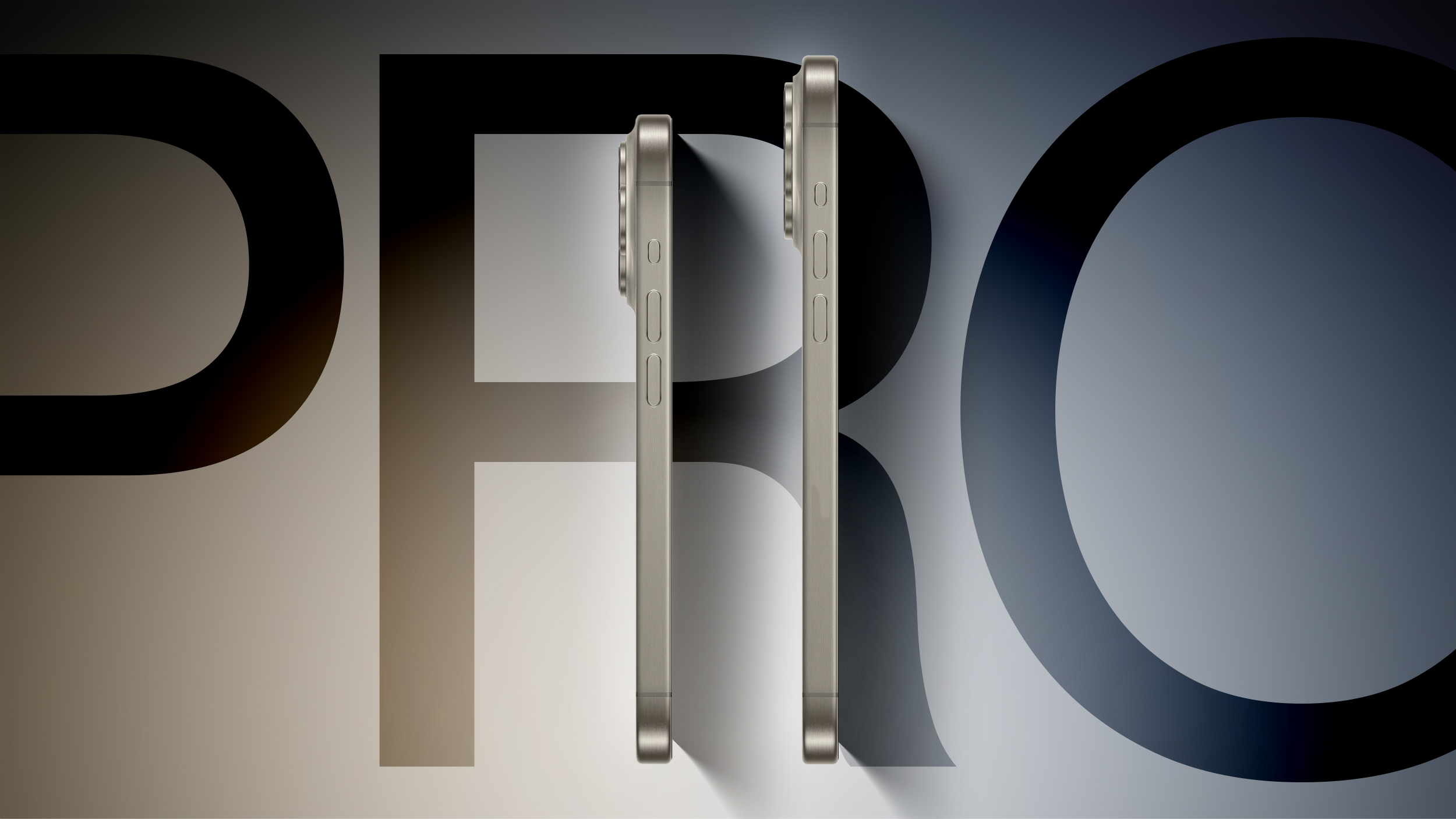
Apple's upcoming iPhone 16 Pro and iPhone 16 Pro Max will be available in a new "Rose" color, claims a rumor out of China, corroborating previous claims.
Chinese Weibo-based leaker OvO Baby Sauce OvO, a relatively new source of supply chain leaks, said on Tuesday that the new color code for the iPhone 16 Pro models is simply "Rose," not the previous "Rose Gold" color that Apple first offered back in 2015 for the iPhone 6S.
Apple analyst Ming-Chi Kuo, the iPhone 16 Pro and iPhone 16 Pro Max are expected to be available in black, white or silver, gray or "Natural Titanium," and rose. Kuo's prediction mirrored an earlier rumor from the same Weibo source, claiming that the existing Blue Titanium color will be dropped from the iPhone 16 Pro lineup in favor of a new "rose" titanium color.
Meanwhile, Kuo believes the iPhone 16 and iPhone 16 Plus will apparently be offered in black, green, pink, blue, and white. The iPhone 15 and iPhone 15 Plus are available in black, green, pink, blue, and yellow. This means that white will replace yellow, with the colors remaining the same.
iPhone 16 Series Is Just Two Months Away: Everything We Know
Related Roundup: iPhone 16 Pro
This article, "iPhone 16 Pro Again Rumored to Come in New 'Rose' Color" first appeared on MacRumors.com
Discuss this article in our forums
https://www.macrumors.com/2024/07/16/iphone-16-pro-rose-color-coming/