
15+ New Features Coming to the iOS 18 Messages App
Major changes are coming to the Messages app with iOS 18, with Apple adding several fun Apple Intelligence features, new formatting, updated effects, satellite support, better texting with green bubble people, and tons more.
This guide highlights everything that's new in the iOS 18 Messages app.
Send Later
iOS 18 adds the option to schedule an iMessage to be sent to someone at a later time or date. If you know someone's birthday is coming up, for example, you can schedule a happy birthday text to them ahead of the date so it's ready to go.
Scheduling a message can be only be done in conversations with other iMessage users, and it is not an option when texting with an Android user. It works in both individual and group chats, as long as all participants have an Apple device and access to iMessage.
To schedule a message, follow these steps:
Open up a conversation in the Messages app.
Tap on the "+" button on the left side of the text box.
Tap on More.
Choose Send Later.
Type in your Message.
To change the send time, tap on the blue bubble that defaults to Tomorrow 9:00 am. From there, you will have a slider that lets you input a date and a time.
With your time selected and your message typed in, tap on the blue arrow to schedule it.
iPhone is offline without a Wi-Fi or cellular connection.
Scheduled messages are displayed at the bottom of a conversation. If you want to change the time of a message or cancel it, tap on the "Edit" button. You will have options to edit the time, delete the message, or send it immediately.
Tapback Reactions
Tapbacks are those little characters you can use to respond to a message by long pressing on it, so you don't need to type out a whole response to something that can be answered with a thumbs up or a heart. iOS 18 has two key updates for Tapbacks.
Updated Design
The six standard Tapback icons now feature color and more detail. You can see the new look when long pressing on a text to respond, and in the Tapbacks that you receive.
When you tap on a Tapback you've received on a message, you can now see who sent what, which is useful if you are in a group chat and get multiple Tapback responses.
Emoji Support
Along with the six classic Tapback responses, you can now choose any emoji character when using Tapback. After long pressing to respond to a message, swipe to the left to see common emoji responses or tap on the generic emoji icon thought bubble to bring up the emoji picker.
You can choose any emoji, but you can also select from your stickers or your Memoji. Tap on the Memoji icon at the bottom left to get to Memoji, or the sticker icon to see your sticker selections. To add one as a Tapback, just tap on your selection.
Stickers can be hard to see at the small size of a Tapback, but most emoji characters and Memoji work well.
RCS
RCS, or Rich Communication Services, is a new text message protocol replacing SMS and MMS. You'll see it when texting people who don't have iMessage, such as Android users. RCS has nothing to do with iMessage conversations, aka the conversations you have with other Apple device owners (blue bubbles), but it does improve texts with green bubble Android users.
RCS is a more modern technology than SMS, and it allows for more feature parity in iPhone to Android text message conversations. Many of the frustrations you might have encountered when texting someone with an Android device are resolved with RCS, such as errors sending photos and videos.
Here's what you'll get with RCS:
Support for higher resolution photos and videos.
Support for larger file sizes and file sharing.
Audio messages.
Cross-platform emoji reactions.
Real-time typing indicators.
Read receipts.
Ability to send messages over cellular or Wi-Fi (SMS is cellular only). There is no cost to send an RCS message over Wi-Fi.
Improved group chats.
Again, RCS only comes into play when you're texting someone who has an Android device. iMessage is still the default for conversations between Apple device owners, and blue bubbles and green bubbles are not changing.
have a full guide on RCS if you want to know more about what to expect.
Messages via Satellite
Messages via satellite is a new feature that lets you send texts even when you don't have a Wi-Fi or cellular connection, leveraging the satellites that Apple uses for the Emergency SOS via satellite feature.
Messages via satellite is available on the iPhone 14 or later, and you can send and receive both iMessage and SMS messages, so you're not limited to texting with just iPhone users.
Right now, Messages via satellite is free, just like Emergency SOS via satellite. Apple offers two free years of satellite access with an iPhone 14 or later, but the company has expanded free access for the iPhone 14 until November 2025. Apple has not provided any insight into how much it will eventually charge for satellite access.
Smart Replies (Apple Intelligence)
Using Apple Intelligence, your iPhone can analyze the content in a message that you've received, suggesting Smart Reply options that you can tap for a quick response.
If someone asks a question like "Do you want to go to the movies?" Messages will suggest responses like "Sure!" or "Sorry, busy tomorrow." Smart Replies aren't an option for every message that you receive, but Apple often has a suggestion.
Smart Replies show up at the top of the keyboard, where suggestions have been in prior versions of iOS. Smart Replies are similar to suggestions, but are more intelligent and are often complete phrases and responses rather than word suggestions that pop up as you type.
To use a Smart Reply, just tap it and it'll populate the text box so you can send it. If you don't care for the suggestion, just ignore it, and type in your own response. You'll still see suggestions once you disregard a Smart Reply.
Writing Tools (Apple Intelligence)
Writing Tools aren't specific to the Messages app, but are a systemwide option anywhere you can input text. In Messages, you can write out a text and then select it with a tap and drag gesture to bring up the Writing Tools interface.
Here's what Writing Tools can do for a text message:
Proofread what you've written for spelling and grammar errors, including word choice and sentence structure.
Rewrite with a different tone, with options that include Friendly, Professional, and Concise.
Summarize what you've written. You can get a quick summary, pull out key points, create a list of topics, or make a table.
You can tap on the various options to use the Writing Tools, and you can preview changes and decide not to use them or swap them in for what you've written.
Notification Summaries (Apple Intelligence)
If you have multiple notifications from the Messages app, Apple Intelligence will summarize them for you so you can catch up at a glance and see what's most important without having to read through everything.
This works for both individual conversations and group conversations, and you can see the summaries on the Lock Screen.
Emoji Design Updates
When you send a single emoji to someone in iOS 18, the emoji now appears much larger than before so the detail is easier to see. Emojis in other quantities are still displayed at the same size.
Apple has also updated the emoji picker. Emoji are displayed larger and with more space between them, plus the Sticker and Memoji interfaces have been integrated into the emoji window.
Tapping on the two icons on the bottom left of the emoji picker will take you to Memoji and Stickers, respectively. You can create Memoji and make new stickers directly from the two sections that are in the emoji picker. For stickers, select the sticker section and tap on the blank sticker icon. For Memoji, tap into the Memoji section, tap the three dots, and then choose New, Edit, or Duplicate.
Stickers and Memoji as Emoji
Stickers and Memoji have new dedicated sections in the emoji picker because you can now use a sticker or a Memoji just like an emoji. If you add a sticker when typing a text, for example, it is added to the end of your text rather than sent as a separate image.
You can still send a full-size sticker as long as you send it separate from text.
Stickers and Memoji sent as emoji only display as emoji on devices running iOS 18, iPadOS 18, macOS Sequoia, visionOS 2, and watchOS 11. On earlier versions of iOS, stickers are sent as separate images as before.
Text Formatting
You can enhance your text messages with new formatting options. After typing something, tap on the "A" icon above the keyboard. What you've typed is selected, and you can add bold, italic, underline, or strikethrough formatting.
To add formatting to just one word, double tap on the word to select it and then tap on the "A" icon. You can also use the Text Effects option from the popup menu. Formatting can be used with emoji, but the bold and italic options don't do anything.
Text Effects
Along with the bold, italic, underline, and strikethrough formatting, there are new animated text effects that can be applied to your entire message, a single word, a phrase, or even an emoji or sticker.
Just select the text that you want to add an effect to with a double tap and then tap on the "A" icon to get to the text effects interface.
Options include Big, Small, Shake, Nod, Explode, Ripple, Bloom, and Jitter.
In a conversation with someone running iOS 18 or one of its sister updates, the text or emoji that has an effect applied to it will continually animate when viewed. These effects do not work on earlier versions of Apple's operating systems and simply don't show up.
Math Notes
The systemwide Math Notes feature that lets your iPhone solve equations for you works in Messages. To see it in action, type in an equation and you'll get an immediate answer when you add in an equals sign.
Math Notes also works for conversions in the Messages app, including currency conversions, temperature conversions, measurement conversions, and more. You can use it by typing in your conversion, such as "20 euros to dollars" and then adding in an equals sign to get the result.
Link Card Update
Apple tweaked the design of link cards in the Messages app, and the cards now have colorful backgrounds that match the color of the main image in the link, if available.
You can see link card previews before a link is sent, and if you long press, you can get customization options. Link cards can be converted to a simpler card style or transformed into a text link that only shows the hyperlink with no preview at all.
Image Playground (Coming Later This Year)
Image Playground is an upcoming Apple Intelligence feature that is designed to let you create images using text-based prompts, much like you can do with other AI image generation platforms.
Apple is integrating Image Playground into the Messages app, so you can create and send images without having to swap over to another app. Apple Intelligence can glean the gist of your conversation from the Messages app and come up with suggestions for images that you might want to send.
Image Playground can even incorporate images of your friends and family, so if you're chatting with a friend, you can create a silly image that uses the friend's contact photo. Apple adds a style to each image, so there is no option to generate something that could be mistaken for a real photo.
You can choose from Animation, Illustration, and Sketch styles, and all image generation is done on-device.
Genmoji (Coming Later This Year)
Based on Image Playground, Genmoji lets you create custom emoji with a text prompt. Have you always wanted an emoji of a mint chocolate chip ice cream cone? It can be made with Genmoji.
Need a cat made from pizza, or a flower that's not a rose or a sunflower? Genmoji will make it possible. With the Genmoji interface, you can describe a Genmoji and Apple Intelligence will generate several options for you to choose from.
You can even create an emoji based on the contact image of a friend or family member, similar to Image Playground.
Genmoji behave just like emoji and can be used in place of emoji.
Read More
Additional information on new features that Apple has added in iOS 18 can be found in our iOS 18 roundup.
Related Roundups: iOS 18, iPadOS 18
Related Forums: iOS 18, iPadOS 18
This article, "15+ New Features Coming to the iOS 18 Messages App" first appeared on MacRumors.com
Discuss this article in our forums
15+ New Features Coming to the iOS 18 Messages App
Major changes are coming to the Messages app with iOS 18, with Apple adding several fun Apple Intelligence features, new formatting, updated effects, satellite support, better texting with green bubble people, and tons more.
This guide highlights everything that's new in the iOS 18 Messages app.
Send Later
iOS 18 adds the option to schedule an iMessage to be sent to someone at a later time or date. If you know someone's birthday is coming up, for example, you can schedule a happy birthday text to them ahead of the date so it's ready to go.
Scheduling a message can be only be done in conversations with other iMessage users, and it is not an option when texting with an Android user. It works in both individual and group chats, as long as all participants have an Apple device and access to iMessage.
To schedule a message, follow these steps:
Open up a conversation in the Messages app.
Tap on the "+" button on the left side of the text box.
Tap on More.
Choose Send Later.
Type in your Message.
To change the send time, tap on the blue bubble that defaults to Tomorrow 9:00 am. From there, you will have a slider that lets you input a date and a time.
With your time selected and your message typed in, tap on the blue arrow to schedule it.
iPhone is offline without a Wi-Fi or cellular connection.
Scheduled messages are displayed at the bottom of a conversation. If you want to change the time of a message or cancel it, tap on the "Edit" button. You will have options to edit the time, delete the message, or send it immediately.
Tapback Reactions
Tapbacks are those little characters you can use to respond to a message by long pressing on it, so you don't need to type out a whole response to something that can be answered with a thumbs up or a heart. iOS 18 has two key updates for Tapbacks.
Updated Design
The six standard Tapback icons now feature color and more detail. You can see the new look when long pressing on a text to respond, and in the Tapbacks that you receive.
When you tap on a Tapback you've received on a message, you can now see who sent what, which is useful if you are in a group chat and get multiple Tapback responses.
Emoji Support
Along with the six classic Tapback responses, you can now choose any emoji character when using Tapback. After long pressing to respond to a message, swipe to the left to see common emoji responses or tap on the generic emoji icon thought bubble to bring up the emoji picker.
You can choose any emoji, but you can also select from your stickers or your Memoji. Tap on the Memoji icon at the bottom left to get to Memoji, or the sticker icon to see your sticker selections. To add one as a Tapback, just tap on your selection.
Stickers can be hard to see at the small size of a Tapback, but most emoji characters and Memoji work well.
RCS
RCS, or Rich Communication Services, is a new text message protocol replacing SMS and MMS. You'll see it when texting people who don't have iMessage, such as Android users. RCS has nothing to do with iMessage conversations, aka the conversations you have with other Apple device owners (blue bubbles), but it does improve texts with green bubble Android users.
RCS is a more modern technology than SMS, and it allows for more feature parity in iPhone to Android text message conversations. Many of the frustrations you might have encountered when texting someone with an Android device are resolved with RCS, such as errors sending photos and videos.
Here's what you'll get with RCS:
Support for higher resolution photos and videos.
Support for larger file sizes and file sharing.
Audio messages.
Cross-platform emoji reactions.
Real-time typing indicators.
Read receipts.
Ability to send messages over cellular or Wi-Fi (SMS is cellular only). There is no cost to send an RCS message over Wi-Fi.
Improved group chats.
Again, RCS only comes into play when you're texting someone who has an Android device. iMessage is still the default for conversations between Apple device owners, and blue bubbles and green bubbles are not changing.
have a full guide on RCS if you want to know more about what to expect.
Messages via Satellite
Messages via satellite is a new feature that lets you send texts even when you don't have a Wi-Fi or cellular connection, leveraging the satellites that Apple uses for the Emergency SOS via satellite feature.
Messages via satellite is available on the iPhone 14 or later, and you can send and receive both iMessage and SMS messages, so you're not limited to texting with just iPhone users.
Right now, Messages via satellite is free, just like Emergency SOS via satellite. Apple offers two free years of satellite access with an iPhone 14 or later, but the company has expanded free access for the iPhone 14 until November 2025. Apple has not provided any insight into how much it will eventually charge for satellite access.
Smart Replies (Apple Intelligence)
Using Apple Intelligence, your iPhone can analyze the content in a message that you've received, suggesting Smart Reply options that you can tap for a quick response.
If someone asks a question like "Do you want to go to the movies?" Messages will suggest responses like "Sure!" or "Sorry, busy tomorrow." Smart Replies aren't an option for every message that you receive, but Apple often has a suggestion.
Smart Replies show up at the top of the keyboard, where suggestions have been in prior versions of iOS. Smart Replies are similar to suggestions, but are more intelligent and are often complete phrases and responses rather than word suggestions that pop up as you type.
To use a Smart Reply, just tap it and it'll populate the text box so you can send it. If you don't care for the suggestion, just ignore it, and type in your own response. You'll still see suggestions once you disregard a Smart Reply.
Writing Tools (Apple Intelligence)
Writing Tools aren't specific to the Messages app, but are a systemwide option anywhere you can input text. In Messages, you can write out a text and then select it with a tap and drag gesture to bring up the Writing Tools interface.
Here's what Writing Tools can do for a text message:
Proofread what you've written for spelling and grammar errors, including word choice and sentence structure.
Rewrite with a different tone, with options that include Friendly, Professional, and Concise.
Summarize what you've written. You can get a quick summary, pull out key points, create a list of topics, or make a table.
You can tap on the various options to use the Writing Tools, and you can preview changes and decide not to use them or swap them in for what you've written.
Notification Summaries (Apple Intelligence)
If you have multiple notifications from the Messages app, Apple Intelligence will summarize them for you so you can catch up at a glance and see what's most important without having to read through everything.
This works for both individual conversations and group conversations, and you can see the summaries on the Lock Screen.
Emoji Design Updates
When you send a single emoji to someone in iOS 18, the emoji now appears much larger than before so the detail is easier to see. Emojis in other quantities are still displayed at the same size.
Apple has also updated the emoji picker. Emoji are displayed larger and with more space between them, plus the Sticker and Memoji interfaces have been integrated into the emoji window.
Tapping on the two icons on the bottom left of the emoji picker will take you to Memoji and Stickers, respectively. You can create Memoji and make new stickers directly from the two sections that are in the emoji picker. For stickers, select the sticker section and tap on the blank sticker icon. For Memoji, tap into the Memoji section, tap the three dots, and then choose New, Edit, or Duplicate.
Stickers and Memoji as Emoji
Stickers and Memoji have new dedicated sections in the emoji picker because you can now use a sticker or a Memoji just like an emoji. If you add a sticker when typing a text, for example, it is added to the end of your text rather than sent as a separate image.
You can still send a full-size sticker as long as you send it separate from text.
Stickers and Memoji sent as emoji only display as emoji on devices running iOS 18, iPadOS 18, macOS Sequoia, visionOS 2, and watchOS 11. On earlier versions of iOS, stickers are sent as separate images as before.
Text Formatting
You can enhance your text messages with new formatting options. After typing something, tap on the "A" icon above the keyboard. What you've typed is selected, and you can add bold, italic, underline, or strikethrough formatting.
To add formatting to just one word, double tap on the word to select it and then tap on the "A" icon. You can also use the Text Effects option from the popup menu. Formatting can be used with emoji, but the bold and italic options don't do anything.
Text Effects
Along with the bold, italic, underline, and strikethrough formatting, there are new animated text effects that can be applied to your entire message, a single word, a phrase, or even an emoji or sticker.
Just select the text that you want to add an effect to with a double tap and then tap on the "A" icon to get to the text effects interface.
Options include Big, Small, Shake, Nod, Explode, Ripple, Bloom, and Jitter.
In a conversation with someone running iOS 18 or one of its sister updates, the text or emoji that has an effect applied to it will continually animate when viewed. These effects do not work on earlier versions of Apple's operating systems and simply don't show up.
Math Notes
The systemwide Math Notes feature that lets your iPhone solve equations for you works in Messages. To see it in action, type in an equation and you'll get an immediate answer when you add in an equals sign.
Math Notes also works for conversions in the Messages app, including currency conversions, temperature conversions, measurement conversions, and more. You can use it by typing in your conversion, such as "20 euros to dollars" and then adding in an equals sign to get the result.
Link Card Update
Apple tweaked the design of link cards in the Messages app, and the cards now have colorful backgrounds that match the color of the main image in the link, if available.
You can see link card previews before a link is sent, and if you long press, you can get customization options. Link cards can be converted to a simpler card style or transformed into a text link that only shows the hyperlink with no preview at all.
Image Playground (Coming Later This Year)
Image Playground is an upcoming Apple Intelligence feature that is designed to let you create images using text-based prompts, much like you can do with other AI image generation platforms.
Apple is integrating Image Playground into the Messages app, so you can create and send images without having to swap over to another app. Apple Intelligence can glean the gist of your conversation from the Messages app and come up with suggestions for images that you might want to send.
Image Playground can even incorporate images of your friends and family, so if you're chatting with a friend, you can create a silly image that uses the friend's contact photo. Apple adds a style to each image, so there is no option to generate something that could be mistaken for a real photo.
You can choose from Animation, Illustration, and Sketch styles, and all image generation is done on-device.
Genmoji (Coming Later This Year)
Based on Image Playground, Genmoji lets you create custom emoji with a text prompt. Have you always wanted an emoji of a mint chocolate chip ice cream cone? It can be made with Genmoji.
Need a cat made from pizza, or a flower that's not a rose or a sunflower? Genmoji will make it possible. With the Genmoji interface, you can describe a Genmoji and Apple Intelligence will generate several options for you to choose from.
You can even create an emoji based on the contact image of a friend or family member, similar to Image Playground.
Genmoji behave just like emoji and can be used in place of emoji.
Read More
Additional information on new features that Apple has added in iOS 18 can be found in our iOS 18 roundup.
Related Roundups: iOS 18, iPadOS 18
Related Forums: iOS 18, iPadOS 18
This article, "15+ New Features Coming to the iOS 18 Messages App" first appeared on MacRumors.com
Discuss this article in our forums
Hands-On With Dyson's OnTrac Headphones
Dyson recently announced new OnTrac over-ear headphones with ANC, and at $500, OnTrac is a direct competitor for Apple's AirPods Max. Dyson smartly did away with the unpopular air purifying mask design that it used for its prior-generation headphones, and the new model boasts a more traditional look with exceptional battery life.
Subscribe to the MacRumors YouTube channel for more videos.
Dyson's OnTrac headphones come in four metallic colorways, including CNC Aluminium, Copper, Ceramic Cinnabar (with a ceramic-feel painted finish), and Black Nickel, plus there are interchangeable ear caps and cushions in a range of colors for customization.
The headphones have "high-grade foam cushions" covered in microsuede, and multi-pivot gimbal arms that are meant to relieve ear pressure. There's also a headband with a battery inside, which Dyson says evenly distributes weight. With the metal build and the multiple batteries that Dyson has included, the headphones weigh 451 grams, making them heavier than the AirPods Max (385 grams).
The AirPods Max are too heavy for some users, and weight has been a complaint. With the OnTrac, weight is indeed well distributed and not all in the ear cups like the AirPods Max, but we found that they still get uncomfortable over time, so for many people, they likely won't be ideal for all-day use. For comparison, Sonos recently came out with the Ace headphones that weigh 312 grams, and they're more comfortable than both the AirPods Max and the OnTrac.
Siri activation when used with an Apple device.
Dyson focused on battery life with the OnTrac. With Active Noise Cancellation turned on, the headphones last for up to 55 hours, more than double the battery life of the AirPods Max (20 hours with ANC). Dyson could have cut some weight with less battery capacity, but if you're off grid and need headphones that are going to last for a good three days with heavy listening, the OnTrac has you covered.
Dyson says the headphones have 40mm, 16-ohm neodymium speaker drivers and advanced audio signal processing with sub-bass you can feel. While the sound quality was good, the OnTrac is not notably better than the AirPods Max or the Sonos Ace. Active Noise Cancellation and transparency are both solid, and the OnTrac does a good job cutting out ambient noise. Dyson says they can reduce noise by up to 40 decibels.
You can adjust the ANC and sound through the app, so there is some customizability, but you are limited to three EQ levels, enhanced, bass boost, and neutral. On-ear detection is available for pausing music when removing the OnTrac, but these are Bluetooth headphones and don't work as seamlessly as the AirPods Max with Apple devices.
available from the Dyson website.
Tag: Dyson
This article, "Hands-On With Dyson's OnTrac Headphones" first appeared on MacRumors.com
Discuss this article in our forums
https://www.macrumors.com/2024/08/02/hands-on-dyson-headphones/
Best Apple Deals of the Week: Record Low Prices Hit Nearly Every MacBook Air and MacBook Pro, Plus AirPods Sales

This week we saw a huge collection of discounts hit both the MacBook Air and MacBook Pro, with as much as $500 off select models of these computers. We're also still tracking record low prices on the M4 iPad Pro as we head into the weekend, as well as a few AirPods deals.
Note: MacRumors is an affiliate partner with some of these vendors. When you click a link and make a purchase, we may receive a small payment, which helps us keep the site running.
AirPods
What's the deal? Take up to $69 off AirPods
Where can I get it? Amazon
Where can I find the original deal? Right here
$59 OFF
AirPods 2 for $69.99
$39 OFF
AirPods 3 for $129.99
$69 OFF
AirPods Pro 2 (USB-C) for $179.99
AirPods deals were in abundance earlier this week, and they're all still available today. You can get the AirPods 2, AirPods 3, and AirPods Pro 2 all for solid second-best prices on Amazon right now.
iPad Pro
What's the deal? Take up to $150 off M4 iPad Pro
Where can I get it? Best Buy
Where can I find the original deal? Right here
$100 OFF
11-inch iPad Pro (256GB Wi-Fi) for $899.00
$100 OFF
13-inch iPad Pro (256GB Wi-Fi) for $1,199.00
in our original post, and note that most of these require a My Best Buy Plus or Total membership to see the final deal price.
MacBook Air
What's the deal? Take up to $250 off MacBook Air
Where can I get it? Best Buy
Where can I find the original deal? Right here
$200 OFF
13-inch M2 MacBook Air (256GB) for $799.00
$250 OFF
13-inch M3 MacBook Air (256GB) for $849.00
$200 OFF
15-inch M3 MacBook Air (256GB) for $1,099.00
MacBook Air discounts this week include all-time low prices on the M2 MacBook Air and the M3 MacBook Air, starting at just $799.00 for the former model.
MacBook Pro
What's the deal? Take up to $500 off M3 MacBook Pro
Where can I get it? Best Buy
Where can I find the original deal? Right here
UP TO $500 OFF
M3 MacBook Pro at Best Buy
Finally, Best Buy and Amazon have notable markdowns on Apple's 14-inch and 16-inch M3 MacBook Pro this week, with up to $500 off select models.
Deals Roundup to shop for even more Apple-related products and accessories.
Related Roundup: Apple Deals
This article, "Best Apple Deals of the Week: Record Low Prices Hit Nearly Every MacBook Air and MacBook Pro, Plus AirPods Sales" first appeared on MacRumors.com
Discuss this article in our forums
https://www.macrumors.com/2024/08/02/best-apple-deals-of-the-week-8-2-24/
The MacRumors Show: Apple Intelligence Beta is Here
On this week's episode of The MacRumors Show, we discuss Apple's unusual iOS 18.1, iPadOS 18.1, and macOS Sequoia 15.1 betas that introduce Apple Intelligence for the first time.
Subscribe to The MacRumors Show YouTube channel for more videos
The beta versions currently available are exclusive to developers, providing them with a first hands-on look at Apple Intelligence. Apple continues to beta test iOS 18, iPadOS 18, and macOS Sequoia 15 separately.
One of the most prominent aspects of Apple Intelligence is its Writing Tools, which allow users to proofread text for spelling and grammar errors and rewrite content to change its tone. Users can also summarize any text, creating paragraphs, lists, or tables, which are accessible anywhere text input is possible across the operating system.
Siri is another key feature of Apple Intelligence. The voice assistant now boasts a new design with a glowing edge around the display when activated, indicating when Siri is listening. There is also a Type to Siri option, which allows users to interact with Siri via text instead of voice commands. Siri has been enhanced to maintain context between requests and follow along if the user stumbles over words. Additionally, Siri can now answer a wide range of questions about Apple devices, leveraging Apple's extensive product knowledge and support database.
Photos app, the new Memory Maker feature allows users to create memory movies from photo collections using natural language descriptions. This feature automatically selects relevant photos and music, although users can customize their creations further.
Some features have been postponed to later releases. The Image Playground app, which offers image creation tools, is not yet available. Genmoji, a tool for creating custom emojis, and the Image Wand feature, which inserts contextually relevant images into Notes, are also missing from the current beta. Additionally, Priority Notifications, which prioritize important alerts, and advanced Mail categories for sorting incoming messages are not yet implemented. Other postponed features include the ability to remove unwanted objects from photos with a single tap, enhanced Siri capabilities such as on-screen awareness, and ChatGPT integration, which should significantly expand Siri's conversational abilities.
iPhone 15 Pro and iPhone 15 Pro Max, all Apple silicon iPads, and all Apple silicon Macs. The public will have access to the first Apple Intelligence features upon the official release of iOS 18.1, iPadOS 18.1, and macOS Sequoia 15.1 later this year.
The MacRumors Show has its own YouTube channel, so make sure you're subscribed to keep up with new episodes and clips:
Subscribe to The MacRumors Show YouTube channel!
Apple Podcasts, Spotify, Overcast, or your preferred podcasts app. You can also copy our RSS feed directly into your podcast player.
If you haven't already listened to the previous episode of The MacRumors Show, catch up for our discussion on all of the latest rumors about the iPhone 17 "Slim" – a whole new kind of iPhone coming next year.
MacRumors, often joined by interesting guests such as Luke Miani, Matthew Cassinelli, Brian Tong, Quinn Nelson, Kevin Nether, Jared Nelson, Eli Hodapp, Mike Bell, Sara Dietschy, iJustine, Jon Rettinger, Andru Edwards, Arnold Kim, Ben Sullins, Marcus Kane, Christopher Lawley, Frank McShan, David Lewis, Tyler Stalman, Jon Prosser, Sam Kohl, John Gruber, Federico Viticci, Thomas Frank, Jonathan Morrison, Ross Young, Ian Zelbo, and Rene Ritchie.
@MacRumorsShow, so be sure to give us a follow to keep up with the podcast. You can also head over to The MacRumors Show forum thread to engage with us directly. Remember to rate and review the podcast, and let us know what subjects and guests you would like to see in the future.
Tag: The MacRumors Show
This article, "The MacRumors Show: Apple Intelligence Beta is Here" first appeared on MacRumors.com
Discuss this article in our forums
https://www.macrumors.com/2024/08/02/the-macrumors-show-apple-intelligence-beta/
All iPhone 17 Models Again Rumored to Feature 24MP Front Camera
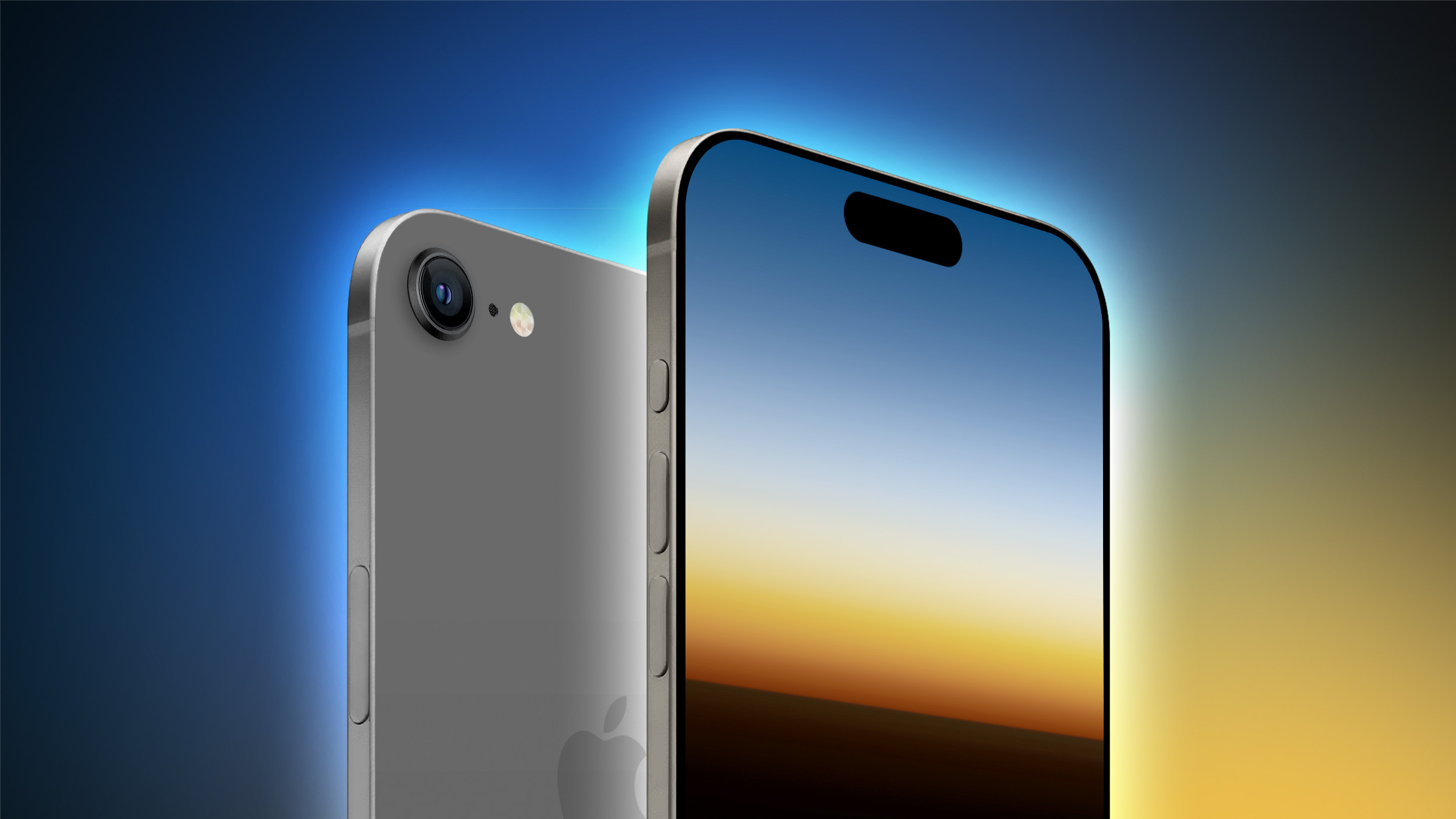
All four iPhone 17 models expected to launch next year will feature an upgraded 24-megapixel front-facing camera, according to Apple analyst Jeff Pu.
In a research note today for investment bank Haitong, obtained by MacRumors, Pu shared a chart indicating that the iPhone 17, the tentatively-named iPhone 17 Slim, the iPhone 17 Pro, and the iPhone 17 Pro Max will each be equipped with a 24-megapixel front camera with six plastic lens elements. By comparison, all iPhone 15 models are equipped with a 12-megapixel front camera with five plastic lens elements.
would be equipped with a 24-megapixel front camera with a six-piece lens back in January, so this upgrade has now been rumored by multiple sources, making it more likely. Kuo said these changes will "significantly improve the image quality."
With a higher 24-megapixel resolution, photos can maintain their quality even when cropped to a greater degree, providing more flexibility in post-processing. A six-piece lens would also slightly enhance image quality, as each element is designed to correct for various aberrations and distortions, leading to clearer, more accurate photos.
Related Roundup: iPhone 17
Tag: Jeff Pu
This article, "All iPhone 17 Models Again Rumored to Feature 24MP Front Camera" first appeared on MacRumors.com
Discuss this article in our forums
https://www.macrumors.com/2024/08/02/iphone-17-24mp-front-camera-rumor/
All iPhone 17 Models Again Rumored to Feature 24MP Front Camera
All four iPhone 17 models expected to launch next year will feature an upgraded 24-megapixel front-facing camera, according to Apple analyst Jeff Pu.
In a research note today for investment bank Haitong, obtained by MacRumors, Pu shared a chart indicating that the iPhone 17, the tentatively-named iPhone 17 Slim, the iPhone 17 Pro, and the iPhone 17 Pro Max will each be equipped with a 24-megapixel front camera with six plastic lens elements. By comparison, all iPhone 15 models are equipped with a 12-megapixel front camera with five plastic lens elements.
would be equipped with a 24-megapixel front camera with a six-piece lens back in January, so this upgrade has now been rumored by multiple sources, making it more likely. Kuo said these changes will "significantly improve the image quality."
With a higher 24-megapixel resolution, photos can maintain their quality even when cropped to a greater degree, providing more flexibility in post-processing. A six-piece lens would also slightly enhance image quality, as each element is designed to correct for various aberrations and distortions, leading to clearer, more accurate photos.
Related Roundup: iPhone 17
Tag: Jeff Pu
This article, "All iPhone 17 Models Again Rumored to Feature 24MP Front Camera" first appeared on MacRumors.com
Discuss this article in our forums
https://www.macrumors.com/2024/08/02/iphone-17-24mp-front-camera-rumor/
All iPhone 17 Models Again Rumored to Feature 24MP Front Camera
All four iPhone 17 models expected to launch next year will feature an upgraded 24-megapixel front-facing camera, according to Apple analyst Jeff Pu.
In a research note today for investment bank Haitong, obtained by MacRumors, Pu shared a chart indicating that the iPhone 17, the tentatively-named iPhone 17 Slim, the iPhone 17 Pro, and the iPhone 17 Pro Max will each be equipped with a 24-megapixel front camera with six plastic lens elements. By comparison, all iPhone 15 models are equipped with a 12-megapixel front camera with five plastic lens elements.
would be equipped with a 24-megapixel front camera with a six-piece lens back in January, so this upgrade has now been rumored by multiple sources, making it more likely. Kuo said these changes will "significantly improve the image quality."
With a higher 24-megapixel resolution, photos can maintain their quality even when cropped to a greater degree, providing more flexibility in post-processing. A six-piece lens would also slightly enhance image quality, as each element is designed to correct for various aberrations and distortions, leading to clearer, more accurate photos.
Related Roundup: iPhone 17
Tag: Jeff Pu
This article, "All iPhone 17 Models Again Rumored to Feature 24MP Front Camera" first appeared on MacRumors.com
Discuss this article in our forums
https://www.macrumors.com/2024/08/02/iphone-17-24mp-front-camera-rumor/
Report: Apple's First Foldable iPad Could Face Delays
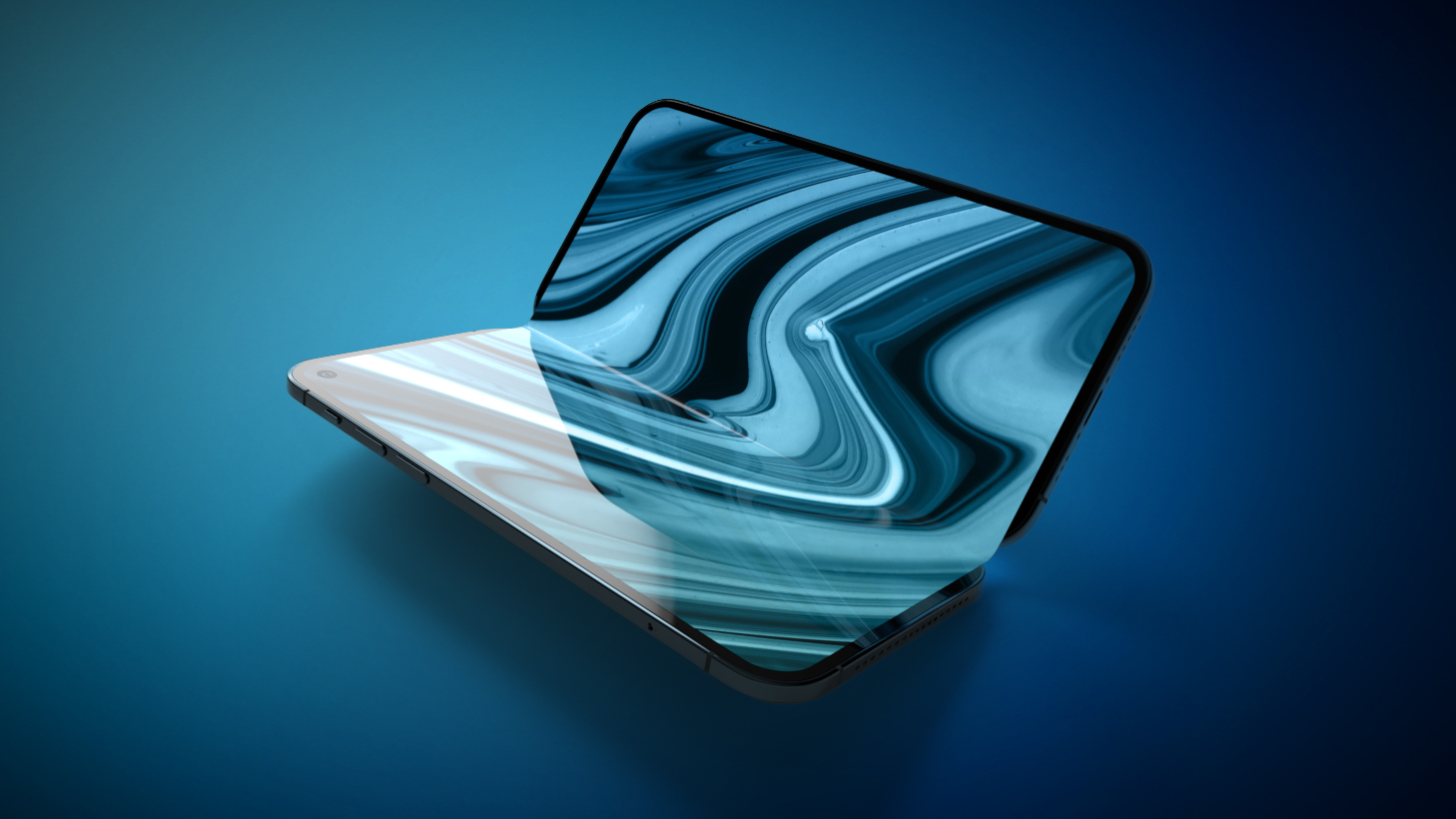
Apple's first foldable device may not hit its schedule for mass production in 2025 or 2026, based on new comments made by Haitong analyst Jeff Pu.
In a note to investors seen by MacRumors, Pu said that he continued to expect enhanced Apple product power driven by the likes of the iPhone 17 and Apple Intelligence, but this came despite some "pushouts" seen for Apple's foldable iPad.
When investors or analysts use the term "pushout" in relation to product releases, they typically mean the expected release date has been moved further into the future, either because there's a delay in the development or manufacturing process, or the company has decided to postpone the launch for other reasons.
May report, Pu said Apple's first foldable devices would reach mass production in 2025 and 2026, following increasing evidence of foldable devices in Apple's supply chain. At the time, the analyst said Apple would likely release a large-screen foldable iPad or MacBook in that timeframe before launching a higher-volume foldable iPhone.
Tags: Jeff Pu, Foldable iPad
This article, "Report: Apple's First Foldable iPad Could Face Delays" first appeared on MacRumors.com
Discuss this article in our forums
https://www.macrumors.com/2024/08/02/apple-foldable-ipad-delays/
Apple Pressures ByteDance and Tencent Over App Fee Loopholes in China
Apple is putting pressure on Tencent and ByteDance to make significant changes to two of China's most popular apps in order to remove loopholes that circumvent Apple's typical 30% commission, Bloomberg reports.
The loopholes are linked to mini-apps that allow users of Tencent's social-messaging app WeChat and ByteDance's short-video app Douyin to play games, hail taxis, and make online purchases without leaving the app.
Apple reportedly told both companies they need to prevent mini-app creators from including links to outside payment systems that circumvent its commission system. Apple said it would not approve future updates to WeChat or Douyin until the companies complied.
Bloomberg. Tencent has reportedly pushed back against the idea due to the negative impact it would have on the game experience.
The report characterized the moves by Apple as "unusually aggressive" in China, suggesting they may inflame tensions at a time when its business practices are under scrutiny by antitrust regulators around the world.
Bloomberg cited its guidelines that the sale of all digital goods must go through its system, and that its review team may reject app submissions that violate that policy.
Tag: China
This article, "Apple Pressures ByteDance and Tencent Over App Fee Loopholes in China" first appeared on MacRumors.com
Discuss this article in our forums
https://www.macrumors.com/2024/08/02/apple-pressures-bytedance-tencent-app-fees/
Apple Pressures ByteDance and Tencent Over App Fee Loopholes in China
Apple is putting pressure on Tencent and ByteDance to make significant changes to two of China's most popular apps in order to remove loopholes that circumvent Apple's typical 30% commission, Bloomberg reports.
The loopholes are linked to mini-apps that allow users of Tencent's social-messaging app WeChat and ByteDance's short-video app Douyin to play games, hail taxis, and make online purchases without leaving the app.
Apple reportedly told both companies they need to prevent mini-app creators from including links to outside payment systems that circumvent its commission system. Apple said it would not approve future updates to WeChat or Douyin until the companies complied.
Bloomberg. Tencent has reportedly pushed back against the idea due to the negative impact it would have on the game experience.
The report characterized the moves by Apple as "unusually aggressive" in China, suggesting they may inflame tensions at a time when its business practices are under scrutiny by antitrust regulators around the world.
Bloomberg cited its guidelines that the sale of all digital goods must go through its system, and that its review team may reject app submissions that violate that policy.
Tag: China
This article, "Apple Pressures ByteDance and Tencent Over App Fee Loopholes in China" first appeared on MacRumors.com
Discuss this article in our forums
https://www.macrumors.com/2024/08/02/apple-pressures-bytedance-tencent-app-fees/
Wallet App Support for Apple Account Cards Now Live in Australia and Canada
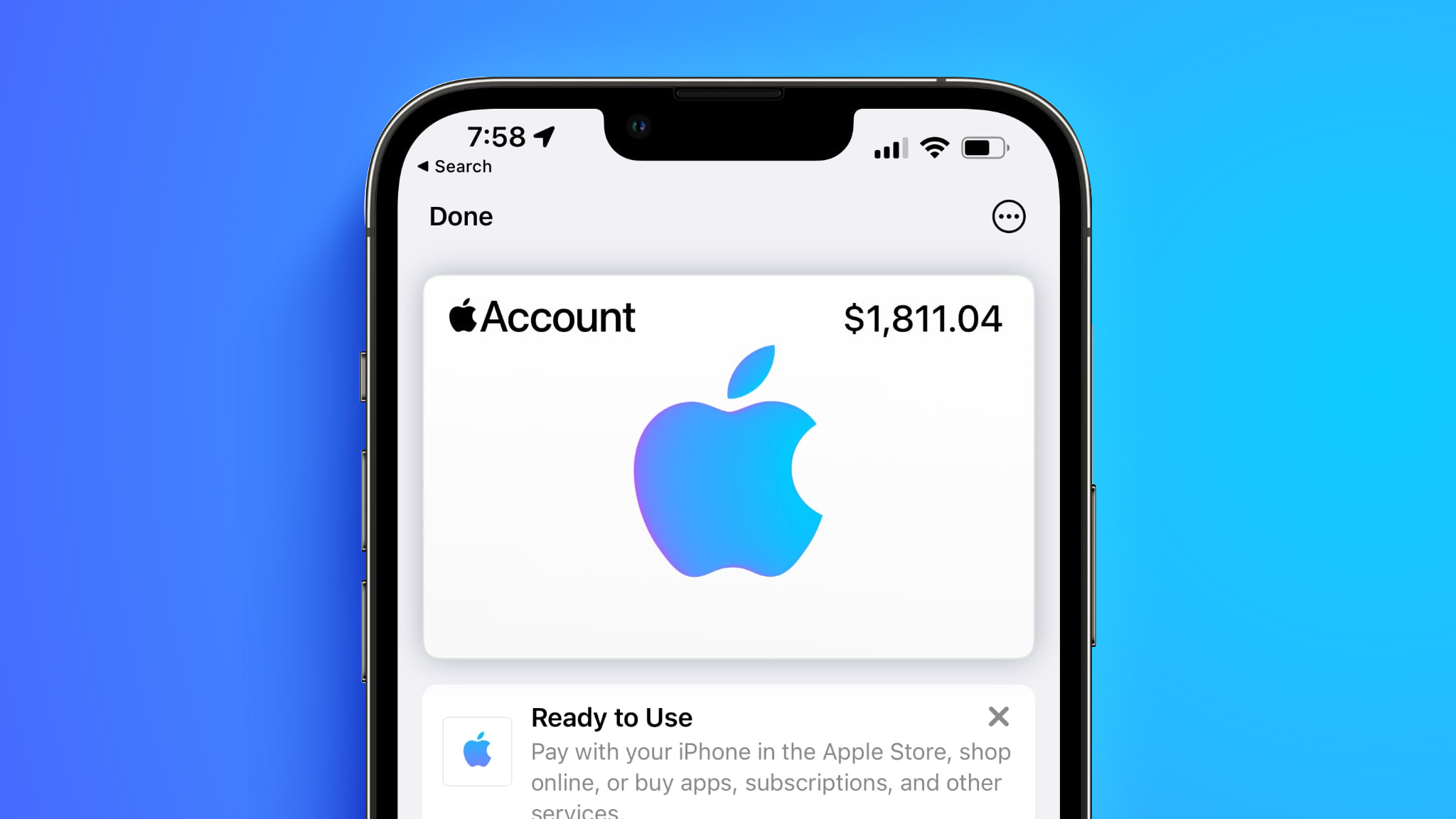
Support for Apple Account Cards in the Wallet app has gone live in Canada and Australia, over two years since it first launched in the United States.
The change means users can use the Wallet app to add an Apple Account Card, which displays the Apple credit balance associated with an Apple ID. If you receive an App Store or Apple Store gift card, for example, it is added to an Apple Account that was previously visible in the App Store and Apple Store apps.
Nicolás Álvarez. Prior to today, support for the feature was thought to be limited to Japan and the US.
To add an Apple Account Card, open up the Wallet app and under "Available Cards," tap on "Add Apple Account." As long as you have an Apple Account balance, you'll be able to add the card.
Tags: Australia, Canada
This article, "Wallet App Support for Apple Account Cards Now Live in Australia and Canada" first appeared on MacRumors.com
Discuss this article in our forums
https://www.macrumors.com/2024/08/02/apple-account-cards-canada-australia/
Wallet App Support for Apple Account Cards Now Live in Australia and Canada
Support for Apple Account Cards in the Wallet app has gone live in Canada and Australia, over two years since it first launched in the United States.
The change means users can use the Wallet app to add an Apple Account Card, which displays the Apple credit balance associated with an Apple ID. If you receive an App Store or Apple Store gift card, for example, it is added to an Apple Account that was previously visible in the App Store and Apple Store apps.
Nicolás Álvarez. Prior to today, support for the feature was thought to be limited to Japan and the US.
To add an Apple Account Card, open up the Wallet app and under "Available Cards," tap on "Add Apple Account." As long as you have an Apple Account balance, you'll be able to add the card.
Tags: Australia, Canada
This article, "Wallet App Support for Apple Account Cards Now Live in Australia and Canada" first appeared on MacRumors.com
Discuss this article in our forums
https://www.macrumors.com/2024/08/02/apple-account-cards-canada-australia/
Wallet App Support for Apple Account Cards Now Live in Australia and Canada
Support for Apple Account Cards in the Wallet app has gone live in Canada and Australia, over two years since it first launched in the United States.
The change means users can use the Wallet app to add an Apple Account Card, which displays the Apple credit balance associated with an Apple ID. If you receive an App Store or Apple Store gift card, for example, it is added to an Apple Account that was previously visible in the App Store and Apple Store apps.
Nicolás Álvarez. Prior to today, support for the feature was thought to be limited to Japan and the US.
To add an Apple Account Card, open up the Wallet app and under "Available Cards," tap on "Add Apple Account." As long as you have an Apple Account balance, you'll be able to add the card.
Tags: Australia, Canada
This article, "Wallet App Support for Apple Account Cards Now Live in Australia and Canada" first appeared on MacRumors.com
Discuss this article in our forums
https://www.macrumors.com/2024/08/02/apple-account-cards-canada-australia/
Wallet App Support for Apple Account Cards Now Live in Australia and Canada
Support for Apple Account Cards in the Wallet app has gone live in Canada and Australia, over two years since it first launched in the United States.
The change means users can use the Wallet app to add an Apple Account Card, which displays the Apple credit balance associated with an Apple ID. If you receive an App Store or Apple Store gift card, for example, it is added to an Apple Account that was previously visible in the App Store and Apple Store apps.
Nicolás Álvarez. Prior to today, support for the feature was thought to be limited to Japan and the US.
To add an Apple Account Card, open up the Wallet app and under "Available Cards," tap on "Add Apple Account." As long as you have an Apple Account balance, you'll be able to add the card.
Tags: Australia, Canada
This article, "Wallet App Support for Apple Account Cards Now Live in Australia and Canada" first appeared on MacRumors.com
Discuss this article in our forums
https://www.macrumors.com/2024/08/02/apple-account-cards-canada-australia/
iPhone 16 Pro Model to Get Biggest Battery Capacity Jump
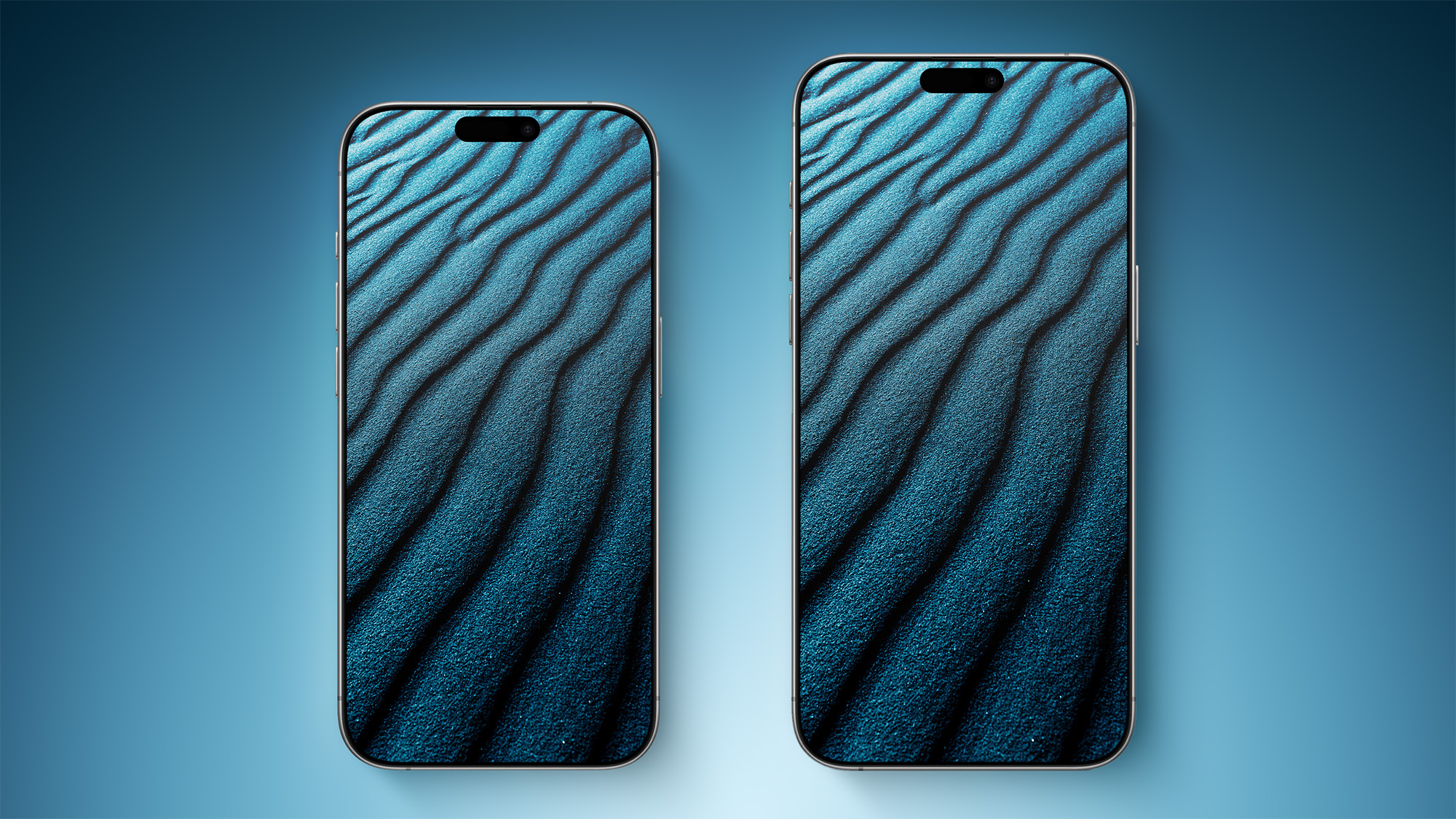
The iPhone 16 Pro and iPhone 16 Pro Max are rumored to feature bigger battery capacities compared to previous-generation models, but it looks like the smaller iPhone 16 Pro device could see the biggest improvement, according to new details.
Chinese Weibo-based leaker Instant Digital today posted the mAh (milliampere-hours) figures for the iPhone 16 Pro (3,577 mAh) and iPhone 16 Pro Max (4,676 mAh), with only the larger model capacity lining up with previous leaked figures.
The mAh is a measure of battery capacity, or the amount of electric charge that a battery can store. The higher the mAh rating of a battery, the more charge it can hold, and the longer it can power a device. The following table shows the battery capacity comparison between the iPhone 15 Pro models and iPhone 16 Pro models.
iPhone 15 Pros (2023)
iPhone 16 Pros (2024)
% Change
Pro
3,274 mAh
3,577 mAh
+9.25%
Max
4,422 mAh
4,676 mAh
+5.74%
The change in capacity of the iPhone 16 Pro over the previous Pro model shows the most marked difference, with an over 9% increase (303 mAh). Meanwhile, the iPhone 16 Pro Max, while not as dramatic as its smaller sibling, gets an over 5% increase (254 mAh). Combined with efficiency improvements, the increases should see both devices offer more sustained real-world usage on a single charge.
rumor, this year's iPhone 16 Pro Max will boast a 30-hour-plus battery life (compared to 29 hours for the iPhone 15 Pro Max). Not only that, the iPhone 16 Pro and iPhone 16 Pro Max are expected to use stacked battery technology for increased energy density and prolonged lifespan.
5 Biggest Changes Rumored for iPhone 16 Pro Max
40W wired fast charging and 20W MagSafe charging. For comparison, iPhone 15 and iPhone 15 Pro models are capable of up to 27W peak charging speeds with an appropriate USB-C power adapter, while official MagSafe chargers from Apple and authorized third parties can wirelessly charge the iPhone 15 models at up to 15W.
Related Roundup: iPhone 16 Pro
Tag: Instant Digital
This article, "iPhone 16 Pro Model to Get Biggest Battery Capacity Jump" first appeared on MacRumors.com
Discuss this article in our forums
https://www.macrumors.com/2024/08/02/iphone-16-pro-battery-capacities/
Apple's Q3 2024 Earnings Call Takeaways
Apple today held an earnings call for the third fiscal quarter of 2024 (second calendar quarter), with Apple reporting its best June quarter to date, with revenue higher than expected. Apple CEO Tim Cook and Apple CFO Luca Maestri provided some insight into Apple's performance, iPad sales, services growth, AI plans, and more.
We've highlighted the most interesting tidbits from the Q3 2024 earnings call.
iPhone Performance
Apple CEO Tim Cook said that the iPhone 15 models did better than the iPhone 14 models. The install base hit an all-time high during the June quarter.
iPhone 16, Apple CEO Tim Cook said that the company is "very excited" about Apple Intelligence and the level of value that Apple will provide to users. Cook said that Apple Intelligence presents "another reason for a compelling upgrade."
Apple Intelligence
On Apple Intelligence, Cook said that Apple can't wait to see what kind of amazing things developers do with Apple Intelligence. Cook expects that developers will adopt Apple Intelligence in their apps on a broad basis, with features that are applicable to many types of apps.
He confirmed that Apple is planning a staggered rollout of the Apple Intelligence features. There are some functions that will come over the course of the year, and languages beyond U.S. English will not be available at launch.
Siri is expected before the end of the calendar year.
Apple is investing more in Artificial Intelligence and Machine Learning, with plans to increase that on a yearly basis.
iPad Sales
Apple saw a sharp increase in iPad sales thanks to the launch of the M4 iPad Pro and the M2 iPad Air during the quarter. iPad revenue was at $7.2 billion, up 24 percent from $5.8 billion in the year-ago quarter.
Services Revenue
Apple saw a steep increase in services revenue at $24.2 billion, up from $21.2 billion a year ago and a new all-time revenue record. Paid subscriptions hit an all-time high, and Apple has more than one billion paid subscriptions across services. Apple set new records in advertising, cloud, and payment services.
Apple TV+ and Apple Arcade content.
Other Product Revenue
iPhone revenue dropped one percent ($39.3B), Mac revenue was up two percent ($7B), and Home, Accessories, and Wearables fell two percent ($8.1B).
Digital Markets Act
Maestri said that Apple is continuing to discuss its DMA compliance with the European Commission. Apple has seen "a good level of adoption" from developers on the changes, and in general, results for the services business and for the App Store have been "pretty good until now."
Maestri once again reiterated that the App Store is responsible for seven percent of the total revenue that Apple earns in the European Union.
iOS 18, iPadOS 18, and macOS Sequoia launch.
September Quarter
Apple said that it expects September quarter revenue to grow year over year at a rate similar to the June quarter. Services revenue is expected to grow double digits, similar to the rest of this year. Gross margin is expected to be 45.5 and 46.6 percent.
MacBook Air in fall 2023. There have been rumors that we could see refreshed M4 MacBook Pros before the end of the year, but if Apple is expecting Mac revenue to fall, that may not happen.
Tag: Earnings
This article, "Apple's Q3 2024 Earnings Call Takeaways" first appeared on MacRumors.com
Discuss this article in our forums
https://www.macrumors.com/2024/08/01/apple-q3-2024-earnings-takeaways/
Apple's Q3 2024 Earnings Call Takeaways
Apple today held an earnings call for the third fiscal quarter of 2024 (second calendar quarter), with Apple reporting its best June quarter to date, with revenue higher than expected. Apple CEO Tim Cook and Apple CFO Luca Maestri provided some insight into Apple's performance, iPad sales, services growth, AI plans, and more.
We've highlighted the most interesting tidbits from the Q3 2024 earnings call.
iPhone Performance
Apple CEO Tim Cook said that the iPhone 15 models did better than the iPhone 14 models. The install base hit an all-time high during the June quarter.
iPhone 16, Apple CEO Tim Cook said that the company is "very excited" about Apple Intelligence and the level of value that Apple will provide to users. Cook said that Apple Intelligence presents "another reason for a compelling upgrade."
Apple Intelligence
On Apple Intelligence, Cook said that Apple can't wait to see what kind of amazing things developers do with Apple Intelligence. Cook expects that developers will adopt Apple Intelligence in their apps on a broad basis, with features that are applicable to many types of apps.
He confirmed that Apple is planning a staggered rollout of the Apple Intelligence features. There are some functions that will come over the course of the year, and languages beyond U.S. English will not be available at launch.
Siri is expected before the end of the calendar year.
Apple is investing more in Artificial Intelligence and Machine Learning, with plans to increase that on a yearly basis.
iPad Sales
Apple saw a sharp increase in iPad sales thanks to the launch of the M4 iPad Pro and the M2 iPad Air during the quarter. iPad revenue was at $7.2 billion, up 24 percent from $5.8 billion in the year-ago quarter.
Services Revenue
Apple saw a steep increase in services revenue at $24.2 billion, up from $21.2 billion a year ago and a new all-time revenue record. Paid subscriptions hit an all-time high, and Apple has more than one billion paid subscriptions across services. Apple set new records in advertising, cloud, and payment services.
Apple TV+ and Apple Arcade content.
Other Product Revenue
iPhone revenue dropped one percent ($39.3B), Mac revenue was up two percent ($7B), and Home, Accessories, and Wearables fell two percent ($8.1B).
Digital Markets Act
Maestri said that Apple is continuing to discuss its DMA compliance with the European Commission. Apple has seen "a good level of adoption" from developers on the changes, and in general, results for the services business and for the App Store have been "pretty good until now."
Maestri once again reiterated that the App Store is responsible for seven percent of the total revenue that Apple earns in the European Union.
iOS 18, iPadOS 18, and macOS Sequoia launch.
September Quarter
Apple said that it expects September quarter revenue to grow year over year at a rate similar to the June quarter. Services revenue is expected to grow double digits, similar to the rest of this year. Gross margin is expected to be 45.5 and 46.6 percent.
MacBook Air in fall 2023. There have been rumors that we could see refreshed M4 MacBook Pros before the end of the year, but if Apple is expecting Mac revenue to fall, that may not happen.
Tag: Earnings
This article, "Apple's Q3 2024 Earnings Call Takeaways" first appeared on MacRumors.com
Discuss this article in our forums
https://www.macrumors.com/2024/08/01/apple-q3-2024-earnings-takeaways/
Apple's Q3 2024 Earnings Call Takeaways
Apple today held an earnings call for the third fiscal quarter of 2024 (second calendar quarter), with Apple reporting its best June quarter to date, with revenue higher than expected. Apple CEO Tim Cook and Apple CFO Luca Maestri provided some insight into Apple's performance, iPad sales, services growth, AI plans, and more.
We've highlighted the most interesting tidbits from the Q3 2024 earnings call.
iPhone Performance
Apple CEO Tim Cook said that the iPhone 15 models did better than the iPhone 14 models. The install base hit an all-time high during the June quarter.
iPhone 16, Apple CEO Tim Cook said that the company is "very excited" about Apple Intelligence and the level of value that Apple will provide to users. Cook said that Apple Intelligence presents "another reason for a compelling upgrade."
Apple Intelligence
On Apple Intelligence, Cook said that Apple can't wait to see what kind of amazing things developers do with Apple Intelligence. Cook expects that developers will adopt Apple Intelligence in their apps on a broad basis, with features that are applicable to many types of apps.
He confirmed that Apple is planning a staggered rollout of the Apple Intelligence features. There are some functions that will come over the course of the year, and languages beyond U.S. English will not be available at launch.
Siri is expected before the end of the calendar year.
Apple is investing more in Artificial Intelligence and Machine Learning, with plans to increase that on a yearly basis.
iPad Sales
Apple saw a sharp increase in iPad sales thanks to the launch of the M4 iPad Pro and the M2 iPad Air during the quarter. iPad revenue was at $7.2 billion, up 24 percent from $5.8 billion in the year-ago quarter.
Services Revenue
Apple saw a steep increase in services revenue at $24.2 billion, up from $21.2 billion a year ago and a new all-time revenue record. Paid subscriptions hit an all-time high, and Apple has more than one billion paid subscriptions across services. Apple set new records in advertising, cloud, and payment services.
Apple TV+ and Apple Arcade content.
Other Product Revenue
iPhone revenue dropped one percent ($39.3B), Mac revenue was up two percent ($7B), and Home, Accessories, and Wearables fell two percent ($8.1B).
Digital Markets Act
Maestri said that Apple is continuing to discuss its DMA compliance with the European Commission. Apple has seen "a good level of adoption" from developers on the changes, and in general, results for the services business and for the App Store have been "pretty good until now."
Maestri once again reiterated that the App Store is responsible for seven percent of the total revenue that Apple earns in the European Union.
iOS 18, iPadOS 18, and macOS Sequoia launch.
September Quarter
Apple said that it expects September quarter revenue to grow year over year at a rate similar to the June quarter. Services revenue is expected to grow double digits, similar to the rest of this year. Gross margin is expected to be 45.5 and 46.6 percent.
MacBook Air in fall 2023. There have been rumors that we could see refreshed M4 MacBook Pros before the end of the year, but if Apple is expecting Mac revenue to fall, that may not happen.
Tag: Earnings
This article, "Apple's Q3 2024 Earnings Call Takeaways" first appeared on MacRumors.com
Discuss this article in our forums
https://www.macrumors.com/2024/08/01/apple-q3-2024-earnings-takeaways/
Apple's Q3 2024 Earnings Call Takeaways
Apple today held an earnings call for the third fiscal quarter of 2024 (second calendar quarter), with Apple reporting its best June quarter to date, with revenue higher than expected. Apple CEO Tim Cook and Apple CFO Luca Maestri provided some insight into Apple's performance, iPad sales, services growth, AI plans, and more.
We've highlighted the most interesting tidbits from the Q3 2024 earnings call.
iPhone Performance
Apple CEO Tim Cook said that the iPhone 15 models did better than the iPhone 14 models. The install base hit an all-time high during the June quarter.
iPhone 16, Apple CEO Tim Cook said that the company is "very excited" about Apple Intelligence and the level of value that Apple will provide to users. Cook said that Apple Intelligence presents "another reason for a compelling upgrade."
Apple Intelligence
On Apple Intelligence, Cook said that Apple can't wait to see what kind of amazing things developers do with Apple Intelligence. Cook expects that developers will adopt Apple Intelligence in their apps on a broad basis, with features that are applicable to many types of apps.
He confirmed that Apple is planning a staggered rollout of the Apple Intelligence features. There are some functions that will come over the course of the year, and languages beyond U.S. English will not be available at launch.
Siri is expected before the end of the calendar year.
Apple is investing more in Artificial Intelligence and Machine Learning, with plans to increase that on a yearly basis.
iPad Sales
Apple saw a sharp increase in iPad sales thanks to the launch of the M4 iPad Pro and the M2 iPad Air during the quarter. iPad revenue was at $7.2 billion, up 24 percent from $5.8 billion in the year-ago quarter.
Services Revenue
Apple saw a steep increase in services revenue at $24.2 billion, up from $21.2 billion a year ago and a new all-time revenue record. Paid subscriptions hit an all-time high, and Apple has more than one billion paid subscriptions across services. Apple set new records in advertising, cloud, and payment services.
Apple TV+ and Apple Arcade content.
Other Product Revenue
iPhone revenue dropped one percent ($39.3B), Mac revenue was up two percent ($7B), and Home, Accessories, and Wearables fell two percent ($8.1B).
Digital Markets Act
Maestri said that Apple is continuing to discuss its DMA compliance with the European Commission. Apple has seen "a good level of adoption" from developers on the changes, and in general, results for the services business and for the App Store have been "pretty good until now."
Maestri once again reiterated that the App Store is responsible for seven percent of the total revenue that Apple earns in the European Union.
iOS 18, iPadOS 18, and macOS Sequoia launch.
September Quarter
Apple said that it expects September quarter revenue to grow year over year at a rate similar to the June quarter. Services revenue is expected to grow double digits, similar to the rest of this year. Gross margin is expected to be 45.5 and 46.6 percent.
MacBook Air in fall 2023. There have been rumors that we could see refreshed M4 MacBook Pros before the end of the year, but if Apple is expecting Mac revenue to fall, that may not happen.
Tag: Earnings
This article, "Apple's Q3 2024 Earnings Call Takeaways" first appeared on MacRumors.com
Discuss this article in our forums
https://www.macrumors.com/2024/08/01/apple-q3-2024-earnings-takeaways/