
Beats Studio Pro Headphones Drop to New Record Low $173.95 Price, Plus More Beats Deals
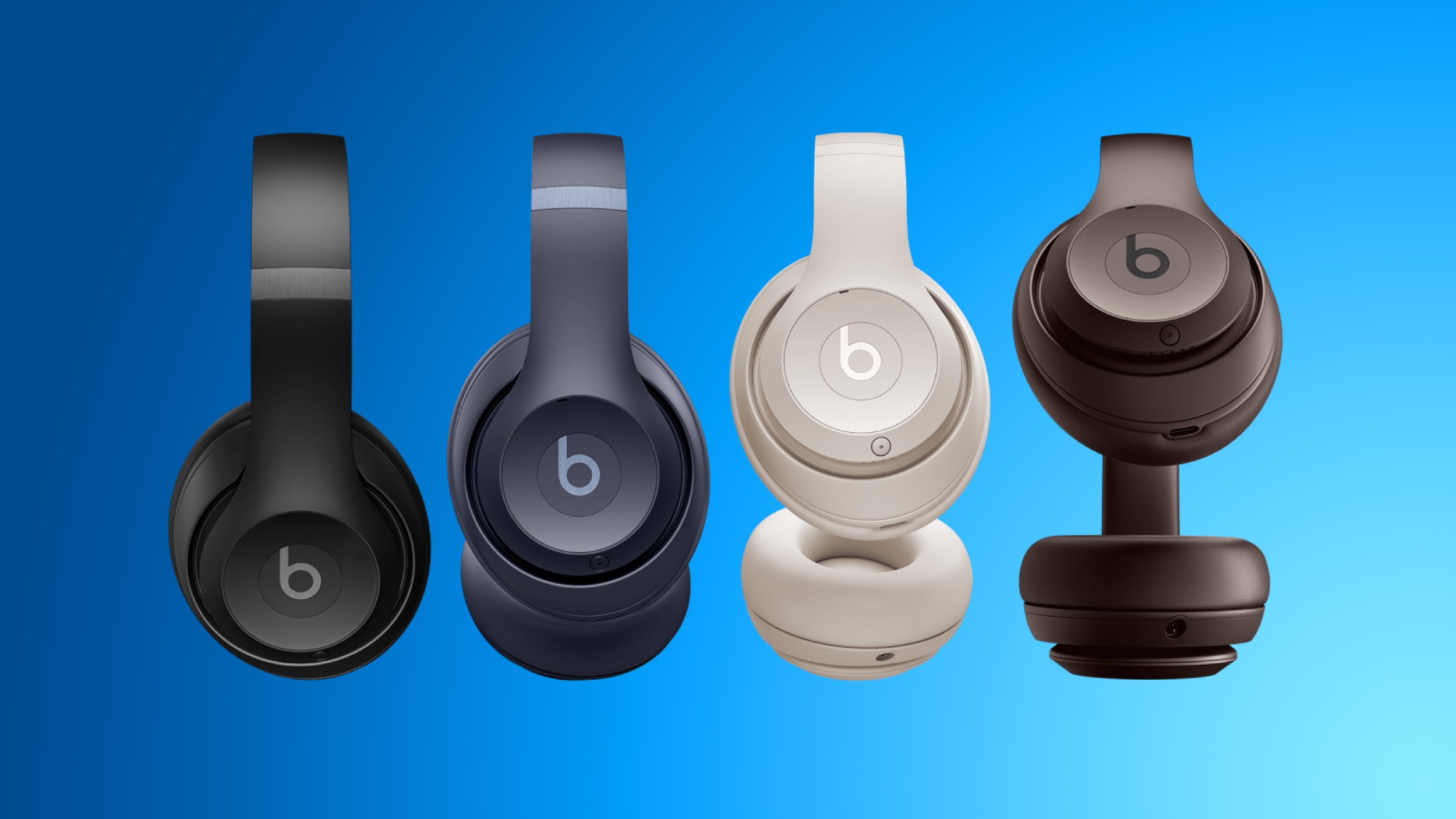
Amazon today has discounted the Beats Studio Pro headphones down to a new all-time low price of $173.95, from $349.95. These headphones come with two years of AppleCare+, further increasing the savings on the accessory.
Note: MacRumors is an affiliate partner with some of these vendors. When you click a link and make a purchase, we may receive a small payment, which helps us keep the site running.
You can get this deal in Black, Navy, and Sandstone, and the headphones should be delivered between August 8 and August 11. This new deal beats the previous record low price by about $7, and is the first notable discount we've seen on the Beats Studio Pro since Prime Day.
$205 OFF
Beats Studio Pro (with AppleCare+) for $173.95
$129.95, down from $199.95; the Beats Fit Pro for $159.95, down from $199.95; and the Beats Studio Buds for $99.95, down from $149.95. Many of these are matches for all-time low prices on these headphones.
Deals Roundup to get caught up with all of the latest deals and discounts that we've been tracking over the past week.
Related Roundup: Apple Deals
This article, "Beats Studio Pro Headphones Drop to New Record Low $173.95 Price, Plus More Beats Deals" first appeared on MacRumors.com
Discuss this article in our forums
https://www.macrumors.com/2024/08/06/beats-studio-pro-new-low/
Apple Stops Signing iOS 17.5.1, Downgrading No Longer an Option
Apple today stopped signing iOS 17.5.1, preventing iPhone users from downgrading to that version of iOS. The update is no longer being signed after the July 29 release of iOS 17.6.
Apple often stops signing an older version of iOS, usually within a week or two after a new version is released. When an update is no longer signed, it can't be installed on an iPhone due to a server-side software verification check.
This policy encourages users to keep their operating systems up to date, ensuring they have the latest security enhancements.
deleted photos to reappear on an iPhone. There were no notable features in the iOS 17.6 update, with Apple adding unspecified bug fixes and security updates.
This article, "Apple Stops Signing iOS 17.5.1, Downgrading No Longer an Option" first appeared on MacRumors.com
Discuss this article in our forums
https://www.macrumors.com/2024/08/06/apple-stops-signing-ios-17-5-1/
Apple's Old-School SuperDrive Is Out of Stock and Unlikely to Return

Earlier this year, Apple added the last MacBook Pro with a CD/DVD drive to its obsolete products list, and now it looks like Apple's aging external USB SuperDrive might not be all that far behind.
As noted by 9to5Mac, it's no longer possible to buy a USB SuperDrive online via the official Apple Store in the US. The product listing for the $79 device says that it's "Sold Out," rather than "Currently Unavailable." Apple's Canada online store also lists the device as sold out, and given that it was introduced alongside the original MacBook Air in 2008, Apple is unlikely to bother making additional units to play the legacy media.
UK, and the USB SuperDrive can still be found elsewhere online at merchants like Amazon, but bear in mind that you'll need a USB-A to USB-C adapter to use it with a modern MacBook. Also, it doesn't play Blu-ray discs. Here's how Apple describes the product:
Whether you're at the office or on the road, you can play and burn both CDs and DVDs with the Apple USB SuperDrive. It's perfect when you want to watch a DVD, install software, create backup discs and more.
While the majority of Apple's product lineup has been updated over the past few years, there are still a handful of devices and accessories that are quite old and still available on the Apple store.
This article, "Apple's Old-School SuperDrive Is Out of Stock and Unlikely to Return" first appeared on MacRumors.com
Discuss this article in our forums
https://www.macrumors.com/2024/08/06/apple-superdrive-could-be-discontinued/
tvOS 18 to Let Apple TV Users Open Web Links on iPhone and iPad
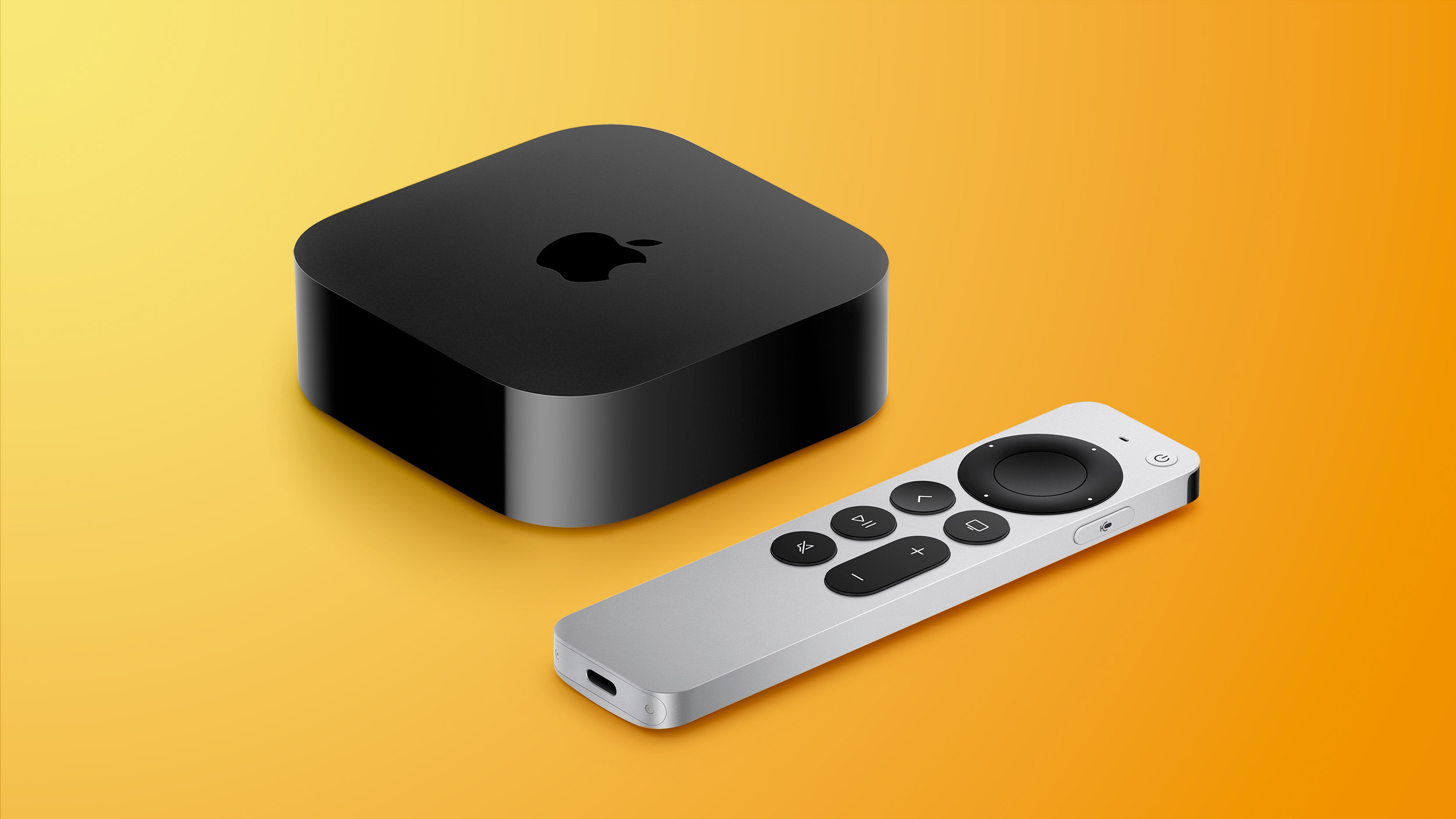
Apple TV users will soon be able to AirDrop web links in the menu interface to their iPhone or iPad, thanks to a new feature included in the latest tvOS 18 developer beta.
As Apple TV owners will know, it is not possible to browse the web on the set-top box, so web links are not something you traditionally come across in the tvOS interface. That looks set to change with tvOS 18.
Monday.
Threads post, Judge shared a video of the feature in action, saying that it "gives a preview for some potentially pretty special integrations including the ability to distribute related media like books, soundtracks and AR experiences to iPhone and iPad."
Apple has yet to use the link sharing button elsewhere in tvOS, but it's easy to see how it could provide a variety of useful functions, such as the ability to handoff content for viewing on other devices.
Post by @sigjudge
View on Threads
Coming this fall, tvOS 18 will bring a range of additional new features to Apple TVs, including an InSight feature in the TV app that is able to provide real-time information about actors, music, and more in Apple TV+ shows and music. Other new features include 21:9 aspect ratio support for projectors, new screen savers with improved controls, and support for Live Captions during FaceTime calls through an iPhone or iPad.
Related Roundup: Apple TV
Buyer's Guide: Apple TV (Don't Buy)
Related Forum: Apple TV and Home Theater
This article, "tvOS 18 to Let Apple TV Users Open Web Links on iPhone and iPad" first appeared on MacRumors.com
Discuss this article in our forums
https://www.macrumors.com/2024/08/06/tvos-18-open-web-links-on-iphone/
Next Apple Watch SE Could Be Made From Plastic
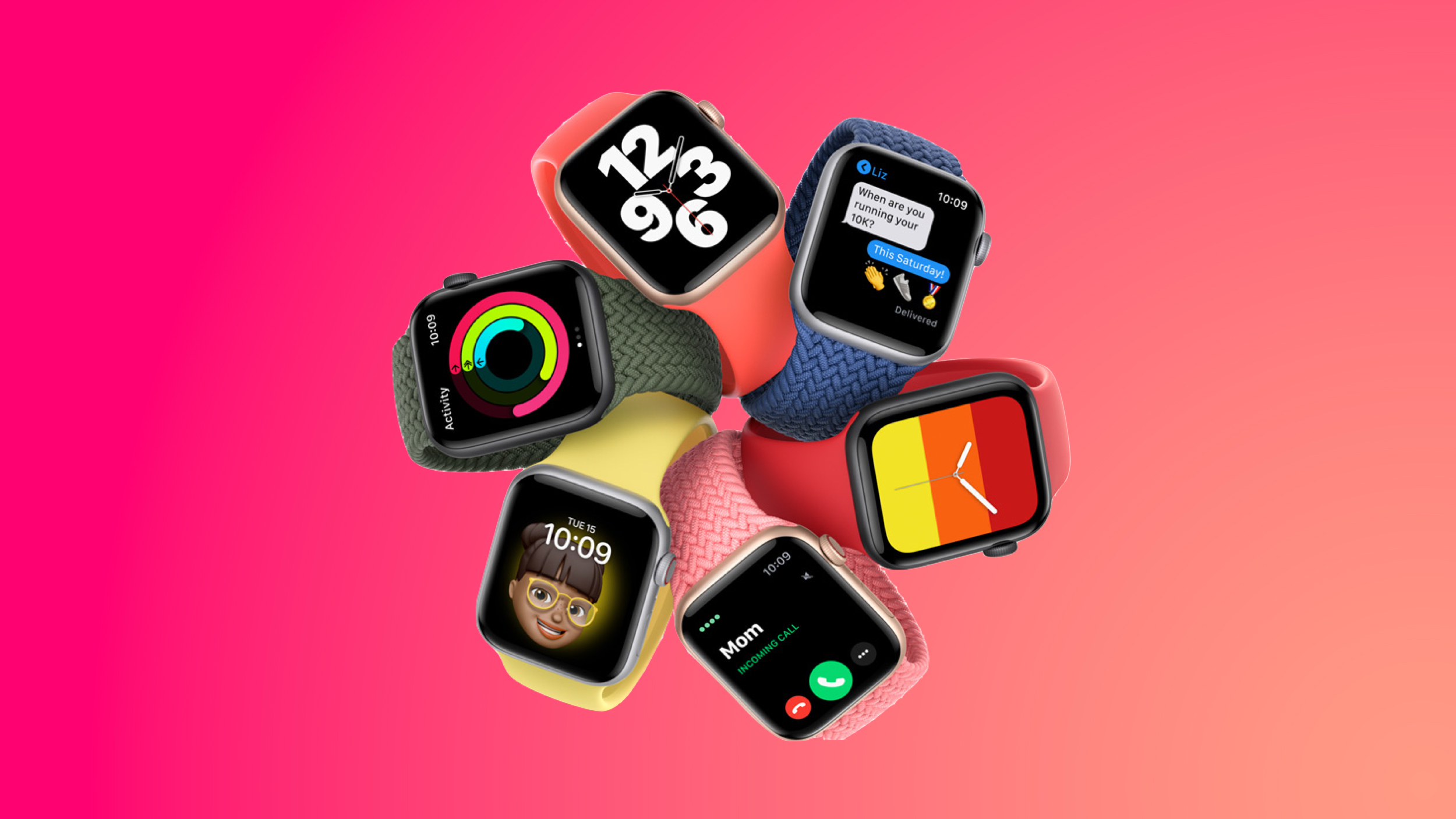
The next-generation Apple Watch SE will feature a chassis made from a hard plastic material, Bloomberg's Mark Gurman reiterated in this week's Power On newsletter.
According to Gurman, it is "sounding increasingly likely" that the next-generation Apple Watch SE models will use a rigid plastic material instead of aluminum. Plastic can keep costs down, and could appeal to parents who are looking for an Apple Watch for their children.
iPhone, and there are features for keeping it from being used during school.
With plastic, Apple could also offer the Apple Watch SE in a range of fun colors that are not possible with aluminum. Apple used to sell a plastic iPhone 5c, for example, and it came in vibrant blue, yellow, pink, and green colors. Plastic would also better differentiate the Apple Watch SE from the standard Apple Watch models as the current Apple Watch SE is basically a modified version of the aluminum Apple Watch without the latest features.
The current Apple Watch SE models sell for $250, but shifting to plastic may allow Apple to offer the device at a lower price to better compete with companies that offer more affordably priced smart watches.
Related Roundup: Apple Watch SE
Buyer's Guide: Apple Watch SE (Don't Buy)
Related Forum: Apple Watch
This article, "Next Apple Watch SE Could Be Made From Plastic" first appeared on MacRumors.com
Discuss this article in our forums
https://www.macrumors.com/2024/08/05/apple-watch-se-plastic/
Next Apple Watch SE Could Be Made From Plastic
The next-generation Apple Watch SE will feature a chassis made from a hard plastic material, Bloomberg's Mark Gurman reiterated in this week's Power On newsletter.
According to Gurman, it is "sounding increasingly likely" that the next-generation Apple Watch SE models will use a rigid plastic material instead of aluminum. Plastic can keep costs down, and could appeal to parents who are looking for an Apple Watch for their children.
iPhone, and there are features for keeping it from being used during school.
With plastic, Apple could also offer the Apple Watch SE in a range of fun colors that are not possible with aluminum. Apple used to sell a plastic iPhone 5c, for example, and it came in vibrant blue, yellow, pink, and green colors. Plastic would also better differentiate the Apple Watch SE from the standard Apple Watch models as the current Apple Watch SE is basically a modified version of the aluminum Apple Watch without the latest features.
The current Apple Watch SE models sell for $250, but shifting to plastic may allow Apple to offer the device at a lower price to better compete with companies that offer more affordably priced smart watches.
Related Roundup: Apple Watch SE
Buyer's Guide: Apple Watch SE (Don't Buy)
Related Forum: Apple Watch
This article, "Next Apple Watch SE Could Be Made From Plastic" first appeared on MacRumors.com
Discuss this article in our forums
https://www.macrumors.com/2024/08/05/apple-watch-se-plastic/
Everything New in iOS 18 Beta 5
With the fifth beta of iOS 18 that came out today, Apple added some notable new features, even though it's getting later in the beta testing process. There are design updates to the Photos app and a whole new Safari option, along with several smaller changes.
Photos App Changes
Apple responded to tester feedback about the Photos app, and there have been some changes to streamline the design. The carousel that allowed users to swipe through different Collections from the main Photos grid has been removed entirely, making the app less confusing and repetitive.
The Photos app still has a unified one-screen design, opening up to the photo grid where you can see all of your photos. With the update, more grid images can be seen at once, and you can scroll down to get to Collections.
Users who have multiple albums will see their albums higher up in the Photos app, and Recently Saved content is now integrated into the Recent Days collection. The order of Collections can be customized, as customization tools remain. You can decide what you want to see in the Photos app and where.
Distraction Control in Safari
Apple added a new Distraction Control feature to Safari, which allows iPhone users to hide distracting elements from a webpage or article. Sign in windows, cookie preference popups, GDPR notices, newsletter signup banners, autoplay videos, and more can be hidden from sight.
Distraction Control is not an ad blocker and it will not hide dynamic elements on a page, such as ads. You can use the feature to temporarily hide them, but when an ad refreshes, it shows back up. It is meant for static page elements.
Distraction Control can be accessed from the Safari webpage settings. Tap on the settings and then choose the Hide Distracting Items option. From there, you can tap the element on the page that you want to hide. Distraction Control does not sync, and page elements must be hidden separately on each of your devices. You can reveal anything hidden by going into the settings and tapping on Show Hidden Items.
Home Screen Options
If you long press on the Home Screen and choose "Edit," there is a new "Edit Pages" option. With this setting, you can delete entire Home Screen pages, or hide them from view. This is the same interface you can get to by tapping on the three dots at the bottom of the display when in the Home Screen edit mode, it's just clearer with better labeling.
Dark Mode Icons
Apple changed some Dark Mode options, redesigning the Maps icon once again and updating the Find My icon. The Maps icon is now black, white, gray, and blue, with Apple eliminating the other colors, while Find My now has more obvious rings in different shades of green.
Dark Mode Search
When you search for an app using the search interface, the app icon now correctly shows up in Dark Mode when Dark Mode is turned on. Previously, search showed Light Mode icons.
Control Center
Apple has altered the design of some Control Center icons.
Several icons have larger graphics:
Voice Memo
Stopwatch
Airplane Mode
Home
Remote
Shortcuts Open App option
Calculator
Scan Code
Magnifier
Wallet
Tap to Cash
Assistive and Guided Access
Hearing, Live Captions, and Left-Right Stereo Balance
Switch Control, Voice Control, Full Keyboard Access, Assistive Touch, Apple Watch Mirroring, Control Nearby Devices, and Eye Tracking.
Almost all Vision Accessibility icons
And there are several design changes:
Orientation Lock is now a red lock with a pink arrow.
Screen Recording has a smaller inner dot and a thicker outer dot. When activated, the outer circle is a darker red, the inner circle is the same bright red.
Screen Mirroring has different sized rectangles with one darker and one lighter.
Cellular Data now has four signal bars instead of an antenna.
Orientation Lock now has a gray arrow instead of a white arrow.
Shortcuts now includes a black and white version of the Shortcuts icon.
The Low Power Mode toggle battery graphic shows less of a charge and the battery outline is now gray instead of white. When it's on, the battery level and outline both turn yellow.
The Live Speech toggle has a white keyboard and a gray sound wave instead of the opposite.
Headphone Accommodations now has an ear icon instead of a headphones icon.
The Vehicle Motion Cues toggle now has a car icon instead of just dots.
Smart Invert's colors have changed (white main, and gray star, instead of the opposite).
Apple has also removed the non-functional Bluetooth Power Toggle setting that popped up in the last beta.
More New Changes
Know of a new feature in iOS 18 beta 5 that we left out? Let us know in the comments below.
Related Roundups: iOS 18, iPadOS 18, macOS Sequoia
Related Forums: iOS 18, iPadOS 18, macOS Sequoia
This article, "Everything New in iOS 18 Beta 5" first appeared on MacRumors.com
Discuss this article in our forums
https://www.macrumors.com/2024/08/05/ios-18-beta-5-features/
Google and Apple's Search Engine Deal Violates Antitrust Law

The paid agreement that Google has with Apple to be the default search engine on the iPhone and other Apple devices violates antitrust law, a federal judge ruled today (via Bloomberg).
Google has long paid Apple billions of dollars a year to be the default Safari search engine, and this relationship has been under scrutiny as Google battles antitrust allegations made by the United States Justice Department. The court today found in favor of the DoJ, and said that Google is indeed shutting out competition by paying smartphone makers for default status.
Google's agreements with Apple and other smartphone makers have a "significant effect" maintaining Google's search monopoly, keeping other search engines from competing and reinforcing Google's dominant position. Google has a search market share of around 95 percent on smartphones, in part due to the money that it pays.
In 2022, Google paid Apple $20 billion, an amount that incentivizes Apple to stick with the status quo. Apple does not provide opportunities to other search engines, nor does it develop its own search product due to the money that it receives from Google, according to the DoJ.
After considering testimony from Apple, Google, Microsoft, and other companies, the court decided that Google has a search monopoly. "Google is a monopolist, and it has acted as one to maintain its monopoly. It has violated Section 2 of the Sherman Act," reads the ruling.
The court will need to decide on the next actions to take to address Google's anticompetitive practices, and injunctions could be forthcoming.
Google and Apple could in the future be barred from entering into search agreements, which will result in a revenue loss for both companies. Apple will not get billions for promoting Google Search, and Google will lose out on being the default option across billions of Apple devices.
Tags: Google, DOJ
This article, "Google and Apple's Search Engine Deal Violates Antitrust Law" first appeared on MacRumors.com
Discuss this article in our forums
https://www.macrumors.com/2024/08/05/google-search-antitrust-monopoly/
Hands-On With Safari's New Distraction Control in the iOS 18 Beta
Apple today surprised us with a new feature for Safari in iOS 18, iPadOS 18, and macOS Sequoia, with Distraction Control debuting in the latest betas. We thought we'd take a quick look at Distraction Control for those who have not yet been able to update, non-developers, or those who are on the iOS 18.1 beta track.
Subscribe to the MacRumors YouTube channel for more videos.
Distraction Control hides distracting webpage elements like those irritating popups that ask you to sign up for email lists or cookie/GDPR banners. It can be used to hide some autoplay videos too, but it is not an ad blocker. You can temporarily hide ads, but since it wasn't designed to block ads, ads show back up when the site refreshes.
You can basically use Distraction Control to hide any static element on a webpage, and you can get to the controls by going to the page menu in Safari. Just tap the Hide Distracting Items option and then tap whatever you want to hide on a page. Hidden items do not sync across devices, and you can restore anything hidden by tapping on the Show Hidden Items option.
Photos app, removing the carousel in response to user feedback.
Related Roundups: iOS 18, iPadOS 18, macOS Sequoia
Related Forums: iOS 18, iPadOS 18, macOS Sequoia
This article, "Hands-On With Safari's New Distraction Control in the iOS 18 Beta" first appeared on MacRumors.com
Discuss this article in our forums
https://www.macrumors.com/2024/08/05/safari-distraction-control-hands-on/
New Distraction Control Safari Feature Launches in Latest iOS 18, iPadOS 18, and macOS Sequoia Betas
With the fifth betas of iOS 18, iPadOS 18, and macOS Sequoia, Apple is introducing a previously unannounced feature for Safari, Distraction Control.
As the name suggests, Distraction Control is designed to cut down on distracting elements from articles and webpages, such as sign in windows, cookie preference popups, newsletter signup banners, autoplay videos, and more.
can be temporarily hidden, but the feature was not designed for ads, and an ad will reappear when it refreshes. It was not created for elements on a webpage that regularly change.
iPhone, iPad, and Mac users need to opt in to hiding elements on the page, and Apple says that nothing is hidden that is not proactively selected.
When hiding a cookie banner or GDPR popup with Distraction Control, the function is the same as closing a banner without submitting website preferences at all.
Your Distraction Control settings are on-device and will not sync from device to device, so you will need to hide website elements on each one of your devices. You can use the "Show Hidden Items" option by going to the Safari search field to instantly see all hidden elements on a webpage.
Distraction Control is available in the fifth iOS 18, iPadOS 18, and macOS Sequoia developer betas, and it should soon be available to public beta testers as well.
Related Roundups: iOS 18, iPadOS 18, macOS Sequoia
Related Forums: iOS 18, iPadOS 18, macOS Sequoia
This article, "New Distraction Control Safari Feature Launches in Latest iOS 18, iPadOS 18, and macOS Sequoia Betas" first appeared on MacRumors.com
Discuss this article in our forums
https://www.macrumors.com/2024/08/05/ios-18-safari-distraction-control/
Apple Seeds Fifth Betas of iOS 18 and iPadOS 18 to Developers
Apple today seeded the fifth betas of upcoming iOS 18 and iPadOS 18 updates to developers for testing purposes, with the software coming nearly two weeks after the release of the fourth betas.
Registered developers are able to opt into the betas by opening up the Settings app, going to the Software Update section, tapping on the "Beta Updates" option, and toggling on the iOS 18/iPadOS 18 Developer Beta setting. Note that an Apple ID associated with a developer account is required to download and install the beta. The iOS 18 and iPadOS 18 beta track is now separate from the iOS 18.1 and iPadOS 18.1 beta track, with the .1 betas adding support for Apple Intelligence on devices that are able to run the features.
Siri and search. Siri is gaining a better understanding of natural language, improved contextual awareness, and the personal assistant will integrate with ChatGPT to answer more complex queries.
iPhone 15 Pro models and iPads with an M-series chip, but there are a number of other features that are coming. Apple is allowing users to rearrange Home screen apps to have open spaces, plus there's a dark mode for app icons and tinting options.
The Control Center is customizable and third-party developers can add controls for their apps, with the Lock Screen Flashlight and Camera icons able to be replaced or removed. Messages is gaining Rich Communication Services support to improve conversations with Android users, the option to schedule texts to be sent later, new text effects, messages over satellite when there's no cellular, and the option to use any emoji for Tapback responses.
Face ID or Touch ID authentication even when your phone is unlocked.
Photos app interface has been overhauled, and there's a new Tap to Cash feature for privately and securely transferring money using Apple Cash. Other features include equation solving and voice memo transcription in Notes, a game mode for improving game performance, and an option to respond to Siri on AirPods with head gestures.
Related Roundups: iOS 18, iPadOS 18
Related Forums: iOS 18, iPadOS 18
This article, "Apple Seeds Fifth Betas of iOS 18 and iPadOS 18 to Developers" first appeared on MacRumors.com
Discuss this article in our forums
https://www.macrumors.com/2024/08/05/apple-seeds-ios-18-beta-5-to-developers/
Apple Leads Tech Sector's Massive $900 Billion Market Loss
Apple's stock price today dropped amid a broader roader technology sector sell-off that has wiped out nearly $900 billion in market value (via Reuters).
Apple's stock fell by over 4%, largely influenced by Berkshire Hathaway's announcement that it has almost halved its stake in the company from 5.6% to approximately 2.8%, alongside escalating fears of a recession in the United States. The decision by Warren Buffett's conglomerate came as a surprise to many, given Buffett's long-standing endorsement of the company. The move was part of a broader strategy by Berkshire to raise its cash position to a record $277 billion, indicating a cautious approach towards the current economic environment and concern about the technology sector's resilience.
The "Magnificent Seven" technology companies in the United States (Apple, Nvidia, Amazon, Alphabet, Meta Platforms, Microsoft, and Tesla) today collectively lost nearly $900 billion in market value due primarily due to concern about their volatility. Nvidia experienced a sharp decline of over 8% following reports of delays for its next-generation AI chips. Amazon and Microsoft also saw their shares tumble by 8.3% and 5%, respectively, amid growing concerns about the reliability and profitability of their cloud computing services.
most recent earnings report, Apple detailed a steep increase in services revenue at $24.2 billion, up from $21.2 billion a year ago. The introduction of Apple Intelligence later this year is also expected to support growth.
Tag: AAPL
This article, "Apple Leads Tech Sector's Massive $900 Billion Market Loss" first appeared on MacRumors.com
Discuss this article in our forums
https://www.macrumors.com/2024/08/05/apple-leads-tech-sector-market-loss/
Amazon Introduces Record Low Prices on Every iPad Mini, Starting at $379.99
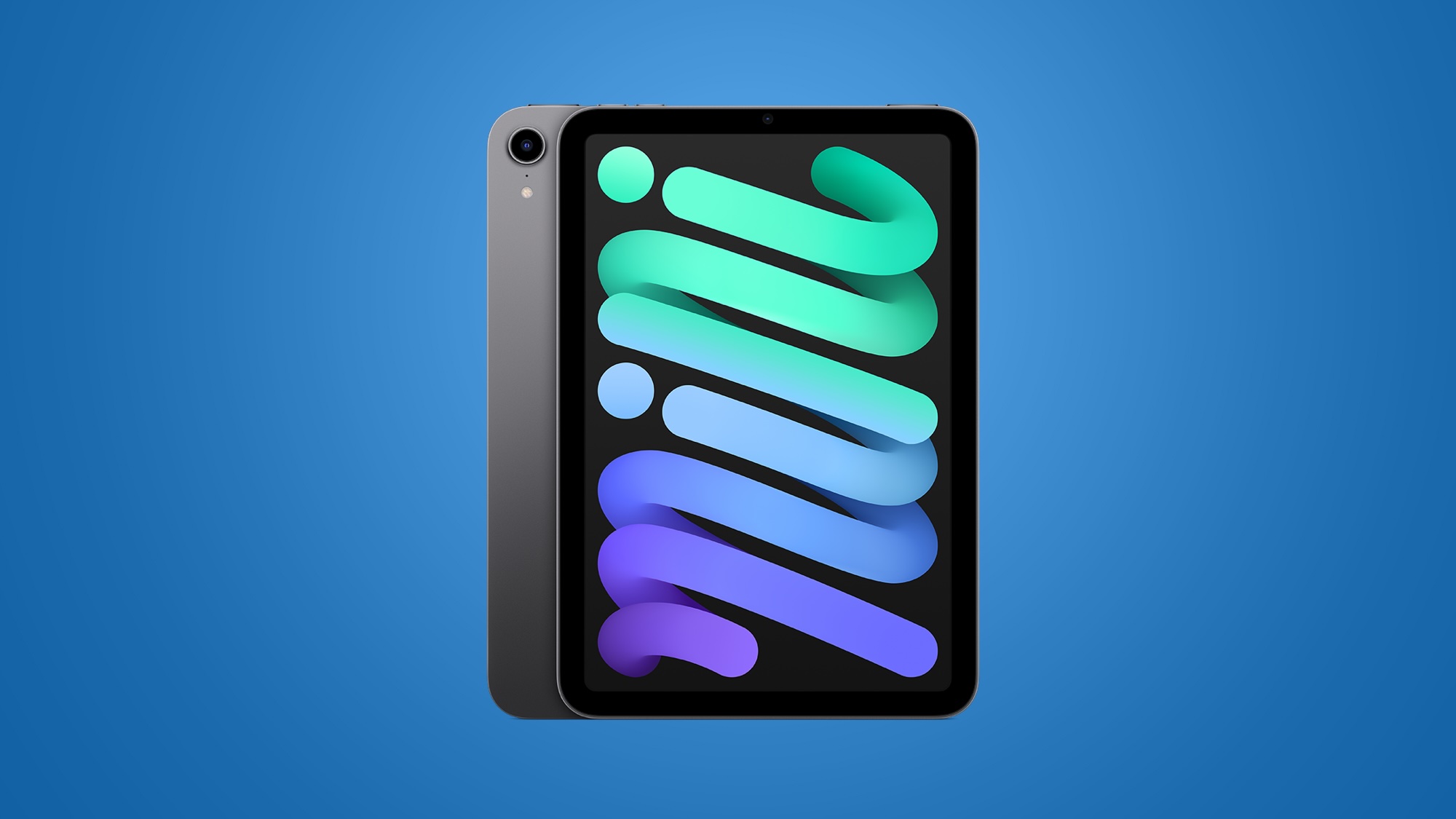
Apple's iPad mini 6 has returned to its all-time low price today on Amazon, available starting at $379.99 for the 64GB Wi-Fi model, down from $499.00. Amazon has every version of the iPad mini 6 on sale for record low prices today, and in every color, marking the first notable discounts on the tablet since Prime Day.
Note: MacRumors is an affiliate partner with some of these vendors. When you click a link and make a purchase, we may receive a small payment, which helps us keep the site running.
$529.99, down from $649.00. Finally, Amazon has both of the cellular iPad mini tablets on sale at all-time low prices this week, including the 64GB cellular for $529.99 and 256GB cellular for $679.99.
$119 OFF
iPad mini (64GB Wi-Fi) for $379.99
$119 OFF
iPad mini (256GB Wi-Fi) for $529.99
some point later this year, or possibly early next year. The iPad mini is Apple's smallest tablet device and this model features a slim-bezeled design, the A15 Bionic chip, a USB-C port, and Apple Pencil 2 support.
Apple Deals roundup.
Related Roundup: Apple Deals
This article, "Amazon Introduces Record Low Prices on Every iPad Mini, Starting at $379.99" first appeared on MacRumors.com
Discuss this article in our forums
https://www.macrumors.com/2024/08/05/amazon-low-prices-ipad-mini/
iPhone Driver's License Support Coming Soon to California
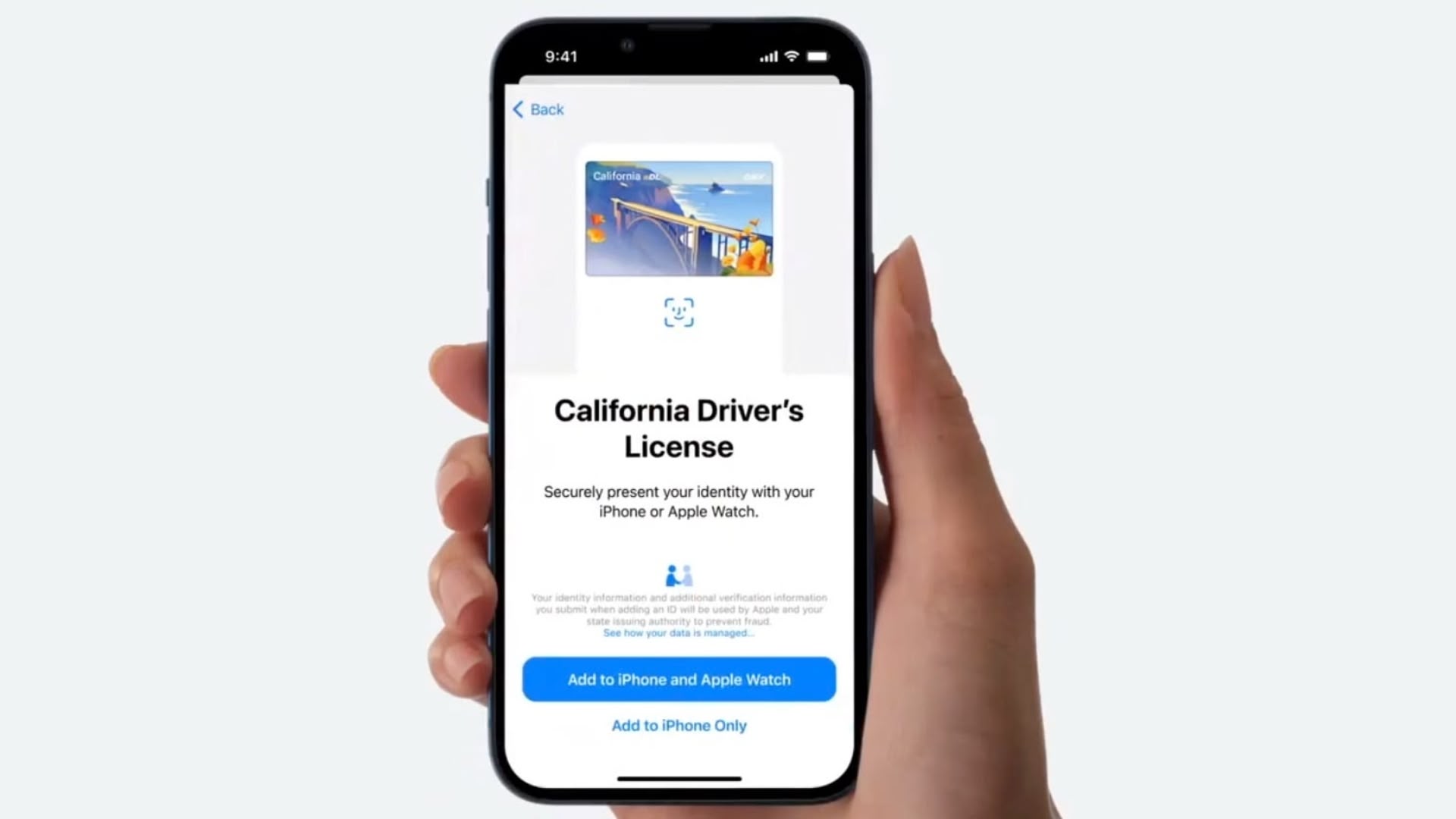
iPhone and Apple Watch users in California will soon be able to add their digital ID and driver's license to the Wallet app, based on the discovery of landing pages on the state government DMV website explaining the feature to consumers.
"Now you can add your California driver's license or state ID to Apple Wallet on iPhone and Apple Watch so you can present it easily and securely in person and in app," reads the landing page, which contains broken links and placeholder images, and is still missing a proper website security certificate.
Wikipedia entry on Wednesday.
September 2021, with Ohio last week becoming only the fifth state to add support, following Arizona, Maryland, Colorado, and Georgia. The California DMV received permission to start testing mobile driver's licenses and ID cards with a limited number of people soon after Apple announced the support.
Tag: Apple Wallet
This article, "iPhone Driver's License Support Coming Soon to California" first appeared on MacRumors.com
Discuss this article in our forums
https://www.macrumors.com/2024/08/05/iphone-drivers-license-support-coming-california/
AirPods Max Hit $399.99 in Every Color on Amazon ($149 Off)

Amazon today has Apple's AirPods Max headphones at a near all-time low price of $399.99, down from $549.00. The last time we tracked a deal this low was during Prime Day in July, and today's price is just about $5 higher compared to that sale.
Note: MacRumors is an affiliate partner with some of these vendors. When you click a link and make a purchase, we may receive a small payment, which helps us keep the site running.
You'll find all five colors of the AirPods Max on sale this time: Green, Pink, Silver, Sky Blue, and Space Gray. Prime members can get the headphones delivered between August 6 and 7, while regular shipping should have them arrive by August 10.
$149 OFF
AirPods Max for $399.99
$79.99, down from $129.00; the AirPods 3 for $139.99, down from $169.00; and the AirPods Pro 2 for $189.99, down from $249.00. These are all solid second-best prices.
Deals Roundup to shop for even more Apple-related products and accessories.
Related Roundup: Apple Deals
This article, "AirPods Max Hit $399.99 in Every Color on Amazon ($149 Off)" first appeared on MacRumors.com
Discuss this article in our forums
https://www.macrumors.com/2024/08/05/airpods-max-hit-399-99-amazon/
WhatsApp Rolls Out Events Planning Feature for All Group Chats
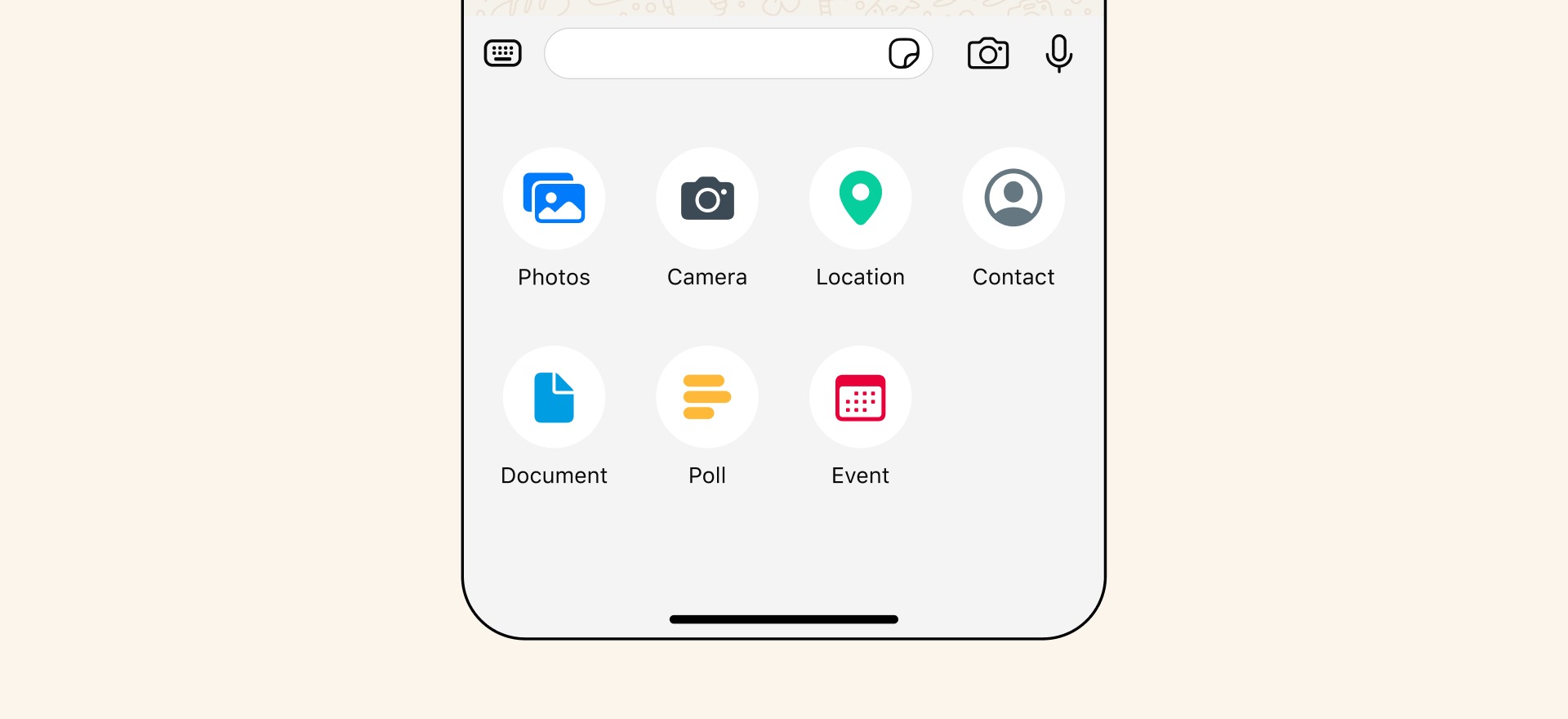
WhatsApp is rolling out a new feature that lets users organize events within group chats, according to the release notes for the latest update.
The new event planning feature lets users organize events, meetings, and social gatherings directly within a group chat. The feature was rolled out exclusively to Communities group chats in May, but the Meta-owned messaging platform is now rolling it out to all groups. From the WhatsApp blog:
With events it's now easier for people to plan their get togethers directly in WhatsApp, whether it's setting up a virtual meeting or birthday dinner. Anyone can create an event and others can respond so the whole group knows who is coming. Guests can also find the event in the group's information page, and those going will get an automatic notification when it's getting close.
To set up an event, tap the + button in the group and select Event. Users can choose an event name, optional description, a start date, location, and a WhatsApp call link (for either voice or video calls). When the event is created, a notification is sent to all the members in the group. WhatsApp says the option is rolling out now and progressively over the coming weeks.
100 million monthly active users in the United States, which unlike Europe is a market traditionally dominated by other messaging services such as SMS and iMessage.
Tag: WhatsApp
This article, "WhatsApp Rolls Out Events Planning Feature for All Group Chats" first appeared on MacRumors.com
Discuss this article in our forums
https://www.macrumors.com/2024/08/05/whatsapp-rolls-out-events-group-chats/
MacBook Owners With Faulty Butterfly Keyboards Begin Receiving Payouts
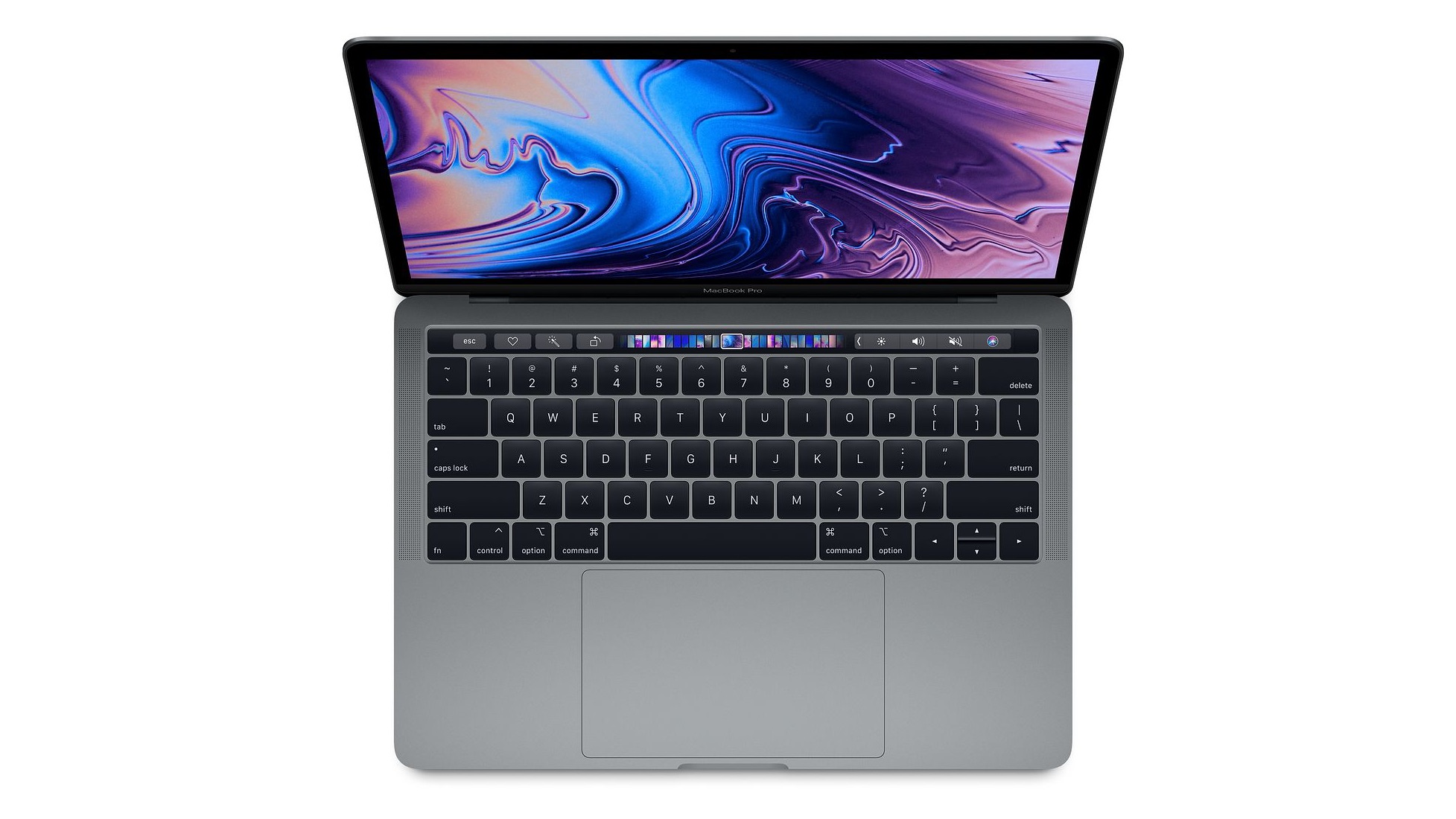
Apple customers who were affected by Apple's flawed MacBook butterfly keyboard design have begun receiving settlement funds, two years after Apple paid $50 million to settle a class action lawsuit.
Emails about the lawsuit were sent out in December 2022 to MacBook owners eligible for a payment. In June 2024, the court issued a payment order, with payments set to be issued for approved claims by August 2024.
MacBook owners who had at least two topcase replacements from Apple within four years of purchase will receive a maximum of $395, while customers who had one topcase repair will receive up to $125. Those who had keycap replacements are eligible for up to $50.
Apple used butterfly keyboards in Macs from 2015 to 2019. Although the design was updated several times during this period, the butterfly mechanism was known for its susceptibility to failure. Thousands of customers experienced issues such as repeating keys, sticking keys, and complete keyboard failures, often due to crumbs, dust, and other debris.
repair program in June 2018, covering the MacBook, MacBook Air, and MacBook Pro models manufactured from 2015 onward. However, this program only covered devices for four years after purchase. Additionally, because faulty butterfly keyboards were replaced with the same butterfly mechanism, no permanent fix was provided.
Tag: Butterfly Keyboard Issues
This article, "MacBook Owners With Faulty Butterfly Keyboards Begin Receiving Payouts" first appeared on MacRumors.com
Discuss this article in our forums
https://www.macrumors.com/2024/08/05/macbook-faulty-keyboard-payouts/
Gurman: M4 MacBook Pro, Mac Mini, and iMac Coming This Year
Apple will update its MacBook Pro, Mac Mini, and iMac lines with its latest M4 chip later this year, according to Bloomberg reporter Mark Gurman.
Writing in his latest Power On newsletter, Gurman said Apple is preparing to upgrade every Mac to the new Apple silicon processor generation. Following the launch of the M4 iPad Pro in May, Apple will continue the transition with the above mentioned Macs, and complete it with updates for the MacBook Air, Mac Pro, and Mac Studio in 2025.
One interesting tidbit from Gurman's latest report is that while the M4 overhaul is mostly focused on making Apple's machines more powerful – with the M4 processor's enhanced neural engine for handling AI tasks – there is "at least one Mac model that will get more dramatic changes."
reported that Apple is working on a thinner version of the MacBook Pro.
Related Roundups: iMac, MacBook Pro 14 & 16" , Mac mini
Tag: Mark Gurman
Buyer's Guide: iMac (Neutral), 14" & 16" MacBook Pro (Caution), Mac Mini (Caution)
Related Forums: iMac, MacBook Pro, Mac mini
This article, "Gurman: M4 MacBook Pro, Mac Mini, and iMac Coming This Year" first appeared on MacRumors.com
Discuss this article in our forums
https://www.macrumors.com/2024/08/05/m4-macbook-pro-mac-mini-imac-2024/
Top Stories: iOS 18.1 Beta With Apple Intelligence and More
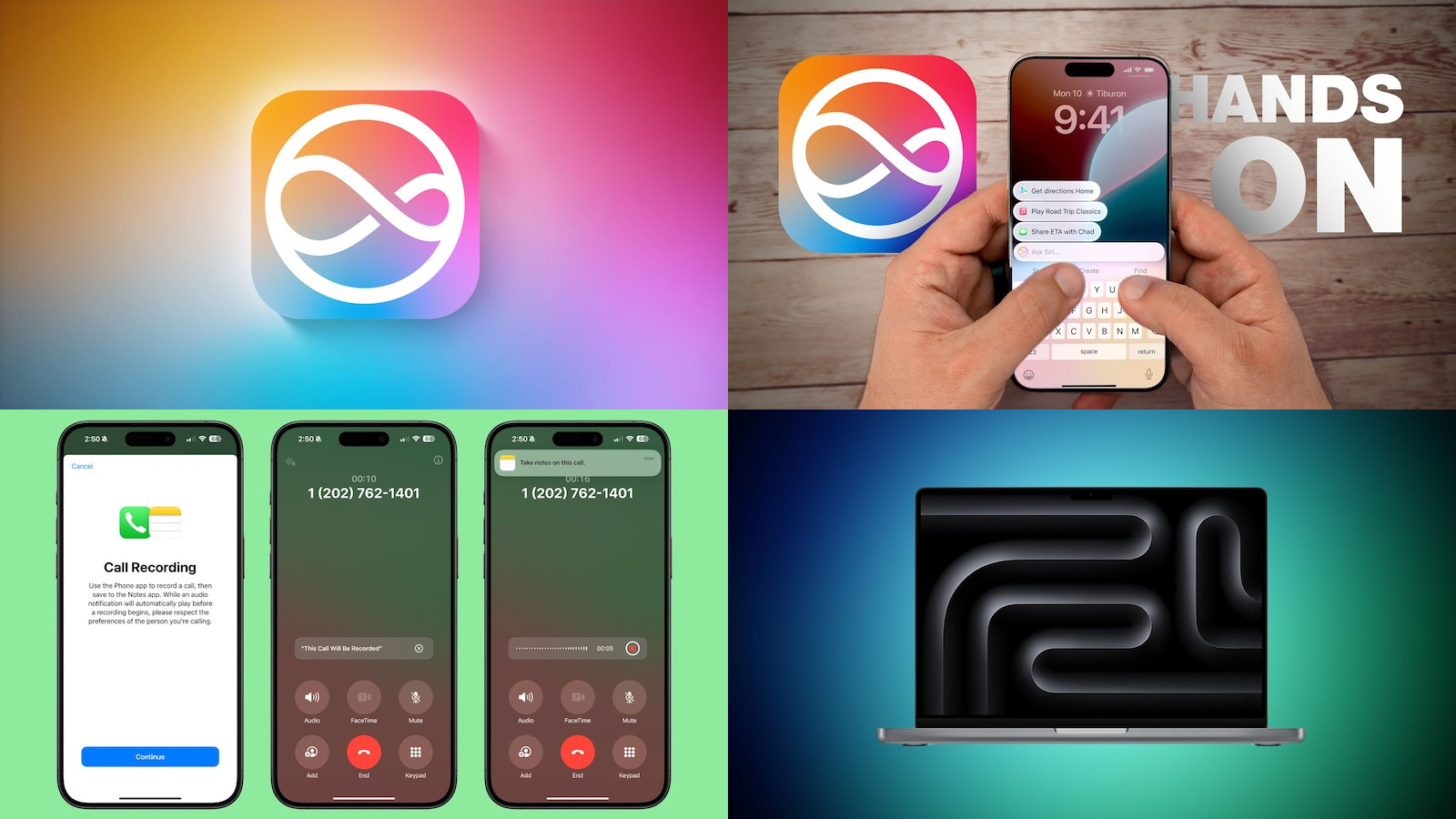
The highly anticipated developer beta of Apple Intelligence is finally here, with an early limited set of AI-based features in iOS 18.1 and related updates that will expand over time.
The new iOS 18.1 beta also includes call recording and transcription, while macOS Sonoma 14.6 that was released to all users this week rolls out previously promised support for dual external displays on the 14-inch M3 MacBook Pro, so read on below for all the details!
Apple Intelligence Now Available in iOS 18.1 Beta and More
The first Apple Intelligence features are now available to test in the iOS 18.1 developer beta, released earlier this week. The beta and features are limited to the iPhone 15 Pro and iPhone 15 Pro Max.
This means that iOS 18.0 and iOS 18.1 are now in beta testing simultaneously, with the public launch of the first Apple Intelligence features now delayed until iOS 18.1, which is likely to be released in October.
first features available to try include new writing tools, suggested replies in the Messages app, email summarization, and more.
See Apple Intelligence in Action
As mentioned, Apple Intelligence is now available in the iOS 18.1 developer beta, as well as in the iPadOS 18.1 and macOS Sequoia 15.1 developer betas.
We have shared a video that provides a quick demonstration of some of the first new Apple Intelligence features available on the iPhone, so be sure to give it a watch for a closer look. Also be sure to check out our list of all of the Apple Intelligence features available so far.
All of the Apple Intelligence Features Not Included in the iOS 18.1 Beta
Apple Intelligence includes a wide range of new features for the iPhone, but not all of them are available to test in the first iOS 18.1 developer beta.
For example, while Siri has a new design when invoked, the assistant does not yet have features such as deeper in-app controls, on-screen awareness, and personal context for the user. Apple said these additional features will roll out over the course of the next year.
iOS 18.1 Beta Includes Call Recording and Transcribing
Included within the first set of Apple Intelligence features in the iOS 18.1 beta is the ability to record phone calls, complete with transcriptions.
This feature, exclusive to the iPhone 15 Pro and the iPhone 15 Pro Max, notifies everyone on the call that it is being recorded through an audible message, so it is clear to all participants. After the call, you can play back its audio or read a transcription of what was said.
macOS Sonoma 14.6 Adds Dual External Display Support to 14-Inch MacBook Pro With M3 Chip
Apple earlier this year said that it would add support for dual external displays in clamshell mode to the 14-inch MacBook Pro with the M3 chip, and that functionality has now arrived in macOS Sonoma 14.6, released to the public earlier this week.
This means the latest 14-inch MacBook Pro model now works with dual external displays when the laptop's lid is closed, just like the latest MacBook Air models.
The MacRumors Show: Apple Intelligence Beta is Here
With an early set of Apple Intelligence features now available to developers, we're getting our first taste of how well they work in real-world settings as Apple looks toward a public release later in the year.
On the latest episode of The MacRumors Show podcast, hosts Dan Barbera and Hartley Charlton discussed the unusual move of having both iOS 18.0 and iOS 18.1 in beta testing and shared their early thoughts on the new Apple Intelligence features. Listen to the podcast through Apple Podcasts or your preferred podcast platform, or watch on YouTube.
MacRumors Newsletter
Each week, we publish an email newsletter like this highlighting the top Apple stories, making it a great way to get a bite-sized recap of the week hitting all of the major topics we've covered and tying together related stories for a big-picture view.
top stories like the above recap delivered to your email inbox each week, subscribe to our newsletter!
Tag: Top Stories
This article, "Top Stories: iOS 18.1 Beta With Apple Intelligence and More" first appeared on MacRumors.com
Discuss this article in our forums
https://www.macrumors.com/2024/08/03/top-stories-ios-18-1-beta-apple-intelligence/
15+ New Features Coming to the iOS 18 Messages App
Major changes are coming to the Messages app with iOS 18, with Apple adding several fun Apple Intelligence features, new formatting, updated effects, satellite support, better texting with green bubble people, and tons more.
This guide highlights everything that's new in the iOS 18 Messages app.
Send Later
iOS 18 adds the option to schedule an iMessage to be sent to someone at a later time or date. If you know someone's birthday is coming up, for example, you can schedule a happy birthday text to them ahead of the date so it's ready to go.
Scheduling a message can be only be done in conversations with other iMessage users, and it is not an option when texting with an Android user. It works in both individual and group chats, as long as all participants have an Apple device and access to iMessage.
To schedule a message, follow these steps:
Open up a conversation in the Messages app.
Tap on the "+" button on the left side of the text box.
Tap on More.
Choose Send Later.
Type in your Message.
To change the send time, tap on the blue bubble that defaults to Tomorrow 9:00 am. From there, you will have a slider that lets you input a date and a time.
With your time selected and your message typed in, tap on the blue arrow to schedule it.
iPhone is offline without a Wi-Fi or cellular connection.
Scheduled messages are displayed at the bottom of a conversation. If you want to change the time of a message or cancel it, tap on the "Edit" button. You will have options to edit the time, delete the message, or send it immediately.
Tapback Reactions
Tapbacks are those little characters you can use to respond to a message by long pressing on it, so you don't need to type out a whole response to something that can be answered with a thumbs up or a heart. iOS 18 has two key updates for Tapbacks.
Updated Design
The six standard Tapback icons now feature color and more detail. You can see the new look when long pressing on a text to respond, and in the Tapbacks that you receive.
When you tap on a Tapback you've received on a message, you can now see who sent what, which is useful if you are in a group chat and get multiple Tapback responses.
Emoji Support
Along with the six classic Tapback responses, you can now choose any emoji character when using Tapback. After long pressing to respond to a message, swipe to the left to see common emoji responses or tap on the generic emoji icon thought bubble to bring up the emoji picker.
You can choose any emoji, but you can also select from your stickers or your Memoji. Tap on the Memoji icon at the bottom left to get to Memoji, or the sticker icon to see your sticker selections. To add one as a Tapback, just tap on your selection.
Stickers can be hard to see at the small size of a Tapback, but most emoji characters and Memoji work well.
RCS
RCS, or Rich Communication Services, is a new text message protocol replacing SMS and MMS. You'll see it when texting people who don't have iMessage, such as Android users. RCS has nothing to do with iMessage conversations, aka the conversations you have with other Apple device owners (blue bubbles), but it does improve texts with green bubble Android users.
RCS is a more modern technology than SMS, and it allows for more feature parity in iPhone to Android text message conversations. Many of the frustrations you might have encountered when texting someone with an Android device are resolved with RCS, such as errors sending photos and videos.
Here's what you'll get with RCS:
Support for higher resolution photos and videos.
Support for larger file sizes and file sharing.
Audio messages.
Cross-platform emoji reactions.
Real-time typing indicators.
Read receipts.
Ability to send messages over cellular or Wi-Fi (SMS is cellular only). There is no cost to send an RCS message over Wi-Fi.
Improved group chats.
Again, RCS only comes into play when you're texting someone who has an Android device. iMessage is still the default for conversations between Apple device owners, and blue bubbles and green bubbles are not changing.
have a full guide on RCS if you want to know more about what to expect.
Messages via Satellite
Messages via satellite is a new feature that lets you send texts even when you don't have a Wi-Fi or cellular connection, leveraging the satellites that Apple uses for the Emergency SOS via satellite feature.
Messages via satellite is available on the iPhone 14 or later, and you can send and receive both iMessage and SMS messages, so you're not limited to texting with just iPhone users.
Right now, Messages via satellite is free, just like Emergency SOS via satellite. Apple offers two free years of satellite access with an iPhone 14 or later, but the company has expanded free access for the iPhone 14 until November 2025. Apple has not provided any insight into how much it will eventually charge for satellite access.
Smart Replies (Apple Intelligence)
Using Apple Intelligence, your iPhone can analyze the content in a message that you've received, suggesting Smart Reply options that you can tap for a quick response.
If someone asks a question like "Do you want to go to the movies?" Messages will suggest responses like "Sure!" or "Sorry, busy tomorrow." Smart Replies aren't an option for every message that you receive, but Apple often has a suggestion.
Smart Replies show up at the top of the keyboard, where suggestions have been in prior versions of iOS. Smart Replies are similar to suggestions, but are more intelligent and are often complete phrases and responses rather than word suggestions that pop up as you type.
To use a Smart Reply, just tap it and it'll populate the text box so you can send it. If you don't care for the suggestion, just ignore it, and type in your own response. You'll still see suggestions once you disregard a Smart Reply.
Writing Tools (Apple Intelligence)
Writing Tools aren't specific to the Messages app, but are a systemwide option anywhere you can input text. In Messages, you can write out a text and then select it with a tap and drag gesture to bring up the Writing Tools interface.
Here's what Writing Tools can do for a text message:
Proofread what you've written for spelling and grammar errors, including word choice and sentence structure.
Rewrite with a different tone, with options that include Friendly, Professional, and Concise.
Summarize what you've written. You can get a quick summary, pull out key points, create a list of topics, or make a table.
You can tap on the various options to use the Writing Tools, and you can preview changes and decide not to use them or swap them in for what you've written.
Notification Summaries (Apple Intelligence)
If you have multiple notifications from the Messages app, Apple Intelligence will summarize them for you so you can catch up at a glance and see what's most important without having to read through everything.
This works for both individual conversations and group conversations, and you can see the summaries on the Lock Screen.
Emoji Design Updates
When you send a single emoji to someone in iOS 18, the emoji now appears much larger than before so the detail is easier to see. Emojis in other quantities are still displayed at the same size.
Apple has also updated the emoji picker. Emoji are displayed larger and with more space between them, plus the Sticker and Memoji interfaces have been integrated into the emoji window.
Tapping on the two icons on the bottom left of the emoji picker will take you to Memoji and Stickers, respectively. You can create Memoji and make new stickers directly from the two sections that are in the emoji picker. For stickers, select the sticker section and tap on the blank sticker icon. For Memoji, tap into the Memoji section, tap the three dots, and then choose New, Edit, or Duplicate.
Stickers and Memoji as Emoji
Stickers and Memoji have new dedicated sections in the emoji picker because you can now use a sticker or a Memoji just like an emoji. If you add a sticker when typing a text, for example, it is added to the end of your text rather than sent as a separate image.
You can still send a full-size sticker as long as you send it separate from text.
Stickers and Memoji sent as emoji only display as emoji on devices running iOS 18, iPadOS 18, macOS Sequoia, visionOS 2, and watchOS 11. On earlier versions of iOS, stickers are sent as separate images as before.
Text Formatting
You can enhance your text messages with new formatting options. After typing something, tap on the "A" icon above the keyboard. What you've typed is selected, and you can add bold, italic, underline, or strikethrough formatting.
To add formatting to just one word, double tap on the word to select it and then tap on the "A" icon. You can also use the Text Effects option from the popup menu. Formatting can be used with emoji, but the bold and italic options don't do anything.
Text Effects
Along with the bold, italic, underline, and strikethrough formatting, there are new animated text effects that can be applied to your entire message, a single word, a phrase, or even an emoji or sticker.
Just select the text that you want to add an effect to with a double tap and then tap on the "A" icon to get to the text effects interface.
Options include Big, Small, Shake, Nod, Explode, Ripple, Bloom, and Jitter.
In a conversation with someone running iOS 18 or one of its sister updates, the text or emoji that has an effect applied to it will continually animate when viewed. These effects do not work on earlier versions of Apple's operating systems and simply don't show up.
Math Notes
The systemwide Math Notes feature that lets your iPhone solve equations for you works in Messages. To see it in action, type in an equation and you'll get an immediate answer when you add in an equals sign.
Math Notes also works for conversions in the Messages app, including currency conversions, temperature conversions, measurement conversions, and more. You can use it by typing in your conversion, such as "20 euros to dollars" and then adding in an equals sign to get the result.
Link Card Update
Apple tweaked the design of link cards in the Messages app, and the cards now have colorful backgrounds that match the color of the main image in the link, if available.
You can see link card previews before a link is sent, and if you long press, you can get customization options. Link cards can be converted to a simpler card style or transformed into a text link that only shows the hyperlink with no preview at all.
Image Playground (Coming Later This Year)
Image Playground is an upcoming Apple Intelligence feature that is designed to let you create images using text-based prompts, much like you can do with other AI image generation platforms.
Apple is integrating Image Playground into the Messages app, so you can create and send images without having to swap over to another app. Apple Intelligence can glean the gist of your conversation from the Messages app and come up with suggestions for images that you might want to send.
Image Playground can even incorporate images of your friends and family, so if you're chatting with a friend, you can create a silly image that uses the friend's contact photo. Apple adds a style to each image, so there is no option to generate something that could be mistaken for a real photo.
You can choose from Animation, Illustration, and Sketch styles, and all image generation is done on-device.
Genmoji (Coming Later This Year)
Based on Image Playground, Genmoji lets you create custom emoji with a text prompt. Have you always wanted an emoji of a mint chocolate chip ice cream cone? It can be made with Genmoji.
Need a cat made from pizza, or a flower that's not a rose or a sunflower? Genmoji will make it possible. With the Genmoji interface, you can describe a Genmoji and Apple Intelligence will generate several options for you to choose from.
You can even create an emoji based on the contact image of a friend or family member, similar to Image Playground.
Genmoji behave just like emoji and can be used in place of emoji.
Read More
Additional information on new features that Apple has added in iOS 18 can be found in our iOS 18 roundup.
Related Roundups: iOS 18, iPadOS 18
Related Forums: iOS 18, iPadOS 18
This article, "15+ New Features Coming to the iOS 18 Messages App" first appeared on MacRumors.com
Discuss this article in our forums