


Hey Pip, what app are you using? We had a little downtime this morning with our media uploads server, but everything should be running smoothly now. Please lmk if this is not the case and we'll escalate this to get it going for you.

Unfortunately there is no way to use your Primal Wallet on our Web app yet. You will need an extension for this. We recommend Alby.

Just zap! ;)

Since Primas 2.0 has been out for a bit I was wondering why you could only get Primal Premium with Fiat money and not with SATs. nostr:npub16c0nh3dnadzqpm76uctf5hqhe2lny344zsmpm6feee9p5rdxaa9q586nvr nostr:npub1ky9s6hjl46wxcj9gcalhuk4ag2nea9yqufdyp9q9r496fns5g44sw0alex
#asknostr #grownostr #pleb
You can purchase the premium subscription with sats on our Web app. Just log in to https://primal.net and access the Premium page.

It's possible that you were zapping from the alby wallet and not the primal wallet. We've never offered functionality to zap from our wallet on the web. We're working on this though, should be available soon.

Ok using nostr:npub12vkcxr0luzwp8e673v29eqjhrr7p9vqq8asav85swaepclllj09sylpugg for almost 24 hours but I'm already getting a lot of quirks. Seeing a lot of double notes and notifications. For example: 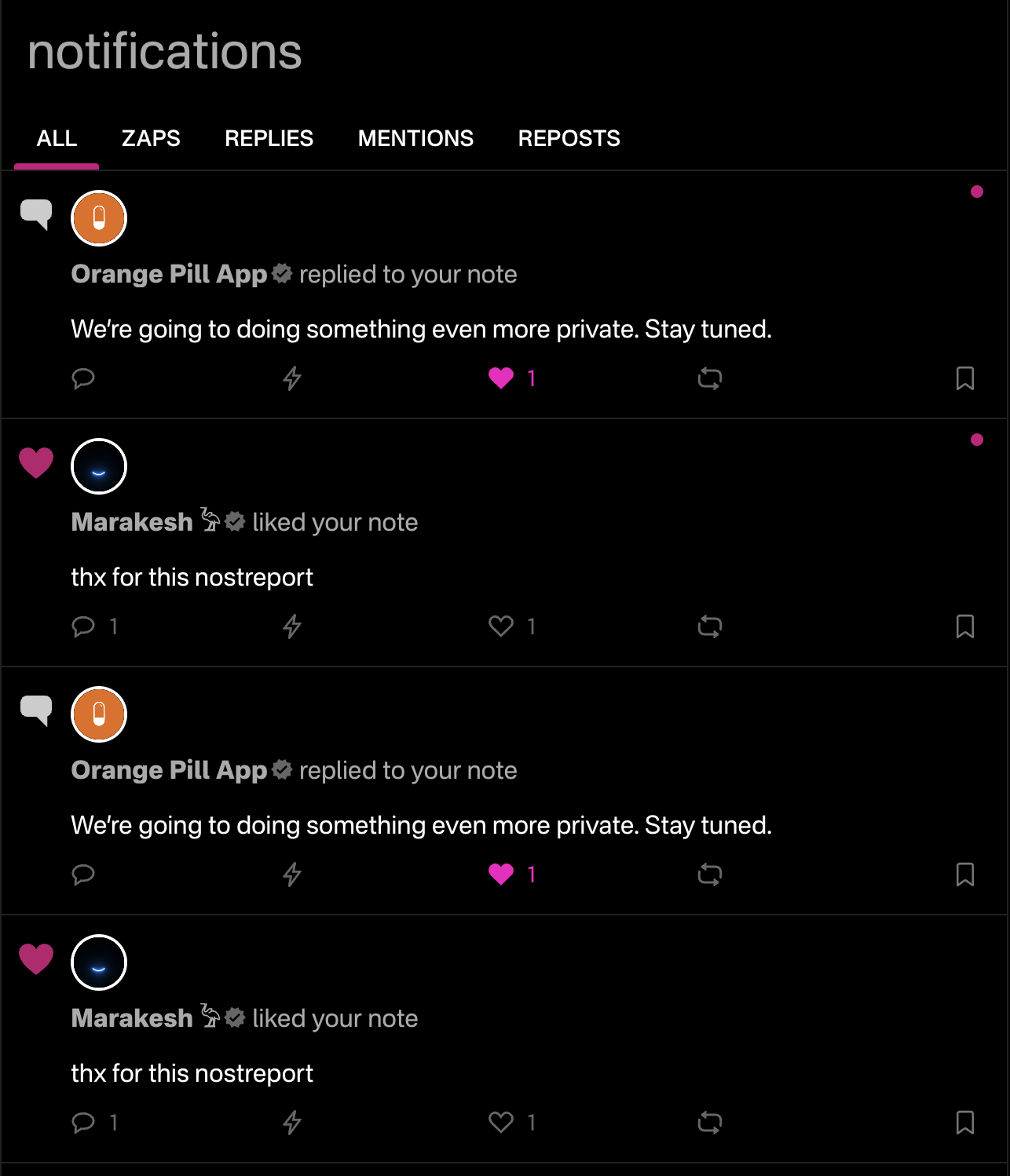
I also regurarly get the message that an event could not be published after I signed it.
And about all the trending / recommendations lists in the client, it feels too centralized as I still see the same names / content as one year ago. This volume of repetition is quite annoying. It's too distracting, it's not relevant and often not contextual too.
So meehhh it still does not feel good enough for me. But I know I'm a power user so that's why noStrudel fits me better.
Hello, thanks for your message. We are aware of our notification issue and we're working on a fix right now. As for the trending/recommendation lists, Nostr is not a huge network so there will be familiar faces on the trending pages. We order our trending lists based on content scores.

Thanks for the heads up. I agree, we should give users full autonomy over the feeds displayed. We’ll look into how to implement this.
We have a support email inbox : support@primal.net
Also feel free to reach out to me directly via DMs.
Oh on the Web app? You can pick which feed you want to display there, but in the future we will give users the option to add a custom feed to that panel.
Even with Bitcoin, it’s going to be hard to climb out of the hole we dug ourselves in. Pierre seems to be a decent option, but considering these last few years it’s hard to trust any politicians especially in Canada.
You can create your own feeds now using advanced search!



You’re free to customize the appearance and color scheme in your settings inside the app. Just go to settings -> appearance.
There’s a few options for you there

Best way to find your primal lightning address would be to access your the Primal Wallet and hit the “Receive” button. In there you’ll have two options, your lightning address and your btc on-chain address. Lmk if you need more help finding it

It seems like we had a little downtime this morning in our media hosting server. This issue has since been resolved, so please try uploading your media again
nostr:npub12vkcxr0luzwp8e673v29eqjhrr7p9vqq8asav85swaepclllj09sylpugg nostr:npub16c0nh3dnadzqpm76uctf5hqhe2lny344zsmpm6feee9p5rdxaa9q586nvr do we have to pay for the advanced search and saving it as feeds? It seems to work when I tried just now but the messaging is confusing. In primal premium section it seems like advanced search is a paid feature. And at the bottom of the search results it says that advanced search is paid. I’m a bit confused by this
Hello, great questions. Currently, as a non-premium user you will be able to use advanced search and receive a maximum of 20 results. Premium advanced search has an unlimited amount of results per search. All users will be able to save their advanced search feeds, but non-premium users will be limited to 20 results in their feeds.
Hope this helps, feel free to reach out with any other questions
Unfortunately due to iOS regulations we are unable to offer support for NWC on our iOS app. The only option for NWC with Primal is through the Web app through an extension or with Android.
Hey, we'd love to get this issue resolved for you. Would you mind reaching out to us via DM?