Core, Extra, Multilib? Unravelling the Arch Linux Repositories
You'll find these terms 'strange' when you are just starting your Arch journey (even if using Arch downstream distros like Manjaro) but you'll come across them in various forum discussion and wiki references.
This tutorial quickly explains the different kinds of repos Arch Linux offers and how you can enable them. It also answers the question: why bother about these repos in the first place?
The tutorial also touches on the Chaotic-AUR repo. I've actually taken the plunge and started using the Chaotic-AUR yesterday. So far, so good.
See https://itsfoss.com/arch-linux-repos
#technology #Linux #Arch

Bitfocus Companion is a Cross-Platform Open-Source app for the Elgato Stream Deck
Bitfocus Companion enables the reasonably priced Elgato Streamdeck and other controllers to be a professional shotbox surface for an increasing amount of different presentation switchers, video playback software and broadcast equipment. It has over 500 ready-to-use connectors to interface with numerous hardware devices (for presentations, music and video production work, cameras, etc) and for software services (YouTube, Twitch, Google Sheets, Zoom, OBS Studio, Slack, Home Assistant, etc).
In this video, I show how I'm using it for general gaming and productivity use at home. I show examples of how to start creating buttons, how to use delays and feedbacks, and some workarounds for auto-page changing (if you have a small deck), using global shortcut keys under Wayland and X11, opening an Obsidian Note, running OS updates, and more. I also show a workaround I use in gaming to hold a button to execute repairs whilst I do other things in the War Thunder game, like shooting back at the enemy.
My Stream Deck also works as a mini-dashboard for my Home Assistant to alert me of warning conditions for my solar system, home router, server, etc.
I spend some time too on the page I use for OBS Studio which has a button that visually shows the microphone recording level, zooming controls, warnings for microphone muted, etc.
The video is intended to give you a feeling of what this software can do and what its interface looks like. I also do a quick high-level comparison of how it compares to the StreamController software, which I did a video about a month or two back. In that video, I also showed how I use a Stream Deck to automate some spreadsheet functionality.
Watch https://www.youtube.com/watch?v=zakLajaUZYY
#technology #streamdeck #opensource #productivity
Bluetooth 6.0 has more security and precision for tracking, hotel doors and finding
Bluetooth 6.0 introduces a feature called Channel Sounding, which can determine the distance between two devices with “centimeter-level accuracy,” according to the Bluetooth SIG. To do this, it uses phase-based ranging to send radio signals between two devices — say your iPhone and your AirTag — at different frequencies, allowing it to calculate the distance between them.
Does that mean the millions of tracker devices need to be replaced....?
Additionally, Bluetooth 6.0’s Channel Sounding is supposed to address some of the security concerns that come with digital keys that are used to unlock your car or hotel room. With more precise tracking information, developers can make sure a device only unlocks when a digital key is within a specific range.
With the use of Bluetooth being everywhere, and it also being such a common vector for attack, it is excellent news seeing updates at last to address these issues.
See https://www.theverge.com/2024/9/5/24236565/bluetooth-6-security-precision-tracking-finding
#technology #Bluetooth
SSDs have a secret way to protect your data when they fail
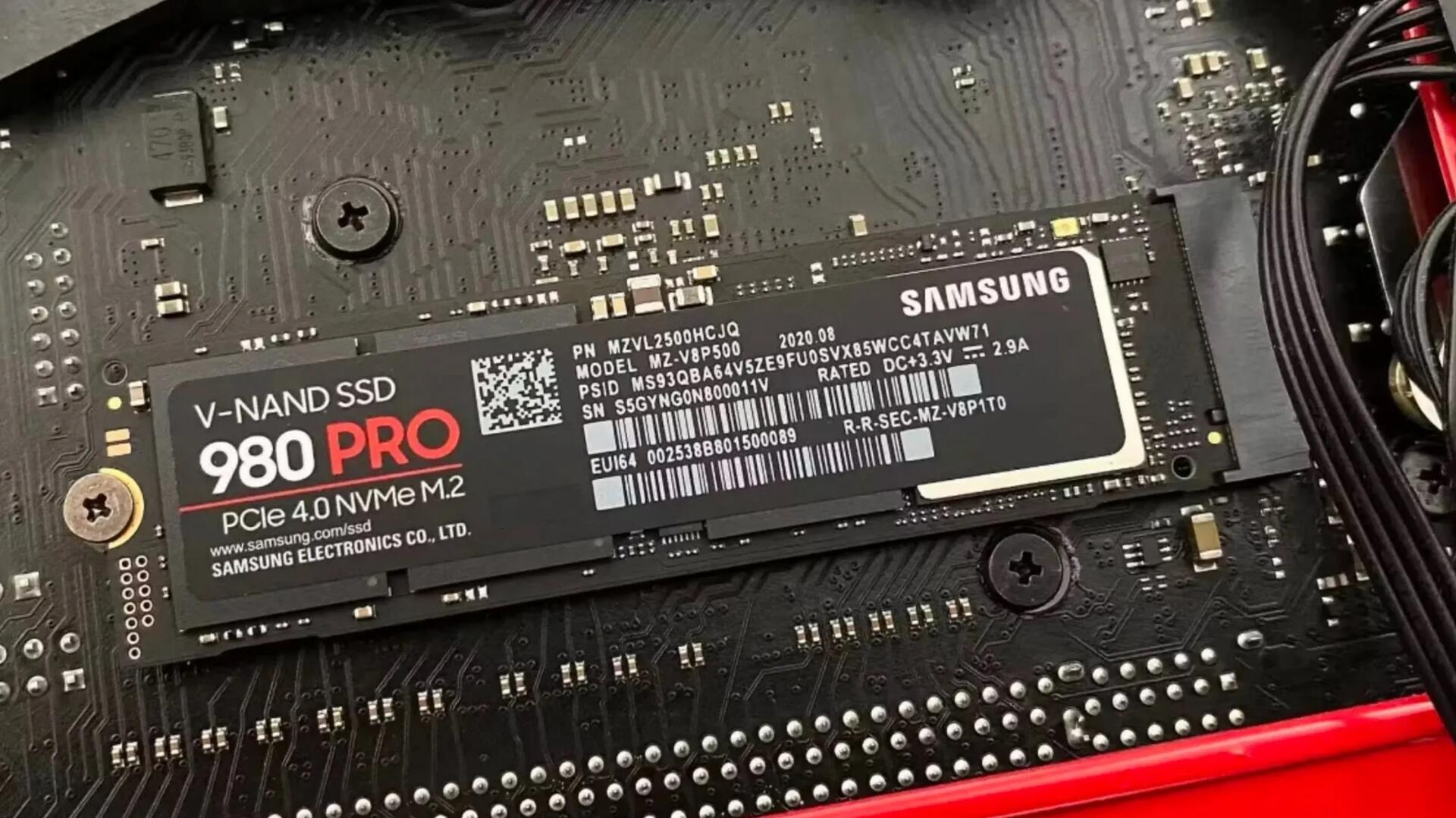
Many SSDs will use SMART to keep track of how close they are to failure, and when they cross a threshold that indicates failure is imminent, they will lock down and enter a read-only state. This means that you can't write anything to them, but it's also a clear sign to the user to get everything off of the drive while it still works. You can tell if your SSD has entered that state if you can't unlock it to write to it.
This will be reassuring to many who think if an SSD fails, it is basically not usable and the data is gone. So, if you've used an SDD for quite a while (a good many years) and it suddenly no longer boots, check on another computer (it's SMART stats should show if it failed). You should be able to clone it to a new SDD drive and carry on working with your data intact.
See https://www.xda-developers.com/ssds-protect-data-when-fail
#technology #SSD
The FloorBoard - a DIY Foot Operated PC Button Pad
The FloorBoard would be useful for people with limited use of their hands hence the inclusion in the Assistive Tech channel. For example, using the foot button for 'Control' means that just one finger is required for 'Copy' (Ctrl C). This avoids the necessity of using Sticky Keys (an accessibility feature in Windows designed to assist users who may have difficulty holding down multiple keys simultaneously).
It may even appeal to gamers where it could emulate foot controls such as car and aircraft pedals. Many games requite a forward and reverse action, and I must say I do find the WASD buttons a bit difficult to move quickly with in the heat of battle.
See https://www.instructables.com/The-FloorBoard-a-Foot-Operated-PC-Button-Pad/
#technology #gaming #DIY
You’ll Never Know How Accurate Your Fitness Tracker Is, and That’s OK
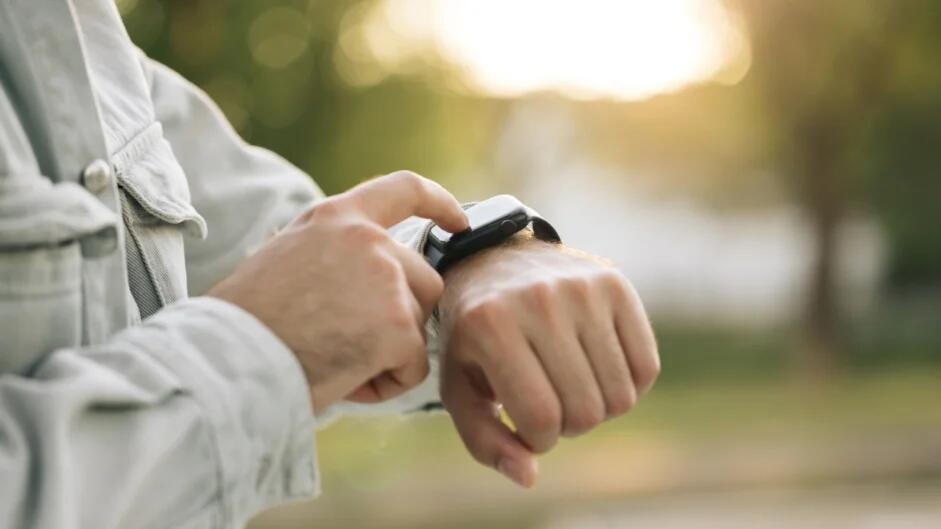
The appeal of fitness-tracking smartwatches is that they have all the answers. They turn our squishy bodies’ inscrutable secrets into hard numbers we can plainly read and analyze. But we would be fooling ourselves if we believed that our smartwatches always tell the truth. According to a new scientific analysis, not only do wearables often get things wrong, it may not be possible to ever really know how accurate they are.
This isn’t going to be shocking news to longtime Lifehacker readers. We’ve discussed the fact that some smartwatch metrics are more reliable than others, and that calorie burn is one of the less accurate ones. On the other hand, heart rate variability shows different raw numbers from one device to another, but the major recovery-focused devices all manage to capture the same rough trend—if you trust my homebrew study with a sample size of one.
So what do we know about the accuracy of the smartwatches on the market, and why is it so hard to answer that question? That’s the problem that the recent analysis, from a group of sports scientists and data scientists in Ireland, set out to answer. It’s an umbrella review—a study of studies of studies—that aimed to collect all the relevant published data on consumer wearables.
I suppose, much like taking most vitamins, trackers can make us feel better about ourselves. It's not to say they are useless, but they are not medical grade accuracy, and as I posted recently, there is also no absolute "maximum heart rate" that works for everyone. So it is better to use these to keep track of changes, and look out for signs when you maybe need to go visit a doctor.
Steve Jobs would have been right as well about especially wrist based trackers, as a lot depends on how you wear it. Too loose, too low on the wrist, etc can make a massive difference.
And also very true that models get replaced so quickly with new one's, and good testing takes time to get done.
See https://lifehacker.com/health/how-accurate-fitness-tracker
#technology #health #trackers
WHO Review: ‘No link’ between mobile phones and brain cancer
The final analysis included 63 studies from 1994-2022, assessed by 11 investigators from 10 countries, including the Australian government’s radiation protection authority.
Despite the huge rise in the use of wireless technology, there has not been a corresponding increase in the incidence of brain cancers, the review, published on Tuesday, found. That applies even to people who make long phone calls or those who have used mobile phones for more than a decade.
WHO’s evaluation will be released in the first quarter of next year.
I've commented on this before, during the peak of the 5G cell tower 'panic'. There were all sorts of confusion about different frequencies, electromagnetic types, and over distances. Many heard the words 'microwave frequencies' and confused this with putting their heads inside a microwave oven. Light and audible sounds are both frequencies, but sound is going to do more damage as it is at a lower frequency and penetrates deeper. The higher the frequency, the less the penetration through solid objects. The human skull actually does a pretty good job of shielding ultra-high frequencies (and in fact even the skin does so).
But it is good to finally have it shown there is no link found, which bears out the long-known theories that hold true for radio transmissions.
See https://techcentral.co.za/no-link-mobile-phones-and-brain-cancer/250990/
#technology #cancer #conspiracytheory #health

Samsung Food Plus could be the ultimate meal-planning app but it costs $7 per month
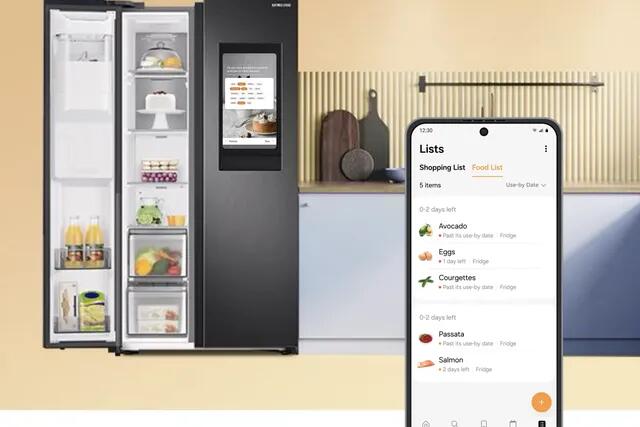
New features on Samsung’s AI-powered food and recipe app could make your meal planning and food management chores much easier. With Samsung Food, you can now add items to a Food List just by taking a picture. The app can then suggest recipes based on the food you have, automatically remove them when you cook a recipe using anything on the list, then add food items back to the list when you tick them off your shopping list.
Samsung says the service now creates meal plans based on your food list and prioritizes items “nearing use-by date” (this has to be set manually). Plus, a new “Search with Your Food List” feature lets you easily find a recipe based on what you have. All this should make meal planning and shopping much easier, as long as you’re willing to do it all in Samsung’s app.
Vision AI leverages your phone’s camera to identify items to add to your Food List. Just snap a picture of whatever is in your pantry or fridge, and the ingredients will be added to the list. Once you’ve cooked something, the app can automatically remove it from the food list and add it to the shopping list in the Samsung Food app. When you shop using the list, the app can automatically add items purchased to your food list.
This app really does seem to have achieved a level of perfection, if it really does what it promises. Quite a few of these features are already in the free and self-hosted Grocy app, but the work is a lot more manual in Grocy. I'd imagine though this Samsung app may be really worth it for larger households, or where someone operates a household on a more professional basis.
And of course being cloud based means you need to continue paying, will struggle if you lose Internet access, or it will all die if Samsung loses interest in it.
#technology #pantry #shopping #meals
A Cheap Xiaomi Mi Router can become a Powerhouse using Free Open-Source OpenWRT
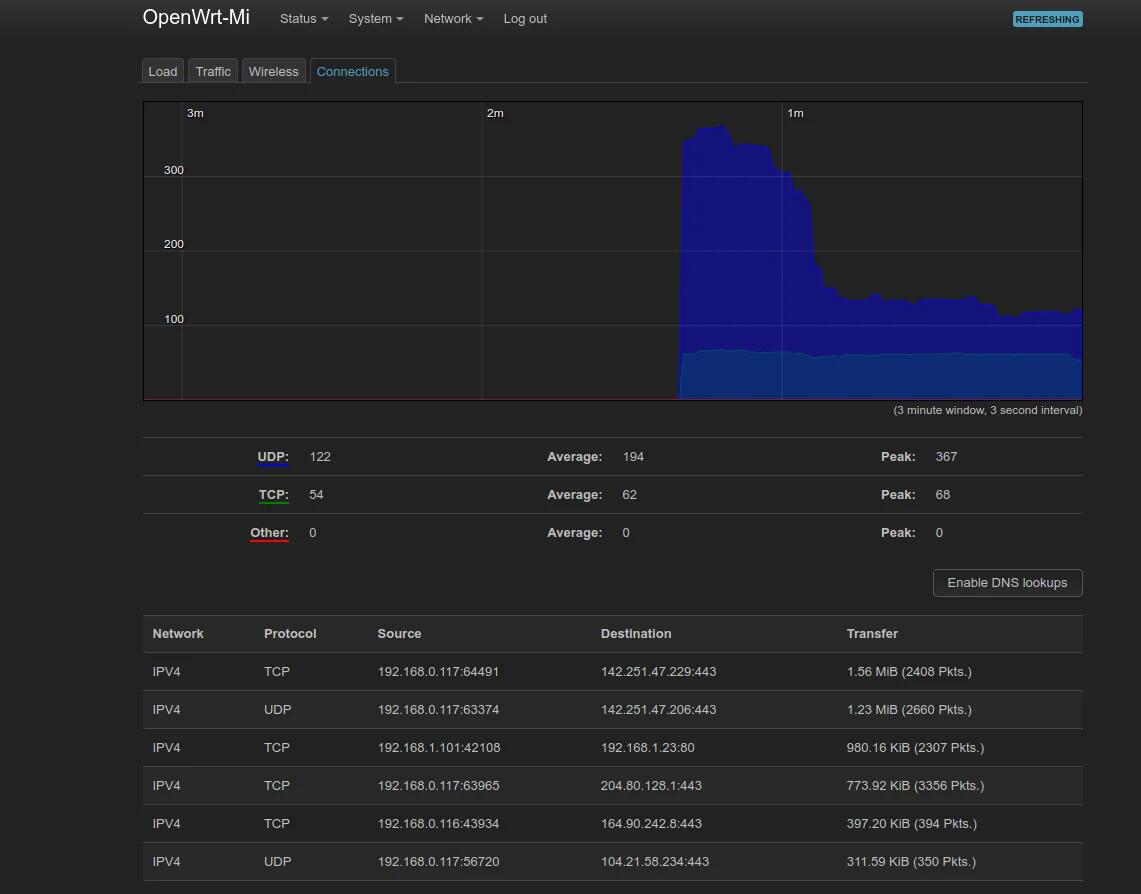
I should just state at the outset that configuring OpenWRT can be a bit daunting. It is very powerful and customisable, but it may take a few hours to figure out how to get everything done if you're bridging networks, and setting up upstream DHCP, etc. What didn't help me was also realising that when I wanted to bridge my networks, this router was clashing with my Asus router using the same network addresses. So a good idea is to set it to use a different network segment, e.g. 192.168.0.1/24 or 192.168.2.1/24. After that, things came to life.
Flashing the firmware was quite easy after I had verified my Xiaomi Mi router was a Generation 1 version, and I just followed the instructions from the OpenWRT site which included running three Windows .bat files which did everything.
The basics do work fine, remembering you need to enable wireless networking and just bind them to the LAN zone. But imagine your cheapy router now being able to do VLANs, have powerful options for firewalling, DNS, DHCP, routing, SSH login, and much more. I do like that for potentially breaking changes, it offers an option to do auto rollback. I also managed to lock myself out of the router after I enabled upstream DHCP which somehow did not work like I expected it to (solution being to just set a static IP on your laptop and connect to the LAN port to get back in — except Windows 10 also has a broken static IP address so you need to use Control Panel to set that).
This router is actually just used a sort of hotspot so it does sit behind my main firewalled router, and I can experiment a bit with it. My Asus will stop receiving updates in the coming few months, so I'm thinking of ref lashing it to OpenWRT instead then.
It is certainly worth trying though, but if you really don't come right with OpenWRT, then Tomato OS is almost as configurable, and a bit more user-friendly. I'd liken the OpenWRT a bit to the MikroTik type software. The other big advantages though, as I previously mentioned, were getting updates after the OEM no longer provides then, and of course, unlocking masses of features for pretty cheap routers. And of course it also has a dark theme!
More photos at https://gadgeteer.co.za/a-cheap-xiaomi-mi-router-can-become-a-powerhouse-using-free-open-source-openwrt/
#technology #opensource #routers #openwrt
Review: South Africa's Clicks branded Double Edge Razor Blades for R13 for 5 Blades
Really impressed with these blades! I did my review on my blog along with a few photos, so it is best read there at the link below.
#SouthAfrica #razorblades #traditionalwetshaving #shaving #Clicks


Docker is usually portable so it should run fine on X86 too
Putting a Raspberry Pi inside a Docker Container
The Pi container emulates an entire Raspberry Pi from the ground up, allowing anyone that wants to deploy software on one to test it out without needing to do so on actual hardware. All of the configuration can be done from inside the container. When all the setup is completed and the desired software installed in the container, the container can be converted to an .img file that can be put on a microSD card and installed on real hardware, with support for the Pi models 3, 4, and 5.
This would be pretty useful if you want to distribute an application all ready to run on a Pi. Others may find it useful to just test out how a Pi works, or even for testing something dicey out without messing up your running Pi.
See https://hackaday.com/2024/08/30/putting-a-pi-in-a-container/
#technology #RaspberryPi #docker

Alaska man busted with 10,000+ child sex abuse images despite his many encrypted apps
Privacy is not about protecting criminals. It is a default that all folks should be able to enjoy, just the same as having the freedom to walk down any public road (well OK, pavement or side walk).
There are legal restrictions on privacy and freedoms, e.g. you commit a crime and are sentenced to prison time, you lose your freedom to walk around.
I'm totally against backdoors in security products. We all know that backdoors that Microsoft had, Cisco too if I remember correctly, the Apple one from the last 12 months, they all get leaked or discovered at some point and then everyone's data is wide open (and that include governments themselves). If any second person knows about a backdoor, the risk has just doubled of it getting out.
You either have an attempted 100% security, or you have none. There is no such thing as being 85% secure.
The linked article is an excellent example of a criminal employing all sorts of advanced technology for privacy and security, and he still gets busted. It may take a bit longer, but it will happen, especially if you have harmed others or if you have been sharing / selling elsewhere.
At the end of the day, it is the other people (customers or partners) who will give you up, or when your end-point hardware get compromised. E2EE is only good for when it leaves your device. Your customer / partner's device decrypts that data.
Luckily, criminals have two big things that count against them, OK three actually:
1. Greed, which means they want more, and they will repeat their crimes
2. Modus Operandi where they stick to what worked well up to now
3. Arrogance, which leads to taking risks or getting slack over time as they widen their network
A criminal, who thinks they are being very clever, is busy falling foul of my 3rd point above.
#technology #privacy #security #crime

Bluesky adds ‘anti-toxicity’ tools and aims to integrate ‘a Community Notes-like’ feature in the future
Dunk tweets originated on Twitter as a form of abuse that involves someone using the quote-tweet feature to add their own commentary that mocks, disparages or refutes the original post in such a way that others respond with further insults, derision or abusive remarks. The dunk became a popular way for Twitter users to increase engagement with their posts as they would often receive a boost in likes and replies, especially if their dunk commentary was witty. However, for the person being dunked on, being highlighted in this way was not welcomed, as a flood of non-followers would spam their replies with hateful or abusive remarks.
Bluesky’s detach quote feature rolling out in the latest release (version 1.90) will allow users to view all the quote posts associated with a given post and remove their original post from someone’s quote post. This, the company explains in an announcement, will help users “maintain control over a thread you started, ideally limiting dog-piling and other forms of harassment.” (Of course, screenshotting to dunk on posts will still be possible, so this doesn’t necessarily prevent dunks entirely!)
There is no perfect system yet to prevent dunking and trolling on social media, but it is good to see Bluesky making an effort to try to make social media a less abusive place to be. Of course, many won't like the changes, and I'm sure it will be tweaked further. The thing to remember with social media is that 95% of the noise and abuse is caused by less than 5% of the users. The problem is, often the silent majority stays silent. So, yes, various tools are needed to help keep things on an even keel.
#technology #socialnetworks

South Africa's Gauteng e-Panic button app tested — with impressive results
MyBroadband tested the Gauteng provincial government’s e-Panic button and was impressed with its user experience and overall performance.
Upon its launch alongside a physical panic button fob in May 2024, the province described it as an innovative technological solution designed to enhance the safety of Gauteng residents.
“It allows users to instantly alert emergency services and law enforcement at the touch of a button, ensuring rapid response in times of distress,” it explained.
While it plans to distribute 100,000 physical buttons to the public in the coming months, most of the province’s 16 million+ population can immediately access the panic button through a smartphone.
The Gauteng e-Panic button app is available for free on the Apple App Store and Google Play Store.
The Android version was downloaded over 50,000 times and scored an average rating of 4.6 out of 5 from 117 reviews by the time of publication.
#technology #SouthAfrica #SOS

Starlink by SpaceX to offer free emergency SOS on ALL phones worldwide
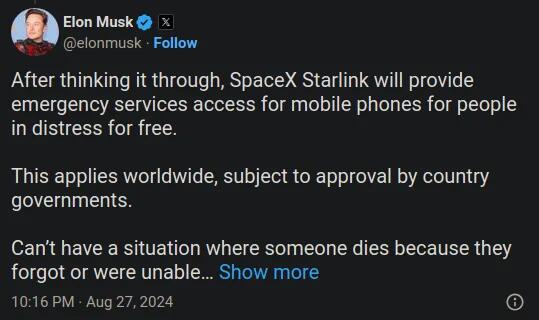
While Emergency SOS via satellite is literally life-saving, the implementation by smartphone companies is not going to be free, at least not for long. This defeats the purpose of the feature and could even be seen as a way to capitalize on someone’s desperation. Its efficacy also depends on satellite availability and coverage. SpaceX’s Starlink is about to solve all of these problems, as per a new claim by Musk on X.
Starlink is a subsidiary of SpaceX that offers global broadband connectivity via satellites, enabling users in even the most remote areas to have access to high-speed internet. As of today, it has more than 6,000 satellites in orbit — much higher than its rivals. Earlier this year, Starlink by SpaceX launched Direct to Cell service with T-Mobile, enabling texting, calling, and data across the globe on existing smartphones.
But there is one major snag (especially, for example, in South Africa): To offer global emergency services access via satellites, Starlink will need approvals from every country individually.
With such a potentially vital and life-saving service, it's also going to be interesting to see if non-participating governments are going to be held civilly liable for any deaths of their citizens where such a call could have saved lives.
See https://www.androidpolice.com/spacex-starlink-free-emergency-sos-worldwide-elon-musk/
#technology #SOS #Starlink
South Africa’s Home Affairs needs a visible Dashboard for Uptime Monitoring of Service and Network Uptimes
There’s an old adage that says ‘What you cannot measure, you cannot manage’ which is actually not fully true, because many things have to be managed that do not have any hard metrics to go by. But the principle of having some signals and metrics does indeed greatly assist with determining whether a service is improving or declining. For the Department of Home Affairs, this would include a metric to indicate the mainframe service is fully operational, and then a metric for each and every remote DHA office’s connectivity status. From a technology perspective, if those lights were all green, it should be 100% operational. If the mainframe system is not green, then everything is unavailable countrywide. If some site offices show red lights, it means they have no connectivity at those DHA offices.
This should not be very complicated, as there are many free and open source tools that do this type of job very well. For such example is Uptime Kuma which I use to monitor and alert me of issues with my own hosted services (pictured below). Home Assistant and Grafana can also be used to provide additional analytics and alerting if necessary to e-mail addresses, mobile phones, Telegram Groups, etc. There are probably other uptime monitors that can do an even better job.
I've expanded the comments further in my post linked below, along with a few images.
#technology #southafrica #quality #opensource

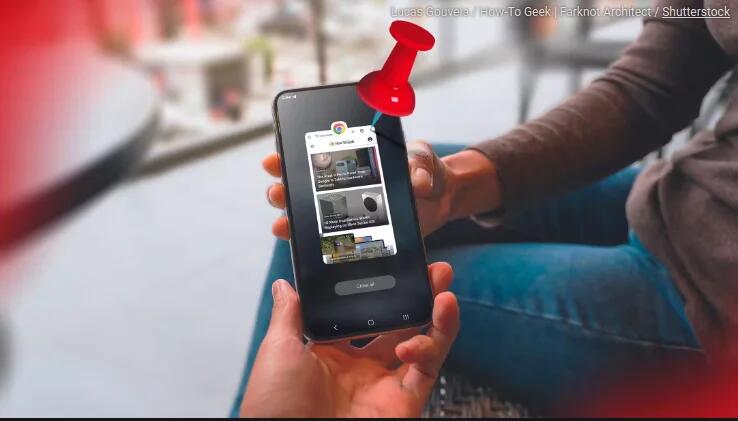
Always Pin An App Before Handing Your Android Phone to Someone
When a stranger, acquaintance, or even a friend borrows your phone to make a call, you want to make sure that they don’t go opening other apps (accidentally or on purpose). Android lets you do exactly that with "App Pinning".
It's also perfect if you want a small child to maybe play a puzzle game etc on your phone.
On my Samsung Galaxy phone it was disabled by default, but the linked article's advice worked to activate it and to use it.
See https://www.howtogeek.com/always-do-this-before-handing-your-android-phone-to-someone/
#technology #privacy
The South African hacker who revolutionised cybersecurity around the world with his Canary honeypot tools
South African hacker Haroon Meer founded Thinkst Applied Research, which revolutionised network intrusion detection with its Canary honeypot tools.
On 31 May 2015, they officially launched Canary after working on it for about a year.
“We think it’s insane that organisations that spent millions of dollars on cybersecurity took months or years to realise that they were breached,” Meer wrote at the time.
What set Canary apart was that the software was open-sourced, allowing anyone to build their own device if they wanted to.
I did not actually know that Canary honeypot originated from a South African company, nor that it was opensourced (see Github thinkst / opencanary). I see it even has a Docker installation.
#technology #SouthAfrica #security #opensource
This Raspberry Pi project uses AI to tell visually impaired people what's around them
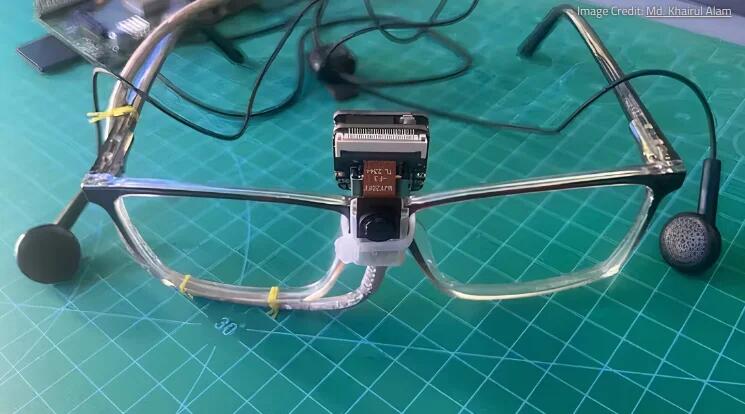
The idea behind this "third eye" project involves the patient wearing glasses with a little camera on them. This camera feeds information to a Seeed Studio XIAO ESP32S3 Sense and a Raspberry Pi 1 Model B+, which uses object recognition to work out what's in front of the person. The boards then convert a text-based description of what's going on in front of the wearer and relay it via text-to-speech through the headphones to the wearer.
It would be interesting to hear how the nature of what is described, audibly, is useful to the listener. But I'd imagine too that anything like this can be further trained and improved.
See https://www.xda-developers.com/raspberry-pi-ai-visually-impaired/
#technology #opensource #AI #vision