Challenges with Asus Router and VLANs (Video)
Key issues covered in my video are:
* Problems with VLAN Trunked port and Inter-VLAN traffic rules
* No aggregating of wired and wireless devices into the same VLAN
* Correct settings for a TP-Link TL-SG108E switch for mixed VLAN traffic
I show some of the issues I experienced with my new Asus ROG Rapture GT-AX6000 gaming router. It is one of only about five or six routers of Asus that support VLAN traffic. The problem is, Asus only provides basic support for 802.1Q VLANs, and for anything more you probably need to consider a MikroTik, pfSense, etc type routers if detailed VLAN support is required.
This is an excellent gaming router, but VLAN support is not something it really excels at (and it does not claim to do so either).
Watch https://www.youtube.com/watch?v=8A_xCZTdJXo
#technology #asusrouter #networking #VLANs
The Pebble smartwatch is making a comeback: Shows Founders are more Innovative than Big Tech
Even with Big Tech themselves, once their own founders have moved on, a lot of the mojo is lost. They tend to buy up their competition rather than innovate, and drive, from the ground up.
It is just sad that many of these smaller start-ups get bought out, or smothered. Big Tech has got so big today, that they can also put any smaller company out of business by selling their own products at a loss, or they can leverage favourable deals with OEMs.
In the case of Pebble OS though, I'm not sure that we will see any dramatic innovation (yet) as it seems to be a philosophy of minimalism and long battery life rather. But as the community can contribute, we are likely to see some interesting 3rd party apps for it, and especially for platforms that have open APIs. Apart from telling the time, and heartrate monitoring, the other big thing I use my smartwatch for is my weekly shopping list.
The founder of Pebble had also founded Beeper, so it is clear he is pitched more at fulfilling real needs than selling lots of promises.
I still have my own original Pebble watch from way back, and when I last checked it, it was still working. So, I'll be keeping an eye on this project going forward.
See https://www.theverge.com/2025/1/27/24352968/pebble-smartwatch-open-source-google-comeback
#technology #smartwatch #Pebble

I don't really mind "how" people post, as long as it is relevant on Nostr and they do respond on Nostr. To me, it seems a bit off if it is posted from some other network, like say X, and all the links are X links. Or if it is just a bunch of posts and the creator never engages or responds on Nostr.
That said they can post whatever they want, I may not follow them though.
Be careful of misleading security claims by hosting companies: US FTC cracks down on GoDaddy
The Federal Trade Commission (FTC) will require web hosting giant GoDaddy to implement basic security protections, including HTTPS APIs and mandatory multifactor authentication, to settle charges that it failed to secure its hosting services against attacks since 2018.
FTC says the Arizona-based company's claims of reasonable security practices also misled millions of web-hosting customers because GoDaddy was instead “blind to vulnerabilities and threats in its hosting environment” due to its failings to implement standard security tools and practices.
The big problem is the company claimed to have robust security measures in place, but lots of basic security practices were found not to be in place, and they had multiple major security breaches over time.
According to a proposed settlement order, the FTC will require GoDaddy to establish a robust information security program and prohibits the company from misleading customers about its security protections. The order also mandates that GoDaddy hire an independent third-party assessor to conduct biennial reviews of its information security program.
It really appears that this was almost tantamount to fraud — where you promise something in writing to customers, but in fact, that is not what you are delivering behind the scenes.
Hopefully it is a major wakeup call to other hosting providers. Promise what you are delivering on, and don't promise what you are not doing. It is really as simple as that. Independent security audits are certainly a desirable practice to have in place, along with how regularly it is performed.
#technology #security #vulnerabilities

I switched to Manjaro but it does use the AUR too. Only issues sometimes are git packages where Manjaro is lagging a bit of the dependencies. But I've learnt what to look out for. Basically everything works for me otherwise.
Even if you don't know Linux well enough, you should know these common terms to blend in
These really are the key components which comprise a Linux system. Unlike Windows, which is a single stack, and you don't have any options to swap anything out, Linux is a more modular system.
In case that sounds too complicated, most distros that a user downloads, are complete to install and run. Some may just offer a choice of which desktop environment you'd like to install, or which type of file system, but if in doubt they will have defaults on offer.
So this jargon guide is quite useful to quickly understanding what the different terminology is, especially if you need to log an issue or a request on a user forum or a software project.
With so many new Linux users on Ubuntu, Linux Mint, Steam Decks, etc, it has got a lot more friendly and helpful to novice users. Getting to grips with some key jargon, though, does make one feel at home a lot more quickly.
See https://itsfoss.com/linux-jargon
#technology #Linux #opensource #jargon
Alfred is the best productivity app on macOS, and it's not even close
If you're looking for a Spotlight replacement on your Mac that can aid in productivity, there's no better option than Alfred. Alfred is a complete third-party replacement for Spotlight search. It offers a far more extensible and powerful platform with plenty of configuration, while retaining the same speed, ease of access, and sleek design that Spotlight is known for. While Apple's default Spotlight search is a powerful tool for accessing apps, files, or searching the internet, it pales in comparison to Alfred.
Yes, 3rd party innovation can often be better, especially when they listen to what their users really want.
On Linux I use Krunner which is also quite integrated into the browser history, bookmarks, apps, etc, but it stops short of having controls for apps like Spotify. Linux also has Albert, but it is no relation to Alfred, apart from them doing similar things, and Albert does have a media player integration. Although, I'd venture to say that Krunner and Albert on Linux are probably on par with the free version of Albert on macOS.
See https://www.xda-developers.com/alfred-best-productivity-app-macos
#technology #macOs #launchers
Free Latest App Checks Your MacBook Apps for Updates
Some of the best Mac apps serve a single purpose. Latest (the app's name) is another tiny app you should install that can check for and apply outstanding updates.
This app will check for updates regardless of whether you have opened, or used, the app recently. It works with all App Store apps, plus those that use the Sparkle open-source update framework and Homebrew package manager.
I also recall though using something similar a few years ago when I used a Macbook, which was also a 3rd party app.
One forgets that non-Linux users don't have the luxury of a full app check daily as part of the OS.
See https://www.howtogeek.com/this-free-mac-app-checks-your-apps-for-updates
#technology #macOS
8 Cool Tricks You Can Do With Your Browser's Element Inspector
The Element Inspector in your browser seems like a tool only meant for developers, but you can do some cool things with it even if you don’t know any programming.
I've used this often for saving images for my blog. But you'll probably also appreciate, after reading the linked post, why you can't just blindly trust screenshots someone sends you.
As with all technology, it can be used for both good and bad purposes.
See https://www.howtogeek.com/cool-tricks-browser-element-inspector
#technology #browsers #tips
Finally, You Can Automatically Block Spam Calls on Your iPhone: Too Late For Me Though
I did try again using an iPhone about 3 years ago, because it had really caught up to Android with 3rd party keyboards, some widgets, etc. And of course, the Apple Watch is second to none when it comes to health stats.
But as I said in my blog a year ago, I was so frustrated with spam callers, and Truecaller not being allowed to do number lookups, that I finally ditched the Apple ecosystem for a second time (and final) time. I have just sold off my AirTags as well.
Seriously, if this functionality was release a bit over a year ago, I may well have stayed in the Apple ecosystem. Well, I can't say for sure, as my philosophy around accessibility and open standards is a bit divergent from Apple's.
But it does go to show that clearly this was a major frustration for many, and it just takes Apple very very very long before (ah, RCS messaging I'm now thinking of) before they make a change.
This does though make me feel very happy for Apple users.
That said, Android does also appear to be restricting some things now. The two ecosystems are getting more and more alike.
See https://lifehacker.com/tech/finally-you-can-automatically-block-spam-calls-on-iphone
#technology #iOS #spamcallers

The beauty of OpenWRT is that it brings massive capabilities and features to even the cheapest routers it supports (software-wise). I did buy a cheap Xiaomi Mi Router 4A and it installed on that. But as Tristan says look at their website for what they support, and see which models are available for you to buy.

Yes I've noticed that too. Which is why I replaced my 10 years old router last week with a newer model as it VLAN support and twice as much RAM etc. Only to discover now that OpenWRT supports the plain Asus GT-AX6000 router but not my ROG Rapture GT-AX6000.... bit sad as that was going to be my fallback plan. Especially as the router also does not support inter-VLAN routing like OpenWRT does.
Ah well a new challenge and I see there may be a way via changing the iptables routing from the CLI ;-)
I Feel Like a Hacker Using These Cool Linux Terminal Tools
Most of these tools will only excite a YouTuber wanting to have some geeky stuff happening in the background, but actually gping is a graph view of the ping command in the terminal, and Bpytop is an htop alternative with a really good layout.
Surprisingly enough, when I wanted to install Bpytop on my Manjaro machine, it was already installed by default. I did not even know it was there the last few years. It responds to the mouse, and has various options that can be set and tweaked.
See https://itsfoss.com/hacker-like-linux-terminal-tools
#technology #Linux #terminal #opensource
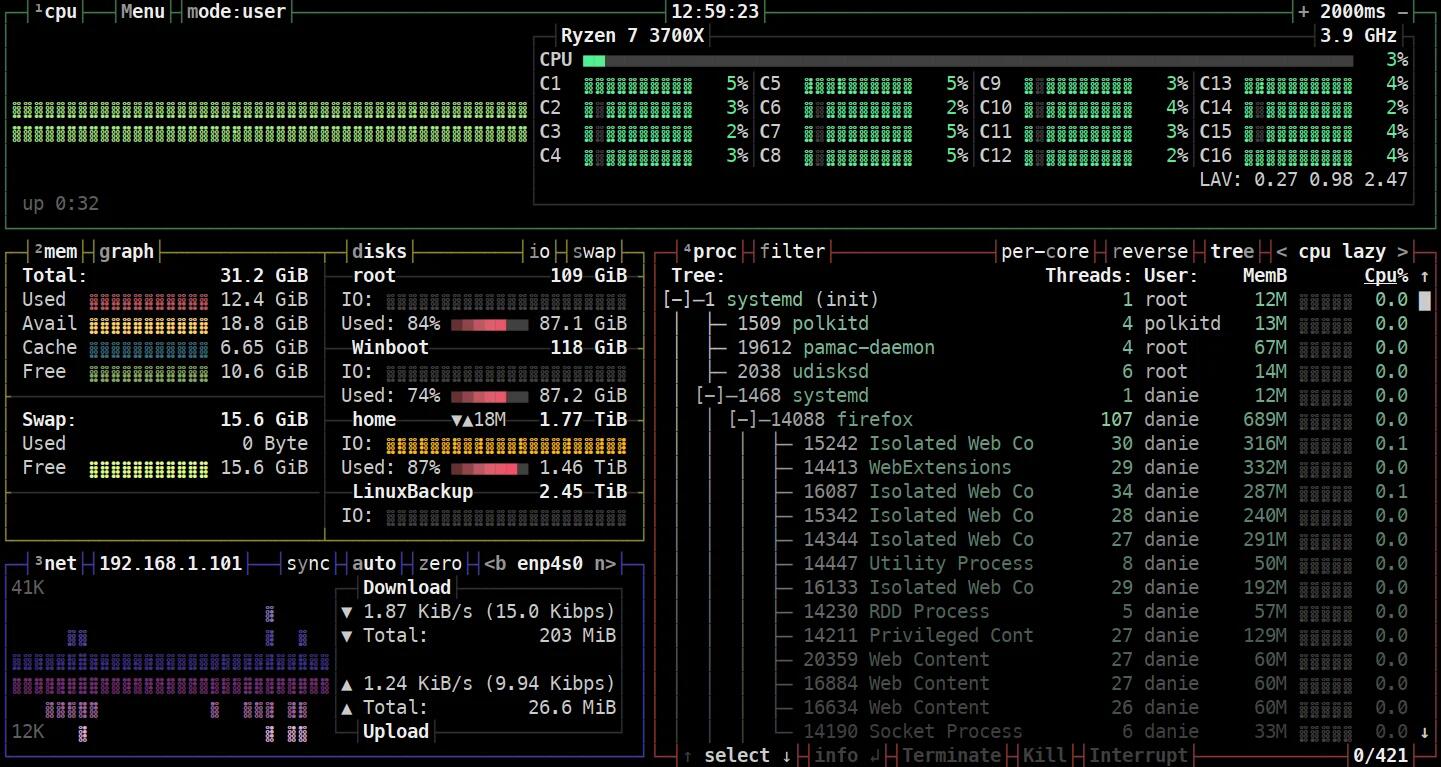
Note that bpytop has been out of support for 4+ years so a supported fork is https://github.com/aristocratos/btop
Datacus extractus: Harry Potter publisher breached without resorting to magic
There is a link in the article to how such vulnerabilities were discovered in the Planet Technology WGS-804HPT industrial Ethernet switches which were being used by the publisher.
The key takeaways though for any self-hosters or home automation hobbyists though are:
1. Do not expose any web interfaces to the Internet that are not absolutely necessary.
2. Do not publish what equipment you are using and how fancy your network looks, as these are all clues to anyone as to how everything fits together.
3. Where possible, segment all your IoT devices, doorbells, etc onto a separate LAN even if it is a separated guest network.
All my home automation web logins e.g. to Home Assistant, Sonoff switches (which have been reflashed), CCTV, Portainer, etc are behind a VPN login from outside. If I need to access any of them, I will have to log into the VPN first, and then access their dashboard screens.
It is not even about the brand of switch that is being used, as Cisco themselves have suffered zero-day exploits too. These specific vulnerabilities with the Planet Technology switches should have been patched if users have installed the updates.
See https://www.theregister.com/2025/01/20/harry_potter_publisher_breach
#technology #security #vulnerabilities
New study suggests that the co-location of solar farming with sheep grazing is not negatively impacting wool production
Yes, this is likely no surprise to many, but seemingly it is a surprise for the few who thought this would have a negative impact.
“The findings suggest that the co-location of solar farming with sheep grazing is not negatively impacting wool production, even in the case of pre-existing high-quality standards,” Lightsource bp said, in a released statement. According to the farmer who owns the sheep, the quality of wool actually increased over this period.
Other studies have found that crops like maize, Swiss chard, and beans grow even better under partial shade provided by solar panels.
See https://www.thecooldown.com/green-tech/agrivoltaics-sheep-wool-quality-solar-panels
#technology #solar #environment
I Feel Like a Hacker Using These Cool Linux Terminal Tools
Most of these tools will only excite a YouTuber wanting to have some geeky stuff happening in the background, but actually gping is a graph view of the ping command in the terminal, and Bpytop is an htop alternative with a really good layout.
Surprisingly enough, when I wanted to install Bpytop on my Manjaro machine, it was already installed by default. I did not even know it was there the last few years. It responds to the mouse, and has various options that can be set and tweaked.
See https://itsfoss.com/hacker-like-linux-terminal-tools
#technology #Linux #terminal #opensource

Thing is Nostr is not really an alternative to TikTok. The closest alternative is probably Loops which is also short form video.
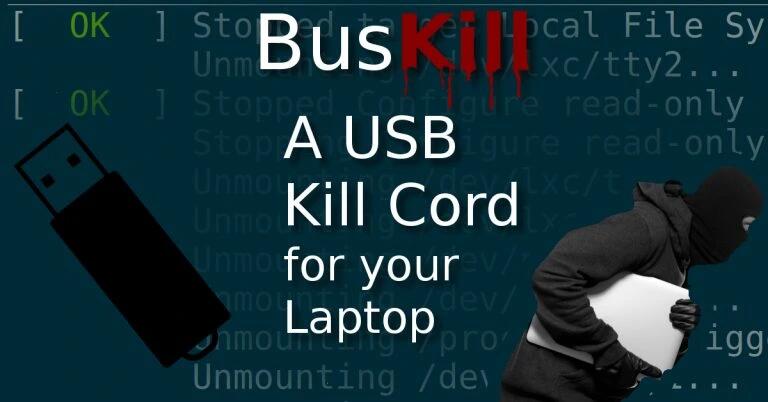
BusKill is an open source laptop kill cord that can trigger your computer to lock or shutdown when it's physically separated from you
BusKill can trigger your laptop to lock, shutdown, or self-destruct if it’s physically separated from you.
It's actually been around for a few years, but this was the first time it popped up in my feed.
BusKill can provide travellers peace-of-mind when logged into their bank account or social media from a café in Paris. BusKill can keep a journalist's documents and their sources safe if they’re targeted by the political police.
It is probably also useful for activists, businesses, military, and intelligence operatives.
The intention to use a physical cable was a deliberate one, as otherwise Bluetooth or other wireless triggers could be thwarted.
It works on Windows, macOS, Linux, and even QubesOS.
#technology #security #deadmanswitch #opensource

No they are quite different as far as I use them. GIMP is more detailed photo editing, Krita is simpler to use and has good digital drawing pad support. I don't see the one competing directly with the other.
7 hidden features in Krita to boost your creative workflow
Krita is a fantastic open-source tool for creative image manipulation. While Krita is one of many alternatives to Photoshop, it stands alone as a go-to creative tool for many digital artists and illustrators, even for digital illustration from tablets too. Krita has many obvious tools and features, like layers, brushes, shapes, and selection tools, but it also provides many hidden features you should use to boost your creative workflow further.
Krita’s wealth of tools competes against the best paid-for software — like Photoshop, Affinity, or Procreate — for digital art and illustration. It’s good to learn the full metrics of the software you choose to use, especially pesky hidden tools, that are most often overlooked.
The linked article also helps give an idea of some useful things you can do with Krita. As I recall, it also has support built in for digital drawing tablets.
See https://www.xda-developers.com/hidden-krita-features-creative-workflow
#technology #opensource #drawing