
Avatar
LIFAD
446a2f60f1fe47279eda32626911048b5b46df4b0e1b0db75f3fa8b096abe480

Creating something with this beautiful background music.

https://open.spotify.com/track/0FeB1pJvzh2BNDYco2RF6k

Ohhh yeahhh se estamos, just keep rolling baby 😎

Exploring getAlby and thinking if I run Alby Hub in may laptop or not.

What's your thoughts on this?

Não precisas, necessariamente, de usar a wallet deles. Tenho interesse na extensão para o Nostr e também gostava de explorar aquilo.

Me to

nostr:note19m2k2pkygs0fu8jp79x5nwfx37lg37y2xh8l6deg5m8ymm3k6hjst7gxkn

Alguém que me possa enviar Alby invite?

Obrigada

Does anyone with a

@getAlby

invite? Looking forward to experiment the extension for Nostr.

Much thanks

Jemand mit einer Einladung zu getAlby?

Viel dänke

https://getalby.com/

Replying to Avatar Alex Emidio

Guia de configuração do PinePhone Pro para privacidade.

Tutorial feito por Amir taaki.

https://agorism.dev/ppp.html

States track our phones using the IMEI code. But you can change it. They don't want people to know. This info is kept secret.

But today I am making it public in this guide. You will get a hotspot usable with any phone that protects your IMEI from the government for $300.

Your phone broadcasts 2 pieces of info: the IMEI which is tied to the phone's hardware and the IMSI which is tied to the SIM card. To change the IMSI, simply use change your SIM card every so often.

The Pinephone allows you to change this number. Here's a guide to setup the phone for this. You will need a Pinephone, a micro SD card and an adapter for your computer.

Terminology

There are 3 storage types: SPI-NOR, eMMC and the SD card.

The SPI-NOR stores the bootloader. The eMMC is internal memory for the OS. We will use the SD card to load the bootloader into the SPI-NOR.

Setup the Installer Environment

We install the OS to the pinephone using a tool called pmbootstrap, but it needs root access. So I instead made a VM with a USB passthrough and installed Manjaro Linux there.

You can do this with virt-manager, then add a new VM with the Manjaro VM and install it. Then inside Manjaro, you can install spice guest tools for more seemless integration (optional).

For the USB passthrough, I had to edit /etc/libvirt/qemu/manjaro.xml, where I added this code:

(replace /dev/sdb and the other details with the relevant info you need)

Now when I boot the VM, I see a device called /dev/vdb which corresponds to my host computer's /dev/sdb.

Install pmbootstrap and we're ready to go.

Install PostmarketOS

We will install PostmarketOS with SXMO which is a tiling WM. It's quite easy to learn, just read the userguide. Don't be lazy. But if you're a normie, fine you can use Phosh instead which is just like Android.

Using pmbootstrap

Now connect the Pinephone Pro to your computer and put it in the mount mode (blue light), and it should appear on your computer with lsblk.

Inside the Manjaro VM, perform the install:

pmbootstrap zap

pmbootstrap init

pmbootstrap install --fde --sdcard=/dev/vdb ----cipher aes-cbc-essiv:sha256

We need the cipher option due to bug #2916 on postmarketOS bug tracker.

Install Bootloader

Now on your normal machine, put the tow-boot installer. Download tow-boot's spi.installer.img and dd to your SD card. Follow the SPI installer instructions.

Now your phone should boot pmOS.

Tweaks

Disable suspend in System Menu -> Config -> Auto-suspend / Auto-screen-off.

Optionally install an Arch Linux chroot for access to more packages you might not have in pmOS.

IMEI Changing

Now for the juicy part of the guide.

SSH is enabled by default, so SSH in. On your phone, open a terminal and type ip a to find your IP. Then just use ssh user na é@XXXX. Now sudo su as root. Create this file /root/.bashrc.

alias show-imei="echo 'AT+EGMR=0,7' | atinout - /dev/EG25.AT /dev/stdout"

function _set_imei() {

IMEI=$1

echo "AT+EGMR=1,7,\"$IMEI\"" | atinout - /dev/EG25.AT /dev/stdout

}

# Vanity, I prefer - to _ for cmds ;)

alias set-imei=_set_imei

Now reload your shell using source ~/.bashrc. You now have the commands show-imei and set-imei XXXXX.

To get the IMEI code, we will impersonate legit devices. I scraped all the TAC code prefixes from public DBs and made a little util for that. Download it from github: narodnik/immi. You simply run ./imeichanger.py and it gives you an IMEI code you can put into set-imei.

Mobile Internet + Wifi Hotspot Tethering

Put your SIM in. Now you have cellular.

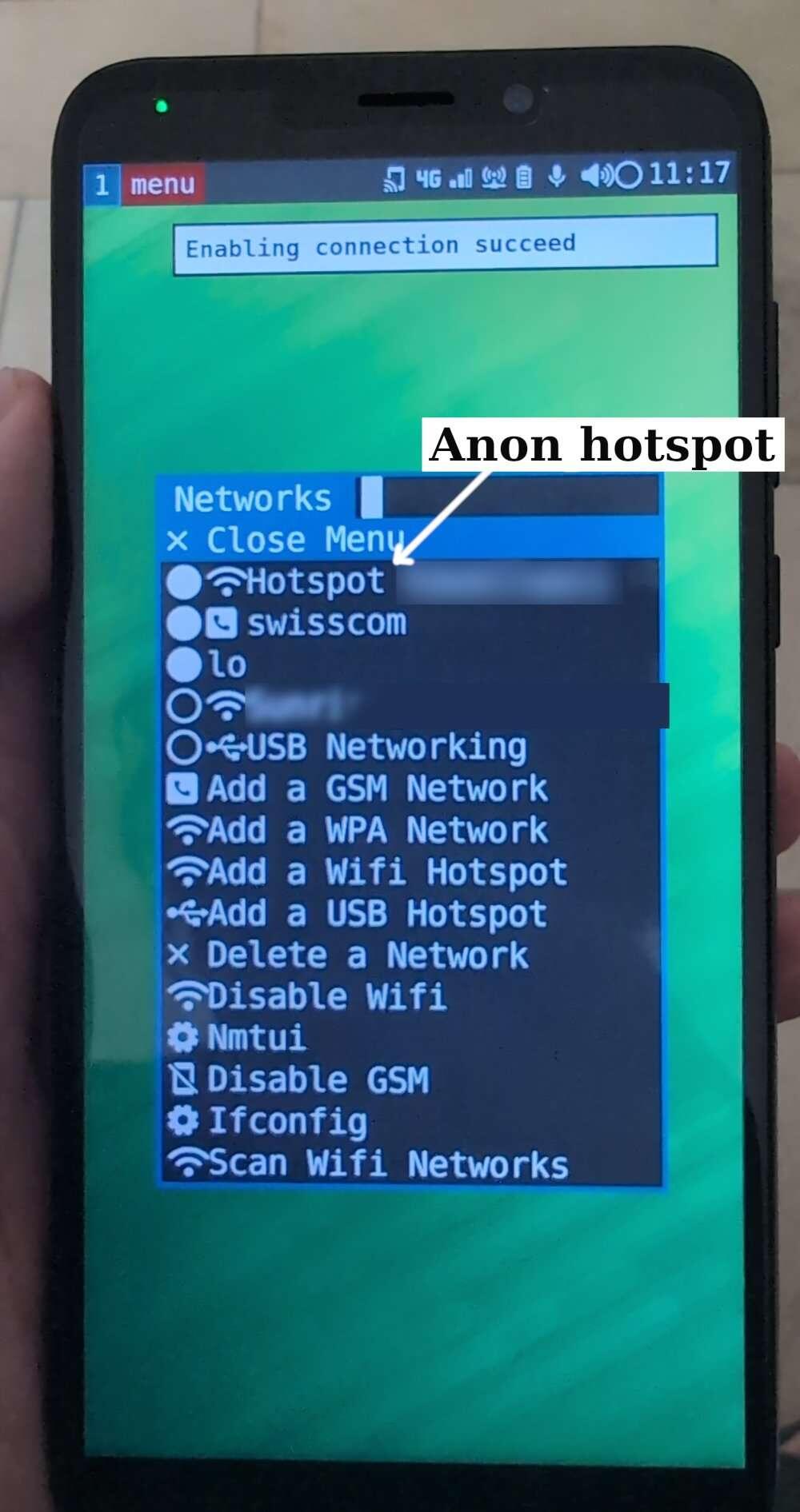
To activate mobile internet, you need to add your GSM. Do this in System Menu -> Add a GSM Network. You can find the details online by Google. Usually your phone provider will even send you the details via SMS.

OK now you have mobile internet. Making the Wifi hotspot tether is super easy. Just go in System Menu -> Networks -> Add a Wifi Hotspot and enter the hotspot details.

Finally whenever you want to put your phone in "airplane mode", just go to System Menu -> Networks -> Disable GSM.

Final Tips and Tricks

You may want to configure or disable the firewall.

SSH comes preconfigured but you might want to disable password logins.

Received SMS are stored in ~/.local/share/sxmo/modem/ as text files so you can read them comfy from your computer with SSH.

Pipewire is installed native. You can even install a node editor like qpwgraph so you can pipe audio to multiple audio devices simultaneously. Cool af huh?

See the SXMO tips and trickspage on pmOS wiki.

Artigo sobre PinePhone Pro.

https://njump.me/naddr1qqxnzdesxs6rwv3sxueryvp5qgsyh28gd5ke0ztdeyehc0jsq6gcj0tnzatjlkql3dqamkja38fjmeqrqsqqqa28a5p3zk

O de Ranter sentiu saudades tuas hoje.

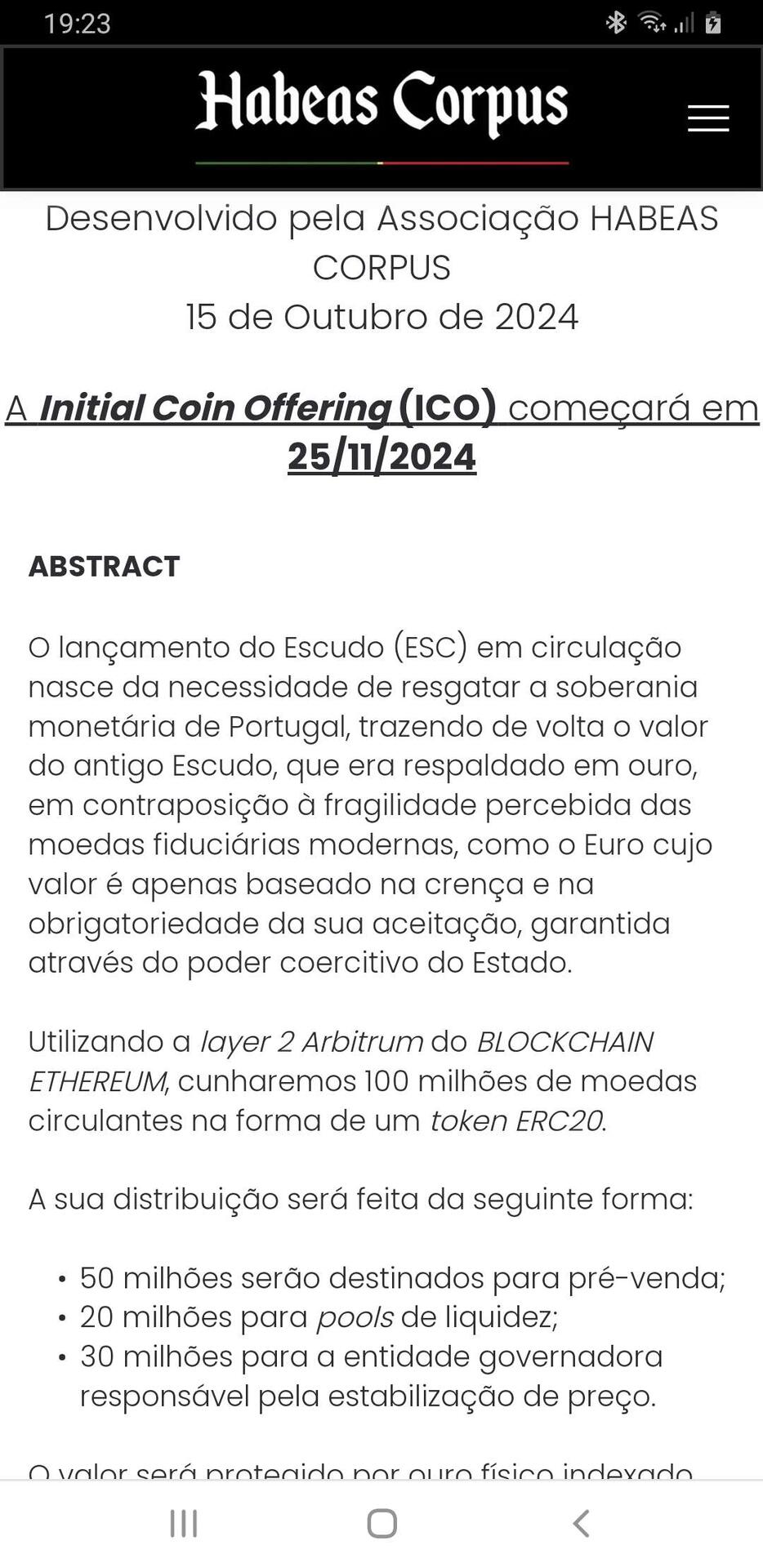
Denunciar scams é belo e moral, como tal, meia dúzia de razões para ficarem longe do cryptoescudo. O @HabeasCorpus_PT deveria aconselhar-se com quem percebe do assunto e não andarem a criar scams, isto dando o benefício da dúvida e partindo do princípio que há honestidade.

1- É uma valente merda, porquê?

Tem um "whitepaper" que é obscuro não revelando pormenores de como funciona a chain do shiterium e as segundas camadas da mesma;

2- Se vai correr em Arbitrum, esta tem sistema de governça DAO, o que significa que as decisões são tomadas por um grupo restrito de pessoas;

3- Se a ideia é descentralização, então usem #Bitcoin e deixem-se de merdas;

4- Ronda de financiamento em ICO's;

5- A rede Ethereum não é descentralizada;

6- Um token não é uma moeda, e o cryptoescudo não passa de um token;

7- Vai ser backed em ouro Tether ou Pax, penso que todos conhecemos as vulnerabilidades de Tether, ouro tokenizado não é ouro;

8- Pelos vistos trata-se de uma cópia medíocre de um cryptoescudo lançado em 2014, pelo menos o nome;

9- Isto apenas vai servir para enriquecer alguém, lembrem-se do que aconteceu com a @realfvr;

10- A única moeda que existe é #Bitcoin

habeas-corpus.pt/escudo

#euavisei

Mais um scam que nasce, desta sob o nome de cripto escudo 😂

Do supply dos 100 milhões, 50 são pré-venda, tipo FIFA 2025.

A 🍒 no topo do 🎂 é que o escudo será um token ERC20 e vai rodar na Arbitrum.

😂😂😂

Risível