Watching a review video (by someone named Brandon Roswell) on Daylight's DC-1. Looks super cool but 10 minutes in I can see the apps: Gmail, Chrome, Google Drive, Play Store, ChatGPT, Google Docs. These are apps I go to great lengths to get away from. The presence of Google on this device (to me) is more unhealthy the the blue light Daylight is attempting to avoid in their screen.
nostr:nprofile1qqswhhhf99z77pfg80s2c00z27rusxn2tzss7450n34krkwa2yadhtgpp4mhxue69uhkummn9ekx7mqpz3mhxue69uhkummnw3ezuerkv36zuer9wcq3vamnwvaz7tmpw5h8yetvv9ukzcnvv5hx7un8lpntld do you plan offer the DC-1 with the option to flash a de-Googled version of AOSP? Is it possible to unlock the bootloader? Thank you
#daylightcomputer
I've used https://cryptpad.fr/ in the past and liked it.
I should add that my interests in FOSS, cypherpunk themes, distributed systems, cryptography, others, overlap with many crypto users here and I appreciate their work on those things.

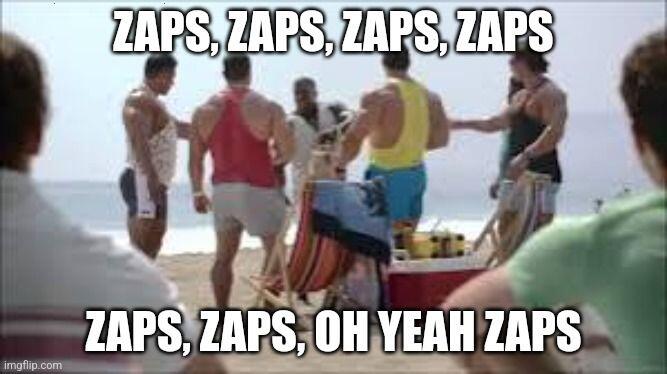
You are correct that there is a ton of crypto content here and users zap each other. Some posters here remind me of youtubers trying to make money off their channels, laser eyes on their avatars and all. It can become tiresome, actually. I started to like my nostr experience a lot more when I began using hastags like #linux.
I've followed your blog for a while. Love it, well done. Especially like your hardware photography, custom builds, and Linux content.
Who are you quoting? I like that one.

Well done! I don't miss any Micro$oft products (slow, bloated, surveillance tools).

#GrapheneOS version 2024101600 released:
This is the initial release of GrapheneOS based on Android 15 based on the October 15th stable release of Android 15. We had previously ported all of our features to Android 15 based on the Beta releases and have been finishing it up based on the early September release of the source code for Android 15.
The most notworthy addition to GrapheneOS from Android 15 is Private Space, where users can create an isolated, sandboxed environment on their device to separate apps. Apps in the private space show up separately to other apps and are hidden from the recents view, notifications, settings, and from other apps when the private space is locked.
The sandboxed space works like a profile where the end user adds or installs an app inside private space and the app is installed in a new Android profile. The system treats this as a fresh app install, and no app data is copied over to the private space. When the space is locked, the private profile user is stopped, and when the space is unlocked, the user is started.
Apps in the private space are installed as separate copies of the apps in the main space. User content (user-generated or downloaded) and user accounts are separated between the private space and the main space. You can use the system Sharesheet and the Photo Picker to give apps access to content across spaces only when the private space is unlocked.
A private space does not replace user profiles, although it may be better for some users depending on what they use user profiles for. Currently, private spaces are only able to be ran on the Owner profile. We hope to add improvements and enhancements to this feature, in theory there could be support for multiple Private Spaces at once but memory usage is a concern and this needs to be considered first.
Changes since previous version:
- full 2024-10-05 security patch level since the Pixel patches were disclosed in the Pixel Update Bulletin today rebased onto AP3A.241005.015 Android Open Source Project release (Android 15)
- full port of GrapheneOS features to Android 15 including integration of our features with the new Android 15 features including Private Space
- Sandboxed Google Play compatibility layer: add stubs to fully remove the need for the Google Services Frameworks app, which has been removed as a dependency in our app repository for Android 15+ and you can remove it for an existing install of sandboxed Google Play after each Google Play services installation runs at least once on Android 15 which migrates the GSF databases to itself (stock OS still requires this despite nearly fully obsoleting it for Android 15)
- Pixel 9 Pro Fold: add assorted device-specific Settings and SystemUI changes to better match the stock OS
- kernel (6.6): update to latest GKI LTS branch revision including update to 6.6.56
- Vanadium: update to version 130.0.6723.58.0
- GmsCompatConfig: update to version 141
This update is currently limited to a sideload-only release but if there are no regressions it will be pushed into the over-air updates. For users on Stable, expect Android 15 releases to come to your device in the coming days.
any improvements anticipated in usb desktop mode in 15?
please start selling computers with Coreboot and a neutered Intel Management Engine (and any open firmware possible)


In the US, JMP.chat via a Snikket account (or other XMPP provider)
Thank you for this article and also your work with the GOS team.
Why are firmware and the bootloader on Pixel phones trusted? I know the bootloader can be locked/unlocked but why trusted otherwise? Is there any attack surface at firmware/bootloader level? Is it all closed or open? Thanks
What/who is ReplyGuy, "Master of GMs"? Why all the duplicated posts? It is quite annoying.
#asknostr
hmmm, changing SDDM themes on Atomic Fedora spins appears to have not been fixed by upstream yet (the theme directory is immutable!). Fedora SDDM themes are not my style, don't like them at all. Do I really want to build sddm2rpm after installing all the dependencies? No. Fedora Project, please fix SDDM theming on the atomic distros.


Want to browse X (Twitter) privately without an account? Or someone blocked you? Check out the Nitter instances under https://github.com/zedeus/nitter/wiki/Instances for a totally anonymous experience!
farside.link is nice for finding working instances - I use nitter nearly daily (don't want to be logged into an account, though).
xcancel and poast have great uptime recently.