

petnames are better, because you are in control of it. all the Dans can also change their display_name to Dan
music made by a Dan

now I'm curious about your notes :)
no real explanation for anything in there hehe, but in the case of the sine wave looking things, they're just to imply rotation motion



isn't your suggestion to not use `http://` so your client doesn't interpret it as a link and not render a preview? that would also make it not render as a link almost anywhere else for the same reason.. which didn't seem to me like what the op wanted as he refers specifically the previews but maybe it is..
lol, wtf that would break links everywhere on all clients..
I flatten the thread as you can see here so I account for both:
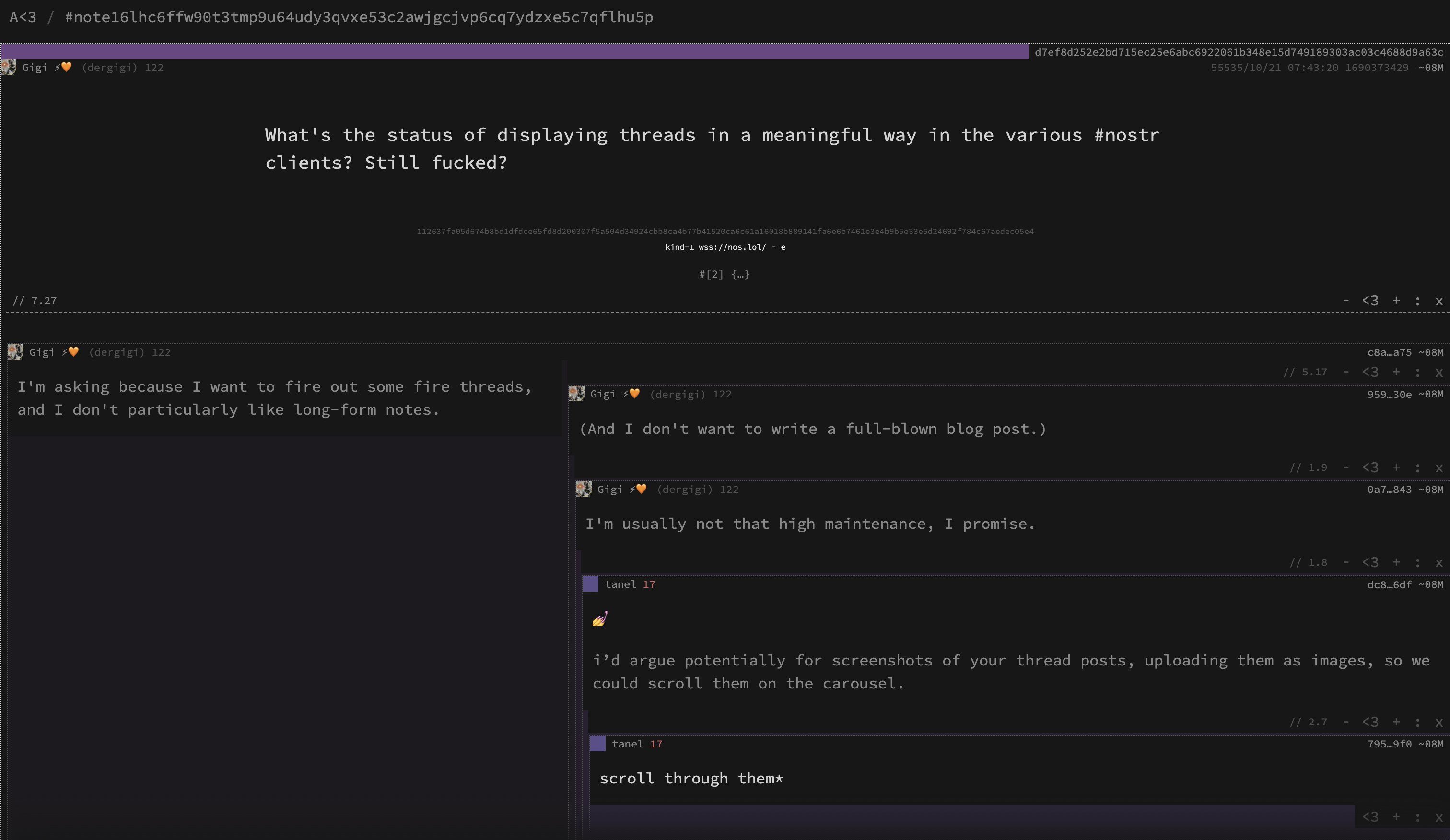
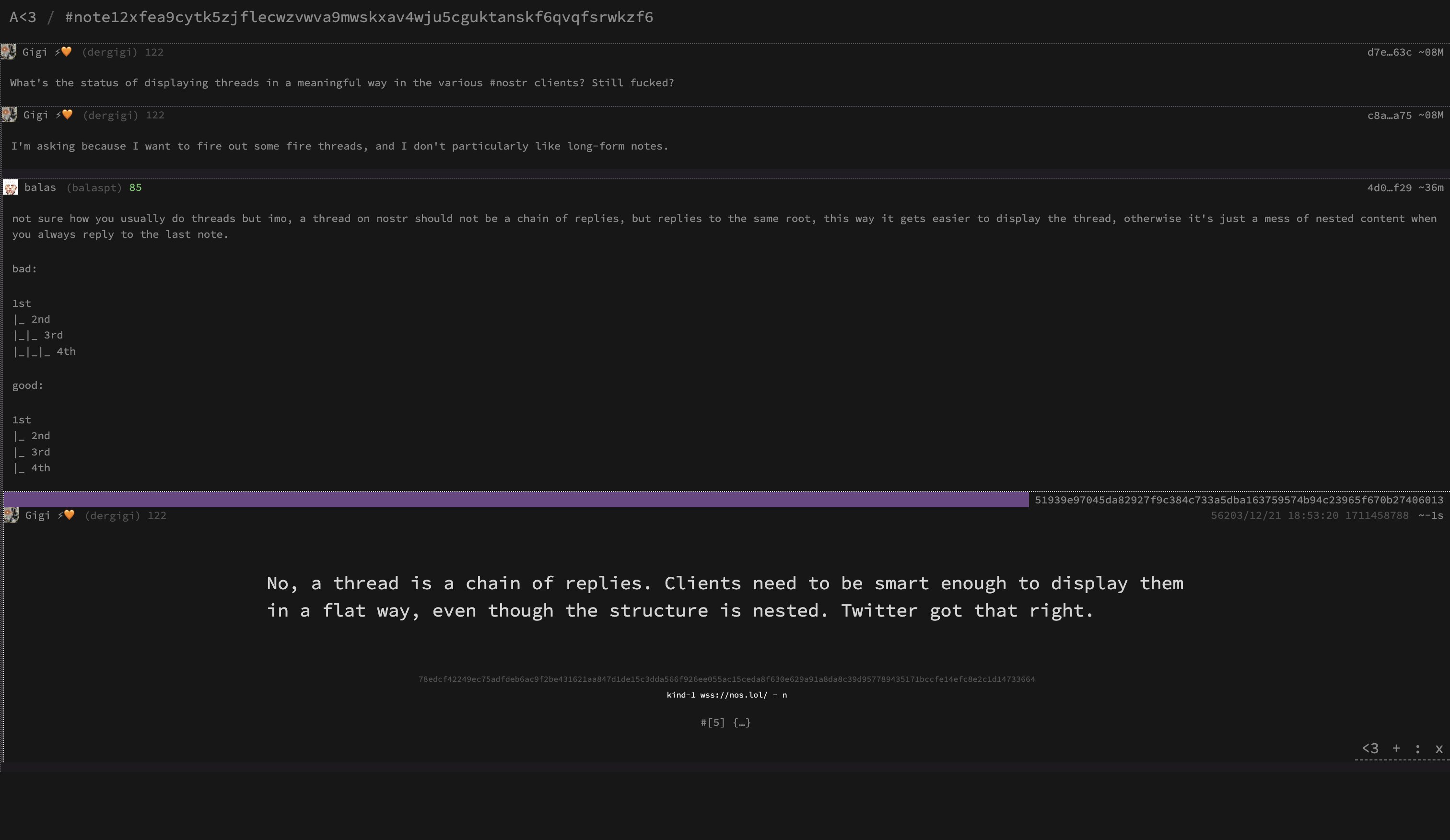
my layout displays threads either chained or not, but I still think structurally / hierarchically, the information flow should not be nested. just how my brain works...¯\_(ツ)_/¯
not sure how you usually do threads but imo, a thread on nostr should not be a chain of replies, but replies to the same root, this way it gets easier to display the thread, otherwise it's just a mess of nested content when you always reply to the last note.
bad:
1st
|_ 2nd
|_|_ 3rd
|_|_|_ 4th
good:
1st
|_ 2nd
|_ 3rd
|_ 4th



can the fridge use blastr?

nostr:npub1nmr6w7qk0ta36vxysv77jv3d5rqghfc6d8sez8240rf3gja4vsmsd2yha8 what do you think?
When I saw alphaama I wondered if its possible to add some code common to all nostr apps that will allow testing between apps A, B.. Z.
Kind of like a common terminal or CLI for all nostr apps that allows some operations that bypass all the differing UIs.
yeah you can extend it with any code you want, you can create any function and add it as an action


You probably need to add `read` and `write` sets to the relay you added, you can do it in a single line while adding the relay
`.aa r add
or you can do
`.aa r sets read
After adding a relay, nothing will happen, you'll need to run a query.
You can do `.aa q stuff` to load some default queries to get you started or add one with `.aa q add
You run queries by typing ".aa q run
I'm still changing a lot of things around so an outdated explanation of moving things doesn't help much either, a fucking manual will eventually happen...
I can try and help you get setup with it if you're still interested, it's not that hard once you have it going...