
Finally finished reading this. I find it a helpful framework for some of the dynamics around bitcoin and crypto. 
I posted my 100th open design update, a quick summary of what I've been up to the last two weeks. It's not a great read, since I prefer to spend my time and energy more on doing things, rather than writing about doing things, so don't read it. https://gbks.substack.com/p/100-not-special
It's a little tricky to tame the various payment request formats in receive screens into a coherent experience, they are just so different. Here's a rough stab at it.
Hopefully we end up in a situation where we can just use one of them. But tech is evolving right now and we don't have broad interoperability yet. Plus, new users need to learn and sometimes make decisions on the fly to optimize fees, etc. We'll see...

Quick mock-up of lightning liquidity visual from a conversation in the nostr:npub13s5mxgws70rpxsug96jfvglggackjrxs2ehypwg0prjaxsek42sqd9l03e Discord. Avoiding the terms liquidity, inbound, outbound, etc.


They do. They just expect the people who make the products they use take care of that.
A super minor update to the units & symbols page went live. It's about using a thin space rather than a regular space for digit grouping, which is an international standard (as with all standards, some countries do their own thing). https://bitcoin.design/guide/designing-products/units-and-symbols/
And practically speaking, a regular space may still be more legible for certain fonts. And we're still in an awkward place with sats being 1/100M of a ₿. 1/1B would be cleaner. Oh well.
I re-recorded my talk "Building the right thing" from nostr:npub167n5w6cj2wseqtmk26zllc7n28uv9c4vw28k2kht206vnghe5a7stgzu3r dev/hack/day design track. It's really just a series of loose thoughts and questions around scaling and adoption and finding something impactful to work on. Hope it's interesting. https://www.youtube.com/watch?v=4YwqTG9xtKQ
Sounds like a good idea. nostr:npub167n5w6cj2wseqtmk26zllc7n28uv9c4vw28k2kht206vnghe5a7stgzu3r


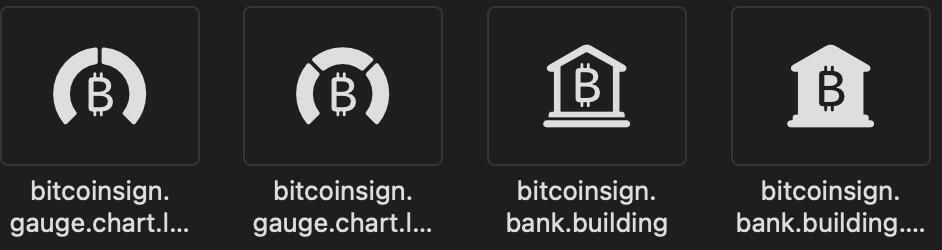
The first one is mysterious. Wonder what that’s supposed to be used for.
European elections are on. Use your vote, or others will decide for you. I’ll make my way to the voting booth on Sunday morning right when they open. https://elections.europa.eu/video/en/ov/en/
Let’s do that “translate war into peace” thing. Seems better, doesn’t it?

There's a lot in the Bitcoin UI Kit. nostr:npub1u2jks7zqnvdtnu8vkehtfa3aemtaqp30s3az9qxcesa7whxlw8rsgs50au put together a great video walkthrough.
https://www.youtube.com/watch?v=ArOorMe9GP0&list=TLPQMjIwNTIwMjTDJW5D889cGA&index=2
Quick test using AI to identify and fix accessibility issues (here the reply buttons under Damus iOS notes, using Github Copilot in Visual Studio Code). Looks very promising and should safe tons of time and brain power. Why not always run this on UI PRs?

I have a hunch that AI is a great helper for this task. Did some quick tests over the weekend, throwing code at ChatGPT and asking if it's accessible and then telling it to make it accessible, and the results were very good. It might not be a heavy lift.

There have been some efforts to counter people losing themselves in feeds, like Instagrams “Take a break” feature. https://www.pocket-lint.com/apps/news/instagram/159343-what-is-instagram-take-a-break-feature-how-it-works-turn-on-off/
How does that work on desktop Qt6? Will check it out! nostr:nevent1qqstdxu6uckejwmpcfantwhg7657fek2nxgngn20jdzc9yxztn7uemspzpmhxw309a6k6cnjv4kr5dpcxsuqygqxhjdt0srvh250hyyfagexwd35q3elc49h0ts7pymkddcyylzg75psgqqqqqqs78wjs0
I am not a pro on Qt development, but you might get a lot of this for free if you use the built-in UI elements. The new Bitcoin Core App will also be built in Qt (QML though), so there might be an opportunity to collaborate. https://bitcoincore.app/
Did you check out the docs? https://doc.qt.io/qt-6/accessible-qwidget.html
As for testing, it depends on your OS. MacOS has a great screen reader built-in, not sure about the others. We have some info and resources in the Bitcoin Design Guide. https://bitcoin.design/guide/designing-products/accessibility/
Regarding the comparison, downloading something can be a much simpler experience than registering with a company and going through KYC and all that.
We had a design review with 10101 Finance recently about creating two separate experiences for casual users and traders. That could be a good approach. AFAIK, Kraken and Coinbase also have regular and pro interfaces (and charge much higher fees for the regular one).

Yes it is. Front-end devs deal with all kinds of complexity, adding aria-label="Send" to a button, or using a button tag instead of an image tag is dead simple. There are even linters that tell you what the problems are and how to fix them.
For accessibility awareness day, I tested several apps and it's not good.
Amethyst Android - Grade B+
eNuts iOS - Grade D
Mutiny iOS - Grade D
Snort Android & Web - Grade E
Damus iOS - Grade E
Primal iOS & Web - Grade F
You're pretty much left out in the cold as a blind user.
I know some of these are super new, done by small teams, open-source contributions, etc. But there just seems to be a general disinterest in properly marking up UI elements. This stuff is easy to fix, just needs a few motivated hands.


Thanks. That's pretty much what it's meant for and it doesn't do a much else yet.