Our criticism of recently published
Wired article: "Wired's Attack on Privacy"
https://simplex.chat/blog/20241016-wired-attack-on-privacy.html
What is the big diference of simpleX to ricochet?

You can't be sure that the other person won't make it worse, but yeah i can feel u

How to use Mostro Web Client? 👀
It's very easy to exchange #Bitcoin #p2p #NoKYC
- mostro.network
- app.mostro.network
- mostro.network/docs-english/
https://video.nostr.build/7c3111bb4a799e49587cb0e9157965cd734a046ae364e7bebb8407a89123e7c6.mp4
Awesome!



Why is it not possible to pay the Promotion with lightning?

Is alby hub workin on raspberry pi 4 with 8gb?


U fucked up the first rule😄

Isn't that the cat biting its own tail? If journalists get direct payment for their articles from their readers via micropayments (streaming money), they will migrate away from other platforms like Substack, Mailchimp etc where they have to give money to their masters, allowing for a wider variety
Is someone building an alternative to substack on nostr via lightning? #asknostr #plebchain #dev
Pater Nostr

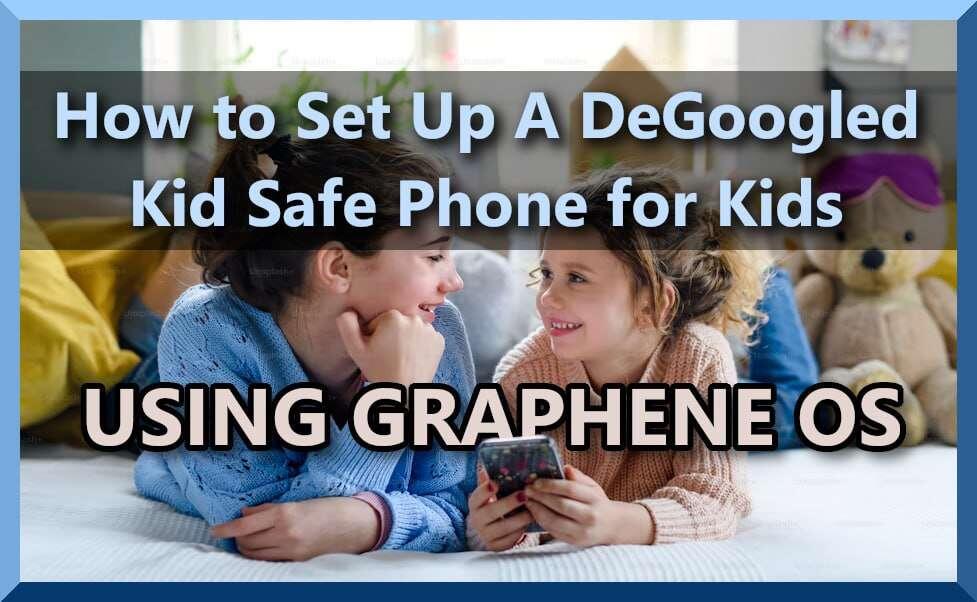
### Kid Safe DeGoogled Phones Using GrapheneOS
Setting up a DeGoogled phone for kids can be done fairly easily now using the latest version of GrapheneOS.
The basic steps are as follows:
1. [DeGoogle a phone with GrapheneOS](https://grapheneos.org/install/). GrapheneOS's website is the best place to go for instructions on how to DeGoogle a Google Pixel phone. They offer a couple of intallation methods, and keep everything up to date.
2. [Turn on multi-user accounts](https://www.howtogeek.com/333484/how-to-set-up-multiple-user-profiles-on-android/), & create a "kid's" account, naming the account whatever you like.
4. [Install the apps you want onto the "Owner" account, and push those apps to your child's account](https://discuss.grapheneos.org/d/2133-question-about-the-install-available-apps-feature-for-user-profiles) under the multi-user setting.
5. [Remove the GrapheneOS web browser "Vanadium"](nostr:nevent1qqs9wa5er9u5n36nhqdfanluyjaxw7l2q7067qnza7y07smm7vjcffspz3mhxw309ucnydewxqhrqt338g6rsd3e9upzqndled79mkuzf8uu06uvy8spnuy0h7m7ch0d2sytv9zep04c6954qvzqqqqqqyxzlz3q) from the kid's account so they can't surf the Internet.
6. [Install an eSIM](https://grapheneos.org/usage#esim-support) so your kids can't take the physical SIM out and put it into any device they want.
⚡️ [Follow](nostr:npub1fkluklzamwpyn7w8awxzrcqe7z8mldlvthk4gz9kz3vsh6udz62s9qj48l) | 🗣 [Discuss](nostr:nevent1qqsyle9lxzgt5zvd84yhvcdgm7mtthuva2fn076nhzd6qaxd4jyudzqzypxmljmuthdcyj0ecl4ccg0qr8cgl0aha3w764qgkc29jzlt35tf2qcyqqqqq2q4hy6hy)
#DeGoogledKidPhone #FreedomTech #eFreedomTech #DeGoogledPhone #KidSafePhone
Is there a guide for nextcloud?
### Kid Safe DeGoogled Phones Using GrapheneOS
Setting up a DeGoogled phone for kids can be done fairly easily now using the latest version of GrapheneOS.
The basic steps are as follows:
1. [DeGoogle a phone with GrapheneOS](https://grapheneos.org/install/). GrapheneOS's website is the best place to go for instructions on how to DeGoogle a Google Pixel phone. They offer a couple of intallation methods, and keep everything up to date.
2. [Turn on multi-user accounts](https://www.howtogeek.com/333484/how-to-set-up-multiple-user-profiles-on-android/), & create a "kid's" account, naming the account whatever you like.
4. [Install the apps you want onto the "Owner" account, and push those apps to your child's account](https://discuss.grapheneos.org/d/2133-question-about-the-install-available-apps-feature-for-user-profiles) under the multi-user setting.
5. [Remove the GrapheneOS web browser "Vanadium"](nostr:nevent1qqs9wa5er9u5n36nhqdfanluyjaxw7l2q7067qnza7y07smm7vjcffspz3mhxw309ucnydewxqhrqt338g6rsd3e9upzqndled79mkuzf8uu06uvy8spnuy0h7m7ch0d2sytv9zep04c6954qvzqqqqqqyxzlz3q) from the kid's account so they can't surf the Internet.
6. [Install an eSIM](https://grapheneos.org/usage#esim-support) so your kids can't take the physical SIM out and put it into any device they want.
⚡️ [Follow](nostr:npub1fkluklzamwpyn7w8awxzrcqe7z8mldlvthk4gz9kz3vsh6udz62s9qj48l) | 🗣 [Discuss](nostr:nevent1qqsyle9lxzgt5zvd84yhvcdgm7mtthuva2fn076nhzd6qaxd4jyudzqzypxmljmuthdcyj0ecl4ccg0qr8cgl0aha3w764qgkc29jzlt35tf2qcyqqqqq2q4hy6hy)
#DeGoogledKidPhone #FreedomTech #eFreedomTech #DeGoogledPhone #KidSafePhone
👀
nostr:naddr1qqxnzdej8qerzvekxs6rsvfcqgswxu72gyq7ykjdfl9j556887jpzwu3mw3v9ez36quas55whq4te3grqsqqqa28r52lmq
We are live on air🤘