

Beautiful day for a run. ##RunningBitcoin #Wellington #NewZealand 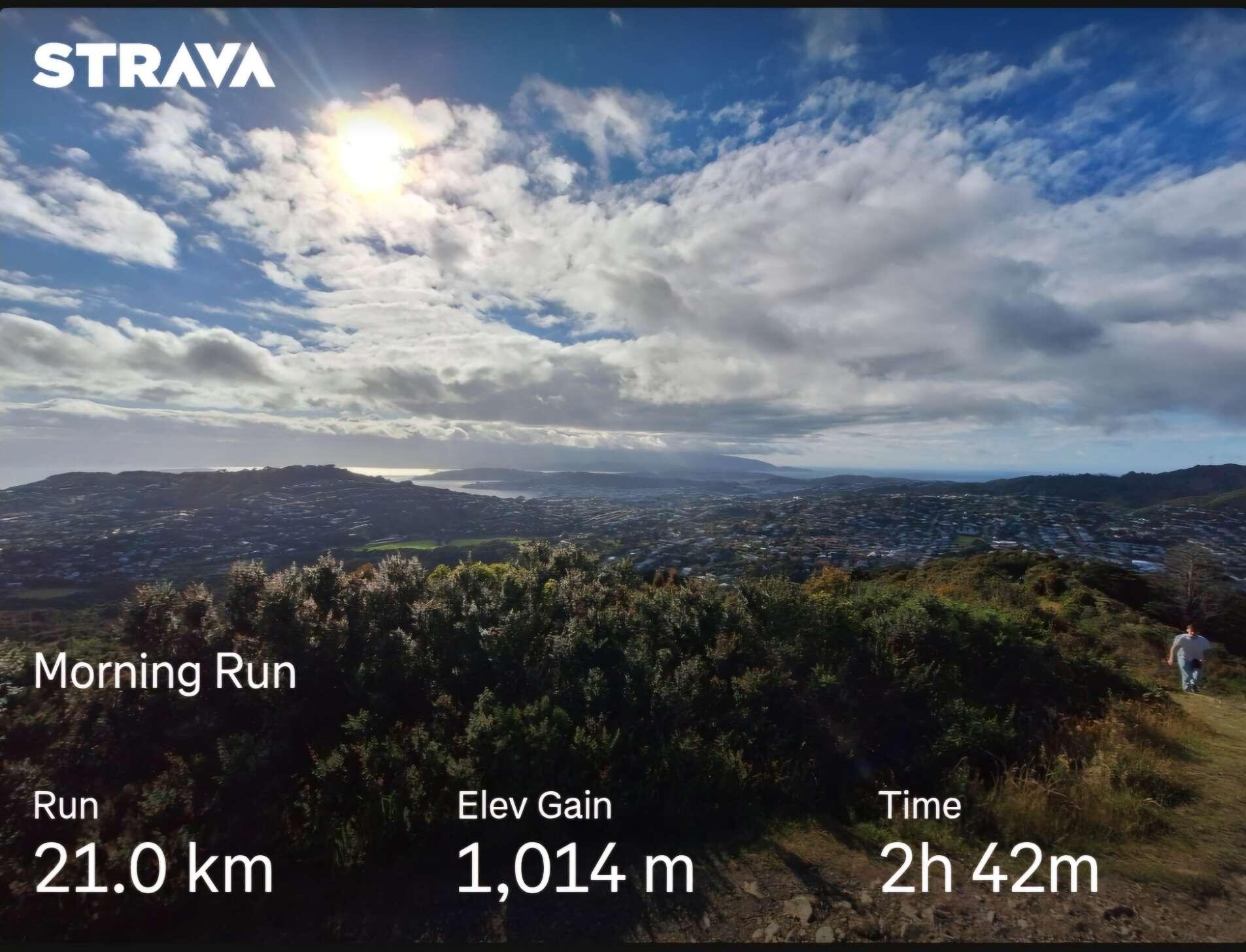
Couldn't send a zap as you don't have it set up.

Thanks for that, makes more sense now. I really don't know what I'm doing, but I'm having fun learning.
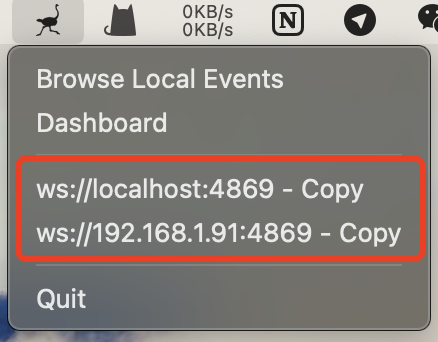
Thanks, I've been playing around and found that, and the browse local event. I have managed to make a 'local' post via Jumble. But none of my 'online' post get captured. Do I copy my local relay address into my clients relay list?

Finally tried nostr-relay-tray and it lives up to the promise, right out of the box. Great job nostr:nprofile1qyv8wumn8ghj7emjda6hquewxpuxx6rpwshxxmmd9uq3xamnwvaz7tm0venxx6rpd9hzuur4vghszrnhwden5te0dehhxtnvdakz7qgjwaehxw309ahx7um5wgerztnrdakj7qgnwaehxw309amk7apww468smewdahx2tcqyzqjtwg3a58ffklrqz9qheyvlewdps9sty3ullu30tn7sldggqygxrpk9s6
I feel kinda dumb, I have it running but I'm not sure what to with it exactly. Is there meant to be a relay address or something that I link to my Nostr client? Do I need to configure stuff? Any help appreciated.
My experience setting up AlbyHub on a Raspberry Pi Zero 2W.
I followed the instructions on the AlbyHub website for setting up Albyhub on a Pi Zero 2W.
Initially the Pi would not boot, so I worked through the ‘boot problems sticky’ thread on the raspberry Pi forums -
https://forums.raspberrypi.com/viewtopic.php?t=58151
As per the instructions in the sticky thread I attempted to see if my Pi was officially DOA. Connecting my Pi to PC via USB cable resulted in absolutely nothing happening - this was not a good sign, it was not recognised on Windows or Linux.
I contacted the Pi Shop (https://pishop.nz/raspberry-pi-400/popular/) where I had bought the Zero 2W. They responded within two hours, which was impressive given that it was 27th December. They suggested I try a new/better quality usb cable: I must admit I was somewhat skeptical, but I tried with a cable that I used with another Raspberry Pi, and the Pi Zero 2W was recognised correctly - finally some success!
I tried booting again, but still no joy - I reimaged to SD card and tried again - the green activity light flashed - we're getting somewhere...
I returned to the instructions in the Albyhub guide but I got no response when trying to Ping albyhub.local :-(
I knew the Albyhub was connected because I had received a message on my Router App to say it had been added to the network. Using the Router App I found the IP address of the Albyhub and tried the Ping again - success!
I Googled around to find out how to resolve this host name issue - I can't find the website that helped me, but essentially I edited the hosts file in etc/hosts [sudo nano /etc/hosts] and appended albyhub.local to the exisitng '127.0.1.1 albyhub' line, so it now it read
'127.0.1.1 albyhub albyhub.local'.
With the hosts file updated I rebooted the Pi (probably not necessary) waited a few minutes and then tried to Ping albyhub.local again and now it worked.
I waited a few more minutes and then continued with the Albyhub guide to install albyhub. From this point on-wards everything went as per the guide and I now have my new Albyhub running on a Pi Zero 2W.
nostr:nprofile1qy2hwumn8ghj7etyv4hzumn0wd68ytnvv9hxgqgdwaehxw309ahx7uewd3hkcqgawaehxw309ahx7um5wgkhqatz9emk2mrvdaexgetj9ehx2aqpr3mhxue69uhkummnw3ezucnfw33k76twv4ezuum0vd5kzmqpzpmhxue69uhkummnw3ezumrpdejqzrmhwden5te0dehhxarj9ekk7mgpzpmhxue69uhkummnw3ezuamfdejszythwden5te0dehhxarjxgcjucm0d5q3samnwvaz7tmsd3jkymmwv5hxummnw3erztnrdaksz9nhwden5te0wpcx2tnnwashymtnw3ezucm0d5q3yamnwvaz7tmsw4e8qmr9wpskwtn9wvq3gamnwvaz7tmjv4kxz7fwv3sk6atn9e5k7qgkwaehxw309aex2mrp0yhxummnw3ezucnpdejqz9rhwden5te0wfjkccte9ehx7um5wghxyecprpmhxue69uhhyetvv9ujumn0wdmksetjv5hxxmmdqythwumn8ghj7un9d3shjtnwda6x7umgdyh8w6twqyghwumn8ghj7umpw3ekzem99eu8j7spz4mhxue69uhhwmm59eekjctdwd68ytnrdakszynhwden5te0wahhgtn4w3ux7tn0dejsqgq4kh8keh6068qz729uec83jl904exgclrx503wywhelesssaf3tct59v4p I got got my Pi Zero 2W Alblyhub up and running - see my post for some issues I encountered (and resolved) on the way.
My experience setting up AlbyHub on a Raspberry Pi Zero 2W.
I followed the instructions on the AlbyHub website for setting up Albyhub on a Pi Zero 2W.
Initially the Pi would not boot, so I worked through the ‘boot problems sticky’ thread on the raspberry Pi forums -
https://forums.raspberrypi.com/viewtopic.php?t=58151
As per the instructions in the sticky thread I attempted to see if my Pi was officially DOA. Connecting my Pi to PC via USB cable resulted in absolutely nothing happening - this was not a good sign, it was not recognised on Windows or Linux.
I contacted the Pi Shop (https://pishop.nz/raspberry-pi-400/popular/) where I had bought the Zero 2W. They responded within two hours, which was impressive given that it was 27th December. They suggested I try a new/better quality usb cable: I must admit I was somewhat skeptical, but I tried with a cable that I used with another Raspberry Pi, and the Pi Zero 2W was recognised correctly - finally some success!
I tried booting again, but still no joy - I reimaged to SD card and tried again - the green activity light flashed - we're getting somewhere...
I returned to the instructions in the Albyhub guide but I got no response when trying to Ping albyhub.local :-(
I knew the Albyhub was connected because I had received a message on my Router App to say it had been added to the network. Using the Router App I found the IP address of the Albyhub and tried the Ping again - success!
I Googled around to find out how to resolve this host name issue - I can't find the website that helped me, but essentially I edited the hosts file in etc/hosts [sudo nano /etc/hosts] and appended albyhub.local to the exisitng '127.0.1.1 albyhub' line, so it now it read
'127.0.1.1 albyhub albyhub.local'.
With the hosts file updated I rebooted the Pi (probably not necessary) waited a few minutes and then tried to Ping albyhub.local again and now it worked.
I waited a few more minutes and then continued with the Albyhub guide to install albyhub. From this point on-wards everything went as per the guide and I now have my new Albyhub running on a Pi Zero 2W.

Okay, thanks. I can't even get it to boot at the moment! So, some playing to be done.
nostr:nprofile1qqsptdw0dn05l5wq9u5tens0r972ltjv337xdglzuga0nlnppp6nzhspz9mhxue69uhkummnw3eryvfwvdhk6qg5waehxw309aex2mrp0yhxgctdw4eju6t0qyw8wumn8ghj7mn0wd68ytnzd96xxmmfdejhytnnda3kjctvh2gd6f #albyhub I have an albyhub running on a linux laptop. I bought myself a raspberry pi zero 2w for Christmas and I'd like to setup my albyhub on it. If I follow this guide will I have an issue using my existing alby account? Should I transfer/restore my existing wallet or setup a new one? Any help appreciated, thanks. https://guides.getalby.com/user-guide/alby-account-and-browser-extension/hidden-archives/raspberry-pi-zero
Beautiful morning in #Wellington #NewZealand for a #run. 
Woman cutting her birthday cake in Iran 1973, 5 years before the Islamic Revolution https://t.co/rfHrbMNsfJ 
You need to set up your wallet so we zap you.
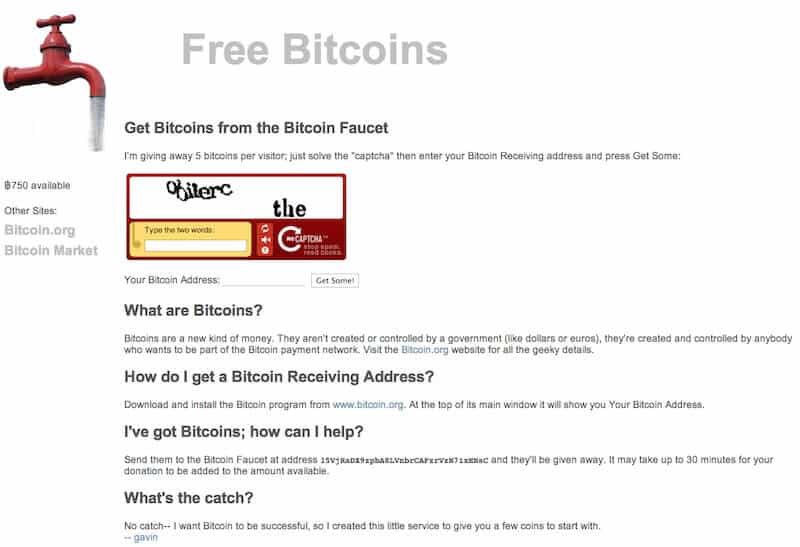
If only I'd kept what I got from the bitcoin Faucet. I just put it straight back in again.
Computer games in 1983
The Compaq Portable is an early portable computer which was one of the first IBM PC compatible systems
📹 vitaskhr
https://t.co/WdOmJROSay https://video.twimg.com/ext_tw_video/1843297832603664384/pu/vid/avc1/720x1280/Z6hAj6k4wh6SAujH.mp4?tag=12
I remember playing boulder dash.

This diver entering an underwater cave😳 https://t.co/beB2azK1u9 https://video.twimg.com/ext_tw_video/1843046376373948416/pu/vid/avc1/360x640/Mp4mjj0a1p2SsOfk.mp4?tag=12
That makes me feel ill.
Just testing sending a public note from oXchat

Hi! Happy to try to help you. I’m not sure exactly how the wallet selector works in Amethyst but maybe nostr:npub1gcxzte5zlkncx26j68ez60fzkvtkm9e0vrwdcvsjakxf9mu9qewqlfnj5z can help.
In terms of paying for the nostr.wine relay directly - you can also go to https://nostr.wine and make the payment there using whatever wallet is most convenient. You can also copy/paste the lightning invoice elsewhere as needed.
Thanks for the reply, I only just saw it. Not sure how I missed it. I think I will just pay directly as you have suggested.

Here comes the third prong to fuck #AUStriches once and for all.
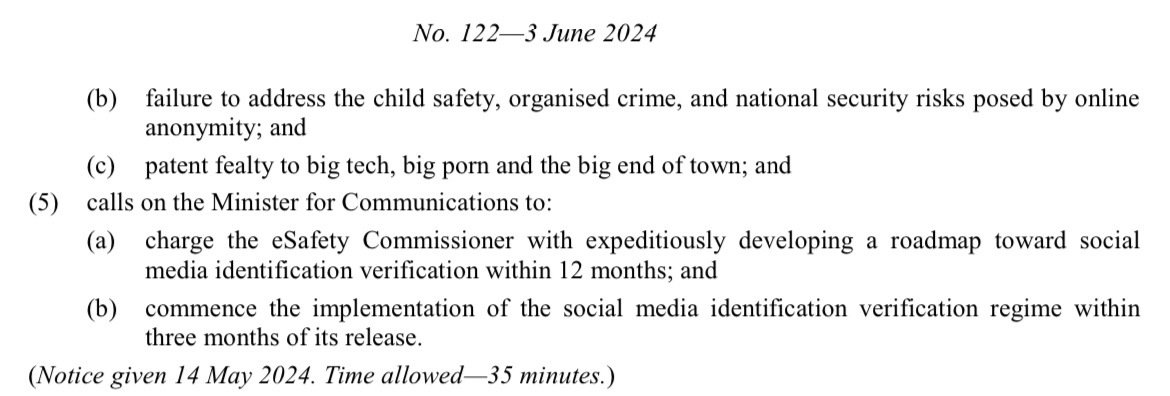
Digital ID comes in December, both sides of government are pushing legislation to have social media users KYCed (see note below and image 3) which will be here mid-2025.
And now they’re pushing ahead with the mis- and disinformation bill which defines “harm” so broadly (image 2) that there is no escape.
No more posting about Bitcoin, that harms the economy. No more disagreeing with net zero lunacy, that harms the environment. No questioning vaccines, that harms health.
If you do - they’ll have your identity and will come and arrest you for breaking this new law.
Bye bye Australia 🇦🇺 https://v.nostr.build/SUzWO8tItR8kdbKF.mp4 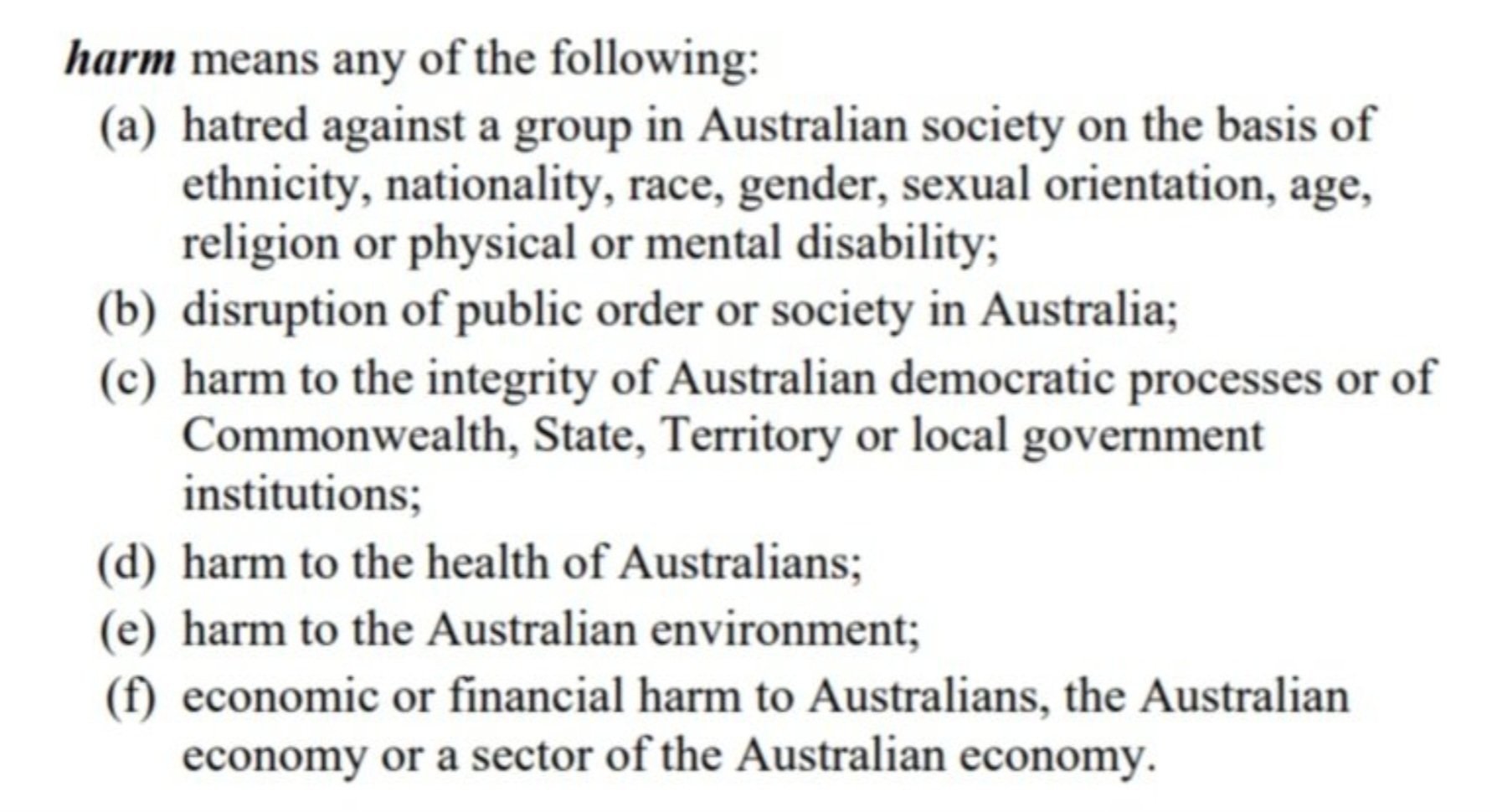
 nostr:note169sh3rkq2w639r5x558yqwnskwed897qza5m7qa0sw8l8dsngpkq5u9wgu
What does clause c) in the third image mean? What is Patent Fealty to big tech, big porn and the big end of town?

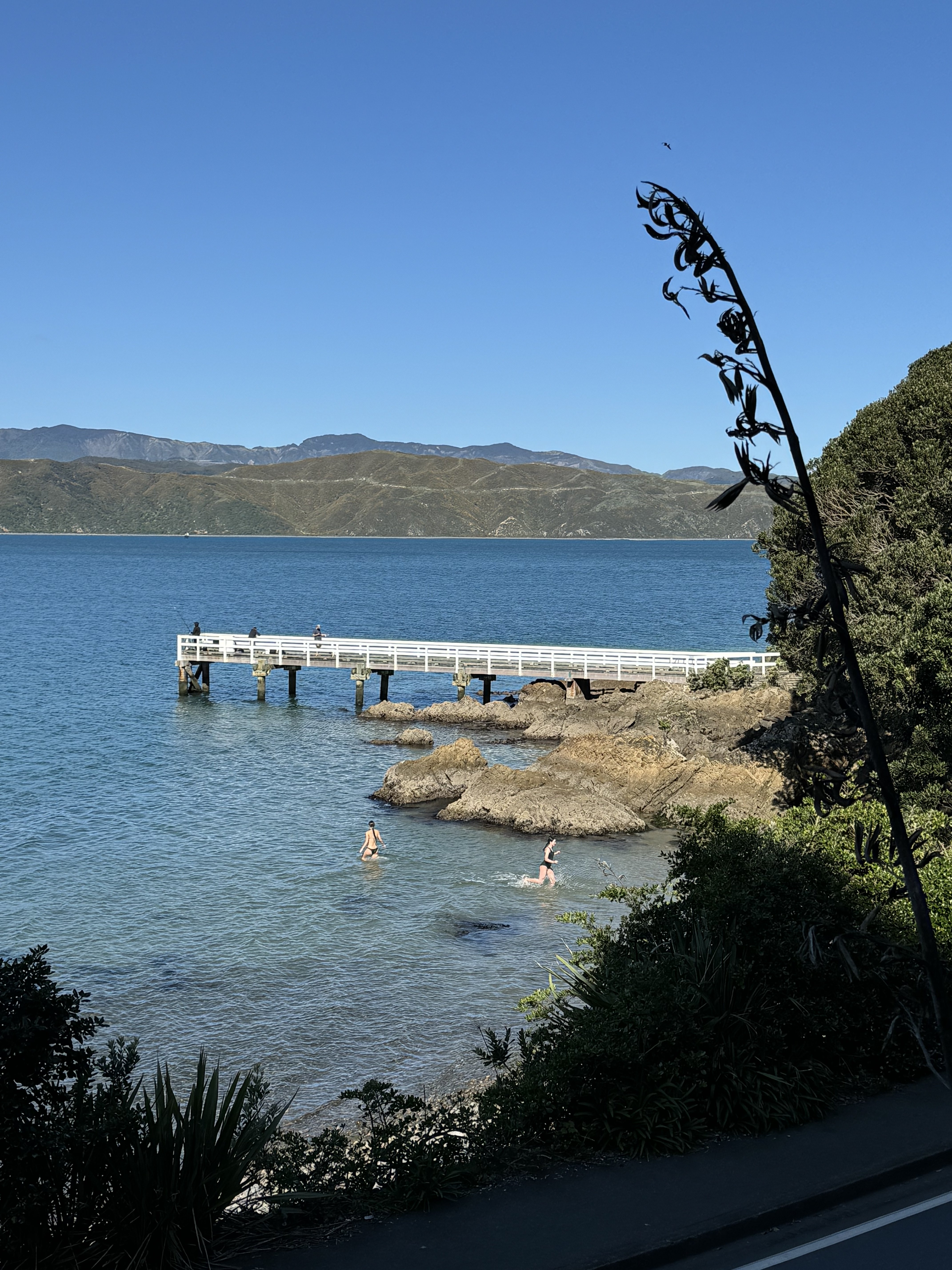
You can't beat #Wellington on a good day and today is a good day.