Even when added to Home Screen, you can’t have a notification pushed to the user if the app isn’t open on iOS

Notifications can only be pushed if the app is being actively viewed

I’ve tried

If you have a way to do it, let me know because I’m definitely interested
Reply to this note

Please Login to reply.

Discussion

You mean if a user adds a PWA to the home screen, and then closes that app altogether?

Or if a user adds it to the home screen, opens it, and then opens another app or swipes away? (Jump over to Clash of Clans for example)

For A it won't work. For B it should though.

I more meant if their phone screen is locked/asleep it won’t wake

I’ll have to try option B again, maybe that’s good enough

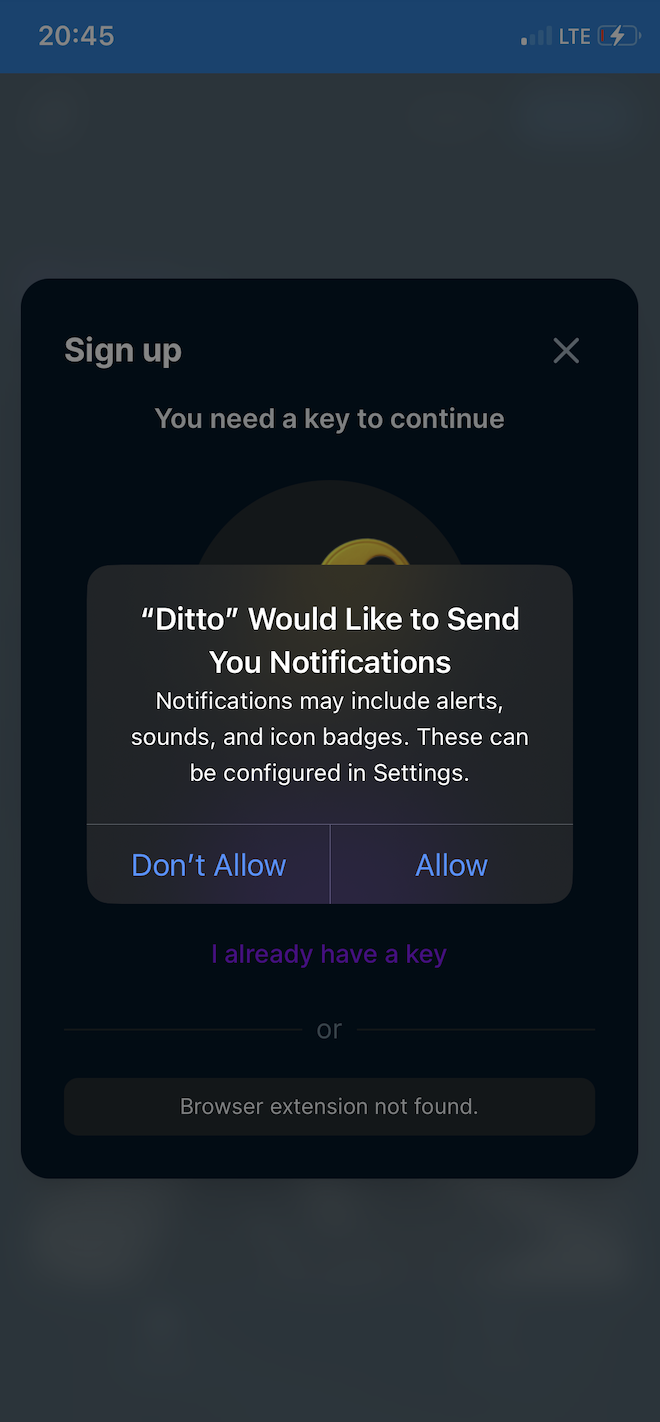
Gleason is solid with PWA notifications (they have a central relay). Try adding either https://ditto.pub/ or else https://gleasonator.dev/ and to the home screen and when done sign in. At some stage you should get a prompt to allow notifications as attached. Once you approve then the PWA will show as notification enabled in your notification settings, double check. Then wait for some nostr notifications (replies, reactions) and see if you're getting them even when the app isn't active.

Oh nice! Thanks for showing me this! I’ll try it out

Good luck! You'll also notice that notifications will still show even if the PWA is closed entirely—at least for a while until the service worker eventually goes out, days or weeks.

But zooming out recent app store changes might make the native app route a little more enticing, for US anyway.