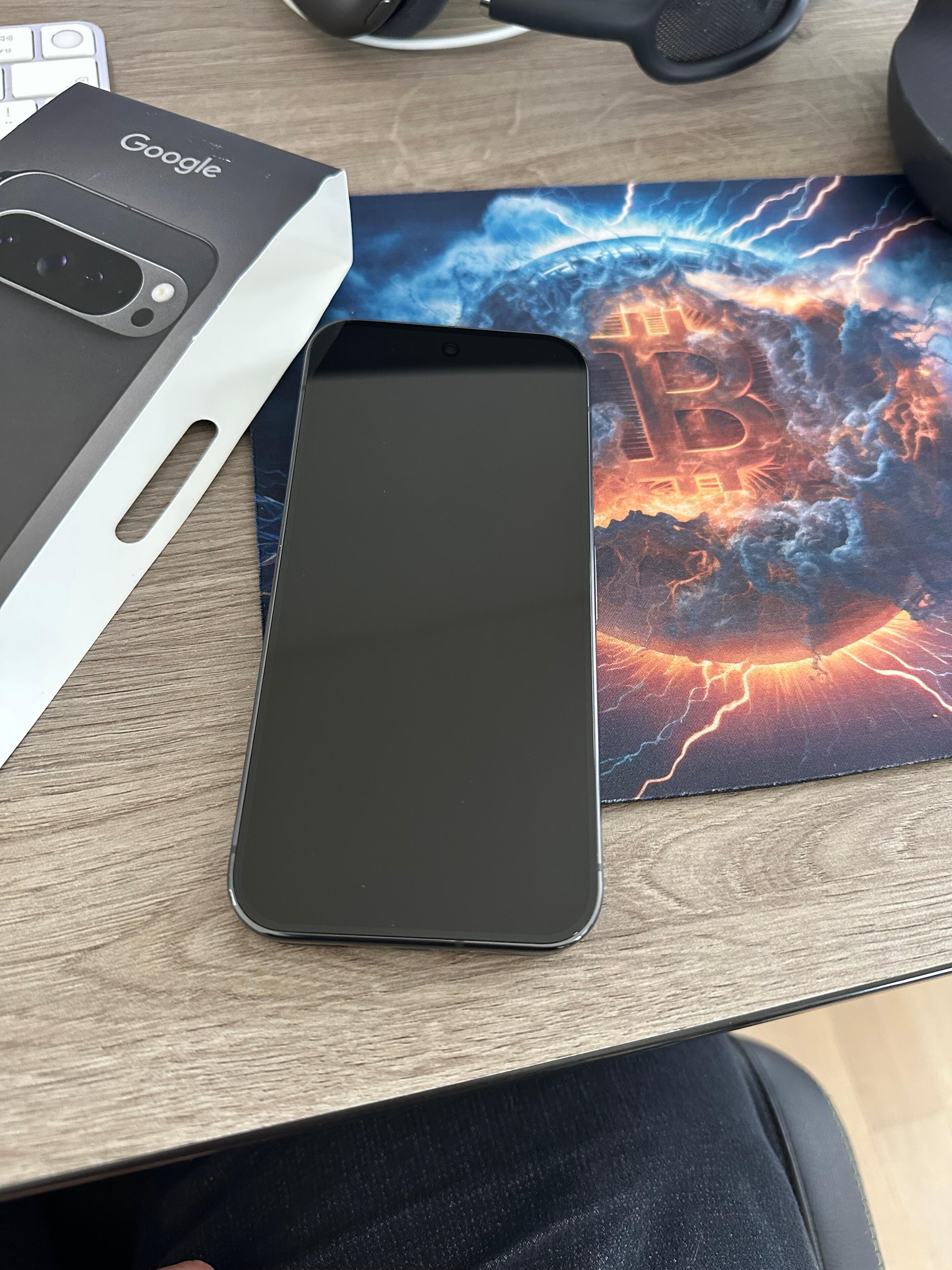
It's time to start my GrapheneOS journey. Any tips/recommendations for starting?

My plan:

1) Use the owner profile only for administrative purposes.

2) Whenever possible, use nostr:npub10r8xl2njyepcw2zwv3a6dyufj4e4ajx86hz6v4ehu4gnpupxxp7stjt2p8 and Obtanium.

3) Avoid unnecessary apps.

4) Don't be too restrictive; it's a midterm project.

Reply to this note

Please Login to reply.

Discussion

Sei nicht zu streng zu dir! Langsam und Stück für Stück!

Have fun!

Esims with bitcoin/vpn/tor :)

Das einzige was mich an graphene os stört ist das es automatisch immer nach updates sucht, hab auch noch nichtt gefunden wo ich diese Funktion selber”vollständig” unterbinden kann, falls du es mit der zeit rausfindest lass mit gerne n comment da, wie ?!

Ich mag Auto Updates zugegebenermassen recht gerne. Insbesondere Security relevante Updates

Glaube also nicht, dass ich jemals viel Zeit darin investieren werden, diese abzudrehen 🙈

Ich mag die auch , aber auch kontrolle darüber ;)

I heard its best to create separate profiles for apps for banking as they need more permissions.

Congrats and welcome to the fam!

I am using the main profile for applications that do not compromise my privacy, e.g. do not need Google Play Services. For everything else: Sandboxed profile with GP services, disabled cross-profile-notifications.

Also consider de-googling yourself. I have moved everything away. Feels much more natural to not use Gmail or Gmaps.

There are alternatives for everything.

Yeah, I'm more or less already degoogled 💪

The only product which I use up and then is Google Maps. I'll give alternative apps a shot

Try Organic Maps 👌

GMaps WV is decent too

So good to see more and more users care about their privacy. Do not forget though: The tracking and spying is on multiple layers.

The nostr:nprofile1qqs9g69ua6m5ec6ukstnmnyewj7a4j0gjjn5hu75f7w23d64gczunmgpz4mhxue69uhhyetvv9ujumt0wd68ytnsw43q4gnztg shipped browser (Vanadium) does not protect against HTML Canvas Fingerprinting per default.

Check your traces here:

https://coveryourtracks.eff.org/

nostr:nevent1qqszh6qyqnvmg8l4mhh9mremtpcdznatg6r8mnjv0fagfw0cp5fnjuqpzamhxue69uhhyetvv9ujuurjd9kkzmpwdejhgtczyqp8xnceetnc2rnmefkq52ak5560z5k44j7cdmkwr54lh4wk2qsqxqcyqqqqqqgrzvn63

Make sure you follow the flashing instructions closely. I am a terrible RTFM person but the docs were accurate when I had a few glitches (on Brave for macos) at flashing time.

Setup a fake mail for Google play to have a clean start if needed for some apps not on fdroid. You can delete it later.

I got stuck cos authy would not install and I use it for lots of apps.

Try to avoid fdroid in the future, use obtainium and zapstore instead.

Congratulations! Your plan sounds solid. I’m using Signal (Molly) as my messenger as much as possible. I’ve noticed that I’m not receiving texts from some iPhones. Some work and some don’t.

Newpipe is a great YouTube clone.

Vinyl music player is a great ITunes replacement. Zues wallet works flawlessly. Organic maps seems to work good but haven’t had an opportunity to use it in the wild. Mullvad VPN is great option.

There was definitely a bit of a learning curve but I stuck with and it paid off.

Thanks, I wasn't aware about Molly.. Will definitly check it out!

Hopefully I'll be happy with alternative map apps - that's one of my main concerns 😅

Ja, ist etwas um Gewöhnung, ABER du weißt warum du es machst. Und je mehr du damit umgehst, umso mehr lernst du. Es ist eine andere Welt, besser. 😅 Ich habe viele coole neue Apps als alternative erhalten. Ohne Tracking und dem ganzen pipapo. Übrigens musst Terminal ausprobieren. Mega. Ich feier es bisher.

Zum Start werde ich viele Apps einfach übernehmen um den Übergang nicht zu hart zu machen. Habe aber schon den Anspruch, diese ggf. nach und nach zu ersetzen, soweit wie möglich. Aber ganz so schlimm ist mein Setup auch nicht, hatte ja bereits ein Vorbereitungsprojekt und setzte viel Self Hosting auf und wechselte auf FOSS Apps :)

Terminal am Smartphone? Stelle ich mir recht unpraktisch vor - was machst du den damit so im Alltag?

Im Augenblick teste ich es. Hab da n KDE drauf gemacht. Und siehe da, ein Desktop im Smartphone(andere Apps, da ja Desktop). Vielleicht noch im Hintergrund nen Nostr Server? Keine Ahnung was da alles geht. Bitcoin Node? Umbrel? Start9? Maybe. 🤷‍♂️

Mit Zeus, die Node ist im Smartphone. 😅

Been on grapheneos since 2022, its legit.

💪

Einfach langsam parallel zu deinem bestehenden Smartphone einrichten und dir Zeit lassen.

Mach dich vertraut und teste ein bisschen rum.

Wenn du Fragen hast, kannst du mir auch eine DM schicken. 🙂👍

Ja, danke

Ich ging das schon mal vor zwei Jahren an und flüchtete dann zurück zum iPhone. Meine Freundin durfte sich über ein geschenktes Smartphone freuen 😅 Aus dem Fehler zu viel auf einmal zu wollen, lernte ich (hoffentlich)

You could also use F-Droid, specially along with some of the alternative repos like IzzyOnDroid and Guardian project, it's pretty much big tech free. I've been on @GrapheneOS for couple of months now, good stuff!

In various Youtube videos people are talking about security concerns with F-Droid.

For now I try to stick with applications from source (Obtanium) and Zapstore, as I like the idea with the social graph

Huh!? What security concerns? The whole F-Droid pipeline is open source and verifiable. Either there's a vulnerability that's been discovered and is being worked on, or whoever is making these claims are fear mongering for some other reason.

I like to keep my camera and microphone permissions locked down. Not that hard to toggle them on and off as needed.

I also recommend using your own DNS at the phone level. Easy to add in the settings.

Accrescent is another FOSS app store to jeep your eye on. Early stages at the moment so not very populated just yet.

——

A few app recommendations:

Grab yourself an offline keyboard like HeliBoard or Futo Keyboard.

I love the Breezy Weather app

Obsidian is great for notes

Aves is great for photo gallery management

NewPipe for YouTube

Orbot, IVPN, MullvadVPN, or ProtonVPN

I would definitly recomend Heliboard as your keyboard, i totally love it.

For Notes Joplin

For ToDos Task

As Calender the Fossify Calender

Sorry, it's Tasks

Did you by chance use #joplin and #logseq? I use Logseq every day. But happy to learn, when Joplin is more lightweight or is better in something.

No I just use Joplin.

I tested a lot of different Notes App last year.

But not logseq 🫣

6 month ago I switched from the iPhone to a Android Phone and also from icloud to Nextcloud. That was the reason why o tested a lot of apps for month. I was looking for open source apps for Calendar, ToDo, Notes and so on.

The biggest reason why I staid with Joplin is that I can use it on my Phone, PC and on the iPad which I still have.

And the App is beautiful and has every function i need, but is not overloaded.

At the moment i even host my Notes on OneDrive, because it's E2EE. And that also works perfectly. I also have a automatically backup on my own cloud which Joplin generates.

I'll change that later, but it works great.

You can even make a backup from single Notes or all Notes at all in different Data Types.

It uses simple Markdown, so you can export and import notes pretty well. And you could even create a PDF out of a note.

Which is use to share receipts

Ok. I will want to look into choplin. I think the idea is similar with Joplin and Logseq. Maby the main difference is, that Logseq is a outlier. Means that every line is a Block, that can be easily referenced to.

And I also use it as ToDo List. Also it gives the opportunity to automatically versioncontrol it into a git repository. Like this one can just find an older version of a file, when something is messed up at some time of a file.

Its also multiplatform, opensource and markdown based. But it lacks PDF export or you can might do it through a plugin. BUt I use it only without plugin until now.

Sounds also pretty good 🤗

But i guess i don't need that much tools at the moment. But as i know you could also "connect" Notes in Joplin.

You could also use it for Tasks, but i use the App Tasks for this with my Nextcloud. I love that Combination because I can use it with an Browser too

But logseq is not only a Notes App, right?

Yes Logseq is a big span of things. You can type notes and link those easily. Every line is considered a Block. And it is very nice to get order and hirarchy into thoughts. It comes with excalidraw within it to skatch ideas as well. So it is rather kind of a mix of tools.

But also opensource and with an easy markdown language at its Base.

Hab auch gerade geswitched.

Warum willst du das owner Profil nur für administratives verwenden?

Habe ich so im Youtube aufgegabelt und fand an der Idee Gefallen

So habe ich einen zentralen Ort um Apps zu installieren und kann sie dann auf die gewünschten Profile übertragen. So gelangen zB Banking Apps erst gar nie in mein reguläres Profil. Im administrativen Profil habe ich die Apps übrigens alle immer deaktiviert, um sie erst gar nicht versehenltich dort zu verwenden

Ob gut oder lästige Fleissaufgabe, kann ich dann zu einem späteren Zeitpunkt sagen 😅 Stand jetzt erscheints mir der Ansatz aber schon gut

OK verstehe. Ich wollte wissen ob es dadurch einen Vorteil gibt, den ich noch noch verstanden habe.

Warum nicht die apps nur im jeweiligen Nutzer installieren? So Hans ich gemacht. Somit hab ich bitcoin und Banken gut getrennt und im Hauptprofil alles andere, was ich so nutze...

Die Option, ob man seine Rufnummer bei Anrufen verstecken oder sichtbar machen möchte, ist NUR im Administrator Profil in der Telefon App zu finden 🥸☝️

Please do update us on your experience, I've always been tempted to do this but I don't have the guts.

Graphene is was simpler to set up than any other ROM I tried before it. Never felt the need to change back to stock android and it's been over a year for me.

Biggest thing is just know what you need to back up beforehand (2FA codes, pictures, etc) and make sure you're ok with losing some of the cool pixel features like call screening. I do miss that feature still. Can't use GPay for NFC payment at checkout (not a problem if you normally have your debit/credit card on you already).

Other than that, you can get pretty close to your normal pixel experience with a better baseline level of security and privacy. Don't let the puritans scare you into not using things like Google play services. If you need stuff on your phone to make life easier, just use it. Privacy is a spectrum, not a hard set of rules!

Thanks for the detailed perspective.

Agreed about backups. I backup these every couple of weeks.

Contacts (export to VCF)

Bookmarks (export via Brave)

Passwords (export via Brave)

2FA (Aegis json)

Keepass DX (entire kdbx file)

NewPipe settings

No need to worry about email, held on offshore servers.

Don't put any critical info into a cloud.

Keep all Financials on separate profile.

Might move everything else to a third profile.

Make first profile a landing page type of profile.

Sure 😀

Yep. Keep it simple. Most of us probably don't need Snowden level anonymity, but just getting off apple/google farms and controlling your data is an absolute huge win.

It's not just Apple or Google. Other major platforms cross pollinate your user meta data to build up a profile of you through attack surfaces like email (mail headers), phishing, IMEI, IMSI, fingerprinting, DNS Addressing, and Client Side scanning (Apple). Just as a few examples.

Facebook, X, Amazon, Spotify, TikTok are huge data harvesters and corroborate with each other.

>>> Any tips/recommendations for starting?

Well, don't install software just for the sake of installing software.

That is, if you need synchronization between your devices, then look for software that will solve your problem. In this example Syncthing will solve your problem. But, if you don't need to have synchronization - don't just install some software.

If you need any specific software for a specific task, don't hesitate to ask.

My only problem with Syncthing and KDE Connect is that all devices need to visible on your LAN. If your devices are running a VPN this can trip up connectivity locally.

It's not a problem at all. Play with your firewall settings.

I'm under a VPN right now, but on the LAN all my devices communicate with each other fine. :)

I'll have a look at it tomorrow. Thanks.

What about the camera quality? Is it on par with google camera?

You use Google camera too

Can*

2.5 months ago, I switched from #iOS to #GrapheneOS.

It was much easier than expected, and I'm still happy with my decision. Do you guys have any questions regarding that topic?

nostr:nevent1qvzqqqqqqypzqqnnfuvu4eu9peau5mq29wm22d832t26e0vxam8p62lm6ht9qgqrqqszh6qyqnvmg8l4mhh9mremtpcdznatg6r8mnjv0fagfw0cp5fnjuq2nhwqw