Somehow while messing with alby hub, alby acc got rugged if the entire balance. Wasn’t much but strange…
Discussion

In Alby's Discord chat, I've seen people report that a couple of times, but it ended up not being true, just poor interface and workflow.
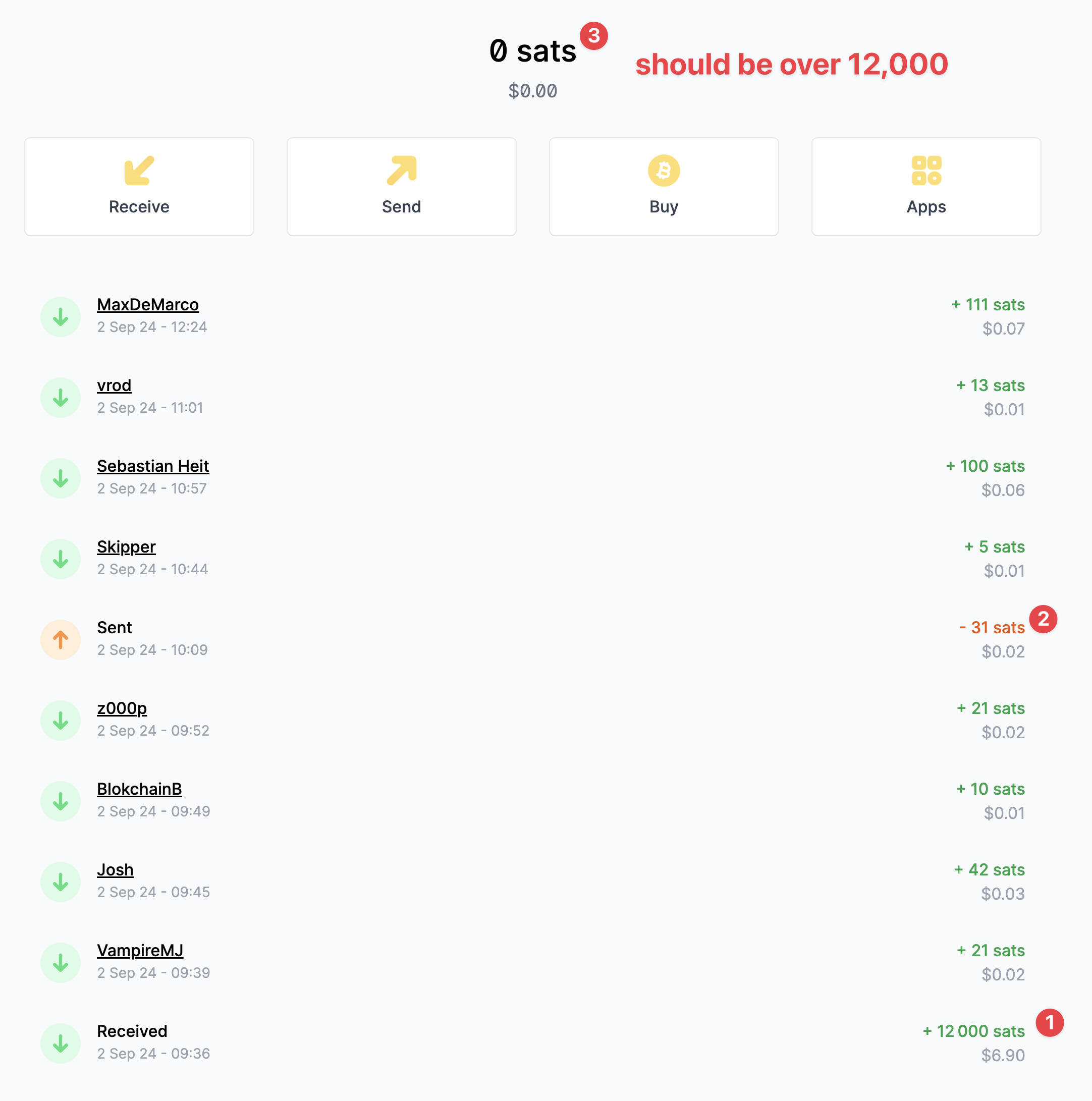

Try verifying from the actual hub admin interface. At times the Alby dashboard could be slow or run into sync issues
I wasn’t able to buy a channel. QR wasn’t working and payment would not work when copying invoice
I mean I see the QR but it WoS can’t seem to scan it.

I had the exact same issue when I tried to set it up initially. Not sure what fixed it, but after one of the latest updates I was finally able to scan and pay one of the invoices. What version of albyhub do you have installed?
nostr:npub1xv8mzscll8vvy5rsdw7dcqtd2j268a6yupr6gzqh86f2ulhy9kkqmclk3x any ideas? Sounds like an issue I also had. Couldn’t pay the invoice to open a new channel, no matter which wallet I used.
1.6.0 unable to scan QR :( will try copy paste again.
Looks like copy invoice button doesn’t work either.
Weird, I had the exact same glitch. Tried for several days.
Finally updated to a new version and then it worked all of a sudden. Still not sure what caused the issue. Some wallets also said the invoice wasn’t correct or that it missed data while trying to pay.

Did you try decoupling? Had this myself as well while having issues setting up my Lightning channels.
Decoupling made the Sats available again. When the Lightning channels were set up correctly I could transfer the funds