#Gooti for #Chrome is now available.

Get it on
Oooo gonna try it later
Where is the nsec stored? In the extension or on my phone? I don't want to store the keys on my laptop - I want them to stay only on my phone.
The nsec is encrypted and stored in your browser. In case you have activated the sync, the encrypted data is also synced between browser instances.
Amazing. I haven't felt that there's a good alternative to Alby.
Why dont signers just read the table from the github page to display a hint about the kind being signed? Seeing "kind 30087" is almost useless.
Agree, a signer that will provide me easy to read context (maybe even render events) would be huge!
Awesome! Thanks for making this =3
One note: Would be great if the 'export vault' button/function would have an option to export the file with encryption
Excited to see more multi-account options pop-up. The easier it is for people to switch accounts the more identies they'll use for different use-cases.
Nice Job! Testing...
Man see Firefox, man happy.
Will try this extension today.
Firefox and Chrome! That's what I needed! Will try it out later! 💜💜💜
Been loving it so far! I ran into this issue when trying to use my key to sign an encrypted payload though.

Sorry I mean decrypt an encrypted payload using the extension.
Support fir NIP44 is next on my list.
What client are you using (so I know where to test)?
I actually was developing new features on my website. I haven’t released the change yet though. You could probably look at messages in nostrudel.ninja to test though.
Support for NIP-44 is now available in version 0.0.4. The Firefox extension is already up to date, Chrome is still pending review by Google (usually and unfortunately always takes a few days).
Awesome I’ll test it out on Firefox then. Thanks for the speediness!
Chrome version is now also updated and supports NIP-44.
Great I’ll check it out!
So it looks like if I approve each message one at a time clicking the "just once" button, everything works fine and decrypts each message.
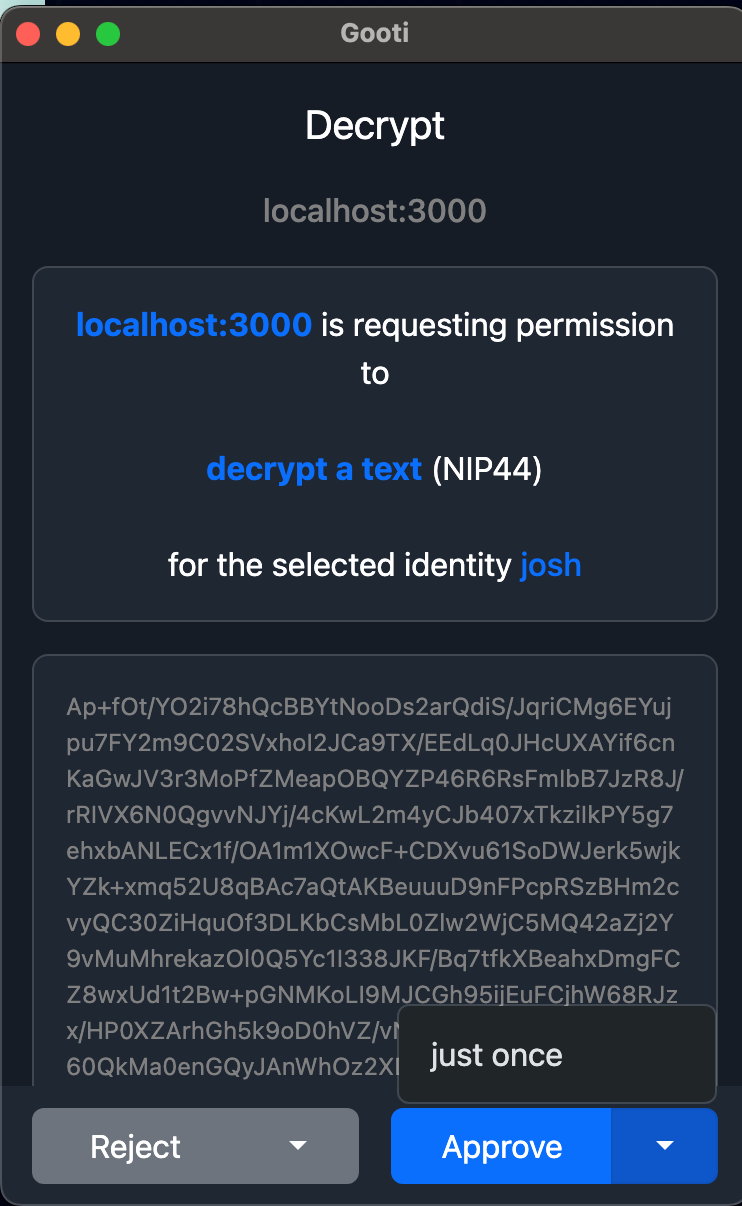
But if I click the "Approve" button to allow all of them at once, it hangs.
This is the line it hangs on:
`const res = await ndk.signer.nip44Decrypt(ndkUser, event.content);`;
Will look into it.
This would be an example of the events I'm trying to pull back and have them all decrypted:
const events = await ndk.fetchEvents({ kinds: [7376], authors: [serviceUserResponse.pubkey] });
for (const whe of walletHistoryEvents) {
const res = await ndk.signer.nip44Decrypt(ndkUser, whe.content);
console.log(res);
}
Just stumbled across Gooti in Chrome Webstore (using it in Chromium with local vault). Very good so far!
I was a bit confused how to switch identities until I figured out that's what the star is for. Maybe you can make it even more obvious. How about just having left und right arrow navigation on the top in the "You" screen?
Will think about it. Thanks for your feedback.
Noticed another UX thing...
- When I open the browser and am logged out of my local vault
- and I go to e.g. primal.net
- then there is not indication that I need to log in to the vault.
Would be great to have some kind of popup or notification that the website wants to log in with a nostr identity.
The features and UX it provides are pretty great.
However, there’s some sort of major bug that freezes the thread when several signer operations are proposed simultaneously by the site. It was crashing really hard.
The pop-up windows are also massive and full-screen, instead of being “snappy” in the window space.
I’m looking forward to seeing Gooti improve, for now it is unfortunately unusable for me.
I’ll get a ticket open on GitHub and be actually helpful soon 😂