

In Coinos, go to the settings cog.
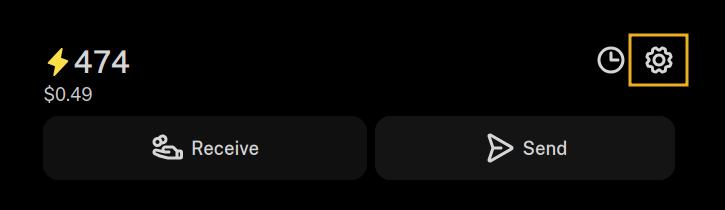
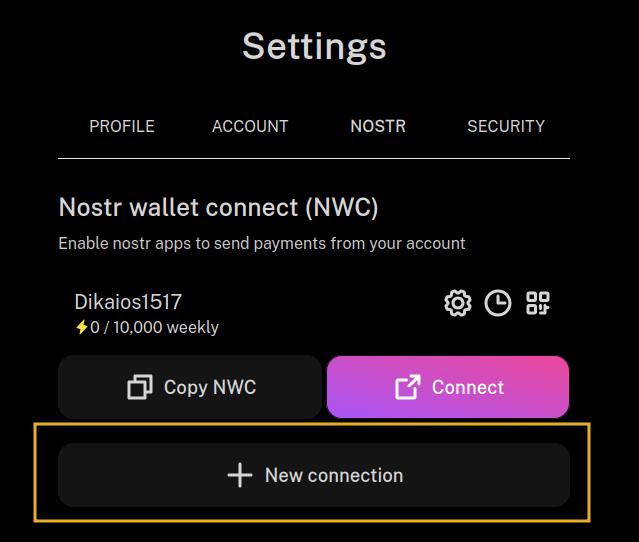
Select "New Connection."
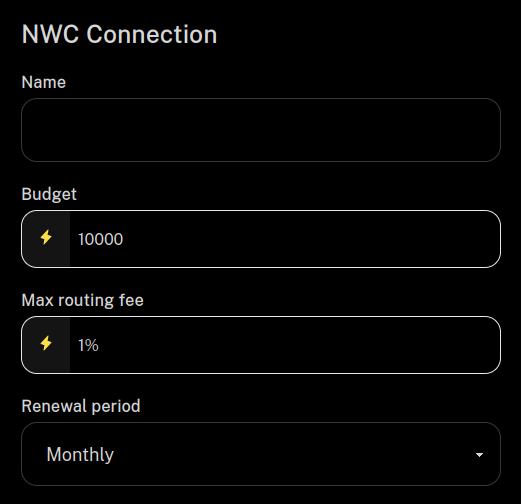
Give it a name, like which Nostr app you are connecting to. You can also set a budget and how often it renews. Then scroll down and click "Submit." No need to mess with any of the other options.
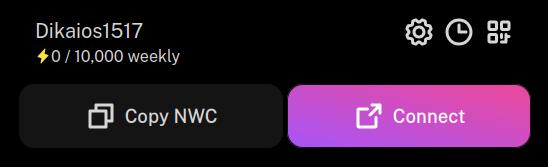
Now you should have a connection set up that looks something like the one below. Select "Copy NWC."
At this point you'll need to go over to Damus to paste that NWC connection string into the proper place in that client. I am on Android, so I don't have Damus to be able to tell you exactly where to paste it in, but maybe nostr:npub1xtscya34g58tk0z605fvr788k263gsu6cy9x0mhnm87echrgufzsevkk5s, nostr:npub13v47pg9dxjq96an8jfev9znhm0k7ntwtlh9y335paj9kyjsjpznqzzl3l8, or nostr:npub1yaul8k059377u9lsu67de7y637w4jtgeuwcmh5n7788l6xnlnrgs3tvjmf can point you in the right direction.
Unfortunately, Primal on iOS does not support connecting an external wallet, so you won't be able to zap from Primal until they add it. Given the recent court ruling against Apple and in favor of Epic Games, I would not be surprised if Primal adds this in the near future, as the app on Android already includes it.
Another app you might want to try on iOS is Nostur. nostr:npub1n0sturny6w9zn2wwexju3m6asu7zh7jnv2jt2kx6tlmfhs7thq0qnflahe is the dev behind that app, and he's packed a ton of features into it! He can tell you where to paste your NWC connection string from nostr:npub1h2qfjpnxau9k7ja9qkf50043xfpfy8j5v60xsqryef64y44puwnq28w8ch into Nostur.