
Top Stories: WWDC Recap With iOS 18, Apple Intelligence, and More
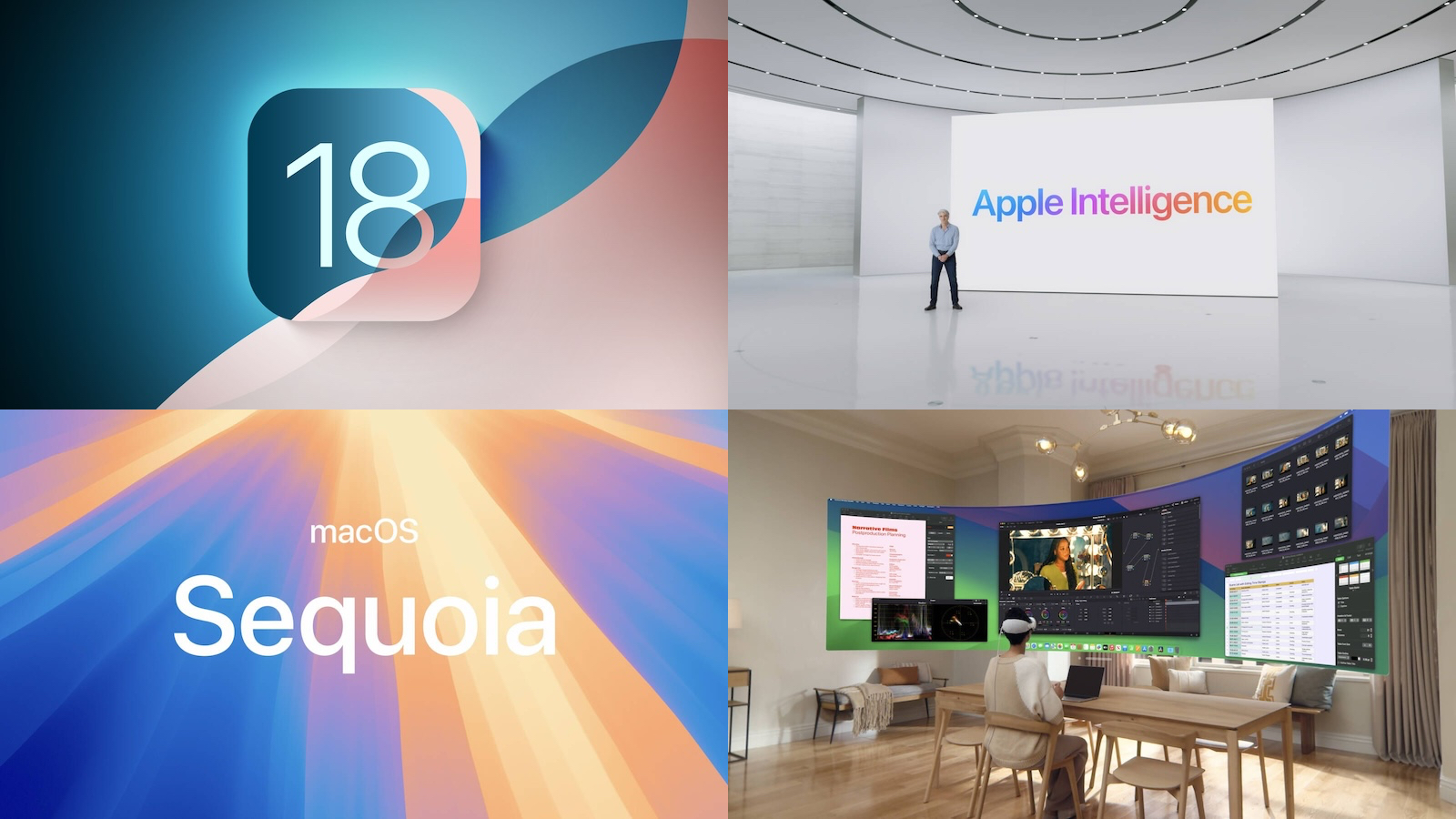
WWDC 2024 kicked off on Monday with a jam-packed keynote revealing iOS 18, macOS Sequoia, and more, all fueled by upcoming Apple Intelligence technology.
We've highlighted the major announcements below, but be sure to check out our recap post that includes a video going over the highlights plus links to all of our coverage from the big day!
Apple Announces iOS 18 With Customizable Home Screen and Control Center and Much More
Apple this week announced iOS 18, which includes a wide range of new features and changes for the iPhone, including new customization options for the Home Screen and Control Center, a redesigned Photos app, the ability to use any emoji as a Tapback in the Messages app, an option to lock apps behind Face ID or Touch ID, and much more.
The tentpole feature of iOS 18 is Apple Intelligence, which is Apple's new suite of generative AI features coming to the iPhone, iPad, and Mac later this year. Read on for more details about Apple Intelligence.
'Apple Intelligence' Unveiled for iPhone, iPad, and Mac
Apple Intelligence can summarize text and notifications, create custom emoji and images, and more. Siri is also getting smarter with Apple Intelligence, with richer language understanding and more per-app controls. Siri will also be able to access ChatGPT.
These new AI-powered features will be available on the iPhone 15 Pro or newer, or any Mac or iPad equipped with an M1 chip or newer. Apple Intelligence will be available when iOS 18, iPadOS 18, and macOS Sequoia are released to the public later this year, but the features will have a beta label at launch.
Apple Unveils macOS 15 Sequoia With iPhone Mirroring, Passwords App, More
macOS Sequoia is the name for this year's major update to the Mac operating system!
Key new features beyond Apple Intelligence include the ability to mirror your iPhone onto your Mac, the same Passwords app coming to the iPhone with iOS 18, improved window tiling, and more.
macOS Sequoia is currently in beta, and it will be widely released later this year.
Apple Previews watchOS 11 With New Health and Workout Features
watchOS 11's key new features and changes for the Apple Watch include the ability to pause your Activity rings without disrupting your award streak, a new Vitals app that provides overnight health metrics, Live Activities support in the Smart Stack, and more.
Like the other software updates unveiled at WWDC, watchOS 11 is currently in beta for developers and will be widely released later this year.
tvOS 18 Adds 'InSight' to Identify Actors and Songs in Apple TV+ Shows and More
While it did not receive too much attention at WWDC, tvOS 18 is coming to the Apple TV.
The software update includes a handful of new features and changes, including an "InSight" feature that can identify actors and songs in Apple TV+ shows, updates to the Enhance Dialogue feature and subtitles, additional screen savers, 21:9 video playback support for playing movies and shows on projectors, and more.
Apple Announces visionOS 2 With Ultra-Wide Mac Virtual Display, Travel Mode on Trains, and More
visionOS 2 is the first-ever major software update for Apple's Vision Pro spatial computer, which launched in the U.S. earlier this year and will be available in eight more countries by mid-July.
visionOS 2 can turn existing 2D photos into spatial photos with machine learning, adds new hand gestures for frequently used features like Home View and Control Center, introduces a larger ultra-wide version of Mac Virtual Display, expands Travel Mode to trains, supports a physical mouse, and more.
MacRumors Newsletter
Each week, we publish an email newsletter like this highlighting the top Apple stories, making it a great way to get a bite-sized recap of the week hitting all of the major topics we've covered and tying together related stories for a big-picture view.
top stories like the above recap delivered to your email inbox each week, subscribe to our newsletter!
Tag: Top Stories
This article, "Top Stories: WWDC Recap With iOS 18, Apple Intelligence, and More" first appeared on MacRumors.com
Discuss this article in our forums
https://www.macrumors.com/2024/06/15/top-stories-wwdc-2024-recap/
You Can Give Siri a New Name With iOS 18's Vocal Shortcuts
Apple in iOS 18 added a Vocal Shortcuts accessibility feature, and now that iOS 18 is available in a beta capacity, users have figured out that this option can be used to give Siri a new wake word.
With Vocal Shortcuts, you can assign a custom phrase that Siri can understand to launch shortcuts and complete "complex tasks," and one of the shortcuts you can set up is an alternative for "Hey Siri."
To set up a Vocal Shortcut for Siri, open up the Settings app, go to Accessibility, and scroll down to Vocal Shortcuts. From there, choose "Set Up Vocal Shortcuts," and select "Siri" (not Siri Request). Type in the new name that you want to use to activate Siri, such as "Computer."
Once your new name is set, you can say that name to activate Siri on the iPhone. Note that this is limited to the iPhone, and it does not sync to other devices like HomePod so you'll still need to use "Siri" for those devices.
As noted on Reddit, if you set this up, you need to pause to wait for it to activate before you give a command. With Siri, you can say an entire phrase, like "Hey Siri what time is it?" without stopping. That does not work with the Vocal Shortcut setup. You need to state the wake word, pause, and then give the command once the wake word has activated Siri.
Because of the delay, this isn't likely an option that most people are going to want to use permanently, though Siri will still activate with "Hey Siri" as well as the shortcut.
Related Roundups: iOS 18, iPadOS 18
Related Forums: iOS 18, iPadOS 18
This article, "You Can Give Siri a New Name With iOS 18's Vocal Shortcuts" first appeared on MacRumors.com
Discuss this article in our forums
Sonos' Privacy Policy Change Suggests It Might Sell Your Data
Popular audio company Sonos recently updated its U.S. privacy policy to make a small but notable change that seemingly puts customer data at risk. As noted by Louis Rossmann (via The Verge), the new Sonos privacy policy removes a line about not selling customer data.
In the 2023 version of its privacy policy, Sonos had this sentence: "We do not and will not sell your personal data to third parties." The statement has been removed from the 2024 version of the privacy policy in the United States, though it is still present in privacy policies in other countries.
sparked commentary on Reddit from Sonos customers who have become increasingly unhappy with the company in recent months. Back in May, Sonos rolled out a new app design that has been widely criticized for missing a long list of features like editing a song queue, managing playlists, shuffling a music library, and more.
RemarkableAgent1350:
What is happening at Sonos? This hurts to read, especially after all the app drama - and from a company that I loved. This just might be the straw that broke the camel's back, so to speak. I think I'm done with Sonos.
The removal of that line from the privacy policy doesn't mean Sonos is definitely selling customer data, and the company has not responded queries about what the change means as of yet.
Tag: Sonos
This article, "Sonos' Privacy Policy Change Suggests It Might Sell Your Data" first appeared on MacRumors.com
Discuss this article in our forums
https://www.macrumors.com/2024/06/14/sonos-privacy-policy-change-suggests-it-might-sell-your-data/
iOS 18 Gains Emergency SOS Live Video Support
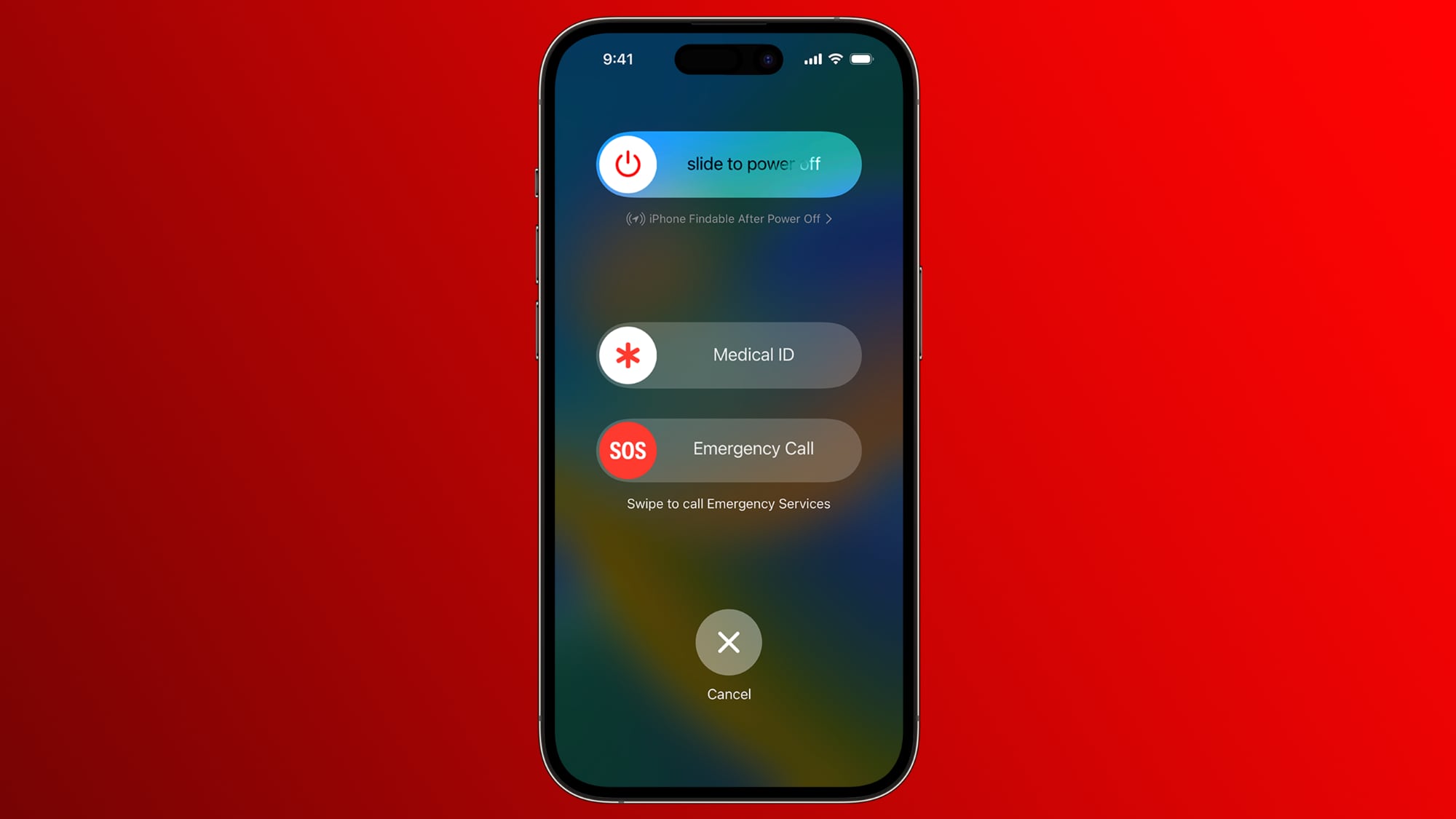
iOS 18 is giving iPhone users who find themselves in an emergency situation a way to provide more information and context to emergency responders with an update to Emergency SOS.
Emergency SOS now supports live video, which means once the SOS feature is activated, streaming video and recorded media can be sent to emergency personnel. Emergency dispatchers can send a request for a user to share either live video or a video from the camera roll, which Apple says should make it easier and faster to get help.
Video is sent over a secure connection to the emergency dispatcher. The option could allow those in emergency situations to send key information for location purposes, to assess injury or risk, or to be used as evidence at a later date.
Related Roundup: iOS 18
Related Forums: iOS 18, iPadOS 18
This article, "iOS 18 Gains Emergency SOS Live Video Support" first appeared on MacRumors.com
Discuss this article in our forums
https://www.macrumors.com/2024/06/14/ios-18-gains-emergency-sos-live-video-support/
Apple Explains How iOS 18 Genmoji Work
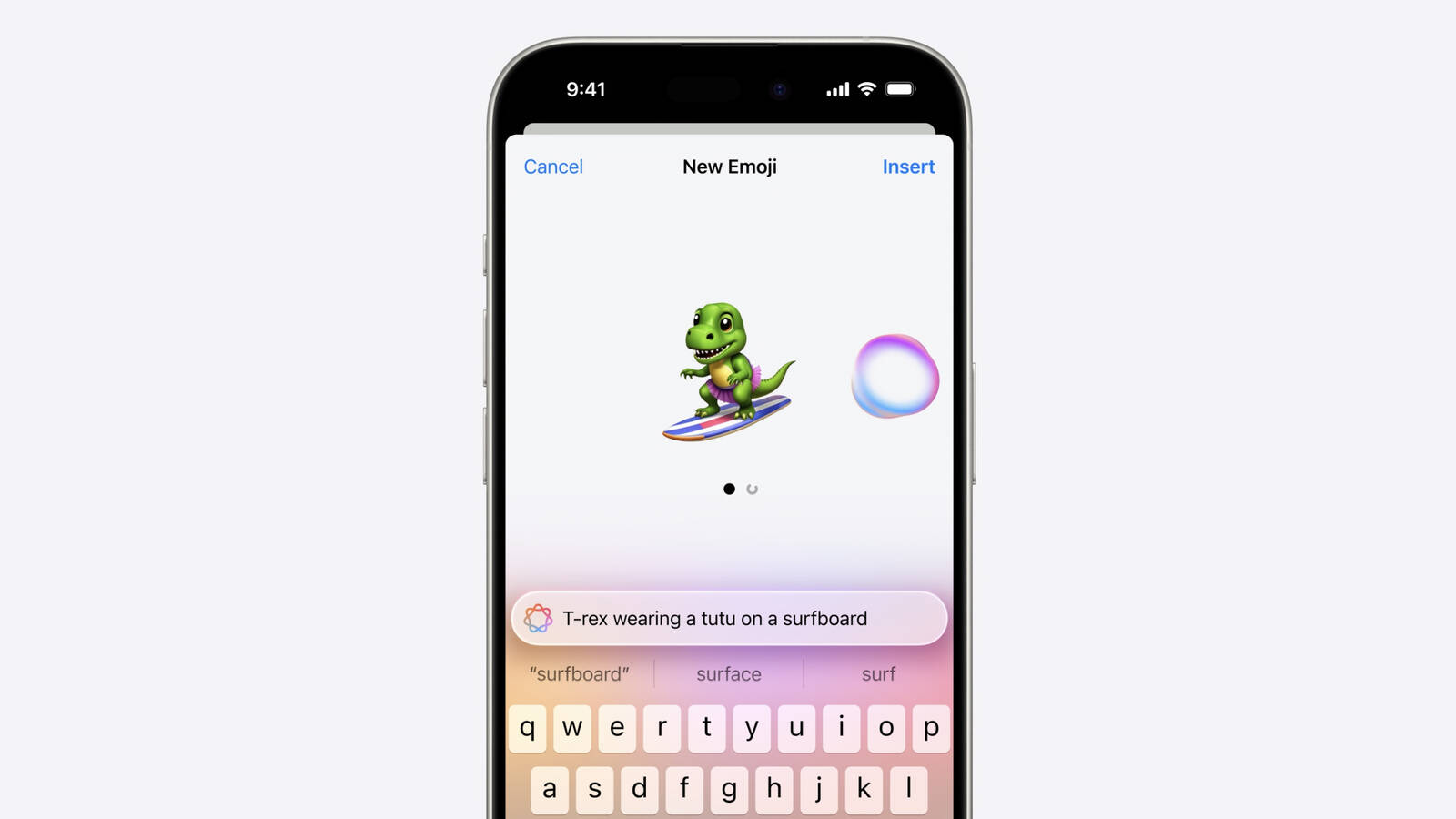
One of the Apple Intelligence features coming in iOS 18 is Genmoji, which will allow iPhone users to use AI to generate all-new emoji characters based on text input. The Genmoji will look similar to emoji, but are custom created, according to an iOS 18 WWDC session focused on Genmoji.
Emoji are not images, but are instead pictographs that are encoded in the Unicode Standard and rendered by each platform. Emoji are added by the Unicode Consortium, which raised some questions about how Apple's Genmoji solution will work.
As it turns out, Apple has designed an NSAdaptiveImageGlyph API for Genmoji and also other images like stickers and Memoji, and this API makes them behave like emoji. It is powered by a standard image format in a square aspect ratio with support for multiple resolutions, and it is augmented with metadata. This setup means that Genmoji and other content using NSAdaptiveImageGlyph can be used with and formatted alongside regular text, similar to emoji.
Genmoji can be used alone, copied, pasted, and sent as stickers. They can be used inline with text, and they respect line height and text formatting. Anywhere that can support rich text can support Genmoji, according to Apple.
Genmoji are not Unicode and may not be appropriate for some data such as identifiers, phone numbers, email addresses, and will not be supported as widely as emoji. Prior versions of iOS, iPadOS, and macOS, as well as apps that do not support rich text will denote Genmoji with a text description.
iPhone 15 Pro models and iPads and Macs with M-series chips.
Related Roundup: iOS 18
Related Forums: iOS 18, iPadOS 18
This article, "Apple Explains How iOS 18 Genmoji Work" first appeared on MacRumors.com
Discuss this article in our forums
https://www.macrumors.com/2024/06/14/apple-explains-ios-18-genmoji/
You Can Select a Preferred Home Hub in iOS 18
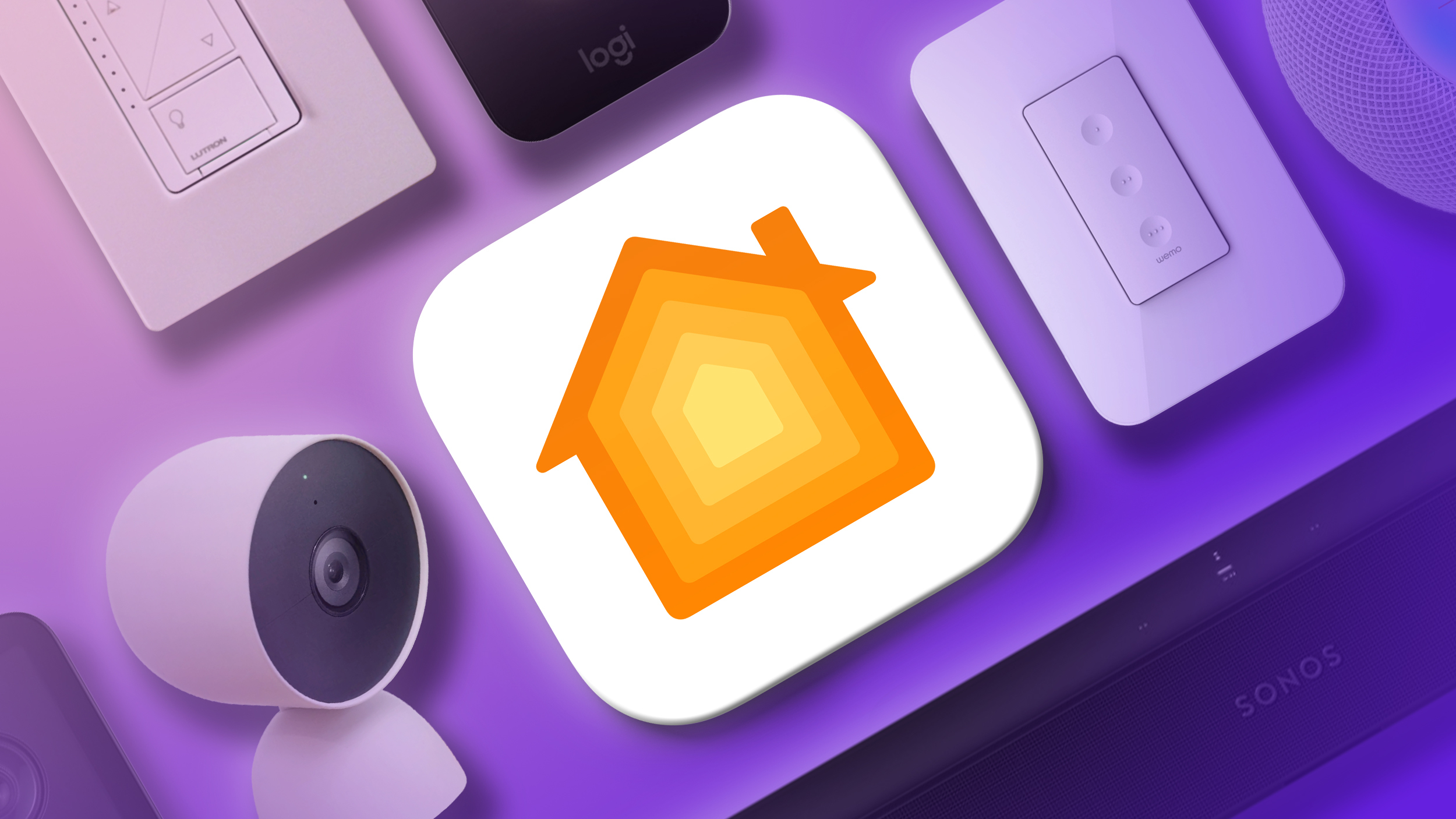
The Home app in iOS 18 allows HomeKit users who have more than one device that serves as a home hub to select which one should be used as the preferred hub. It is a small but useful change because it prevents HomeKit from choosing a hub that is further away from most HomeKit products or that has a weaker connection.
In iOS 17 and earlier, there has been no way to select a home hub, and HomeKit has picked randomly. That can lead to connectivity issues in some situations. For those who do not care about which home hub HomeKit selects, Automatic Selection remains an option.
Apple TV and the HomePod are able to serve as home hubs, but the option to set a preferred hub seems to be limited to the Apple TV as of right now, because Apple has not yet provided a HomePod beta to developers.
Image from Reddit
Other features coming in HomeKit include Customize Access for managing how and when people access devices like alarm systems, door locks, and garage door openers, with support for guest schedules. There's also a new Express Mode for unlocking door locks automatically as you approach, and support for robot vacuum cleaners is set to come later this year.
Related Roundup: iOS 18
Tag: HomeKit
Related Forums: iOS 18, iPadOS 18
This article, "You Can Select a Preferred Home Hub in iOS 18" first appeared on MacRumors.com
Discuss this article in our forums
https://www.macrumors.com/2024/06/14/ios-18-preferred-home-hub/
Apple Redesigning TestFlight App in iOS 18
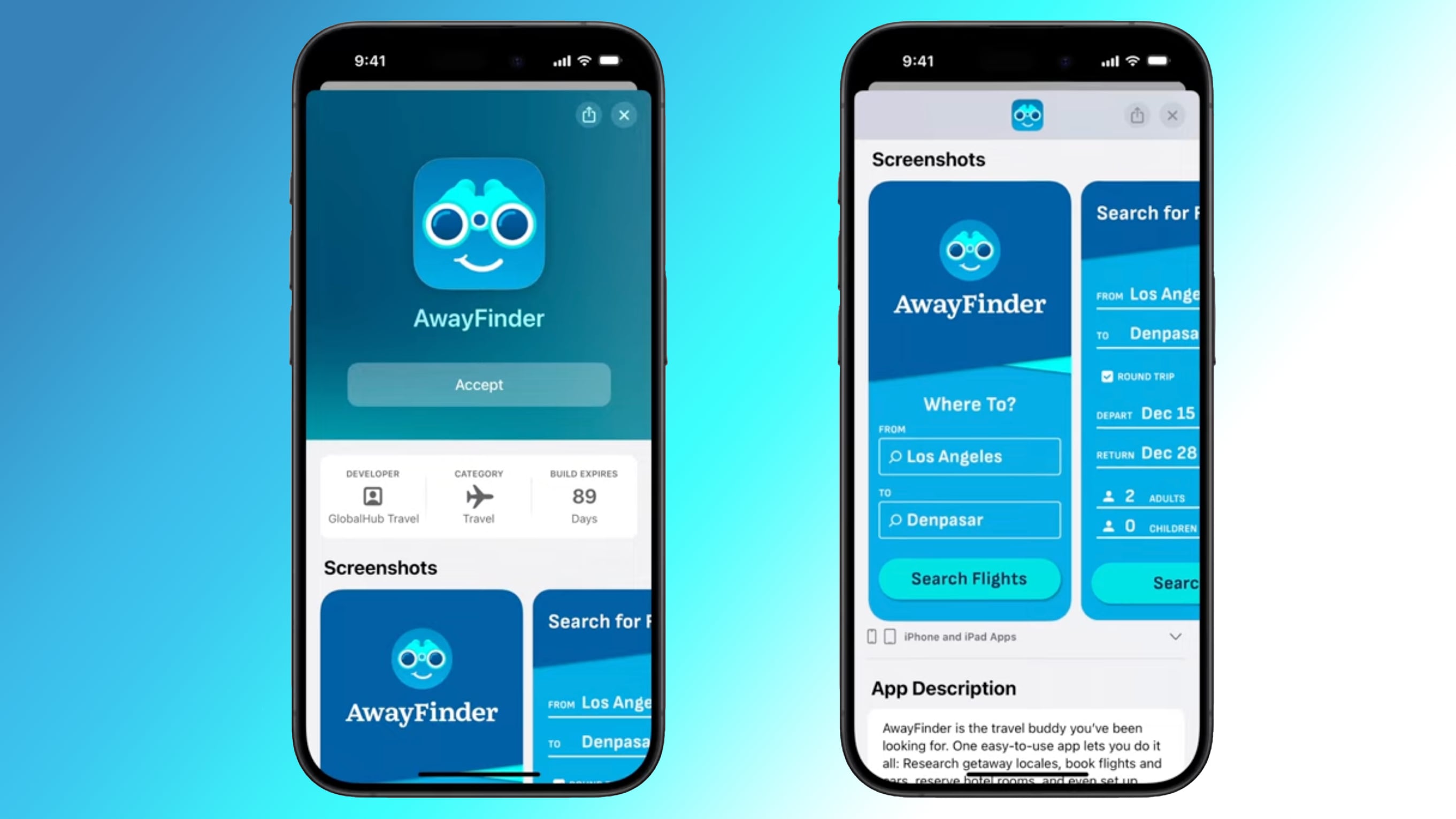
Apple plans to overhaul the design of its TestFlight app that is available to developers for beta testing their apps, and the updated design was highlighted in a WWDC session on App Store Connect.
TestFlight in iOS 18 features a new invitation experience that will better showcase the app by highlighting key information including app name and icon, screenshots, developer name, build expiration date, and app description.
App Store than the current TestFlight interface, which provides little in the way of app data beyond the features that are being tested. Apple's current design assumes that testers are familiar with an app that they're invited to test, while the refresh provides key information to testers who might not be in tune with what an app is designed to do.
Along with design changes, the new version of the app lets developers enroll testers that meet multiple criteria, such as specific devices and operating system versions. TestFlight will only allow testers that meet the criteria to accept a public TestFlight invitation.
Apple has not yet released the redesigned TestFlight app, but it will likely come at some point this summer or in the fall when iOS 18 goes live.
Tags: Apple Developer Program, App Store Connect
This article, "Apple Redesigning TestFlight App in iOS 18" first appeared on MacRumors.com
Discuss this article in our forums
https://www.macrumors.com/2024/06/14/apple-redesigning-testflight-app-in-ios-18/
Beats Solo Buds Unboxed, Available to Order Starting Next Week
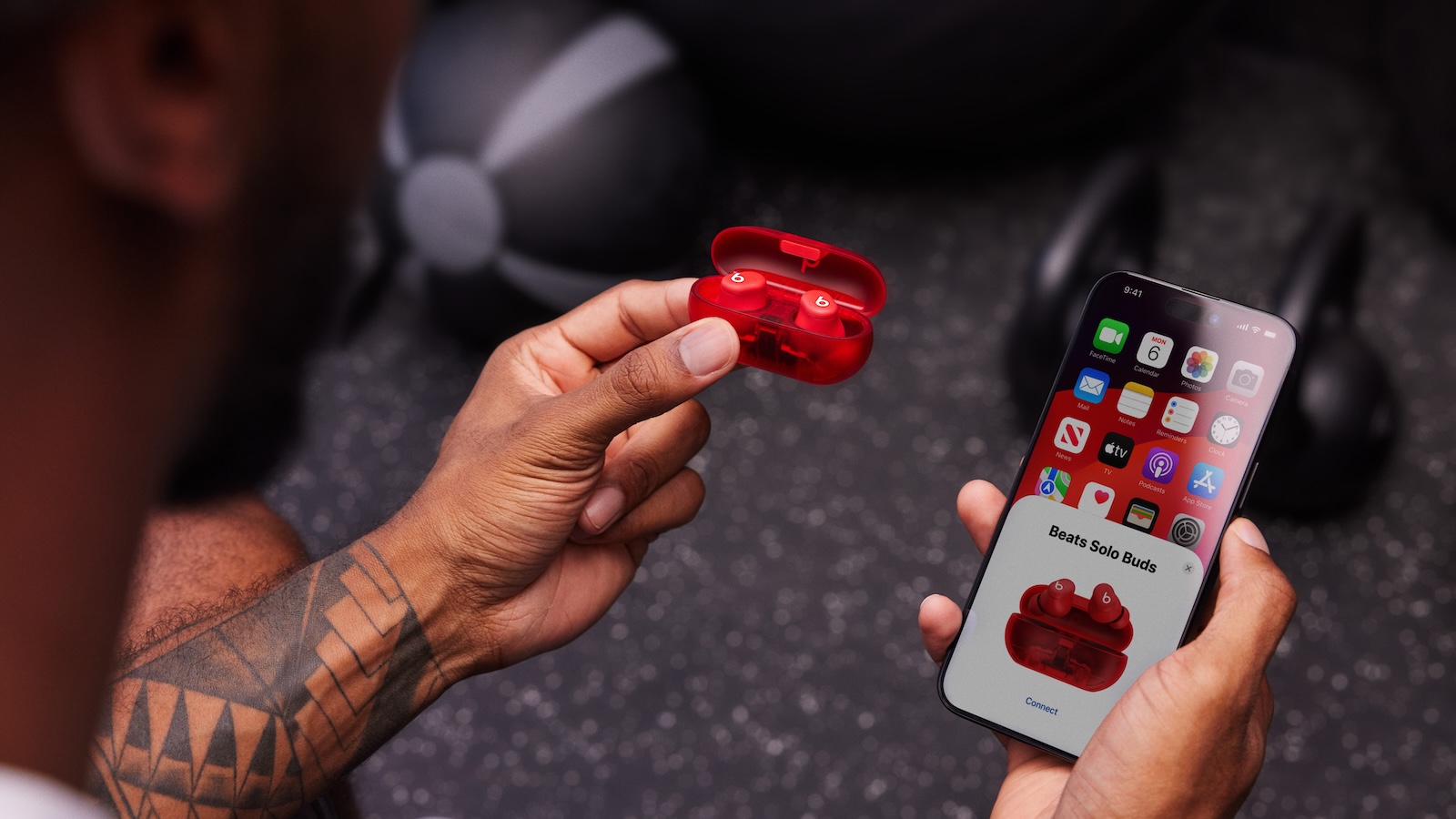
Apple today shared a Beats Solo Buds unboxing video on YouTube, providing a closer look at the wireless earbuds before they launch next week.
Priced at $79.99, the Beats Solo Buds feature up to 18 hours of battery life, a USB-C carrying case, and Find My support on both iOS and Android. However, they lack active noise cancellation, and the carrying case does not have a built-in battery and can only charge the earbuds when a USB-C cable is connected to an external power source.
coverage of the Beats Studio Buds announcement back in late April.
Beats Solo Buds will be available to pre-order on Apple's online store starting Tuesday, June 18, ahead of a Thursday, June 20 launch.
Tags: Beats, Beats Solo Buds
This article, "Beats Solo Buds Unboxed, Available to Order Starting Next Week" first appeared on MacRumors.com
Discuss this article in our forums
https://www.macrumors.com/2024/06/14/beats-solo-buds-unboxing-video/
iOS 18 and tvOS 18 Reintroduce SharePlay for Apple Music on HomePods and Apple TV
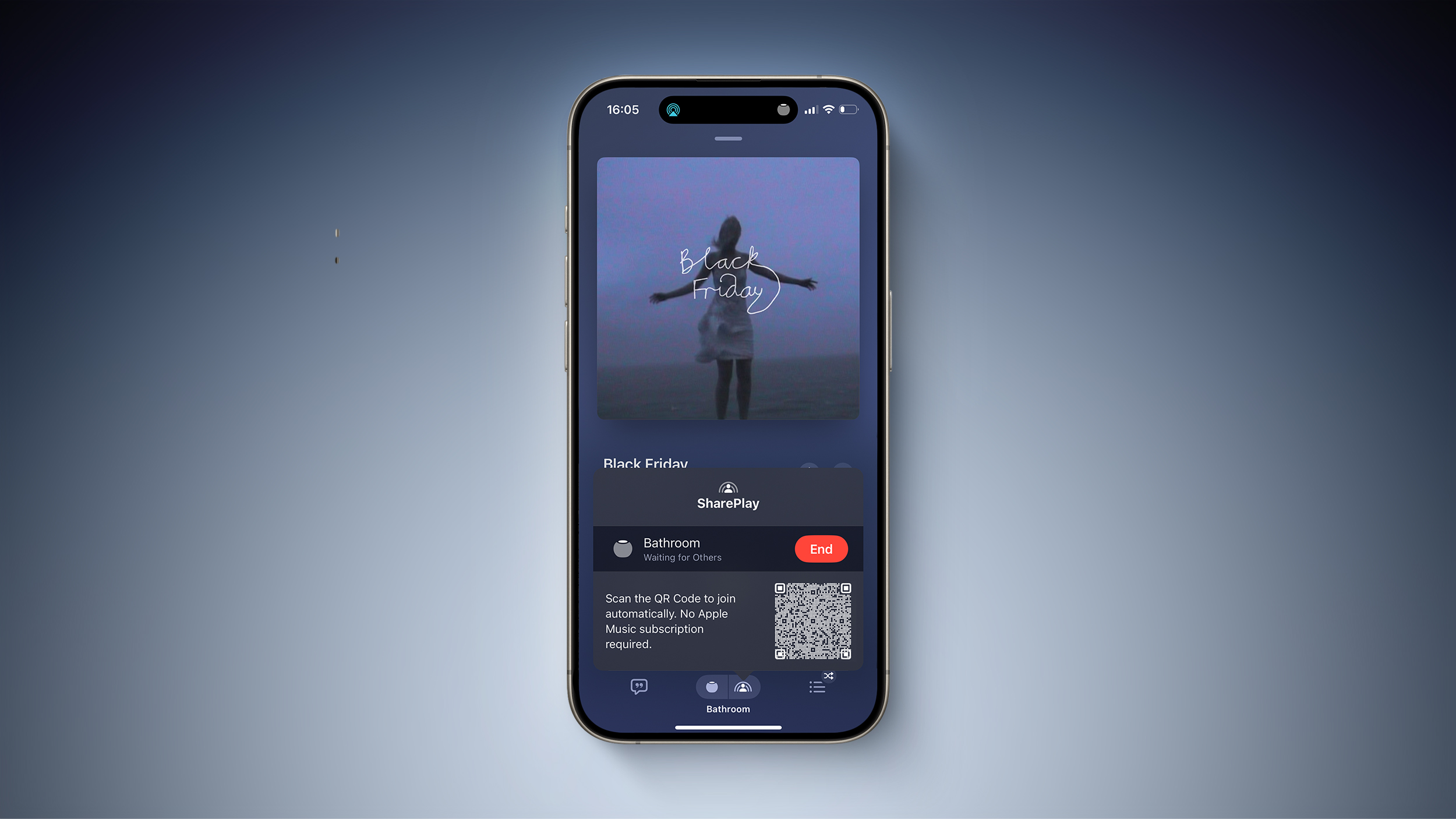
iOS 18 and tvOS 18 reintroduce SharePlay for Apple Music on the HomePod, HomePod mini, and Apple TV. The feature first appeared in the iOS 17.4 and tvOS 17.4 betas earlier this year, but it was removed before those updates were released.
This feature allows others to control Apple Music playback on your HomePod or Apple TV with permission, regardless of whether they subscribe to the service. The primary user can decide whether to approve or deny each request.
similar feature for CarPlay last year, allowing anyone in a car to control music playback via SharePlay with permission.
HomePod
While playing a song in the Music app on your iPhone, tap the SharePlay icon at the bottom of the screen to bring up a QR code, which another person can scan with their iPhone or Android smartphone's camera to request access to music playback controls. Even a screenshot of the QR code suffices for remote access.
long-rumored HomePod with a screen.
Apple TV
With the tvOS 18 update, the Music app on the Apple TV can also show a QR code on the TV that guests can scan to request access to music controls.
The expansion of this feature to the Apple TV and the HomePod is useful for house parties, allowing everyone to be the DJ.
Related Roundups: Apple TV, HomePod, HomePod mini
Tags: Apple Music, SharePlay
Buyer's Guide: Apple TV (Caution), HomePod (Buy Now), HomePod Mini (Neutral)
Related Forums: Apple TV and Home Theater, HomePod, HomeKit, CarPlay, Home & Auto Technology
This article, "iOS 18 and tvOS 18 Reintroduce SharePlay for Apple Music on HomePods and Apple TV" first appeared on MacRumors.com
Discuss this article in our forums
https://www.macrumors.com/2024/06/14/ios-18-tvos-18-shareplay-homepod-apple-tv/
EU Reportedly Planning to Charge Apple for Violating Digital Markets Act
The European Commission plans to charge Apple for violating the Digital Markets Act after determining that the iPhone maker is not complying with obligations to allow app developers to "steer" users to offers outside of the App Store without fees, according to the Financial Times, which cites three people familiar with the matter.
It appears that the EU is taking issue with Apple's Core Technology Fee, but the exact charges that it allegedly plans to bring against Apple are unclear.
Apple could face non-compliance fines of up to 5% of its average daily worldwide revenue, which is currently just over $1 billion, according to the report.
Tags: App Store, European Commission
This article, "EU Reportedly Planning to Charge Apple for Violating Digital Markets Act" first appeared on MacRumors.com
Discuss this article in our forums
https://www.macrumors.com/2024/06/14/eu-plans-to-fine-apple-over-dma-report/
The Talk Show Live From WWDC 2024 Now Available on YouTube
The Talk Show Live From WWDC 2024 is now available to watch on YouTube. Daring Fireball's John Gruber discussed Apple Intelligence and other WWDC announcements with Apple's software engineering chief Craig Federighi, marketing chief Greg Joswiak, and AI/machine learning head John Giannandrea in front of a live audience.
The on-stage interview took place on Tuesday evening at the California Theatre in San Jose, California, and it ran for nearly two hours.
special WWDC episode of The MacRumors Show filmed at Apple Park.
Related Roundup: WWDC 2024
Related Forum: Apple, Inc and Tech Industry
This article, "The Talk Show Live From WWDC 2024 Now Available on YouTube" first appeared on MacRumors.com
Discuss this article in our forums
https://www.macrumors.com/2024/06/14/the-talk-show-live-from-wwdc-2024/
The Best Father's Day Deals on AirPods, MacBooks, iPads, Sonos Speakers, and More

We're tracking a huge collection of discounts on Apple products and related accessories this weekend as we head into the final days before Father's Day this Sunday, June 16. With two days to go until Father's Day, most orders placed today will probably miss the delivery window, but there are steep discounts here that are worth looking into even if they arrive a bit after the holiday.
Note: MacRumors is an affiliate partner with some of these vendors. When you click a link and make a purchase, we may receive a small payment, which helps us keep the site running.
These sales include discounts on AirPods, iPads, MacBooks, Sonos speakers, and other products. All of the deals listed in this article have already begun, and most of them will last until Sunday, June 16, unless otherwise stated.
Best Father's Day Deals
Sonos Father's Day deals on speakers, subwoofers, and more
Samsung's new 2024 monitors - Save 10% when you buy 2, or 15% when you buy 3
Eufy SmartTrack Link 4-Pack for $48.99, down from $69.99
Anker MagGo 3-in-1 Wireless Charging Station for $69.99 with on-page coupon, down from $99.99
AirPods 2 for $79.99 at Amazon ($49 off)
Apple Watch Series 9 for $299.99 at Amazon ($100 off)
AirPods Max for $449.00 at Amazon ($100 off)
13-inch M3 MacBook Air for $899.00 at Amazon ($200 off)
AirPods
AirPods deals are in abundance this week, perfectly timed for anyone who wants to pick up a pair for Father's Day. The rarest discount is $100 off the AirPods Max, but you'll also find steep markdowns on AirPods 2, AirPods 3, and AirPods Pro 2, all on Amazon.
$49 OFF
AirPods 2 for $79.99
$29 OFF
AirPods 3 for $139.99
$59 OFF
AirPods Pro 2 (USB-C) for $189.99
$100 OFF
AirPods Max for $449.00
Apple Watch
Similar to AirPods, we're tracking discounts across the entire Apple Watch lineup this week, including the Apple Watch SE, Apple Watch Series 9, and Apple Watch Ultra 2. These deals can all be found on Amazon this time around, and most color and band combinations are delayed beyond Father's Day.
$60 OFF
Apple Watch SE (40mm GPS) for $189.00
$60 OFF
Apple Watch SE (44mm GPS) for $219.00
$100 OFF
Apple Watch Series 9 (41mm GPS) for $299.99
$100 OFF
Apple Watch Series 9 (45mm GPS) for $329.00
$85 OFF
Apple Watch Ultra 2 for $714.00
M2 iPad Air
Amazon has up to $80 off the M2 iPad Air this weekend, starting at $569.00 for the 128GB Wi-Fi 11-inch iPad Air, down from $599.00. These models just launched last month, and included the M2 chip, Touch ID, a Retina display, and more.
11-inch
128GB Wi-Fi - $569.00, down from $599.00
256GB Wi-Fi - $659.00, down from $699.00
1TB Wi-Fi - $1,034.00, down from $1,099.00
13-inch
128GB Wi-Fi - $754.00, down from $799.00
256GB Wi-Fi - $849.00, down from $899.00
512GB Wi-Fi - $1,034.00, down from $1,099.00
1TB Wi-Fi - $1,219.00, down from $1,299.00
M1 iPad Air
Over at Best Buy, you can find $200 off the previous generation M1 iPad Air in every color of every configuration. Prices start at $399.99 for 64GB Wi-Fi, and include both Wi-Fi and cellular models.
$200 OFF
M1 iPad Air (64GB Wi-Fi) for $399.99
$200 OFF
M1 iPad Air (256GB Wi-Fi) for $549.99
$200 OFF
M1 iPad Air (64GB Cellular) for $549.99
$200 OFF
M1 iPad Air (256GB Cellular) for $699.99
M2 iPad Pro
Similar to the M1 iPad Air, Best Buy also has great discounts on the previous generation M2 iPad Pro at up to $500 off select tablets. You'll find steep markdowns on both 11-inch and 12.9-inch models, with the majority of the deals focused on Wi-Fi models.
11-inch
512GB Wi-Fi - $799.00, down from $1,099.00
12.9-inch
256GB Wi-Fi - $899.00, down from $1,199.00
M3 MacBook Air
Deals on the M3 MacBook Air are mainly focused on 13-inch models, at both Amazon and Best Buy. Amazon has the best deal on the 256GB entry-level model, down to just $899.00 this week and $200 off the original price.
$200 OFF
13-inch M3 MacBook Air (256GB) for $899.00
$259 OFF
13-inch M3 MacBook Air (8GB/512GB) for $1,139.05
$170 OFF
13-inch M3 MacBook Air (16GB/512GB) for $1,329.00
M2 MacBook Air
Just like the M3 MacBook Air, deals on the previous generation model are focused on the 13-inch sizes. Amazon has $170 off every model in every colorway, starting at $829.00 for 256GB and rising to $1,029.00 for 512GB.
$170 OFF
13-inch M2 MacBook Air (256GB) for $829.00
$170 OFF
13-inch M2 MacBook Air (512GB) for $1,029.00
Sonos
Father's Day sale last week, and it's still going on this weekend. In this sale, you can find steep discounts on select home theater audio equipment. This includes record low prices on the Sonos Arc soundbar ($719), as well as various discounted bundles, all of which are rare deals we haven't tracked since earlier in the year.
Sonos Arc for $719 ($180 off) and Sonos Sub Gen 3 for $639 ($160 off), which are rarely discounted outside of holiday events like this one.
Speakers and Soundbars
Era 100 Smart Speaker - $199, down from $249
Move 2 Smart Speaker - $336, down from $449
Era 300 Smart Speaker - $359, down from $449
Beam (Gen 2) Soundbar - $399, down from $499
Sub (Gen 3) Subwoofer - $639, down from $799
Arc Soundbar - $719, down from $899
Bundles
Arc + Wall Mount Bundle - $798, down from $978
Arc + Move 2 Speaker Bundle - $1,055, down from $1,348
Arc + Sonos Ace Headphones Bundle - $1,168, down from $1,348
Beam + Sub Bundle - $1,038, down from $1,298
Arc + 2x Era 100 Speakers Bundle - $1,117, down from $1,397
Arc + Sub Bundle - $1,358, down from $1,698
Beam + Sub + 2x Era 100 Speakers Bundle - $1,436, down from $1,796
Charging Accessories
Anker, Eufy, and Jackery, including a wide array of wall chargers, Bluetooth trackers, and other USB-C accessories. Some of these deals will require you to clip an on-page coupon then head to the checkout screen before you see the final sale price, and some require a Prime membership.
Eufy
SmartTrack Link 1-Pack - $13.99, down from $19.99
SmartTrack Link 2-Pack - $29.88, down from $35.99
SmartTrack Link 4-Pack - $48.99, down from $69.99
SmartTrack Card - $16.98, down from $29.99
Anker
Audio
Soundcore Motion 300 Wireless Bluetooth Speaker - $64.99, down from $79.99
Portable Batteries
MagGo Power Bank 10,000 mAh - $69.99, down from $89.99
Nano Power Bank with Built-In USB-C Cable - $38.24 with on-page coupon, down from $49.99
Prime Power Bank 20,000 mAh with 100W Charging Base - $149.99, down from $184.99
Power Stations
MagGo 3-in-1 Wireless Charging Station - $69.99 with on-page coupon, down from $99.99
MagGo 3-in-1 Folding Charging Station - $93.49, down from $109.99
3-in-1 MagSafe Charging Cube - $112.46, down from $149.99
SOLIX F2000 Portable Power Station - $1,299.00 with on-page coupon, down from $1,999.00
Wall Chargers
20W USB-C Charger - $13.99, down from $16.99
100W 3-Port USB-C Charger - $42.99 for Prime members, down from $74.99
6-in-1 Nano Charging Station - $49.49 with on-page coupon, down from $65.99
Prime 67W 3-Port Charger - $59.99, down from $65.99
Hubs
4-Port USB-C Hub - $9.99, down from $19.99
10-in-1 USB-C Hub - $59.99, down from $149.99
Jackery
Explorer 100 Plus Portable Power Station - $99.99, down from $149.00
Explorer 600 Plus Portable Power Station - $419.00 with on-page coupon, down from $499.00
Solar Generator 300 Plus Portable Power Station - $499.00, down from $579.00
Expansion Battery Pack for 1000 Plus - $509.00 with on-page coupon, down from $799.00
Explorer 1000 Portable Power Station - $619.00, down from $999.00
Explorer 2000 Pro Portable Power Station - $1,299.00 with on-page coupon, down from $1,899.00
Expansion Battery Pack for 2000 Plus - $1,199.00 with on-page coupon, down from $1,599.00
Explorer 3000 Pro Portable Power Station - $2,149.00, down from $2,799.00
Keep up with all of this week's best discounts on Apple products and related accessories in our dedicated Apple Deals roundup.
Related Roundup: Apple Deals
This article, "The Best Father's Day Deals on AirPods, MacBooks, iPads, Sonos Speakers, and More" first appeared on MacRumors.com
Discuss this article in our forums
https://www.macrumors.com/2024/06/14/the-best-fathers-day-deals-2024/
Here's What's New in Apple Wallet on iOS 18 for Event Tickets and More
iOS 18 includes a handful of enhancements to the Wallet app on the iPhone, with new features for Apple Pay, Apple Cash, event tickets, and more.
Below, we outline everything new for the Wallet app on iOS 18, based on information from Apple's press release and a WWDC 2024 coding session.
Redesigned Event Tickets
Event tickets have an all-new design in the Wallet app on iOS 18, complete with relevant info like a map of the stadium and other venues, local weather forecasts, recommended Apple Music playlists for concerts, and more.
Event Tickets as Live Activities
Event tickets now work with the Live Activities feature, so you can view your seating information on the Lock Screen and in the Dynamic Island when you are near the venue. Live Activities also appear on the Apple Watch on watchOS 11.
Tap to Cash
Tap to Cash is a new iOS 18 feature that allows users in the U.S. to send and receive Apple Cash by simply holding two iPhones together.
Tap to Add New Cards to Wallet App
A new Tap to Provision feature on iOS 18 will allow users to add eligible credit or debit cards to the Wallet app by simply tapping their card on the back of their iPhone. Apple says this feature will only be available in select countries.
Apple Pay in Any Desktop Browser
use Apple Pay in desktop web browsers beyond Safari, such as Chrome, Edge, Firefox, and others. The computer running the browser can even be a Windows PC instead of a Mac.
Any website that implements the latest version of Apple Pay will support this new system. When a customer checks out with Apple Pay in a desktop browser other than Safari, a code will appear on the screen that can be scanned in the Camera app on an iPhone running iOS 18 or later, allowing them to complete the purchase on the iPhone.
Apple Pay Adds Credit Card Rewards
Starting with iOS 18, Apple Pay will allow users to redeem rewards and access installment loan offerings from eligible credit and debit cards.
Here are the details from Apple:
The ability to redeem rewards will be available beginning in the U.S. with Discover and Synchrony, and across Apple Pay issuers with Fiserv.
The ability to access installments from credit and debit cards will roll out starting in Australia with ANZ; in Spain with CaixaBank; in the U.K. with HSBC and Monzo; and in the U.S. with Citi, Synchrony, and issuers with Fiserv.
Users in the U.S. will be able to apply for loans directly through Affirm when they check out with Apple Pay.
Apple Card Data in More Budget Apps
FinanceKit API available to all developers, meaning that any finance or budgeting app will be able to display Apple Card, Apple Card Savings, and Apple Cash balance and transaction details with a user's permission.
debuted with iOS 17.4, but it was limited to select apps like Copilot.
Related Roundup: Apple Pay
Tag: Apple Wallet
Related Forum: Apple Music, Apple Pay/Card, iCloud, Fitness+
This article, "Here's What's New in Apple Wallet on iOS 18 for Event Tickets and More" first appeared on MacRumors.com
Discuss this article in our forums
https://www.macrumors.com/2024/06/14/whats-new-in-apple-wallet-on-ios-18/
iPhone 14 vs. iPhone 16: 30+ Upgrades to Expect
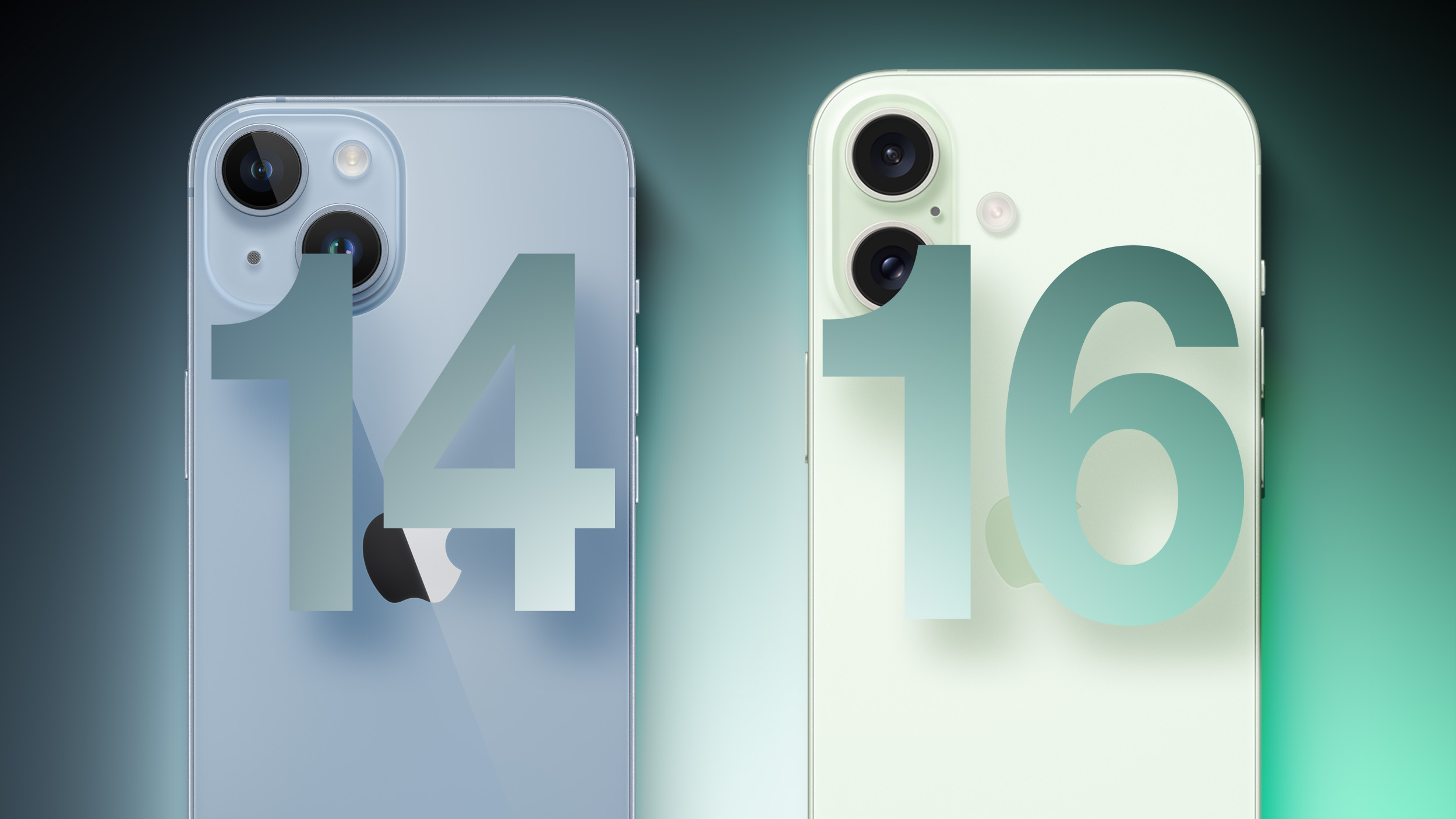
After over a year of reports, there are now more than a dozen specific rumors about the features and improvements set to be offered by the two non-Pro iPhone 16 models later in 2024.
While the upgrades that the iPhone 16 offers over the iPhone 15 will likely be at the center of Apple's marketing strategy later this year, many users are on two-year upgrade cycles, so the features introduced on both the iPhone 15 and iPhone 16 will stack up. All of the changes the iPhone 16 models are expected to feature compared to their two direct forerunners are listed below, using information from a range of reliable sources that we have previously covered. We will update this article as more rumors emerge in the coming months.
iPhone 14 and iPhone 16, but to learn about how we are expecting the iPhone 14 Pro to improve on the iPhone 16 Pro, see our other comparison article.
Design
The iPhone 16 and iPhone 16 Plus are expected to largely carry over the design of their predecessors. As a result, the iPhone 16 will be a relatively significant evolution over the iPhone 14, featuring slightly rounded edges, a frosted glass back, and a vertical rear camera arrangement to facilitate spatial video capture. Other important design changes are expected to include the removal of the mute switch in favor of the Action button introduced on last year's Pro models and the introduction of an all-new "Capture" button.
iPhone 14
iPhone 16
Aluminum chassis with squared-off edges
Aluminum chassis with contoured edges
Glossy glass back
Color-infused frosted glass back
"Notch" TrueDepth camera array
Dynamic Island
Diagonally arranged rear camera array
Vertically arranged rear camera array to support spatial video capture
Ring/Silent switch
Action Button
"Capture Button" to trigger photography and videography features
Lightning port
USB-C port
Displays
For iPhone 14 users, the iPhone 16 will offer many of the display upgrades that came to the previous generation, as well as a more efficient OLED panel thanks to micro-lens technology.
iPhone 14
iPhone 16
More efficient OLED display with brighter micro-lens technology
800 nits max brightness (typical)
1,000 nits max brightness (typical)
1,200 nits peak brightness (HDR)
1,600 nits peak brightness (HDR)
2,000 nits peak brightness (outdoor)
Cameras
The iPhone 15 introduced a major camera upgrade for Apple's standard smartphone lineup, bringing over the 48-megapixel camera of the iPhone 14 Pro. With a number of other improvements such as spatial video capture, the iPhone 16 should be a significant camera upgrade over the iPhone 14.
iPhone 14
iPhone 16
12-megapixel main camera with ƒ/1.5 aperture
48-megapixel main camera with ƒ/1.6 aperture
0.5x and 1x optical zoom options
0.5x, 1x, and 2x optical zoom options
24- and 48-megapixel super-high-resolution photos
Smart HDR 4
Smart HDR 5
Portrait mode with Focus and Depth Control
Next-generation portraits with Focus and Depth Control
Night mode and Night mode portraits
Improved Night mode and Night mode portraits
Spatial video capture
Chip, Memory, and Connectivity
With the iPhone 16 models rumored to receive the same A18 chip as the Pro models, the new models could offer a major performance improvement over the iPhone 14, which features the A15 Bionic chip first introduced in 2021. The 2GB of additional memory and the second-generation Ultra Wideband chip are also due to be notable upgrades.
iPhone 14
iPhone 16
A15 Bionic chip (TSMC's "N5P" enhanced 5nm process)
A18 chip (TSMC's "N3E" enhanced 3nm process)
16-core Neural Engine
Enhanced neural Engine with "significantly" more cores to support new AI features
6GB memory
8GB memory (+33%)
Wi-Fi 6 connectivity
Wi-Fi 6E connectivity
First-generation Ultra Wideband chip
Second-generation Ultra Wideband chip (connects from 3x further away)
Precision Finding for Find My friends
Batteries and Charging
The iPhone 16 models could receive some major improvements in battery technology and charging, sporting denser batteries and faster charging capabilities. It is worth noting that the iPhone 16 Plus is rumored to feature a smaller battery than its predecessors, but it is not clear how this will affect actual battery life.
iPhone 14
iPhone 16
Single-layer battery technology
Stacked battery technology for increased energy density and prolonged lifespan
iPhone 14: 3,279 mAh battery
iPhone 14 Plus: 4,325 mAh battery
iPhone 16: 3,561 mAh battery
iPhone 16 Plus: 4,006 mAh battery
Up to 27W wired charging
Up to 40W wired charging (48% faster)
15W charging via MagSafe
20W charging via MagSafe (33% faster)
Setting to prevent charging above 80%
Battery manufacture date, first use, and cycle count information in Settings
Other Features and Changes
The iPhone 16 will be the first standard-line iPhone to support Apple Intelligence, Apple's upcoming artificial intelligence system, thanks to the more powerful Neural Engine in the A18 chip. The device is also rumored to tout upgraded microphones and new color options.
iPhone 14
iPhone 16
Support for Apple Intelligence
Microphone
Upgraded microphone with improved signal-to-noise ratio and water resistance
Improved audio quality on phone calls
Available in Midnight, Starlight, (PRODUCT)RED, Blue, Purple, and Yellow
Available in Blue, Pink, Green, Black, and White
Will It Be Worth Upgrading?
The iPhone 15 was a fairly significant upgrade over the iPhone 14 in 2023, introducing a more modern design with the Dynamic Island, a USB-C port, and a 48-megapixel camera. The iPhone 16 will build on these upgrades, offering the Capture and Action buttons, Apple Intelligence, and spatial video capture. With over 30 upgrades rumored to be in store, many current iPhone 14 users will find upgrading to an iPhone 16 model worthwhile, if not essential.
Release Date
The iPhone 16 and iPhone 16 Plus are expected to launch in the fall. Apple usually hosts an event every September to unveil new iPhone models, with launch following just over a week later. For more information about the iPhone 16 models, see our comprehensive roundup.
Related Roundups: iPhone 14, iPhone 16
Related Forum: iPhone
This article, "iPhone 14 vs. iPhone 16: 30+ Upgrades to Expect" first appeared on MacRumors.com
Discuss this article in our forums
Japan Passes Law to Allow Third-Party App Stores on the iPhone
New legislation in Japan requires Apple to allow third-party app stores and payment providers on the iPhone.
The Japanese parliament has passed the Act on Promotion of Competition for Specified Smartphone Software, a law that compels Apple to allow access to third-party app stores and payment providers on devices that run iOS. The legislation, which was passed by Japan's upper house and will be enforced following Cabinet approval within the next eighteen months, seeks to curb the dominance of major tech firms like Apple in the smartphone market.
The law requires Apple to make several significant changes to its business practices. The company will have to permit third-party app stores on its devices, just like it does in the EU. App developers will be allowed to use third-party payment services. There are also provisions to allow users to change default settings via new choice screens during setup, such as for selecting a default browser.
Apple will be forbidden from giving its own services preferential treatment in search results without a justifiable reason. The law also prohibits the use of data acquired about competing software to benefit its own apps. Additionally, the law requires that third-party developers have access to the same features as Apple's own apps and services, such as NFC for contactless payments.
The Verge, Apple said:
The Japanese government made a number of changes to the legislation that will help protect user privacy, data security, innovation, and our intellectual property. We will continue our engagement with the JFTC during the implementation period as we remain concerned about how the law will impact Japanese consumers and the secure and private iPhone experience our users have come to expect.
Epic Games has already announced plans to bring Fortnite and its game store platform to iOS in Japan by late 2025.
Tag: Japan
This article, "Japan Passes Law to Allow Third-Party App Stores on the iPhone" first appeared on MacRumors.com
Discuss this article in our forums
https://www.macrumors.com/2024/06/14/japan-passes-law-to-allow-third-party-app-stores/
The Talk Show Live From WWDC 2024 Now Available on YouTube
The Talk Show Live From WWDC 2024 is now available to watch on YouTube. Daring Fireball's John Gruber discussed Apple Intelligence and other WWDC announcements with Apple's software engineering chief Craig Federighi, marketing chief Greg Joswiak, and AI/machine learning head John Giannandrea in front of a live audience.
The on-stage interview took place on Tuesday evening at the California Theatre in San Jose, California, and it ran for nearly two hours.
Related Roundup: WWDC 2024
Related Forum: Apple, Inc and Tech Industry
This article, "The Talk Show Live From WWDC 2024 Now Available on YouTube" first appeared on MacRumors.com
Discuss this article in our forums
https://www.macrumors.com/2024/06/13/the-talk-show-live-from-wwdc-2024/
iOS 18 Enables You to Use Apple Pay With Chrome and More on Desktop
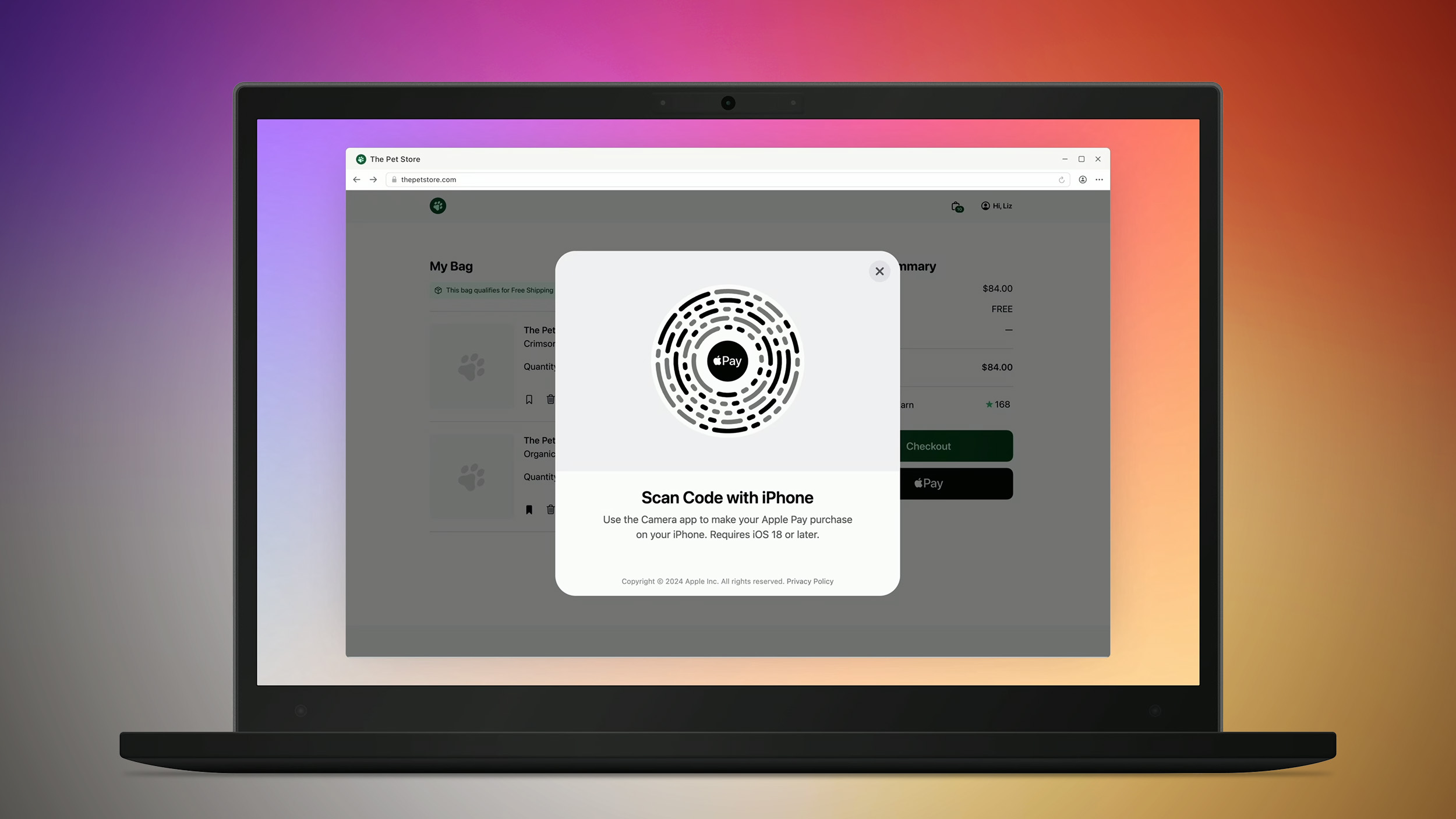
Apple this week previewed a new system that will allow iPhone users who update to iOS 18 to use Apple Pay in any desktop web browser, such as Chrome, Edge, Firefox, and others. The computer running the browser can even be a Windows PC.
Any website that implements the latest version of Apple Pay will support this new system. When a customer checks out with Apple Pay in a desktop browser other than Safari, a code will appear on the screen that can be scanned in the Camera app on an iPhone running iOS 18 or later, allowing them to complete the purchase on the iPhone.
Apple provided more details about this system in a WWDC 2024 coding session released today. It will take time for website developers to adopt the latest Apple Pay SDK, so this feature will not be widely available on the web right away.
Apple Pay on the desktop web was previously limited to Safari on a Mac, so this is a much-awaited expansion of the feature to more browsers and devices.
Related Roundup: Apple Pay
Related Forum: Apple Music, Apple Pay/Card, iCloud, Fitness+
This article, "iOS 18 Enables You to Use Apple Pay With Chrome and More on Desktop" first appeared on MacRumors.com
Discuss this article in our forums
https://www.macrumors.com/2024/06/13/ios-18-apple-pay-in-any-desktop-browser/
Low Prices Hit Apple's AirTag and Anker's Bluetooth Trackers, Alongside Apple Pencil Deals
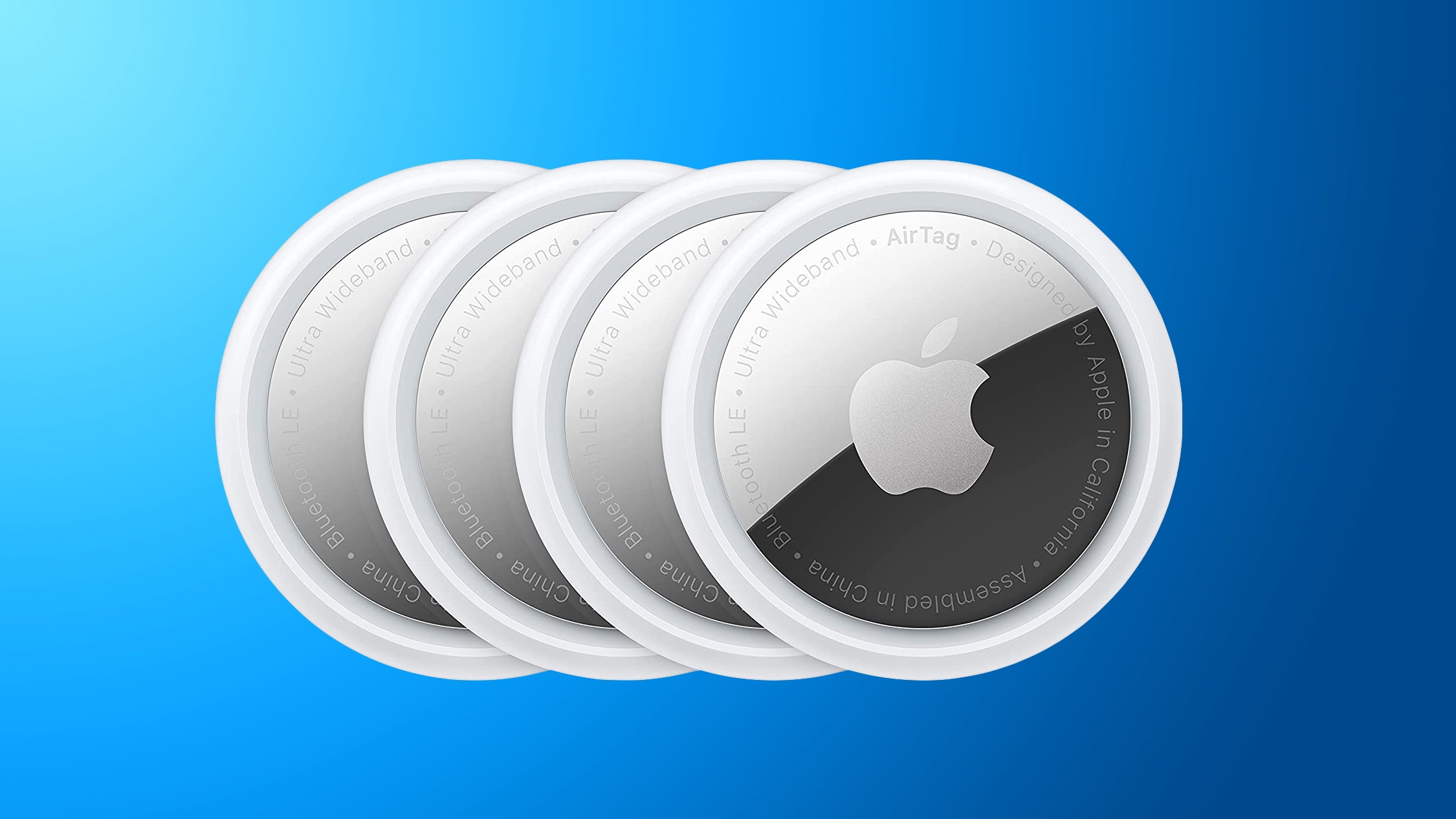
Amazon today has a few discounts across popular Apple accessories, including the AirTag and Apple Pencil. We're also tracking a few discounts on Eufy's own Bluetooth tracking accessories, the SmartTrack Link, which are slightly more affordable than the AirTag.
AirTag
Note: MacRumors is an affiliate partner with some of these vendors. When you click a link and make a purchase, we may receive a small payment, which helps us keep the site running.
$79.99 on Amazon, down from $99.00. This is a solid second-best price on the accessory, and just about $5 higher than the all-time low price.
$19 OFF
AirTag 4 Pack for $79.99
Eufy
SmartTrack Card, but right now there is no deal on that tracker.
$4 OFF
SmartTrack Link 1 Pack for $15.99
$6 OFF
SmartTrack Link 2 Pack for $29.88
$21 OFF
SmartTrack Link 4 Pack for $48.99
Apple Pencil
If you're shopping for an Apple Pencil, Amazon has multiple models on sale this week. The biggest discount can be found on the Apple Pencil 2 at $50 off, but you can also find sales on the newer Apple Pencil with USB-C from 2023 and the Apple Pencil Pro.
$8 OFF
Apple Pencil (USB-C) for $71.00
$50 OFF
Apple Pencil 2 for $79.00
$4 OFF
Apple Pencil Pro for $124.99
Apple Deals roundup.
Related Roundup: Apple Deals
This article, "Low Prices Hit Apple's AirTag and Anker's Bluetooth Trackers, Alongside Apple Pencil Deals" first appeared on MacRumors.com
Discuss this article in our forums
https://www.macrumors.com/2024/06/13/airtag-ankers-trackers-pencil-deals/
visionOS 2: Spatial Personas Can Touch Fingers, High Five, Fist Bump Each Other With Visual and Audio Feedback
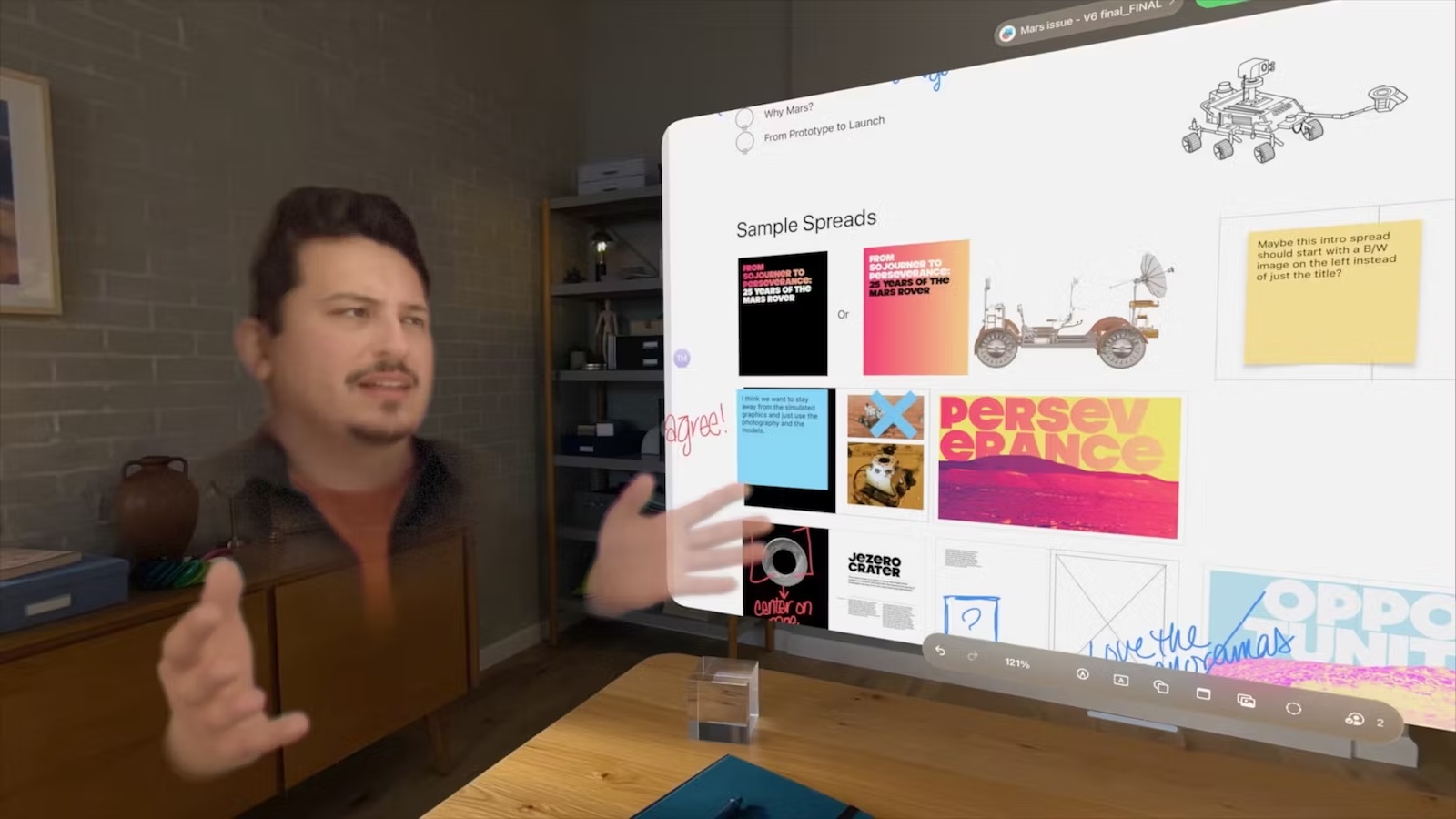
First introduced in April, spatial Personas in Apple Vision Pro are designed to feel as if they are in the same physical space, and to enhance the experience, the lifelike avatars will soon be able to interact directly with each other using some new gestures in visionOS 2.
Previewed at WWDC last year, spatial Personas allow Vision Pro users to "break out of the familiar FaceTime tile and feel more present, like they are gathered in the same physical space," according to Apple. They feature a transparent background and are able to show body language and additional movement such as hand gestures for a more lifelike experience.
xChester on social media, spatial Personas in the same Environment can now high five, fist bump and touch fingers, and the visionOS 2 beta provides visual and audio feedback to highlight the virtual interaction.
Elsewhere in visionOS 2, spatial Personas can be invoked in the Photos app via SharePlay, allowing Vision Pro users to enjoy their panoramas, spatial videos, and more — all while feeling like everyone is in the same physical space.
Persona in visionOS now has both visual and sound feedback when people doing high five, fist bumping or finger touching.
Tried them out with @Chill_VR_Jeff and it's really fun.#WWDC #visionOS #VisionPro #Apple pic.twitter.com/KtIkwgHMHP
— xChester ᯅ (@xchester16) June 12, 2024
visionOS 2 is also giving developers more control over spatial Personas that will allow them to fine-tune the placement of Personas in their app, enabling new shared experiences in games, for example.
visionOS 1.2 earlier this week, and the update adds Persona improvements such as improved hair and makeup appearance, as well as better rendering for Eyesight.
Related Roundup: visionOS
Related Forum: Apple Vision Pro
This article, "visionOS 2: Spatial Personas Can Touch Fingers, High Five, Fist Bump Each Other With Visual and Audio Feedback" first appeared on MacRumors.com
Discuss this article in our forums
https://www.macrumors.com/2024/06/13/visionos-1-2-spatial-persona-interactive-gestures/
iPadOS 18 Brings a New Customizable Tab Bar and Sidebar UI to Apps
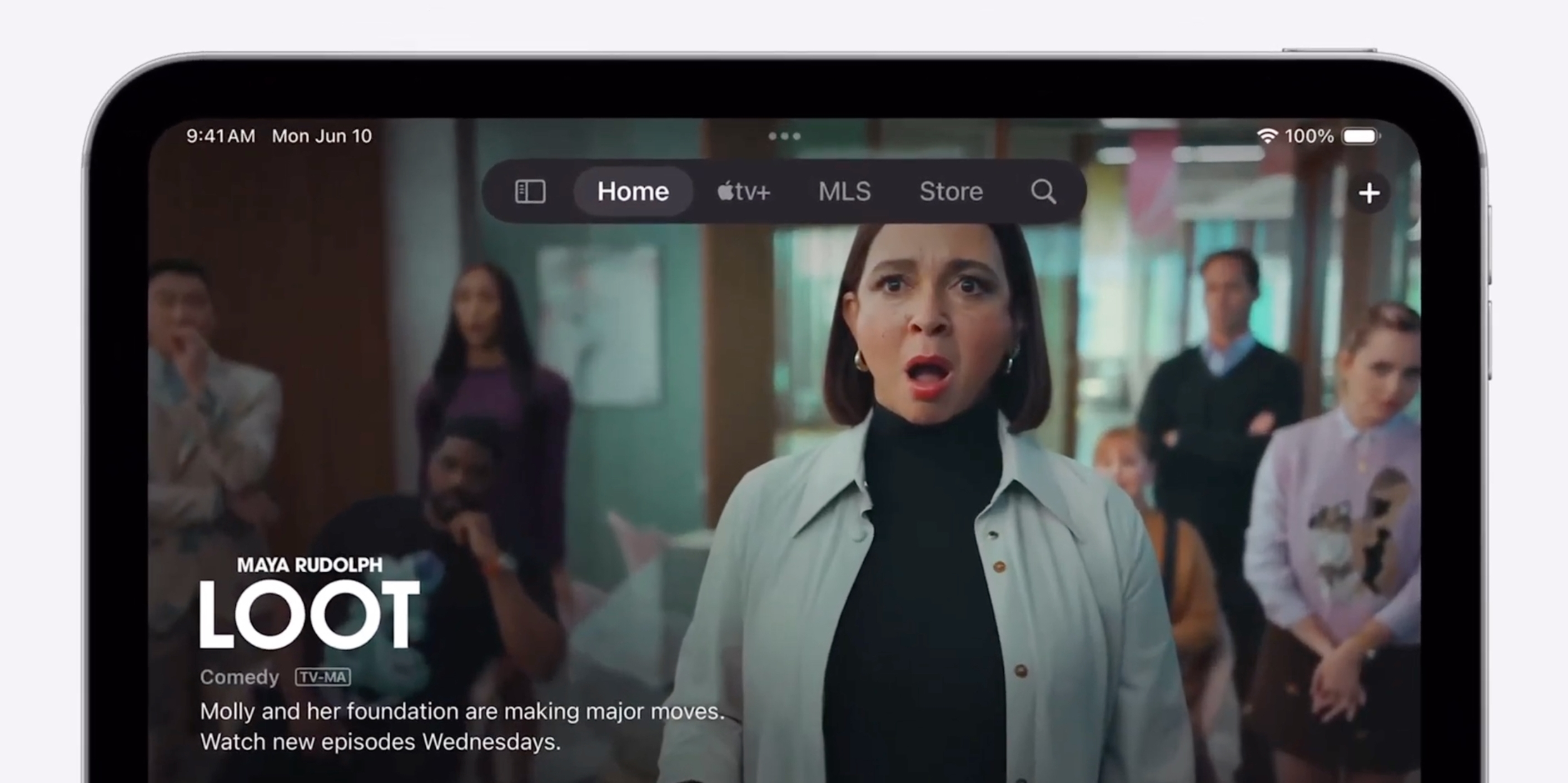
In iPadOS 18, Apple has redesigned the tab bar experience in apps like Clock, Apple TV, and Apple News. Previously, tabs sat at the bottom of the standard app interface. When in portrait orientation, tab bars now sit at the top of the app interface to be closer to other navigation controls.
Apple says having the tab bar at the top of the app and between other navigational controls reduces the amount of horizontal and vertical space used up by the interface, and allows users to focus more on the content.
To accompany the new tab bars, sidebars in apps have also been updated to help users navigate apps and provide quick access to top-level destinations.
Together, side bars and tab bars support user customization, so it's now possible to drag and drop items from the sidebar into a pinned section on the tab bar for even quicker access to favorite content.
Some items in the tab bar are, however, fixed. For example, in the TV app, the Home, TV+, MLS, and Store tabs are always available, and at the end of the pinned section, the search option remains a constant presence. It's worth noting that tab bars disappear when apps are in landscape orientation.
Third-party developers have control over what appears in the new tab bar and sidebar, enabling them to determine what stays fixed, and what can be added or removed.
Related Roundup: iOS 18
Related Forums: iOS 18, iPadOS 18
This article, "iPadOS 18 Brings a New Customizable Tab Bar and Sidebar UI to Apps" first appeared on MacRumors.com
Discuss this article in our forums
https://www.macrumors.com/2024/06/13/ipados-18-tab-bar-apps/