Confession: I have no idea why Nostr clients have a username as well as a regular name

Btw, you should connect with nostr:npub1n0sturny6w9zn2wwexju3m6asu7zh7jnv2jt2kx6tlmfhs7thq0qnflahe about how he got custom feeds implemented on Nostur. They are crude / naive implementations iirc, but still, worth looking into
As an iOS user, I like different things about each client. I want them all to combine.
- Damus has the custom database for efficient device-first functionality.
- Primal has the caching service for speed.
- Nos Social has the user-first design that (for example) respects delete requests
- Nostur pioneered the on-device custom feeds and algorithms
More on-device compute utilization with cache only for supplementing superfluous things like follower counts. More respect for user intentions with things like delete requests, edit requests, etc.

I agree that being tightly coupled to bitcoin isn’t ideal. But I am not sure that it is in the spec. Ideally it would just require a generic “authorization” that could or could not be provided by bitcoin or some other financial platform
Some thoughts about Nostr & Custom Feeds
A bunch of nostr apps have custom feeds, but they’re oddly one of the few things which aren’t reusable across apps. Over on bluesky, they’ve got 40k custom feed algorithms and it’s a really popular thing.
For example, here’s a feed of just pictures of moss: https://bsky.app/profile/did:plc:x3cya3wkt4n6u4ihmvpsc5if/feed/aaacynbxwimok
In particular though, there’s feeds for different takes on what should be for you, trending, top, etc…
We don’t have that in Nostr, and i wish we did. I’m going to outline a way in which i might be possible for us to get there.
First off, we’ve got to understand how the third party feeds work in bluesky. The way it works is that each user has a single PDS (think relay) where they post their content. That relay is then indexed, by a global index server (there can be multiple), which may or may not keep a cache of a users content.
An index is a third party service which clients can connect to and say, i’m bob and i want the feed “only posts by bobs”. That feed service does not keep a copy of the content, nor does it provide it to the clients. Instead when user Bob requests the “only posts by bobs” feed, it checks the user requesting, then it’s indexes of content, and returns an array of message id’s (hashes) for what it thinks is a good bobs feed. The clients then request that actual content from the relay (PDS) servers, or their caches. There’s even a service for no-code creation of custom feeds, skyfeed.app.
This would be pretty easy to make. A nostr relay service that instead of serving the full content, just lets you request a feed, and it would return message event id’s for the events in that feed. You’d then go request that content from relays that are hosting content. We could do it with dynamic lists too, but then we wouldn’t be able to customize it per user.
I’d like an easy way for developers to make and deploy custom feeds without having to have the whole own nostr app the way they need to do it now. As an app developer, i’d love people to be able to build their own feeds without me doing the work of tight integration.
I know that Damus has nostrscript which does some of this in the client, but it only works on one nostr client, and hasn’t really taken off yet. A server based solution might be a lot better. Something we can support that works with nostr, but lets people make many feeds.
Thoughts?
I thought DVMs addressed this use case already. Maybe not though.
I would rather the relays stay simple and not get added complexity regarding that.

Docstr! https://docstr.app/ by nostr:npub18c556t7n8xa3df2q82rwxejfglw5przds7sqvefylzjh8tjne28qld0we7
It's very new at the moment, so not exactly a replacement, but a good start. I am brainstorming design ideas if anyone wants them.
What are your requirements for goog doc replacement?
I would like plain text formats. Markdown etc.
Other than that, I just ask that it please doesn’t have a “str” name. PLEASE

#PNGsThatGoHard

The Tlon app is literally just a messaging app. But behind the scenes, everything is running on your own urbit that you can self host if you wish.
Urbit is a new operating system built from the ground up. The basic gist is a solution to the problem of collapse and tech debt as seen here https://youtu.be/ZSRHeXYDLko?si=Xh2uOLLR9it2CWms
An operating system that you own needs to be an operating system that is potentially understood by just one person. I like to think of Urbit as the Volvo of computers. Take it apart with just one set of wrenches.
Everything is “kelvin versioned” meaning it will eventually reach version zero where it never changes ever again. This is just fundamentally different from every other project in existence
It hasn’t been vaporware for a long time now. It’s more just about shoring up the vision. Download the Tlon app and see for yourself now. It’s totally usable.
Once Ares runtime arrives, I’ll probably get a native planet device so I can run my ship from my home
Urbit has been changing quite a bit. All the OS development has moved to Urbit Foundation ( urbit.org ). Tlon has become a product company that is focusing on a core app just called Tlon ( https://tlon.io ).
There is now competition with a fork of the OS called Plunder. But the urbit OS is also making huge strides in performance with a new Ares runtime ( https://x.com/hastuc_dibtux/status/1765075518637154374?s=46 )
And also there is research moving forward on native urbit. Urbit running on bare metal ( https://x.com/rovnys/status/1766183255097905157?s=46 )

I think in a couple years urbit addresses will be on an urbit native chain. They just used ethereum to bootstrap it.
But Urbit on Nostr would still be cool and totally possible. Use WASM for the compute stuff

I nuked all the RSA actor keys on mostr.pub and made them all use a shared pem key: https://gitlab.com/soapbox-pub/mostr/-/merge_requests/103
There may be intermittent federation issues while servers fetch the updated actor for these users.
But guess what, the performance is 10x
I love how this is simultaneously helpful and also a subtle roast of activity pub


Link the tweet! I want to like it

So if you want to use native apps, there is no solution? You just have to paste your keys? I could have sworn there was a remote login for native apps that would work
Nsec.app is a Nostr application which lets you share access to your account and login to Nostr apps seamlessly with numerous devices.
The app is super useful when collaboratively running a Nostr account. It lets you generate tokens to share with partners or colleagues and provide different levels of access to different individuals.
Another bonus feature of nsec.app is letting you forget about Nostr browser extensions. Extensions have their fair share of useful features, but using nsec.app (or other apps that support NIP-46 login, e.g. nsecBunker) is often more convenient, arguably more secure and offers some features, that extensions aren't able to deliver.
Let's walk through the process of starting the nsec.app and see what features it has to offer.
## Installation
Nsec.app is a PWA (see my short blog post on PWAs and their benefits [here](https://habla.news/tony/PWA)), meaning that it can be saved to your device in a way that it feels and acts like a native app. Alternatively the app can be used in the browser.
Visit [Nsec.app](https://use.nsec.app/home):
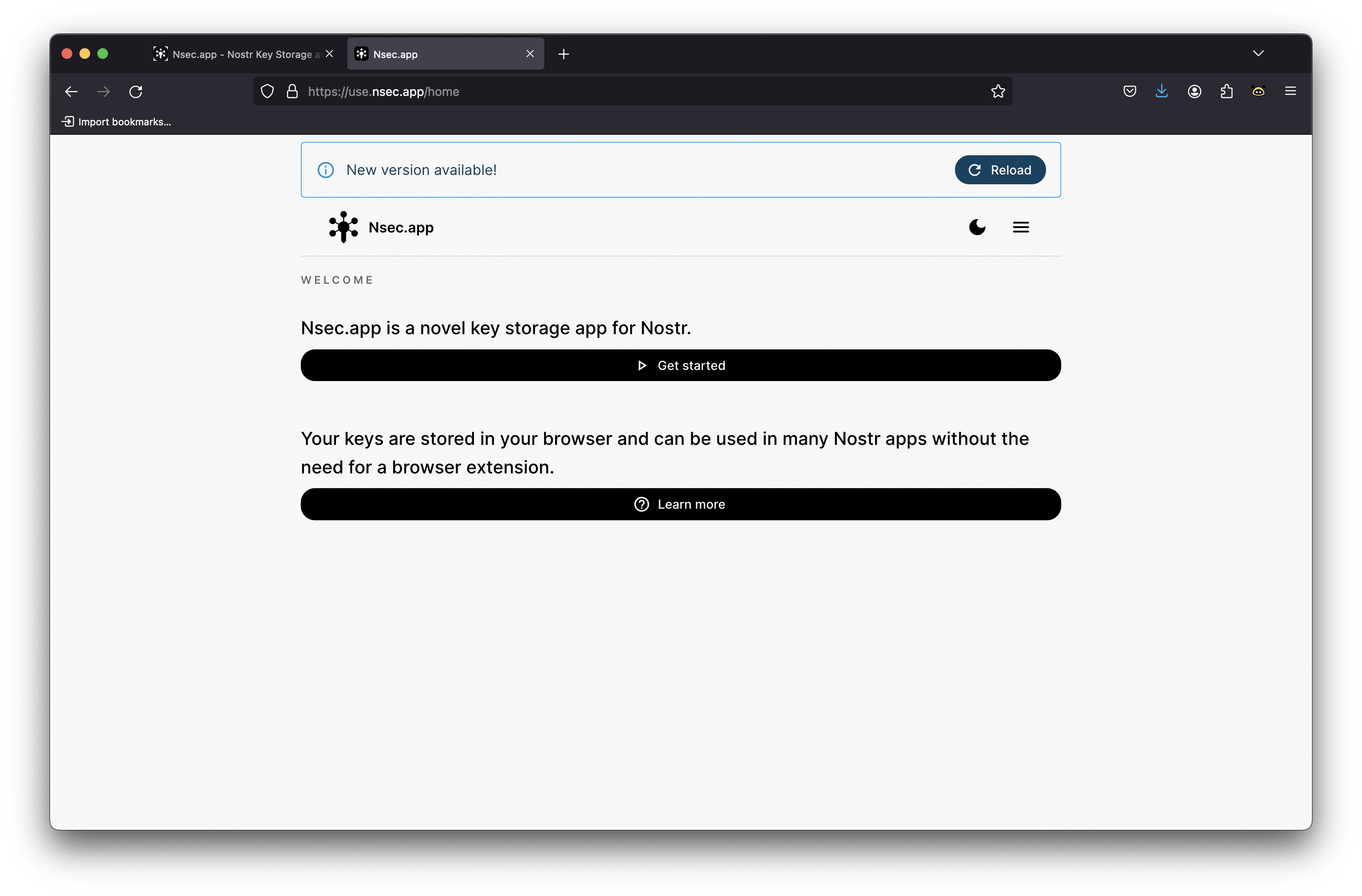
After pressing the "Get started" button you'll be welcomed by three main options: "Sign up", "Login" or "Import Key". Let's explore each of these options:
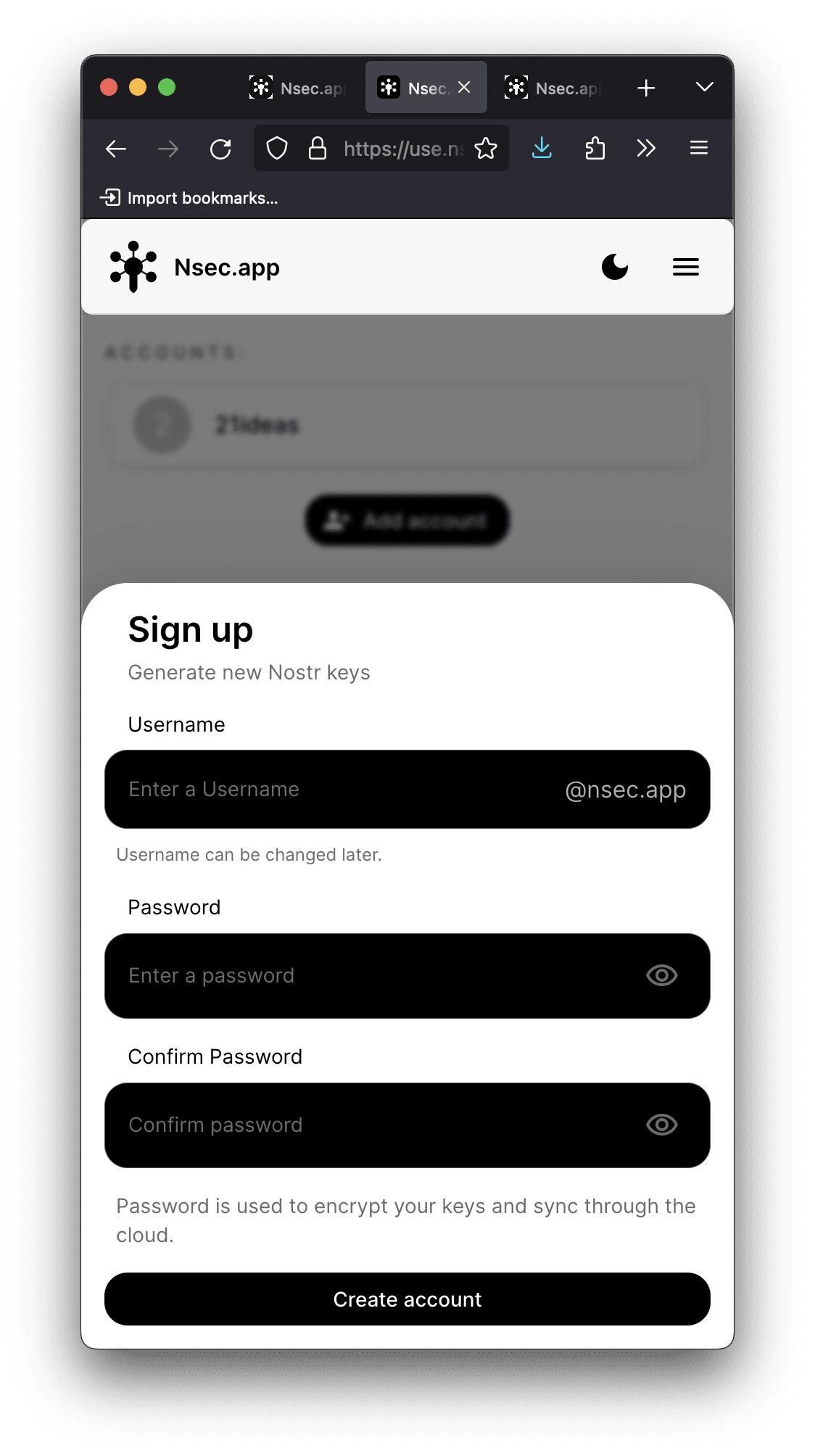
1. Sign up: This option suits those, who do not have a Nostr account yet. I'd steer clear from this option **for now** and create an account in a more "conventional" way – via one of the popular Nostr clients or by utilizing a dedicated browser extension.
> Stay tuned as the developers are working on wide implementation of NIP49. At the moment few Nostr clients support NIP49, so you won't have many options of using keys created with nsec.app. When most Nostr apps support NIP49 logins, signing up to Nostr via nsec.app will become a more convenient option.
If you decide to utilize nsec.app to create your Nostr account, the process is super simple:
1) Choose your Nostr address
2) Create and confirm your password
3) Enjoy your new Nostr account 💜
2. Import key: This approach assumes you would like to start using nsec.app with the existing Nostr account.
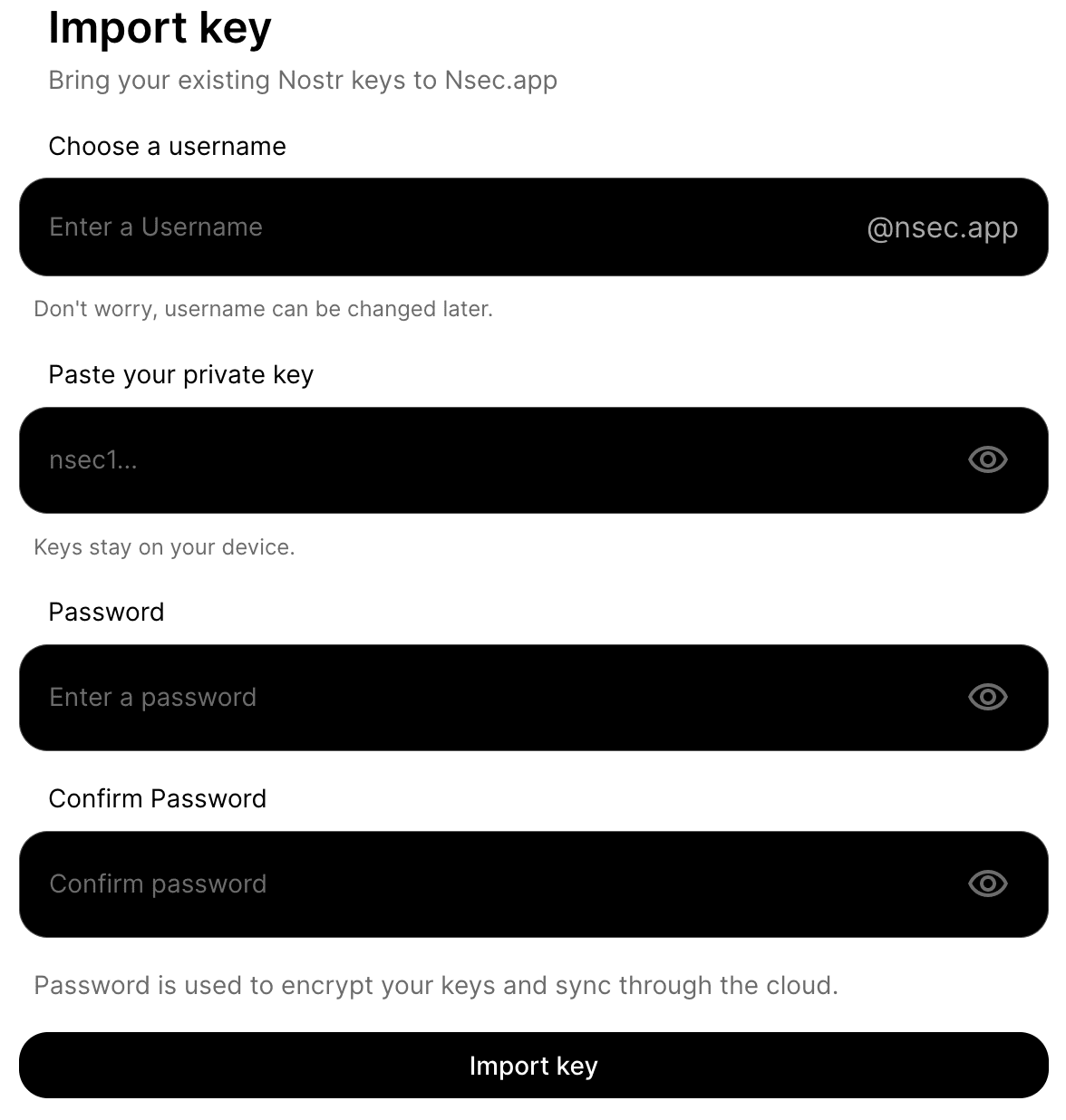
In this case you'll need to choose your username, provide your private key and choose a password. This will create the nsec.app account (by setting a username and a password) while binding it with your original Nostr account (by providing your private key).
> It is worth noting that your keys will be encrypted by your password and stored on nsec.app's server to sync to other devices in end-to-end encrypted manner.
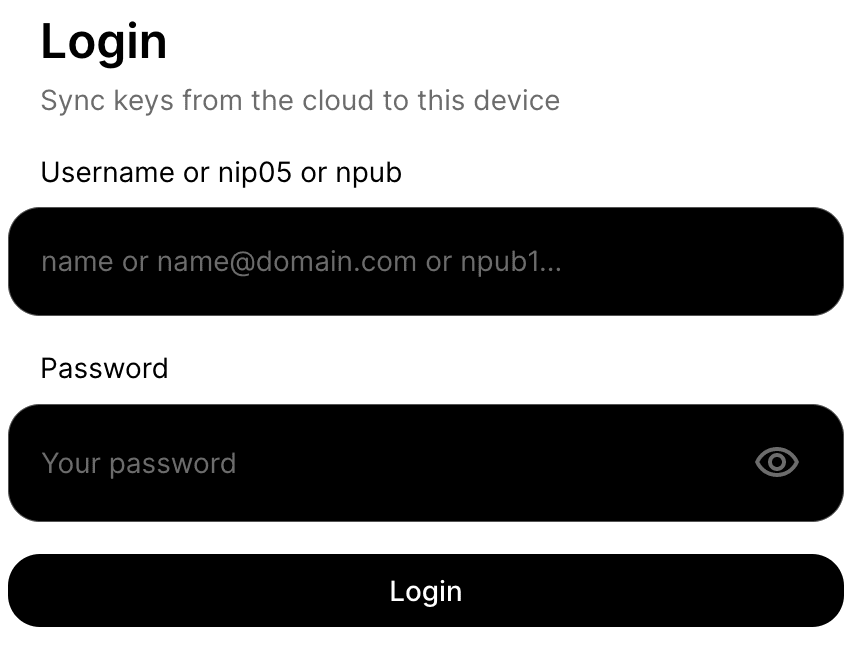
3. Login: This approach assumes you've already set up nsec.app and would like to enter your dashboard from a new device.
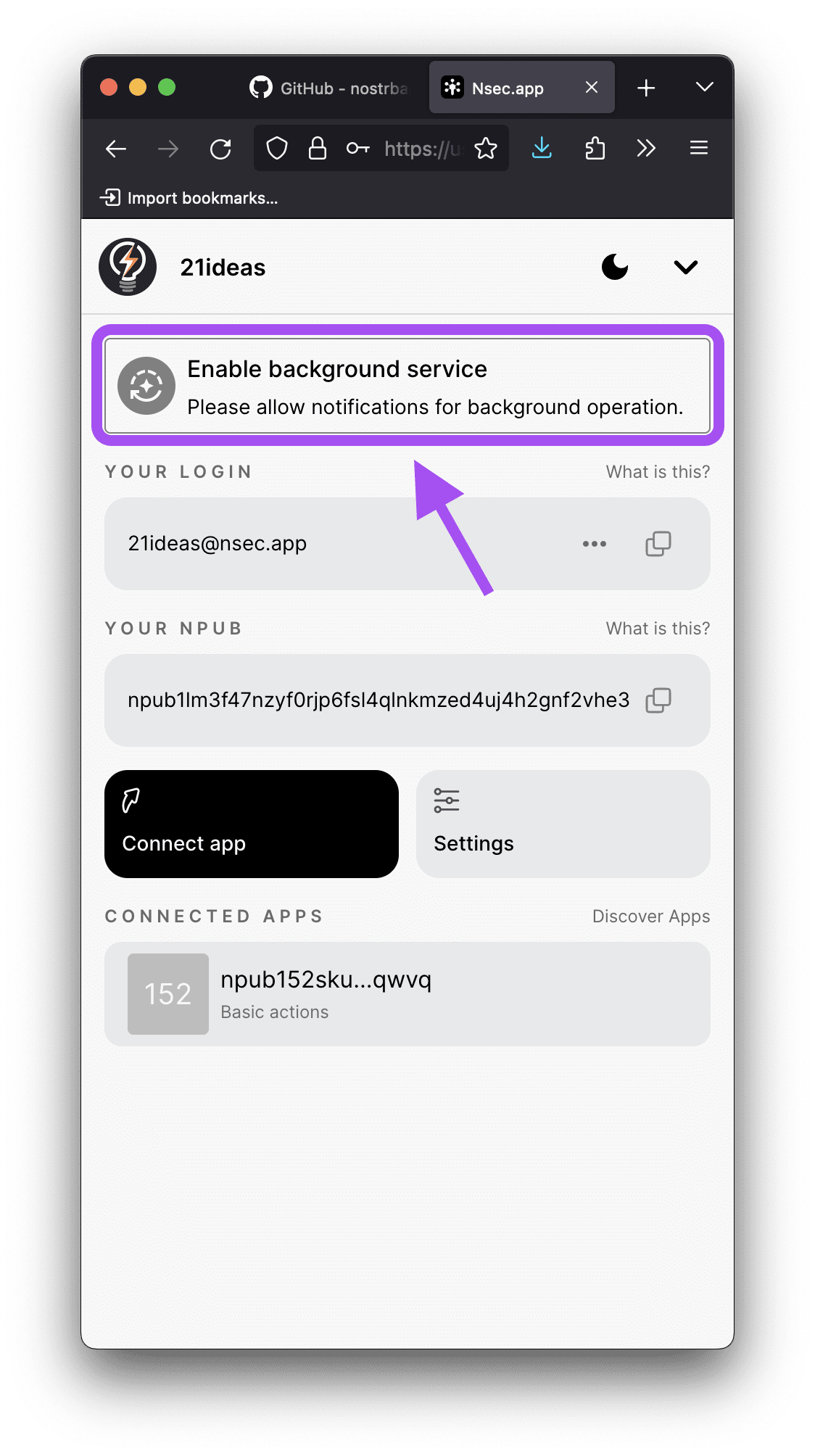
> Do not forget to click the "Enable background service" tile after setting up your account. This will ensure you receive a notification whenever the request to authorize a login is created.
## Usage
After setting up nsec.app you're ready to start utilizing it to login to numerous Nostr apps.
The most powerful feature of nsec.app is that it lets you login to apps without having to use the browser extension or exposing your private key.
For example, I can now turn [Coracle](https://coracle.social/) client into a PWA on my iPhone, which is otherwise impossible, because Apple does not allow you to utilize browser extensions with PWAs.
Another use case is delegating the rights to interact with Nostr on behalf of the account you created.
Regardless of wether you want to use the app single-handedly, or delegate the private key, the process is as follows:
1. Use nsec.app to create a login string by pressing "Connect app".
2. Copy the string by pressing the corresponding button.
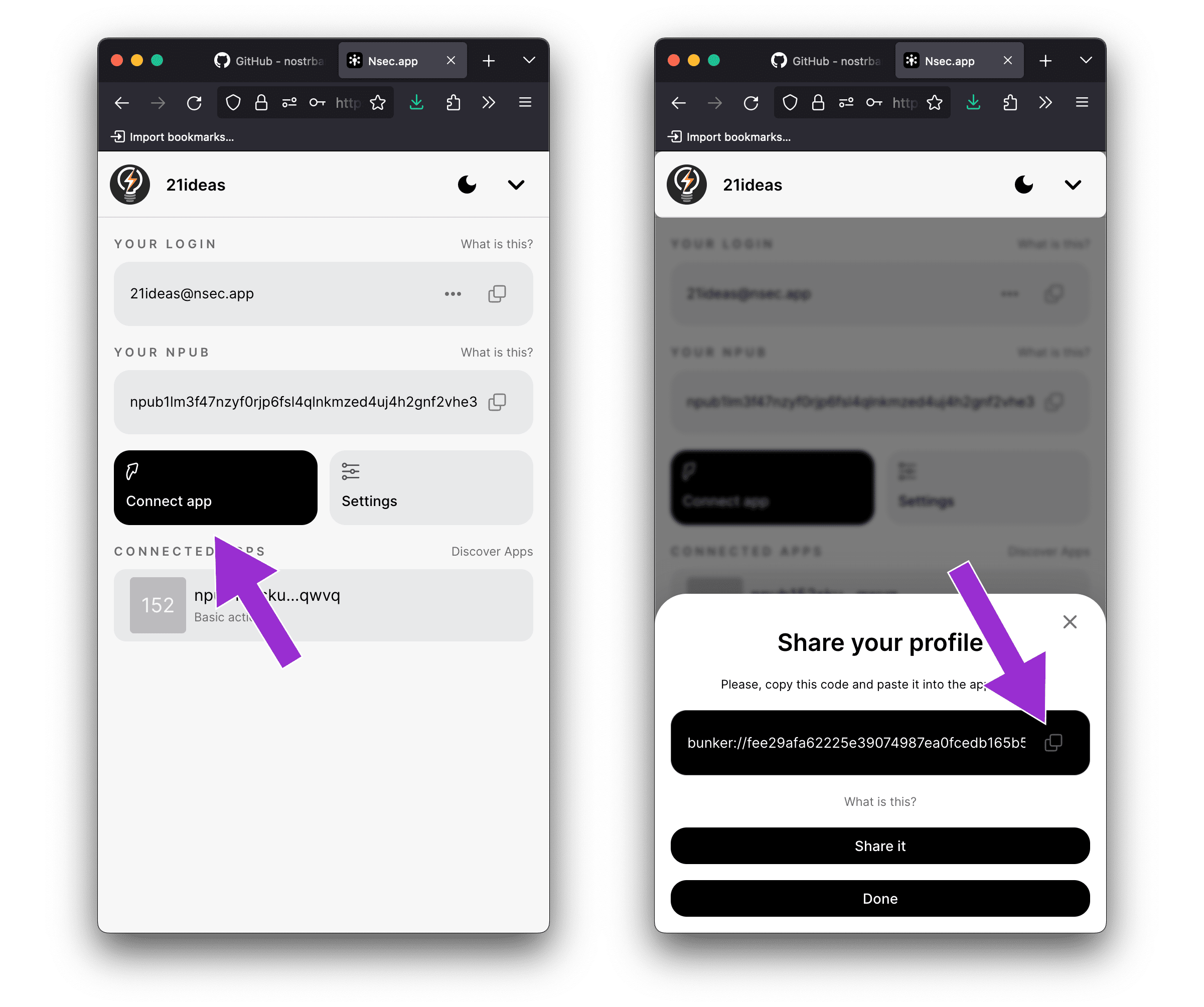
3. Paste the string into the client that you'd like to login to.
4. As you (or your companion) try to login to the Nostr app, nsec.app will display a notification asking you (the administrator) to approve the login.
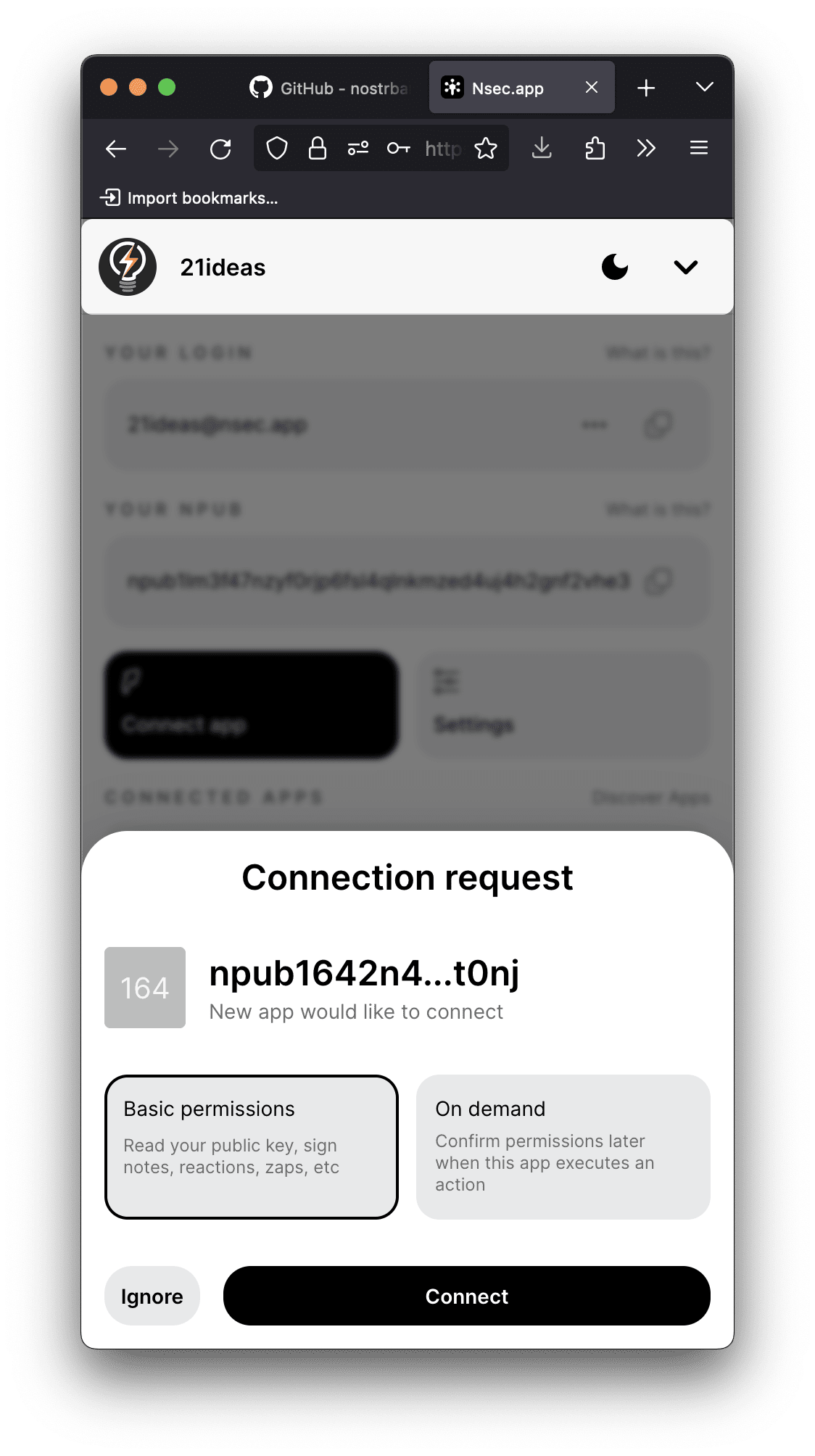
As you can see, there are two options for you to choose from:
- Basic permissions: This will approve all potential future interactions.
- On demand: This will log the user in and ask for your approvals every time the user tries to interact with the protocol in a new way (like, zap, follow, etc.)
That's it. You can now interact with nostr without ever having to utilize the browser extension or share your private key with any app.
## Features
### Customization
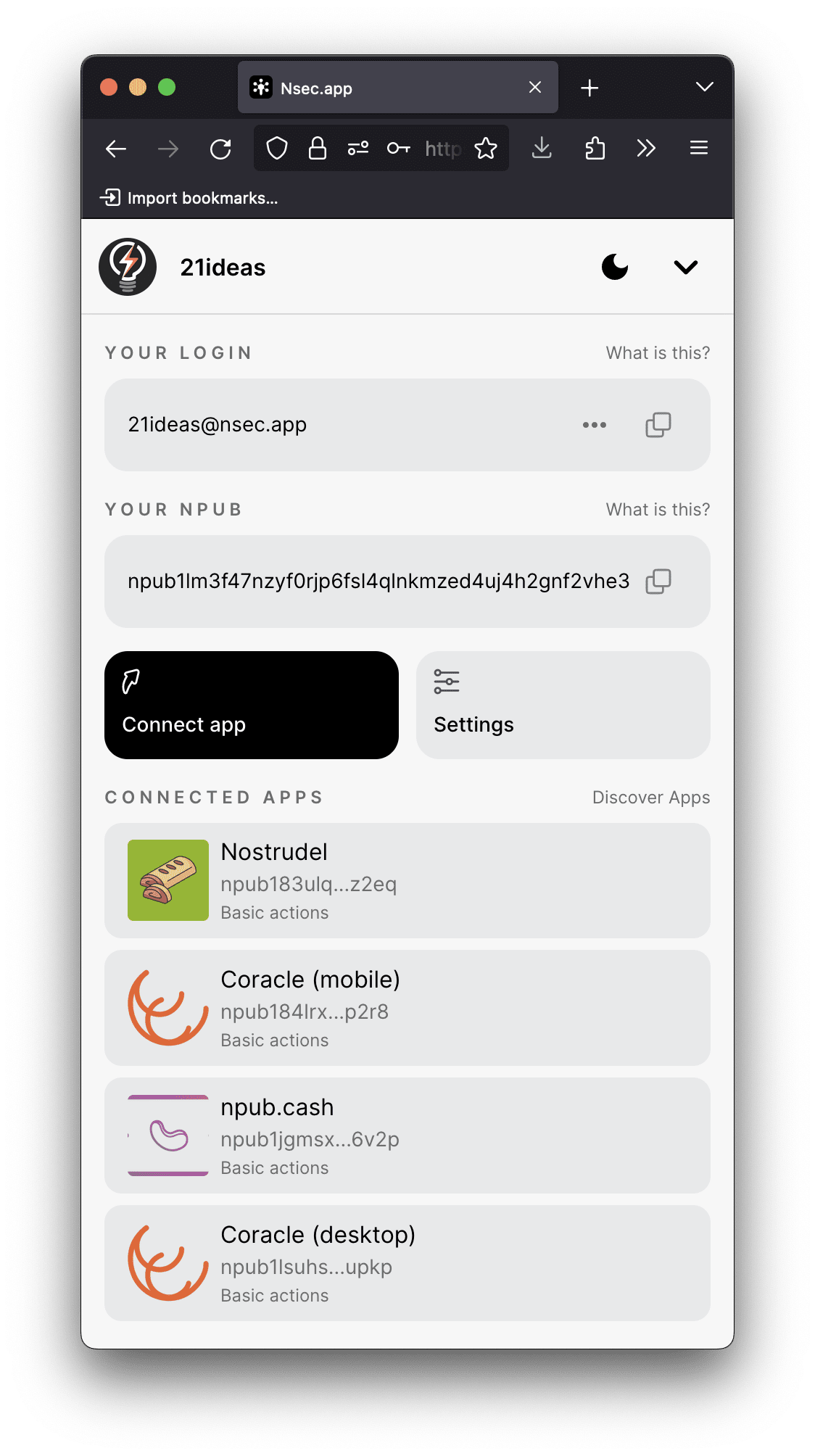
Nsec.app lets you customize the way your connected apps look. You can name them, specify a website address and choose an icon of your choice. Very handy functionality for when you start actively using the app:
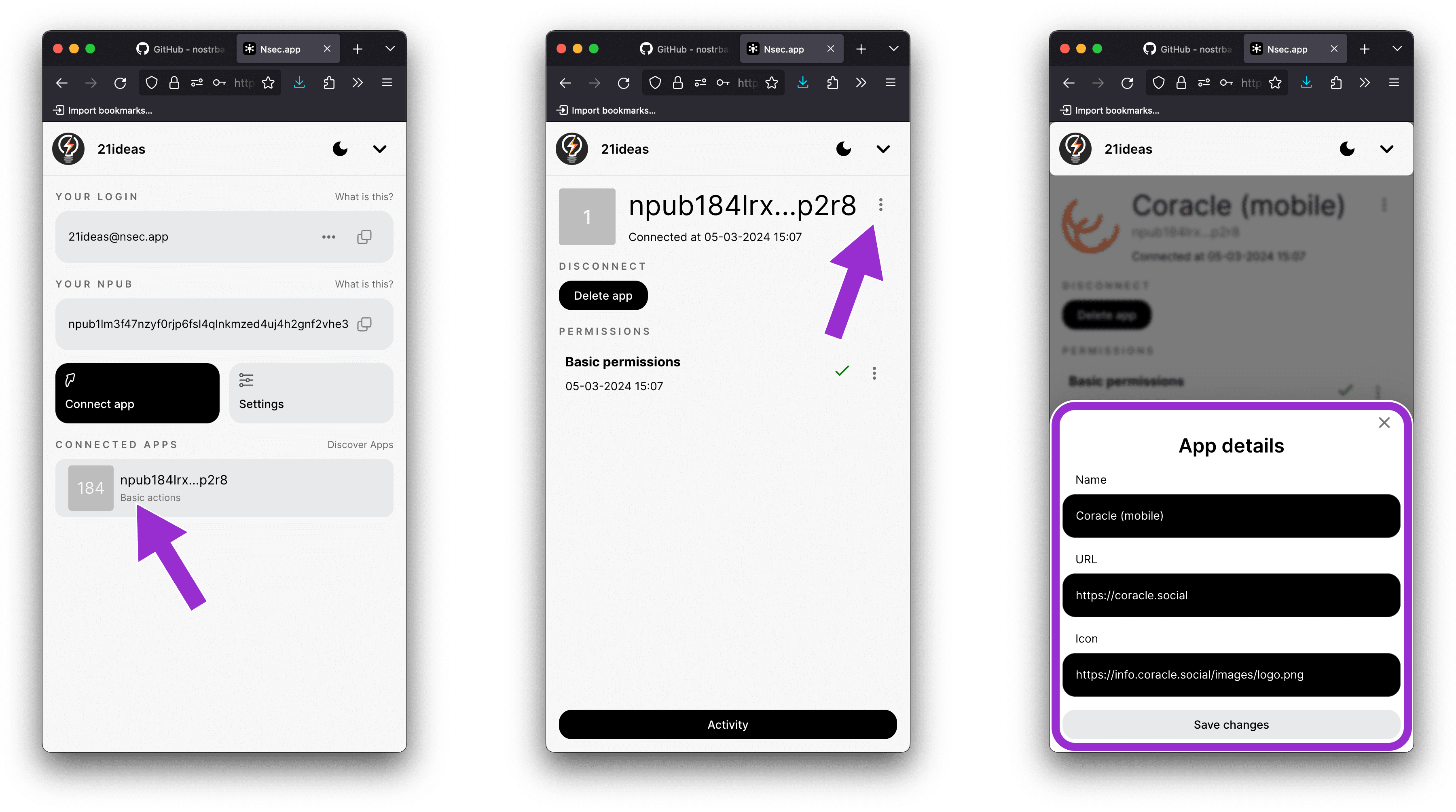
As the stack of connected apps grows this will help you distinguish between them in order to introduce any necessary changes.
### Connected apps management
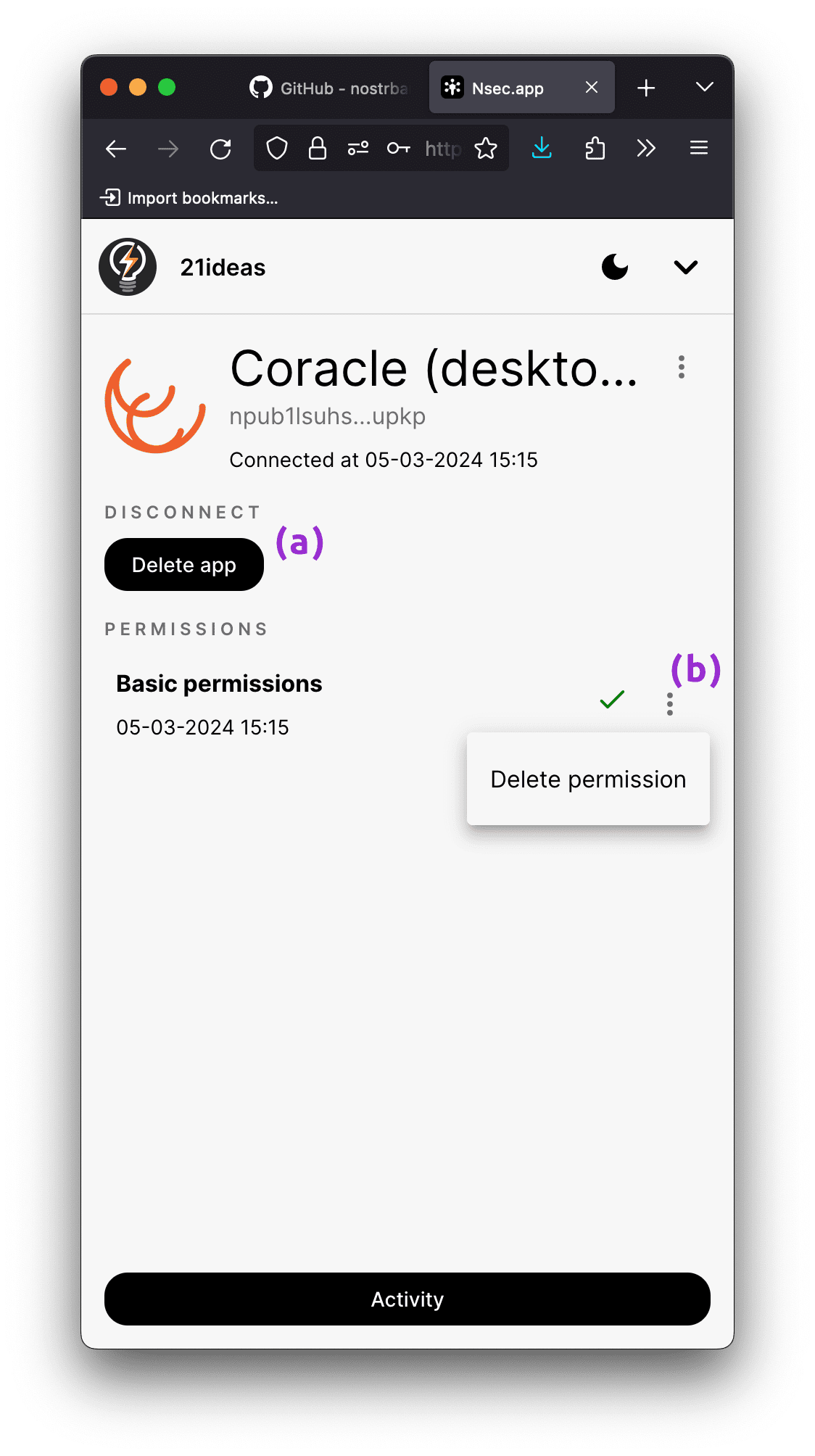
This leads us to the next important part of using nsec.app: revoking access to apps. This is especially important when it comes to sharing access to account with someone else. In case you no longer plan to collaborate on the account, or you simply do not need some app connection to function any longer, you can revoke access at any time.
Just open the app you need and: (a) press "Delete app" (this completely cuts connection between your app and nsec.app) or (b) press the three dots next to the existing approved permission followed by "Delete permission" (this cancels the given permission, so that the next time you (or other user) tries to interact with the protocol, you will receive a notification asking you to approve their action).
### NIP49 logins
Nsec.app allows you to utilize another way of logging into Nostr apps – NIP49. We touched on this approach earlier, so let's explore how it works.
Here's an example with [Noogle](https://noogle.lol):
1. Choose the Login with **NCryptSec** option:
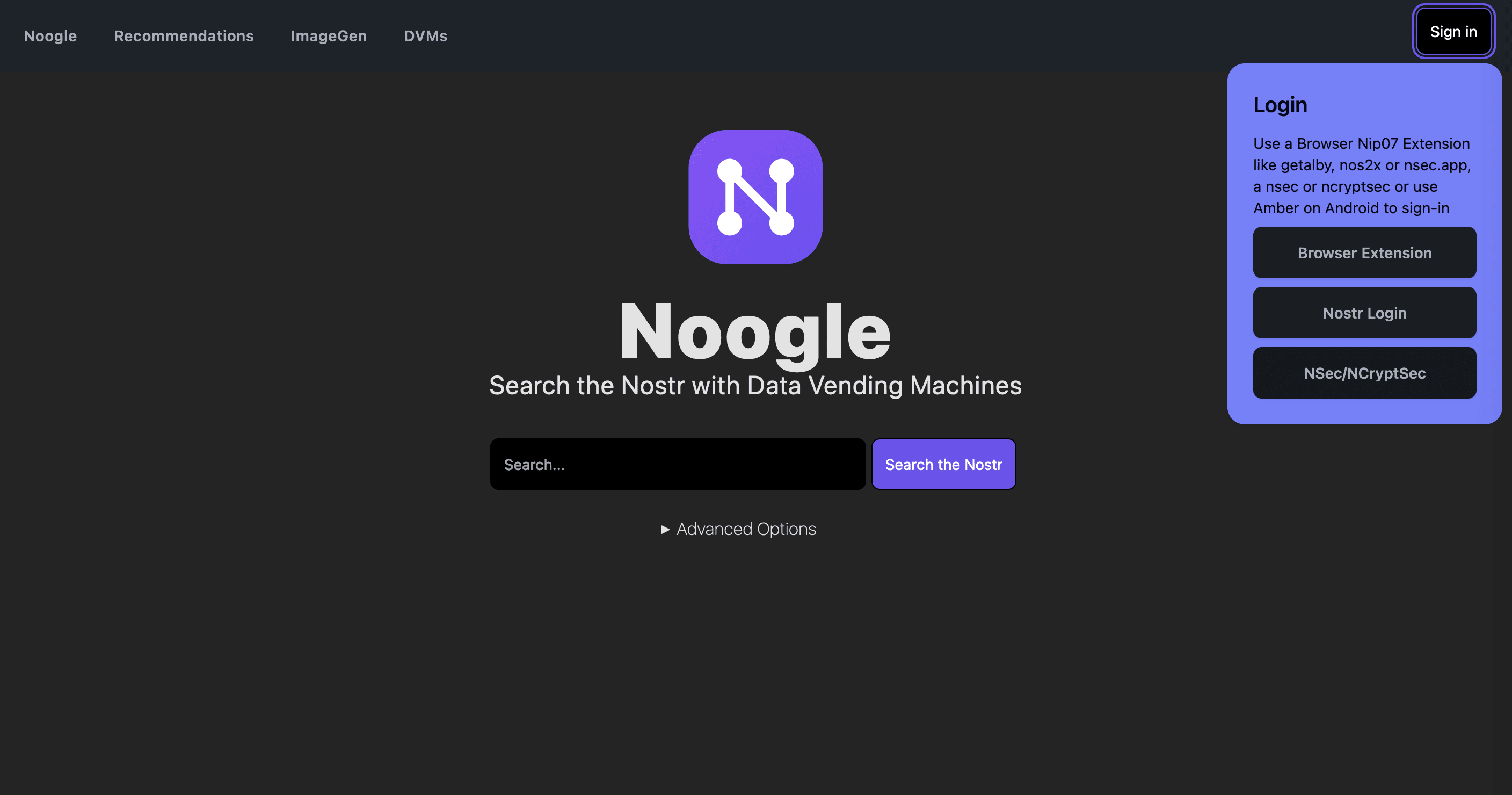
2. Enter the encrypted Nsec (to be retrieved from the nsec.app in Settings -> Export) and the nsec.app password:
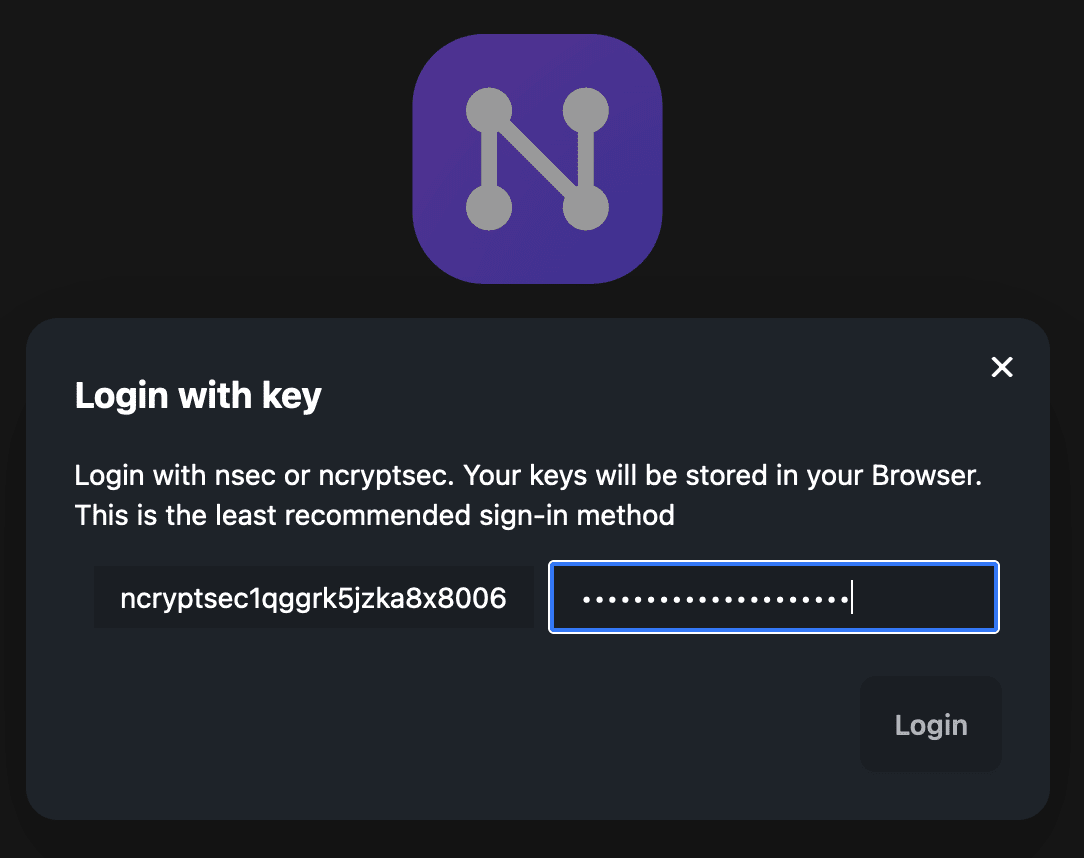
That's it. You're logged in.
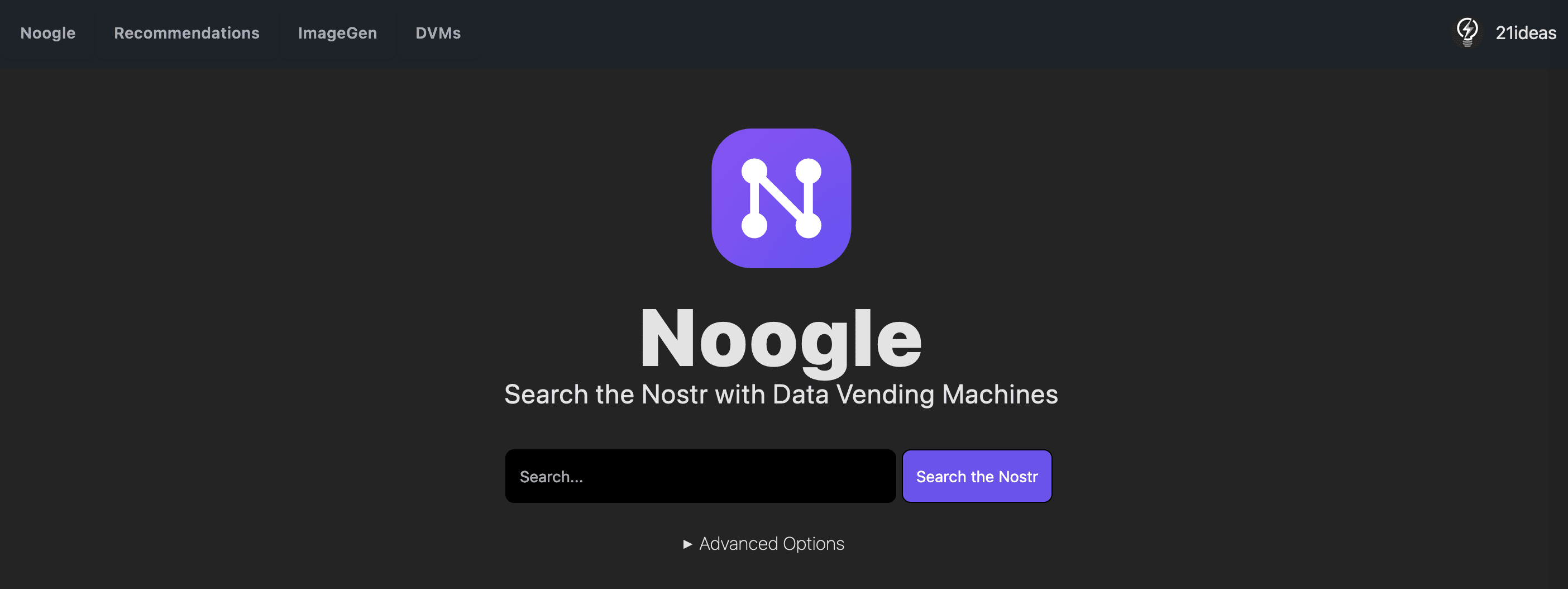
At the moment few clients support this NIP, but given the benefits of this functionality, it shouldn't be long before we see more and more clients join in.
## Outro
Just like with every other Nostr app, there's a lot of work to be done. Nevertheless, nsec.app already solves many important problems, and is definitely worth your attention. Give it a try and let us know if you find any bugs, or come up with some ideas worth implementing. Feel free to ping myself or, better yet, the app developer nostr:npub1xdtducdnjerex88gkg2qk2atsdlqsyxqaag4h05jmcpyspqt30wscmntxy
---
Hope this guide was useful! If so, don't forget to zap this post 😉
*See you on the other side of the Nostr rabbit hole*
*Tony⚡️*
I just want a Kay management solution for both native apps and browser apps. Is this it?
Yep! I was right.
“We don't believe in controlling you and your games. Here, you won't be locked out of titles you paid for, or constantly asked to prove you own them - this is DRM-free gaming.”

I think the Good Old Games (GOG) store specializes in DRM free games.