

But imho these are just temporary patches and dont really resolve the core problem. We might need a completely new address format and start from new.
#Nostr is on high risk as well; based on npub... they can long range attack you and get your nsec in a few years

Accept yourself as you are, be proud, keep your hair shaved or short and clean.
You also might consider hair transplantation if you have a mental problem with your hair loss.
It is sad to see so many cool people becoming insecure when they start loosing hair. It is like their whole self esteem comes from their hair? Seriously? It is just hair, take it as a man, bro 💪🫂

a CLI client would be cool


"You have 10 seconds to leave my house" (while charging rifle).
"Shut up and take my money!"
"TV is always right!"
"Right to pay for free beer"
"Felony is not a crime"
"Barbies for Pedos"
"Pharma for Fetuses"
"IngSoc for President"
"Straights for buttplugs"
"My body - your choice!"
"Slavery for everybody!"
#BIP360
#asknostr
#PQC
#P2QRH
I've researched quite a "bit" about that topic.
Now between fear porn and serious threat to our last straw of freedom in this sick world.
Can anybody explain why most #Bitcoiners don't take this seriously and still thunk it's 2019? I mean we talk about a time interval of 5 years or less until big state players going rip us in pieces....

In the next 5 years #Bitcoin will face EXTREME changes in #mining, #blockchain, #wallets if it wants to survive .
Of course I advocate decentralized home mining, but let's be realistic: #Bitaxe and this way of home mining is already legacy stuff.
#BIP360


#Google and #Meta belong to the same master.

Isn't this called "inertia"? 😄

anyway so beautiful... like #Bitcoin 🧡🤝
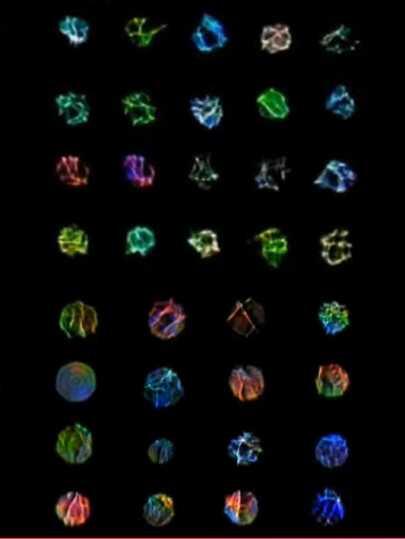

Anything to distract people from Epstein's client list.
These look like interstellar nebulars near supermassive black holes.


"Is it a bird?" - "No!"
"Is it a plane?" - "No!"
"What is it?" - "It's Captain #Bitcoin ! 🧡"

🌟 Emacs on Windows: A Friendly First Tutorial
🧰 Step 1: Install Emacs on Windows
1. Visit the official GNU Emacs website:
https://www.gnu.org/software/emacs/download.html
2. Scroll down to Windows section, and choose the latest 64-bit zip version.
3. Extract the ZIP file to a folder like C:\Emacs.
4. Inside the extracted folder, open bin\runemacs.exe.
This will launch Emacs without a terminal window – perfect for GUI users!
---
🖼️ Step 2: Understand the Interface
When Emacs opens, you'll see:
A Welcome screen
A Menu bar (File, Edit, Options, etc.)
A scratch buffer (a place to write temporary notes or code)
It might not look fancy, but Emacs is extremely powerful under the hood.
---
⌨️ Step 3: Learn Basic Keys (Don’t Panic!)
Emacs uses keyboard shortcuts a lot, but let’s start with just a few:
> Pro tip: When you see Ctrl + x, Ctrl + f, press and release Ctrl + x, then press and release Ctrl + f.
---
📁 Step 4: Create and Save a File
1. Press Ctrl + x, then Ctrl + f.
2. Type a file name like hello.txt and press Enter.
3. Write something!
4. Press Ctrl + x, then Ctrl + s to save.
---
🎨 Step 5: Customize the Look
1. Go to Options in the menu bar.
2. Choose Set Default Font, pick something comfortable.
3. To save this for future sessions, go to:
Options > Save Options.
---
🧩 Step 6: Optional – Install a Starter Kit
If you want a more modern, user-friendly Emacs, try a starter kit like:
Doom Emacs – very powerful, but needs Git
Emacs for Windows Beginners – simpler
> If you're not ready for Git or terminal tools, skip this for now and enjoy vanilla Emacs.
---
🧠 Bonus: What's So Special About Emacs?
It's a text editor, but also a todo list, email client, web browser, IDE, and more.
You can customize everything with Emacs Lisp (a bit like coding your own editor).
Emacs grows with you – it starts simple, and becomes your superpower.
Step 7 :
Delete #Windows , install #Linux and #Emacs from repos