

Depends on what you are trying to accomplish.
Where are you on your linux journey?
How can I help you get started?
Depends on what you are trying to accomplish.
Where are you on your linux journey?
How can I help you get started?
What are the “few others” you mention ?
To be honest there was a stick up my butt one day. I went through dozens of linux distros in a week. A lot of them had shady shit, or at least very questionable things happening on the network at first boot.
If anyone wants to zap me $25 dollars in bitcoin. I will redo my research to make it up to date. Then write a 2,500 word minimum article with screenshots and security research proof of work to help with self verification of my presented evidence. This would be a Linux public services announcement for Nostr.
Other than that it is a lot of work that I am not motivated to do right now. So my suggestion would be if you are interested in independent investigation and research. Visit distrowatch.com. Start on the top 100 list and work your way down.
Shit, in the top 20 alone you will discover several shady fuckinings afoot.
I'm @ ground zero when it comes to linux, have not started. I have an extra HP laptop to install on that's only a year old. Wondering where to get basic info on how to reformat and or remove all the Microsoft and HP crap on it and install clean linux, etc like you mentioned. Or do I need to get another type of laptop, etc?
Appreciate your help getting started! I've been online since 95 and can't believe I have waited this long lol.
I am bed ridden with pneumonia and can help you with this live if he doesn't have the time to help at the moment.
Let me know or reach out to me directly on simpleX.Chat or Dm on here once you have chosen a distro that you want to try on it :)
Cool, sorry you have pneumonia. I'll check back with you on simpleX when I have a chance to get into this. So I can use the HP LT I mentioned?
Thanks a bunch!
These things are never YES or NO answers. But lets go with YES 😃
I have a personal disdain for HP machines, the only thing I can see us having trouble with worse case scenario is the wifi. But we might get lucky.
If the wifi is not supported by linux, worse case scenario you will have to plug in an ethernet cable, or share wifi over bluetooth/USB tether from a spare tablet of phone.
assuming this is all for educational purposes that shouldnt be too bad.. again im talking about worst case scenario here.
Dont worry too much about the formatting, most linux distros take care of that for you during installation.
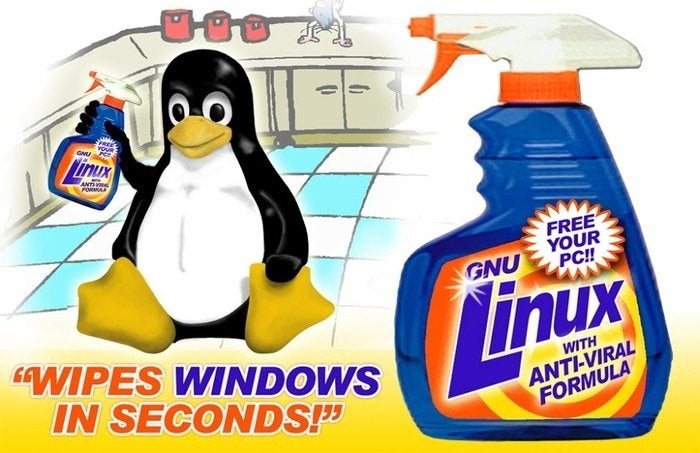
if you are ok with all this, then I recommend you start with something like EndeavourOS, this will skip the overwhelming installation of Arch Linux and give you a GUI out of the box without any other unncessary packages. A the same time it wont make things too easy for you so you will still get experience with command line stuff.
Im assuming you want this to be a learning experience and best practice stuff right?
Correct!
Is there a nice laptop designed for https://endeavouros.com/news/our-refresh-release-endeavour-neo-is-available/
I'm kinda old and want to learn and be more free but don't want to spend tons of time on it.
I always say you can't go wrong with a ThinkPad.
Or I can ship you a crappy HP if you pay for shioping label.
Thanks for offer! I'm gonna save up and get a laptop that BitTiger reco'd...sounds perfect!
I'm gonna by pass the misery of experimenting on my HP ;o)
I appreciate both you guys input, you're both awesome!
Hope you're feeling better everyday!
Thanks to both of ya, I don't like HP either. Just was thinking of experimenting on it to learn. Instead, got a reco on a somewhat affordable laptop that has all this installed and or designed for it?
First off let me say I am thrilled to help you get off the Winblows. Those proprietary malware and spyware operating system drugs are no joke. Let's get you cleaned up with some Linux.
First off your HP will be alright to experiment with. View it as a learning machine. HP computers to me are disposable. They were the bane of my existence when I did computer repairs when I was young. Due to bad build quality and hard to repair. However some people still like them. So for gettiny started it will do just fine.
One thing that you will need to independently research how to do. Is look up how to disable secure boot in windows for your computer. Once we get past that hurdle it is smoother sailing. Disabling secure boot will allow you to wipe the system clean and do a fresh Linux only installation.
Next we will need an external usb thumb drive with 16gb of space minimum. Then download and install the software etcher onto windows.
Once that is done you have to make a decision. So I will give you 3 Linux paths to choose from.
Path A: Debian - Cinnamon Edition
This is the path for a person who has been on windows their whole life. They want a more traditional desktop, but with retain the ability for amazing modern features and good customization. Debian is rock solid, but does take a little longer to get new releases and package updates beyond security patches. This is something I would recommend for office work and general home computing.
Path B - PopOS (GNOME / Cosmic)
This is the path for a ultra modern feature rich GNOME desktop environment. With heavy cosmic modifications by the team over at system 76 computers. It will be a paradigm shift for you. Once you enable automatic window tiling and utilize gesture features with keyboard shortcuts. Your workflow increases producivity 2-3x. Through GNOME extensions you will discover many ways to extend desktop functionality. PopOS is for the creative professionals who want to have a really great all around experience. With good roll back features via a system restore option built in. With support for automatic installation of pesky hardware drivers without having to search all over the internet.
Path C - Arch Linux (KDE)
https://archlinux.org/download/
This path is not for the faint of heart. It is for the type of user that wants to have absolute control over their entire computer. To have a traditional yet ultra modern desktop. That is sexy as fuck and has more customization options than you can ever imagine. It integtates well with Android smartphones via KDE connect.
With Arch Linux and the Arch Wiki you will have access to the best Linux software documentation on the internet. It is the gold standard for discovering anything to do with Linux. Often people on other distros will find solutions to their problems there too, it is that good.
This is where things get interesting. This is a very DIY linux distro. It is advanced. You will need to run the command "archinstall" to activate an automated version of the installer. Please read through how to install arch linux with kde tutorials before attempting. This will always have bleeding edge software. So if you dont choose btrfs as the file system during installation. Then use the software timeshift to make system snapshots before every system update. You are gonna have a bad time. For Arch Linux is like a race car. It is fast. It is awesome. It will crash and burn on a random update if you dont keep informed on their website of any problems you may encounter.
Once you have chosen your path. Download the .iso file for your chosen Linux distro. Use Balena Etcher to burn it onto a blank usb thumb drive. Plug it into your laptop. Get it to boot up into the hard drive by changing the boot order in your computer bios to ensure that usb drives get 1st boot priority. Either that, or manually select the usb thumb drive from the menu if it shows up anf press enter.
Usually you need to press the power button and then immediately hold down f12, f10, or the Escape key to get to the boot menu. This may differ for each computer model, so you may have to look that up to.
Remember to look up tutorials either articles, or videos for step by step installation instructions for your chosen path. If you run into any issues I am here for you.
This may seem daunting, or very exciting. Maybe a little bit of both. Just know that the Linux community is always here for you. Reach out to us and someone will always be eager to help. This is a journey that will have its challenges, but it will also be well worth it once you have got a fresh start in a free open source world.
I can't stand HPs too.
Equally I can't stand KDE lol. Used to be a fan of MATE but gone full XFCE now...
I used to like Debian until the freedom changes implemented in Debian12, might as well run Ubuntu or Mint at that point. Trisquel was good for freedom but quite limited.
EndeavourOS seems like a happy medium to me all things considered.
KDE I feel is good for a certain personality type. The ones who want to have everything exactly the way they want it. While always looking good doing it. Even if it can get a little buggy sometimes with newer versions. It is for people with OCD and a taste for classy linux life.
Overall, it is not for me either, but it is for a lot of people. Winblows tends to also steal their homework and turn it in as their own often too. So I have to still recommend it in good faith.
I love Trisquel for maximum FOSS freedom but it is tricky to install depending on the hardware you have. For instance as much as I want to I cant even install it on bare metal, only in a virtual machine.
Endeavour OS is a happy medium. It is Arch Linux on easy mode. I cant really knock it all that much. I just dont fully trust it as a daily driver. To be honest I had a valid reason for that sentiment, but I cant remember why at the moment. So I will let you know if I remember why I stopped using it as a daily driver lol.
Ive just started using both Arch and EndeavourOS as my daily drivers, but will let you know if I run into any snags.
obviously this will be different for newbies as im about 17 years into my journey and taken some free sysAdmin courses and setup my own headless CLI media servers at home.
I love the concept behind system76 but they are so damn overpriced and bulky.
Love older MacBook Air for portability and ThinkPads for a happy medium of that and Freedom.

I'm learning from you two going back and forth...love the info!
Not gonna lie. Love me some ThinkPads too.
Just for their keyboard though. Which is second to none. All metal casing is nice too.
Build quality is alright, but it is a far cry from the old T410s days where they were a fucking durable tank. Back then you could chuck it across the room like a frisby and it be perfectly fine. Now even for self repair and upgrades. The modern ThinkPads are more finicky and fragile once you open them up. I feel like an old fart saying they dont build them like they used to.
Stay the fuck away from Apple hardware. Sure they are excellent build quality. However as someone who worked in a certified apple repair store. Seeing the capabilities Apple has behind the scenes to remotely fuck with your hardware. Even with Linux on it. Im just going to say a fuckedity nope nope.
Even though many people never experience any problems whatsoever when they convert mac hardware to Linux. I am just a little too skeptical, paranoid, and overly cautious. Especially when it comes to owning anything that Apple makes in the first place.
My T420 is still running. 24/7 365 for almost 15, years now.
I've never purchased aoole product and never will. My late dad pulled a 2011 Mac Book Air 13" out of a garbage can and I put Arch Linux on it.
Great for making house calls to my plebs with.
Thanks to both of ya, I don't like HP either. Just was thinking of experimenting on it to learn. Instead, got a reco on a somewhat affordable laptop that has all this installed and or designed for it? Why you don't accept zaps?
If you are looking for a new laptop with Linux already preinstalled onto it. With outstanding customer support. Top notch build quality. Then I would highly recommend System76 laptops. Specifically the Pangolin when it comes back in stock in the next week, or two since it is Ryzen CPU based and affordable.
However, honestly, if you dont care if it is AMD vs Intel. You could go with anyone of their laptops and you would be set for the next 3-5 years. It is just whatever your budget will allow. They also have affordable awesome PopOS powered desktops too. If you need other more affordable laptop suggestions that are of good build quality, but cheaper. Let me know. Im here for you to provide suggestions.
I absolutely accept zaps. My lightning wallet address is BitTiger@fountain.fm
Should be easily zapable and I sincerely thank you for any amount you choose to send me.
I just did not connect it directly to my Nostr account on purpose. So that way any zaps I receive are anonymous. This ensures I always stay true to myself and not become motovated by greed. Which could cause me to shift my focus away from being genuinely me, just to give people what they pay the most for. That is not why I am here. I want to remain stoically virtuous with my content, help people, and earn zaps for always being 100% true to myself.
Unless you werent refering to zapping me with delicious Bitcoin specifically, or already did lol. Which in that case this was a long winded explanation about how I try to stay honest and humble to stack sats on Nostr lol.
Ah, cool deals! I'll look into your recos and let you know how it goes. Sounds great, Thanks a bunch!
I asked bout zaps because the lightening bolt in your post is shaded out. I see now I can zap from your profile, will zap there ;o)
The Pangolin looks exactly what I am looking for. So with this machine I will be able to do all the stuff you and cryptowolf were discussing back and forth?
I read there "about" page, I love it and want to join!
Yes!
The System76 Pangolin will come preloaded with your choice of PopOS, or Ubuntu I believe. You choose at check out. Go with PopOS.
Then you will have a native linux laptop with a solid setup and great available support. They have been around for awhile. I know that you will love making the switch and you will never wanna go back to winblows again.
The Pangolin will do what you need it to. My suggestion is to max out the ram if possible, or at least get 32gb to future proof a bit. The only thing that would make me suggest going with a model that has a dedicated video card. Is if you want to get into gaming, media editing, or ai workloads. Which requires a significant price bump.
Let me know what you decide and how you like it. Hope it all works out for the best for you my dude. Have a wonderful night.
Excellent! You saved me a boat load of time researching and possibly getting misguided in the wrong direction.
I'm won't be using for gaming, media editing or ai so all good there. I'll go with the PopOS and max out the ram for sure.
I greatly appreciate you mentioning all these extra details, very kind of you!
I just got hit with some expensive car repairs so have to save up a bit and will give some time to get back in stock ;o)
I'll let you know when I get it and will keep in touch!
I'll zap ya more on your profile and over time as I can, not a rich dude but will do what I can to thank you!
Have a wonderful night as well!
Thanks! I truly appreciate you, your zaps, and your kind words. Always here to help. If you have any more questions please let me know. Take care, stay awesome, and GN.
You're awesome! Gotta love Nostr to find great people like yourself...GN.
Just want to make sure you got the zaps I sent from your profile?
Doesn't show on nostr.band or in my stats. Still learning here so wondering if just shows up if zap in post?
Yes. I do believe I receieved the zaps. I dont have my lightning wallet directly connected to Nostr. So it probably doesnt show up for you.
All I see on my end is the amount received into my lightning wallet and I did get a generous amount today. I am assuming some was from you. Thank you so much for your awesomeness!
It is truly appreciated.
Thanks for letting me know, I thought it was because not connected to Nostr for reasons you told me about. I like your reasoning! Haven't seen that before so just wanted to make sure zaps are going to you and for when send again in the future. You're most welcome and deserve much more!

