


There you go https://nostorg.github.io/clients/

Coracle's Web of Trust indicator on profiles does a lot for me, so that plus a quick look at the profile's content is enough for me.
I like to think I can tell bots/LLMs content from real people lol although some one liners plus ai art accounts like Saylor can mud the water.
Also Primal has a follows of my follows (Tribe) feed that can also maybe help find better quality accounts to follow? Although there's no WoT indicator.

"Babe wake up, the new version of the future murderous State police robot is out!" https://youtu.be/29ECwExc-_M?si=R9w12CxPhoKAWKPV

Thanks for clarifying and the quick reply! It's a great piece of software, I hope it resumes soon!
Is the Spring nostr browser still in development? Last update was December 2023 and several parts of it don't work. nostr:nprofile1qyvhwumn8ghj7un9d3shjtnndehhyapwwdhkx6tpdshsz8nhwden5te0dehhxarj94c82c3wwajkcmr0wfjx2u3wdejhgtcpzdmhxue69uhk7enxvd5xz6tw9ec82c30qqsrx4k7vxeev3unrn5ty9qt9w4cxlsgzrqw752mh6fduqjgqs9chhgrzlsd3

At this point, the main reason I use Primal is the Trending and Popular feeds.
Using nostr.band to open notes in Coracle is still too much friction.

The recent MKBHD controversy is silliest thing I heard in a while.
Adding the Fallout TV show to my ever increasing to-watch backlog. Ngl, was expecting the worst.
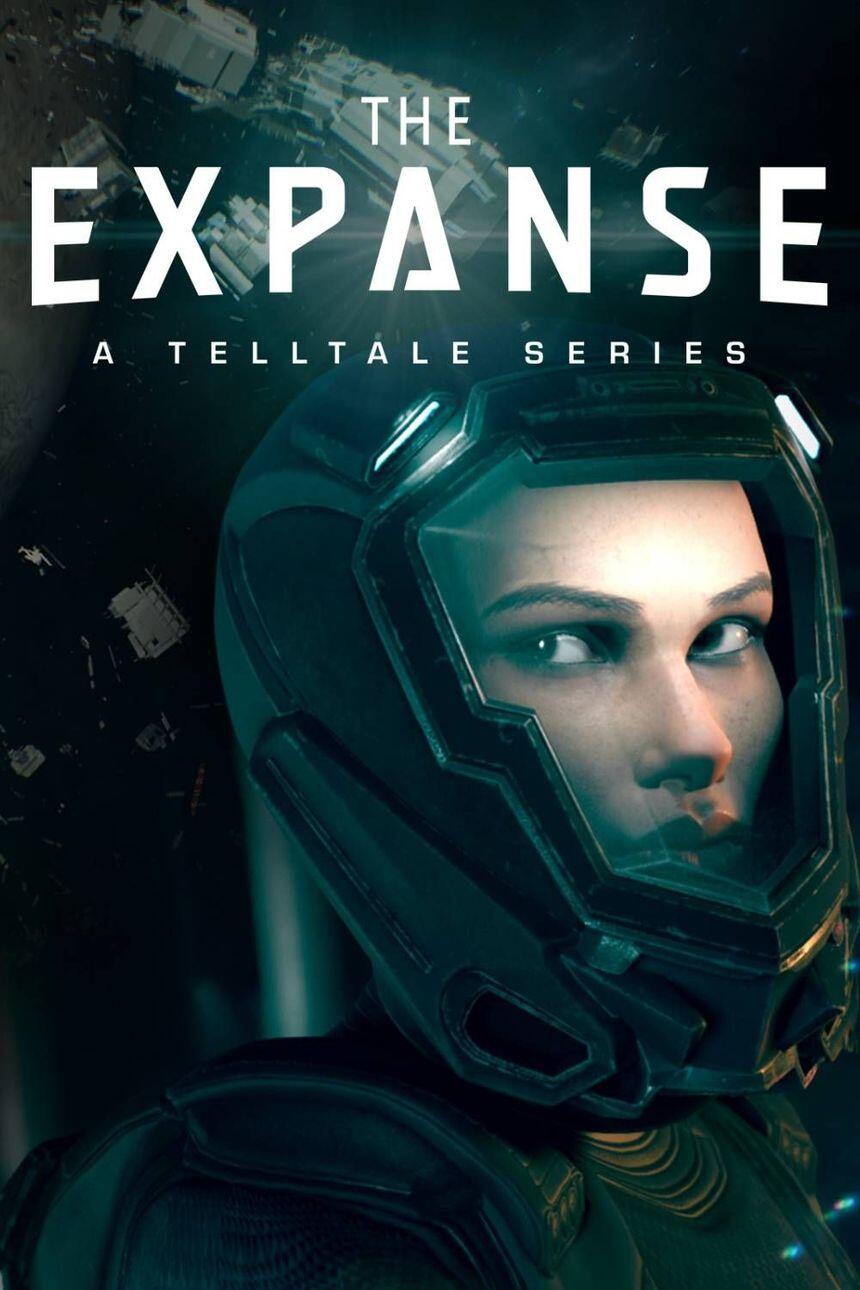
Finished Telltale's The Expanse recently. Great story, world building and characters but it won't let me skip cutscenes? For real? #gaming
It seems to be working perfectly again, thank you for your time! 🫂
nostr:nprofile1qywhwumn8ghj7mn0wd68ytndw46xjmnewaskcmr9wshxxmmd9uq3xamnwvaz7tm0venxx6rpd9hzuur4vghszxrhwden5te0wfjkccte9e3h2unjv4h8gtnx095j7qpqxdtducdnjerex88gkg2qk2atsdlqsyxqaag4h05jmcpyspqt30wsxrvgcl when nostrapp.link redirects to coracle.social it mostly fails to load the notes, but after changing the url to app.coracle.social the note always loads to me. Should it be using the ladder url instead? nostr:nprofile1qyvhwumn8ghj76r0v3kxymmy9ehx7um5wgcjucm0d5hszxnhwden5te0wpuhyctdd9jzuenfv96x5ctx9e3k7mf0qy58wumn8ghj7un9d3shjtnsdpskuar0d5khqmmhv4ezucm0wfskxmr99e6x7mmvwvhsqgyhcu9ygdn2v56uz3dnx0uh865xmlwz675emfsccsxxguz6mx8ryg5chlvt nostr:nprofile1qythwumn8ghj7cnfw33k76twv4ezuum0vd5kzmp0qyw8wumn8ghj7cmgdae82uewd45kketyd9kxwetj9e3k7mf0qyd8wumn8ghj7urewfsk66ty9enxjct5dfskvtnrdakj7qpq0000003zmk89narqpczy4ff6rnuht2wu05na7kpnh3mak7z2tqzsuh4arm
A newbie unofficial guide to #nostr [alphabetized]
Boost = Repost
Client = App you use to interact with Nostr
DM = Direct Message (interaction public, contents private)
GA = Good Afternoon
GE = Good Evening
GFY = Good For You/Go Fuck Yourself
GM = Good Morning
GN = Good Night
JSON = Nostr notes file format
NIP = Nostr Improvement Possibilities aka Features Proposals/Specs
NIP05 = Easier to read/search Npub alias/identifier, mostly NOT a real verification check
Nostr. wine = One of the paid relays
Nostrich = You
Note = Post
Npub/Public key = Username
Nsec/Private key = Password
NWC = Nostr Wallet Connect, a way of connecting your Bitcoin Lightning Wallet to a Nostr client
Odell = Stay Humble and Stack Sats legend
PV = Pura Vida, Costa Rican slang
PFP = Profile photo
Purple = Color of Nostr
Relay = Data rebroadcast server
Zap = Micro Bitcoin Lightning payment
#introductions #asknostr #new #welcome
Forked from:
note1f8alndz80mp4lpm2nafq8hx4njmjrxq9te0f2nf8zlu3z2qg4rmqwchszy

I see you got yourself setup with Primal, nice! If you use any other Nostr app, all your zaps will still go to the Primal wallet, so if you ever get confused where it's at, it's there.
So if you change clients again the zaps will still go to your Primal wallet, but if you no longer wish to receive them in the Primal wallet you can erase the address from your profile info (under Bitcoin Lightning Tips in Damus) and replace it (if you want to receive zaps) with a separate wallet address of an wallet app your choosing.
That wallet app will give you a Lightning Address, which looks much like an email address, to put in your profile info. You can copy it and paste it under "Bitcoin Lightning Tips" in your profile and that's it, now you can RECEIVE zaps in that wallet.
To SEND zaps from a Nostr app that doesn't have a built in wallet, it will open your chosen wallet app to do so. Here's a wallet I can recommend:
https://www.youtube.com/watch?v=q3QwxCd1EZE
He goes through on how to use it and specifically how to SEND in many ways starting at 24:28 of the video.
Welcome to Nostr! And if there's any doubt, just @ me or post a question with the hashtag #asknostr that someone will probably show up and help out! Pura Vida!
It can be a bit overwhelming it's true! The future does have new features and terms, just take it slow.
Zaps is the term for micropayments you can receive from and send to other users as little tips. Relays are simply the servers where your content ie notes, are stored.
The simplest way right now to set up Zaps is to log in to Primal iOS or Primal Android and create a wallet. It's pretty intuitive.
Relays you don't need to worry much as most apps have them set for you, but you do have the option to pick them yourself. A lot of the apps have relays recommendations in the relay settings for you to pick if want/ would need to.
Which app are you using?