Gnome Debian desktop running on my Pixel 6a
https://v.nostr.build/vRonGqS5Vh47bywT.mp4
I installed gnome-core and virgl-server, it just worked 😂 Holy shit! Brilliant work by the GrapheneOS team.
#android #linux
Gnome Debian desktop running on my Pixel 6a
https://v.nostr.build/vRonGqS5Vh47bywT.mp4
I installed gnome-core and virgl-server, it just worked 😂 Holy shit! Brilliant work by the GrapheneOS team.
#android #linux
How well is touch display supported? Do sessions have persistent memory, e.g. if you update the debian system or save a file the change will stay there after VM is restarted?
Touch works well, though I still need to figure out the on screen keyboard. Everything is saved, it has it's own disk image.
This is alpha, so ymmv. Don't store your family pics on it 😂 But for early days this is a great start.
Footage of GNOME, Firefox and Doom running within #GrapheneOS Linux virtual machines.
Why does graphene os only offer builds for google devices?
Could someone figure out how to build graphene for other devices and start supporting it?
Purchasing a device from one of the least trustworthy companies in the world to install one of the most secure operating systems for android devices. Is a mental hurdle morally and ethically I can not personally justify ever doing.
So I am forever looking over the other side of the fence to greener pastures. Hoping one day someone installs a gate to them.
A more complete set of instructions:
♦️You must be on the current alpha build of GrapheneOS
🔹Do your initial terminal setup
🔹 Make sure you're up to date
sudo apt get update && sudo apt get upgrade
🔹 Change the password for the droid user
sudo passwd droid
🔹 Install gnome and the video drivers
sudo apt install gnome-core virgl-server
🔹Stop the VM
sudo init 0
🔹 You should be good to go! Restart the terminal, wait a few seconds, then click on the screen icon. I also set gnome to auto login, saves having to your your password every time
🔹Have fun, nerd 😂
I need a pixel now
I love my Pixel with nostr:nprofile1qqsvzkj6vkvxu745zdx7uw4c2f2d5hzafvzw0z60zmyzsdce9564rpgpz3mhxue69uhkuatvdsh8xurydeejuet49u723h9h
#Bitcoin #Nostr #Plebs
Is there BT/wired controller support/passthrough?
Can you use a ext keyboard and mouse?
I have been using a Bluetooth kb and mouse, but they are passed though Android, so it's not perfect. Android captured some keyboard shortcuts. I haven't tried USB.
Android is already Linux underneath.
Termux solved this years ago.
Termux is a great tool, I've been using it to manage servers via SSH for years! Termux itself uses packages recompiled to work under Android, and uses proot jails to run other Linux distros, kind of comparable to docker containers.
This is a bit different than the proot jails used with termux and tools like AnLinux though. This is a running atop a KVM hypervisor, comparable to something like virtualbox on the PC. This will give better performance and security, and enable running a wider variety of operating systems, not just Linux.
Both are valuable tools, and have different benefits and drawbacks. 🤙
Can't really believe that something virtualized can outspeed running native, especially on cellphone hardware.
Nice that we have a kind of virtualbox faster than qemu but kind of pointless to announce Linux as a victory when it was there from the start on termux.
Cool. I'm not here to convince you of anything. Enjoy using termux. 🤙
Btw, you may not be using GPU acceleration, if you want to use that then:
In the profile you installed the VM, make a directory in the home directory of the profile named 'linux' and a blank file named 'virglrenderer' to try it out. this will cause a toast to appear showing VirGL is enabled when launching the Terminal app AFTER force stopping it
run " chromium --ozone-platform=wayland "and then go to chrome://gpu to see you're using the GPU. Should have a performance boost?
The virgl server also likely isn't needed and that's just for running a server in the host OS.
virglrenderer file should be in the Linux directory.
Any ETA for when we will have everything working out-of-the-box (+ not having to turn on developer options)?
None currently since this is brand new and some tasks and goals will be far more difficult to accomplish. Quality features take a lot of time.
You are correct.
I did as you suggested and I got the toast pop up.
Hm. Gnome doesn't seem to like this though.
GNOME itself doesn't work well with GPU acceleration. Individual apps like Chrome would do.
This is likely an issue with Debian freezing packages and not updating them. One of the reasons wanting to move to another distro is important to us.
Thanks for the response. Any recommendations on a graphical shell to install that would work?
Heard the included Weston setup works with GPU acceleration, but users won't be using that, it's reference software. You could disable the GPU acceleration to keep using GNOME. We haven't tried many different unique software setups yet before release.
That's understandable, this is all pretty new. I'll keep banging away on it and see what I can figure out.
Anyone try installing sparrowwallet.com yet? 🕊️🕊️🕊️
Have you tried with Phosh?
It is still a bit too alpha 😂 I'm going to wait for a bit before I try much more. It's a good start, but still needs some work before it will be usable. Fun to toy around with if you have an extra pixel.
I couldn't get phosh running on the available Debian in my limited testing. I may try adding the sid repositories and see if I can set up app pinning to pull in some more recent packages, but that will have to wait. I would attempt compiling from source, but I've already compiled some other software and I'm worried my old 6a will light on fire if I try this 📱🔥
Gnome and XFCE both did run, with bugs and no hardware acceleration. Weston works well, but is more of a testing environment, not actually usable.
Cool, thanks! I'll give it a bit of time and check it out. Could be great.
Keep an eye on updates here. They have an atom feed too for easy access to changes in every version.
https://grapheneos.org/releases
Wow, thank you BTW 🙏
Did you just termux and install or how do I do it?
It is running on a KVM virtual machine built into the latest version of Android. GrapheneOS has pulled some features in from the android 16 to enable GUI apps. See the note from nostr:nprofile1qqstnr0dfn4w5grepk7t8sc5qp5jqzwnf3lejf7zs6p44xdhfqd9cgspzpmhxue69uhkummnw3ezumt0d5hszrnhwden5te0dehhxtnvdakz7qgawaehxw309ahx7um5wghxy6t5vdhkjmn9wgh8xmmrd9skctcnv0md0 I had quoted.
Thank you! I was reading all of Final's nostr notes and the release notes and I'm very excited BUT... I can't figure out where to start to get to where you are. I've never used VMs on Android.
I'm trying to come up with a graceful way to ask for IT support 🥹
It's very alpha, be warned. If you are gung ho and want to try anyways though I made some instructions. They assume some familiarity with a Linux command line. It may crash, be warned. It seems to crash more when the screen sleeps, so set a longer time out when installing to minimize the risk.
Just to make sure: I do this in Termux, yes? Or where else?
I'm familiar with Linux and all, that's not the issue, I just don't know where to start.
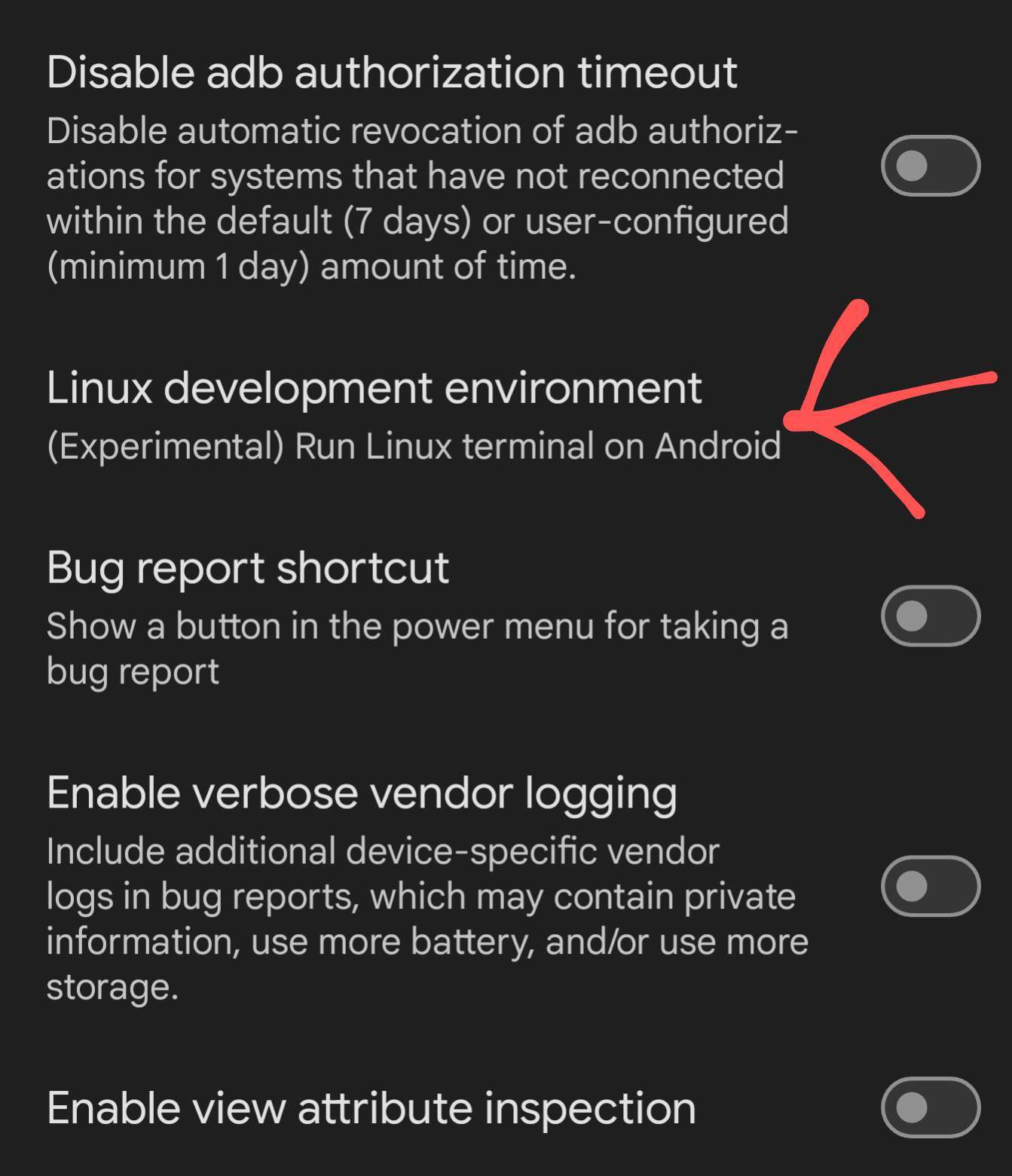
No, termux is not involved at all. This is a terminal included as part of Android. You won't see it until you enable it in the developer settings, then there will be a new app called terminal. Everything is done from there.
Got it! That's the info I was missing 👍
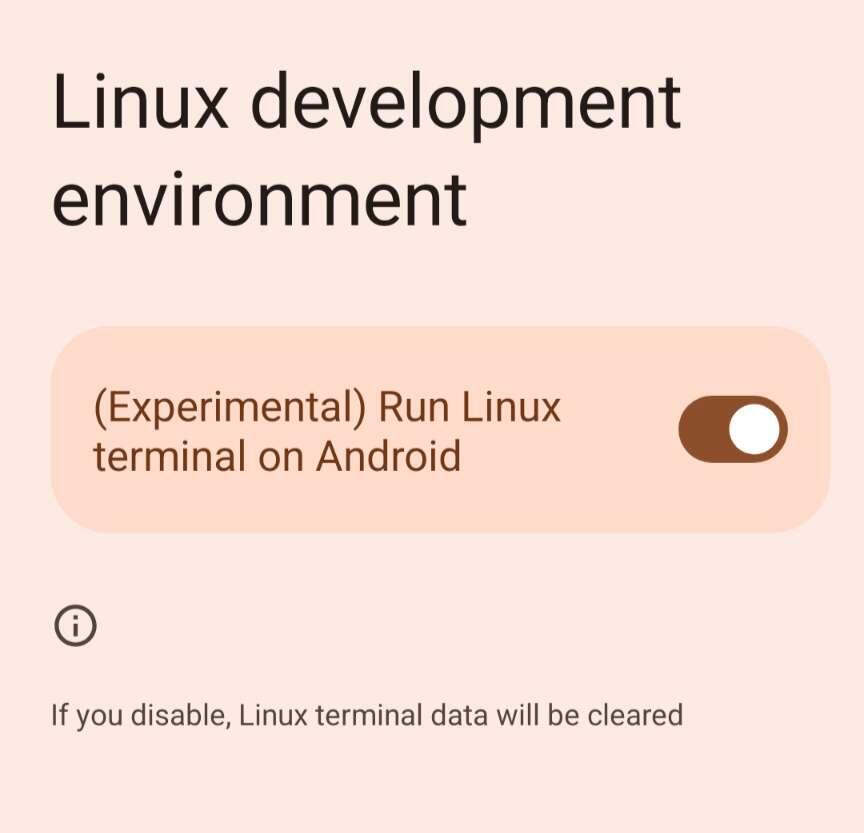
That's it! 🚀
Some more helpful info
Graphics acceleration is buggy with gnome & XFCE. I wouldn't enable it if you want to try them. If you want to test it, weston, the reference Wayland compositor is your best choice. It doesn't offer much in the way of a desktop though, just a clock & terminal.
One thing not in the instructions:
You must enable developer mode on GrapheneOS, and then switch on the Linux VM.