Testing nostr:npub1yjxerh4msvgqf230ej3648a28xhvxjstqr2rhpjt2eelf538e70scnl9d0
https://video.nostr.build/b7a3812745b96716ce509054d30cb4864465c04acac887453b3476a7f258a7aa.mp4
Awesome , thanks for the video!!
Video of nostr:npub1yjxerh4msvgqf230ej3648a28xhvxjstqr2rhpjt2eelf538e70scnl9d0 working offline, thank you nostr:npub1pktmatjk0l8vn3jhfuwxaasjd65kn4ye9sce3egup7k993f8fg2q5tpxa6 !
I added this event to nostr:npub1yjxerh4msvgqf230ej3648a28xhvxjstqr2rhpjt2eelf538e70scnl9d0 README file
Esto promete...
That's pretty cool
could this work with meshtatic?
I think you'd need another protocol/product for that.
Samiz syncs messages via Bluetooth, and Samiz is the agent that finds each other and communicates and then publishes to your local relay.
Meshtastic syncs over a different long range radio frequency, but there isn't an app that takes messages and publishes it to a relay or vice versa.
Also, Meshtastic is low bandwidth, so it is not good to send lots of data through it as you'd be hogging the bandwidth from everyone else. It's really important that it is used sparingly so you'd want to be selective about what messages you are sending out based on some sensible rules.
FYI, Samiz tries to be as efficient as possible, but I think a Meshtastic based system would need to also include thresholds and throttling on top of all that.
As experiment it's closer than you think. I just need to build a PC/raspi version of Samiz and tryout an already existing plugin for Meshtastic to connect to nostr.

I'm not sure about performance but the Bluetooth technology used by Samiz is also low bandwidth. My point is that Samiz was built with this mind. I would love to, at least, give a try.
Testing as well
How to help to test nostr:npub1yjxerh4msvgqf230ej3648a28xhvxjstqr2rhpjt2eelf538e70scnl9d0 at home:
1. Download, install, and configure a local Nostr relay (e.g., #citrine).
2. Download, install, and configure a Nostr client (e.g., #amethyst).
3. Connect Amethyst to Citrine as both the input and output relay. To avoid false positives, it might be better not to have any other relay configured.
3.5. Test that Amethyst is indeed sending notes to Citrine, that it saves them, and that they can be viewed in Amethyst.
4. Download and install nostr:npub1yjxerh4msvgqf230ej3648a28xhvxjstqr2rhpjt2eelf538e70scnl9d0 from its GitHub page https://github.com/KoalaSat/samiz/releases, the IzzyDroid repository, or nostr:npub10r8xl2njyepcw2zwv3a6dyufj4e4ajx86hz6v4ehu4gnpupxxp7stjt2p8.
5. Completely disconnect the device from the internet (airplane mode), ensuring that Bluetooth remains activated.
6. With all three apps running on the same device, start a session in nostr:npub1yjxerh4msvgqf230ej3648a28xhvxjstqr2rhpjt2eelf538e70scnl9d0 by pressing the "Start Session" button.
7. Confirm in the Logs view that nostr:npub1yjxerh4msvgqf230ej3648a28xhvxjstqr2rhpjt2eelf538e70scnl9d0 has received the test note that was created earlier (what is displayed is the note ID).
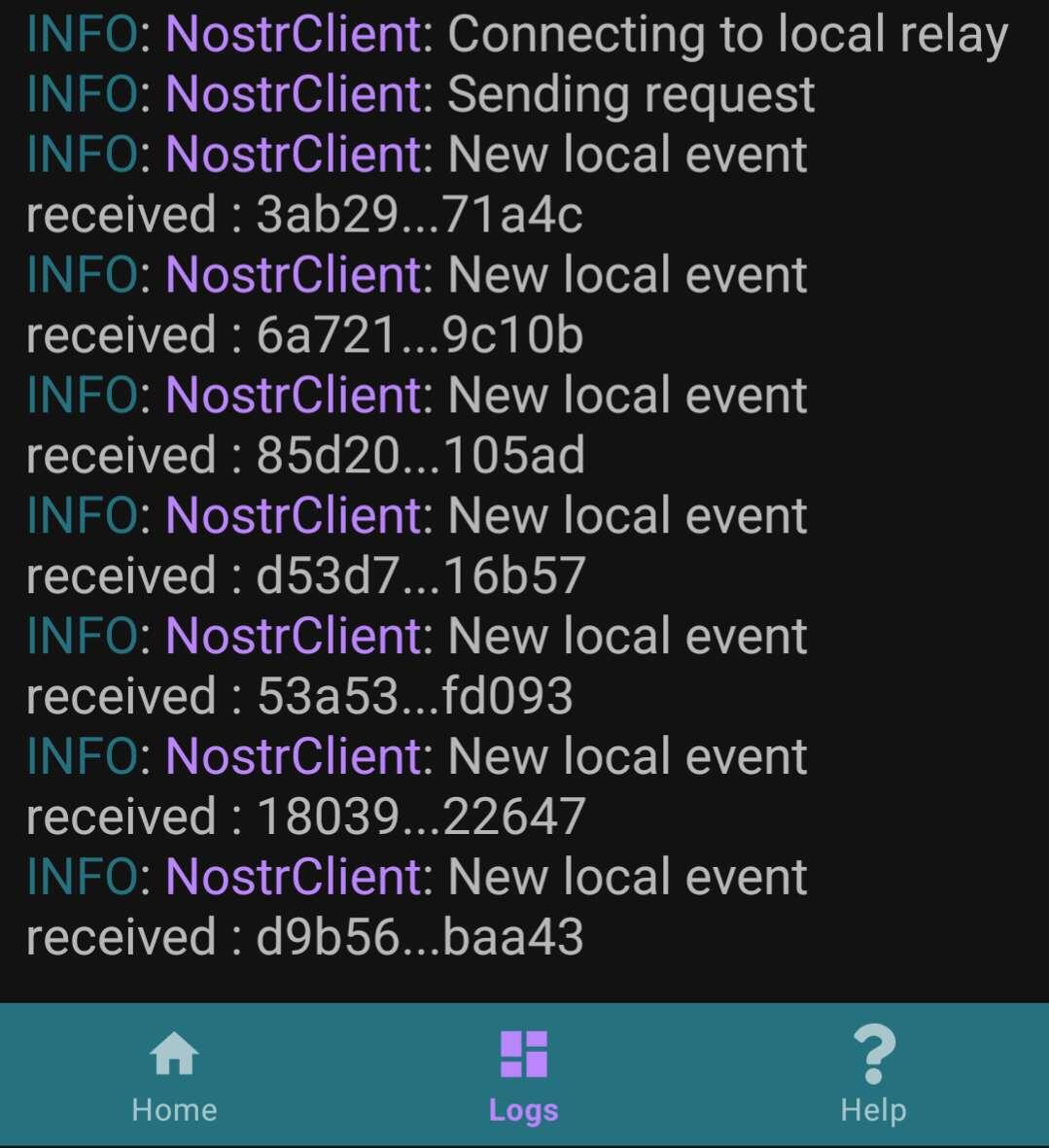
8. Create a new note in Amethyst and confirm again in the Logs that nostr:npub1yjxerh4msvgqf230ej3648a28xhvxjstqr2rhpjt2eelf538e70scnl9d0 has detected it.
This covers the basics. If someone is lucky enough to have a second Android device, they can test further by following steps 1 to 6 on the second device. They should then be able to receive and view notes created on the first device from Amethyst on the second device.
Finally, here’s a video from a user showing how it should work: