

 #m=image%2Fjpeg&dim=236x256&alt=Indiana+Jones+Last+Crusade+Chosen+Wisely&blurhash=%7BID%2CAs.TIUNbR.ogadV%3FQ%2CR4rWjEoft8M%7BV%40_NVs9FoMRkWUozoz%25%23k%3D%25htmjERiROa%23xsfhn%7En%7EM%7BV%40RkjZ%25MnOIUaeRkozo%23j%3F9FWB%25MkBs-kCjYkC%3FatRR%2BbbRkaejbjY4nWBxujFs%3Af6WCR%25&x=5310d8a0c7b49c06069833d5a28cad68d4f27832763103a3498e031c19d9cb68
If you're in the market and want to take advantage of GrapheneOS' trailblazing utilisation of memory tagging with the MTE a Pixel 8 can't be beat.
GrapheneOS is...
"Best OS on the net"
💯
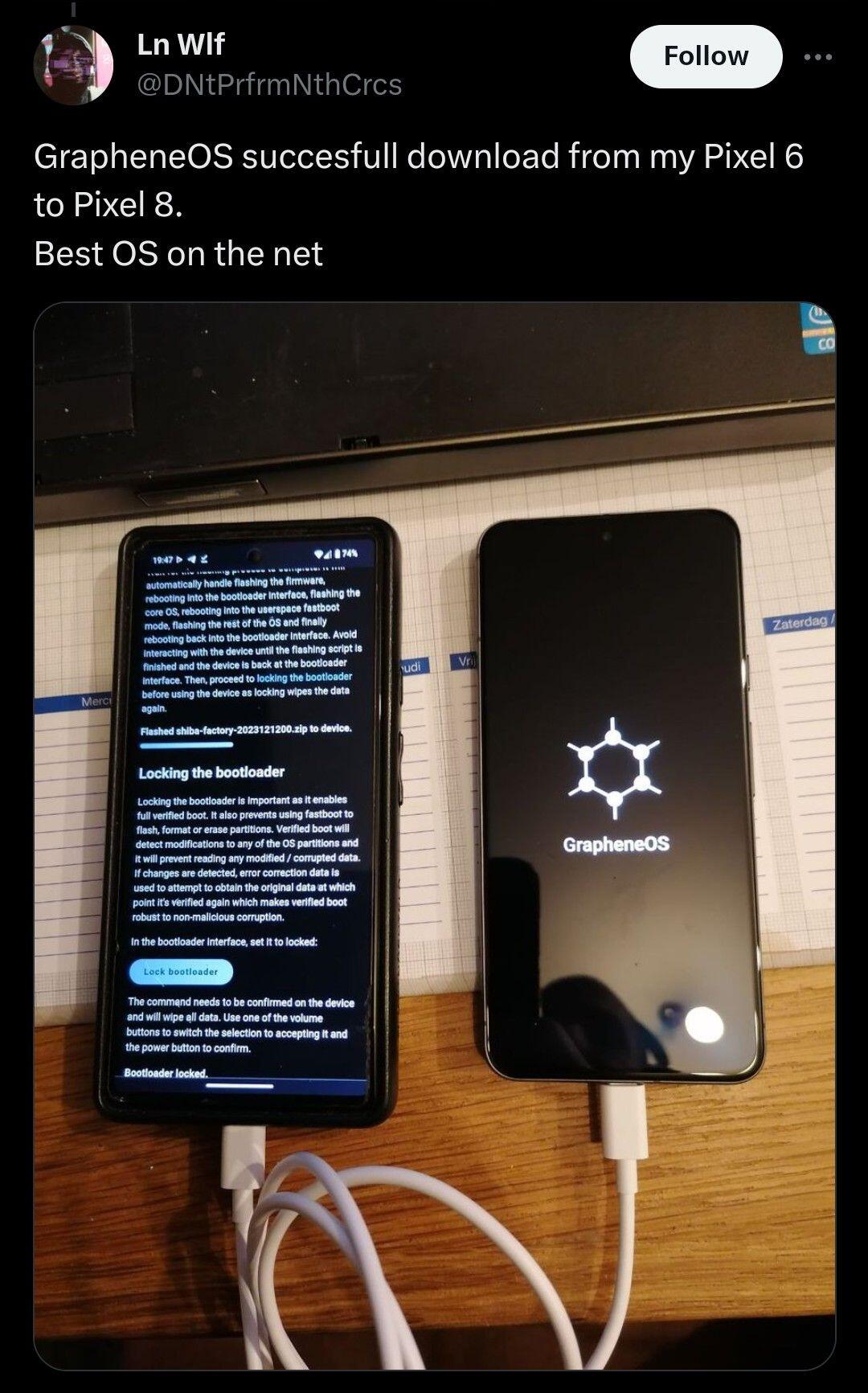 #m=image%2Fjpeg&dim=1080x1733&alt=GrapheneOS+Phone+to+Phone+Web+Install&blurhash=%5E6Cs2703%3FaMc%5EM%3FG0O%3Dr%253bvNbSi00t69a-%3B02xu.SRm-pWBn3xt.9w%40xaNF%25Moz%7D%3F9at7s%3AMxxuTKMxo3ozM%7Bxt%3DF9aR*xbIqt70MxZ%252R%2CROkC&x=76bc6a3da1582263274e3384506540c32b2c595d8b1785d32dbd6a6eb1c93734
This is definitely an app/service issue and not related to the OS, plenty evidence of the issue being reported across the web from Android to iOS and multiple device variants and bluetooth accessories. If this was OS related it would impact other apps too.

Are you on free or premium?

Small 🌍 😄 I certainly will.
Inspired by and following on from nostr:npub18ams6ewn5aj2n3wt2qawzglx9mr4nzksxhvrdc4gzrecw7n5tvjqctp424 and his look back on their first Note.
I think that for this year I can safely say...
 #m=image%2Fgif&dim=500x500&alt=Transformers+Mission+Accomplished&blurhash=U8Ed-z%5D%5E00%23Q91RfL4K600I%5D.SF3_LtAL%7D%23k&x=b03a045a9ae0a35a03ea16036ad3ca52297e6bd81017c68256c76d7bf1b63ba6
Yeah Cliffs always been my go to and can't fault either of them.
Don't knock it, I'm still on 6a myself. Waiting for an 8a hopefully with MTE like the 8/8Pro.

Don't forget Google Maps works with or without Play Services being present. Works offline too where maps have been downloaded.
AOSP Launcher as mentioned. Android14 came with some regressions regards third party launchers however thanks to some work on our end and QPR1 landing most things seem to be resolved now. So using Nova would be fine if you still wanted to, I use Nova with network revoked.



Cyberpunk 2077 enticed me back. Gonna finish my current character play through and revisit. I'm just hoping the Crimson Fleet quest line isn't peak SF outside the main quest.

"By the way Great job Graphene, best OS 🖤"
Thankyou and I'll pass this on. 🤝

You don't need to disable it, by default the OS uses only GPS/GNSS.
Network location is opt-in by installing Play Services, enabling wifi and bluetooth scanning under Location Services, followed by disabling the routing to GPS/GNSS via tapping the persistent GMSCompat notitication that tells you Play Services is running.

We did?
We do, with Seedvault. However we are working on a simpler (code) and more robust in house implementation to replace this, there will be a proper backup app for both manual and automatic backups, with support for backing up a specific app and support backing up to your home directory, a USB drive or device-to-device transfer.

Yes primarily for Play Services however I make and delete adhoc users when needed for various things.

If you can't get a banking app to work create a secondary user profile, install sandboxed Play Services and install the app there.
If it still doesn't work, enable Exploit Protection Compatibility Mode first via 'App Info', still have issues then finally enable native code debugging for it.
Check this link for a community compiled resource on Banking App Compatibility and contribute if you can:
https://privsec.dev/posts/android/banking-applications-compatibility-with-grapheneos/

If you want to stick with a mainstream cloud provider but want to secure it. Cryptomator is a great option and supports auto photo upload.

Does your vehicle work with Android Auto as this is coming in a release very soon.
Should also be noted SMS with or without RCS should still be considered a legacy communication method and only used where necessary.
Legacy calls and texts should be avoided as they're not secure and trust the carrier / network along with having weak security against other parties.
Our recommendation is still to get as many of your contacts as possible to use Signal or other non-carrier-based communication apps using the signal protocol/secure E2EE encryption. It is why we don't give the stock AOSP Messeging app much attention to encourage people away from using it.

nostr:npub1gd3h5vg6zhcuy5a46crh32m4gjkx8xugu95wwgj2jqx55sfgxxpst7cn8c Not a problem for y'all, correct?
We don't ship Messages so no. People choosing to use it should be aware of permissions they grant it, whether they enable Location in the user it is installed and whether they turn off our default location rerouting to OS API (GPS/GNSS based) in favour of Googles network location provide if they do enable it.

Curious, while yes the car experience, as far as Android Auto goes, hasn't been ideal. Extending our Sandboxed Google Play compatibility layer to support Android Auto has been a top priority and it's nearly ready to ship and is imminent.
Maps don't 100% suck, while yes using alternatives to Google Maps is a YMMV experience, Google Maps itself works across the board. Location lock without sandboxed Play Services is focused on privacy preserving use of GPS/GNSS OS API and can take longer for first lock and is impactef as all GPS devices are to GPS issues. You can install sandboxed Play Services and disable this rerouting to enable network based bluetooth/wifi scanning for faster lock and indoor function. I use both Osmand and Google Maps with just GPS without issue.
As far as backups go, we plan to replace the current low quality Seedvault app with a new app developed by us, and it shouldn't be that far into the future. The app developed with us will be simpler, much more reliable, easier to use and will include much more app data. Seedvault fills that gap for now.
Regards Photos is this referencing cloud storage? I've found no issue using Cryptomator for cloud backups fine enabling yse of both mainstream hosts or self hosted solutions.
Appreciate things are never a one size fits all solution and am glad you've found something you're happy with. Responding for brevity and to be informative for others primarily but happy to hear more from you should you like to reach out.

If this is the case then sandboxed Play Services will be required. Uninstall DuoLingo and install all 3 Play Services dependencies. Install DuoLingo again.
If you're concerned create a secondary/multiple user and install there to isolate it and be able to turn it off/put the user back at rest (encrypted) by pressing the 'End Session' button on the lockscreen or power menu.
Indeed and while encrypting push traffic helps and should be the baseline expectation, providers should ideally also be sending decoy traffic.


As a user of secondary users and a Pixel 6a. I don't suffer any sluggishness. I however don't leave secondary users in the background and always 'End Session' to put them back at rest.
There is something about this release...

GrapheneOS version 2023120701 released:
https://grapheneos.org/releases#2023120701
See the linked release notes for a summary of the improvements over the previous release.
Forum discussion thread:
https://discuss.grapheneos.org/d/9433-grapheneos-version-2023120701-released
#GrapheneOS #privacy #security
ADVICE WHEN USING RESELLERS PROVIDING PREFLASHED GRAPHENEOS PHONES
Selling people devices with GrapheneOS is permitted. However, please don't sell people end-of-life or near end-of-life devices. This is essentially scamming customers and goes against our strong recommendation to not purchase devices older than the Pixel 6. This needs to stop.
We've brought this up with several of the stores selling GrapheneOS phones. Several have listened to us and changed their approach. Others have doubled down on it and even blocked us for making this request. If you're using our trademarked name/logo, this is more than a request.
You can verify that it's running genuine GrapheneOS via the 2 methods in https://grapheneos.org/install/web#verifying-installation but you can't confirm that someone hasn't added a hardware implant, etc. For example, what if they add a malicious component hooked up directly to the microphone with another radio?
Buying a refurbished device in a standard way is unlikely to end up with you being targeted.
There are many existing examples of companies selling backdoored supposedly more secure phones. There are far more examples of insecure devices sold as supposedly more secure phones.