

Storage Scopes prevents apps doing unattended file access, but not users giving files to apps. A lot of users also confuse apps using the operating system image/file picker as bypassing the feature when in reality the apps can't see until you select the file you want.
#GrapheneOS version 2025020200 released.
This update adds support for sandboxed Google credential services. Some bug fixes.
• reimplement our fix for an upstream audio routing regression in Android 15 QPR1 impacting sandboxed Android Auto and likely other apps to avoid blocking another subset of apps from changing audio routing when granted permission
• Sandboxed Google Play compatibility layer: add support for enabling Google's credential service via Settings > Passwords, passkeys & accounts by making it function as an unprivileged service (non-Chromium-based apps tend to require this to use Google as the passkey service and it's needed by certain apps for their Sign in with Google option despite Android intending to fully support other credential services)
• Sandboxed Google Play compatibility layer: allow disabling all Play Integrity API notifications instead of only disabling them per-app
• Sandboxed Google Play compatibility layer: override Play services update owner value to the GrapheneOS App Store to fully handle updates for it ourselves
• work around upstream Android issue caused by an optimization which was adding a 10 second delay to certain setting changes before they kick in for background system packages
• kernel (5.15): update to latest GKI LTS branch revision
• kernel (6.1): update to latest GKI LTS branch revision including update to 6.1.126
• kernel (6.1): drop revert for upstream USB fix to test if it's still needed due to lots of other backported changes
• kernel (6.6): update to latest GKI LTS branch revision including update to 6.6.74
• Vanadium: update to version 133.0.6943.39.0
• Vanadium: update to version 133.0.6943.39.1
• remove same version ABI stability check not useful for GrapheneOS

Fingerprints or values derived from fingerprints cannot be used as a key to decrypt the device because they naturally change all the time and also risk being destroyed from injury. Technically impossible to do and also very difficult to preserve. It needs to be a static credential that doesn't change like a key derived from a passphrase or PIN.
> Isn't it easier to extract password or PIN than fingerprint?
The device doesn't store your PIN or password. It generates a long, secure key derived off of the input and then if it is correct the keys are stored in RAM to allow decrypting data to use it. When the device is in "Before First Unlock" a secure passphrase makes credential-encrypted data extraction impossible because keys aren't in memory.
If the device was in "After First Unlock" then those keys are in RAM and data is accessible regardless of the unlock method used providing there's an exploit to bypass the lock screen. Cellebrite's exploits do this with the original Android OS and some iOS devices and they don't need to know fingerprint, password etc. Their tools don't work on GrapheneOS but we have the automatic reboot feature for this reason as a protective measure.

Pixel Camera is Google Camera, that's the name of it now. If you want to use that app then search for Pixel Camera

so after the last #Graphene update,
my phone is partially in Japanese 🙄
nostr:npub1hxx76n82ags8jrduk0p3gqrfyqyaxnrlnynu9p5rt2vmwjq6ts3q4sg75y
This is a known upstream Android bug:
https://github.com/GrapheneOS/os-issue-tracker/issues/4340
It's been reported a few times. Android can be buggy when switching between users with different UI settings is known to cause issues.
Android/GrapheneOS has two unlock methods:
- Primary unlock: credential used to decrypt the device there is the only credential available at boot and can be used to unlock the device no matter what. Can be a PIN or password.
- Secondary unlock: Other credential used to prevent access to the device when the device is still active after the first unlock. Only available after first unlock. On Android, only Fingerprint is an acceptable secondary unlock and is used to unlock the device quickly. GrapheneOS adds an additional optional PIN for the secondary unlock.
The PIN you are seeing is your primary unlock which you always have the option to do, it's forced when you get the fingerprint wrong multiple times. If you use the same PIN for primary unlock and the 2FA PIN then it defeats the purpose of the feature since you can just primary unlock the device. It works best when you have a password as your primary unlock.
If you were planning on setting the same PIN to unlock then you're just better off changing one of the PINs or not really having the feature enabled
It appears you misunderstood the feature, in after-first unlocks, users have the choice to use your OS credentials instead of their fingerprint when doing unlocks.
If you use a PIN as your OS credentials than it will ask for a PIN regardless of if it's wrong or right as the OS prevents the unlock after 5 incorrect attempts. Get the fingerprint wrong, it's your OS PIN, if it's right, then it's the 2FA PIN you set up.
The feature is used for users who use passphrases, not PINs. If you turn your default PIN into a password, try the same thing and see what happens. You'll be asked for your password instead.
Our next #GrapheneOS release has support for enabling and using Google's credential service via sandboxed Google Play by making it an unprivileged service. We've been working on it for a while and it's ready. DeepSeek AI app requires it with no fallback, so many people have been asking about it.

It is a good app store despite being in the alpha stage. Strongly meets our needs / values. You can get it in the GrapheneOS App Store.

You should have the feature, check if you are running an updated version. This was added in December.
Are you using Owner profile? Setting is only configurable there
#GrapheneOS version 2025012600 released.
This update adds workarounds for various apps banning aftermarket operating systems using techniques outside of the Play Integrity API. Revolut is the most common app known to do this.
There is now a menu to access a list of apps using the Play Integrity API from sandboxed Google Play. You can also choose to block the Play Integrity API for apps entirely, which could potentially help with some apps.
Messaging app was ported to Android 15 APIs as a beginning for overhauling all the default / system apps.
Changes since the 2025011500 release:
• disable standard Android feature holding a 10 minute screen wake lock after the screen brightness is raised at least 2 times within 5 minutes since this is confusing for users and it's far better if keep awake is done explicitly
• always show KASAN kernel crash notifications instead of only when system crash reporting is enabled by users
• Messaging: begin under the hood overhaul including fully porting to target API 35 (Android 15)
• recovery: remove spurious warning after update installation fails on A/B update devices
• change build username to build-user and build hostname to build-host instead of setting both to grapheneos due to bad actors using it to ban using GrapheneOS
• return green as the value of ro.boot.verifiedbootstate outside of specific parts of the base OS due to bad actors using it to ban using GrapheneOS
• SettingsIntelligence: don't show preference summaries in search results since it doesn't work properly for ones depending on dynamic string formatting and isn't done by SettingsIntelligenceGoogle on the stock Pixel OS
• Contact Scopes: fix spoofing of OP_GET_CONTACTS for apps not requesting WRITE_CONTACTS
• Sandboxed Google Play compatibility layer: improve infrastructure
• Sandboxed Google Play compatibility layer: allow blocking the Sandboxed Google Play is running notification
• Sandboxed Google Play compatibility layer: add per-app Play Integrity menu in the per-app Settings configuration that's shown after an app uses the Play Integrity API
• Sandboxed Google Play compatibility layer: add per-app toggle for blocking using the Play Integrity API via the per-app Play Integrity menu as a workaround for apps which ban devices based on it but don't require providing it to their service yet
• Sandboxed Google Play compatibility layer: add shortcut to the per-app Play Integrity API menu for contacting the app developer by leaving a review through the Play Store page
• Sandboxed Google Play compatibility layer: add menu for viewing all apps which have used the Play Integrity API with a shortcut in the per-app Play Integrity API menu
• Sandboxed Google Play compatibility layer: show optional notification upon detection of Play Integrity usage providing a shortcut to the per-app Play Integrity API menu and another for hiding further notifications for the app which is also available as a toggle in the per-menu
• hardened_malloc: update libdivide to 5.2.0
• TalkBack (screen reader): update dependencies
• TalkBack (screen reader): make builds fully reproducible by removing the use of __DATE__ and __TIME__ by brltty along with making the liblouis translation table zip use deterministic file order and timestamps
• kernel (6.1): update to latest GKI LTS branch revision including update to 6.1.124
• kernel (6.6): update to latest GKI LTS branch revision including update to 6.6.68
• Vanadium: update to version 132.0.6834.122.0

nostr:nprofile1qqstnr0dfn4w5grepk7t8sc5qp5jqzwnf3lejf7zs6p44xdhfqd9cgspzpmhxue69uhkummnw3ezumt0d5hszrnhwden5te0dehhxtnvdakz7qgawaehxw309ahx7um5wghxy6t5vdhkjmn9wgh8xmmrd9skctcnv0md0 is it possible to add a manually typed link to the open by default list for apps in nostr:nprofile1qqs9g69ua6m5ec6ukstnmnyewj7a4j0gjjn5hu75f7w23d64gczunmgpz4mhxue69uhhyetvv9ujumt0wd68ytnsw43q4gnztg?
The project account replied but it didn't bridge:
"The link needs to be requested by the app to grant it. It does not need to have auto-verification support for it, it can be a domain they don't control."
Revolut insecurely checks the ro.boot.verifiedbootstate property and forbids it being yellow, which means a locked device with an aftermarket OS that's being cryptographically verified by the firmware. They permit it being orange, which means an unlocked device with any OS.
They're specifically banning having a device that's locked with an aftermarket OS rather than banning having an unlocked device or an aftermarket OS in general. Similarly, they're specifically banning the value `grapheneos` for ro.build.user/ro.build.host.
Having the verified boot state at orange is unsafe, it means verified boot is disabled. There is no verification of OS integrity after each boot and update. There is no protection against exploit persistence nor a threat choosing to push a malicious update that is not signed with the same key as the originally installed operating system.
Both of these things and other similar insecure, useless checks are being done by several different SDKs. Revolut's app is full of sketchy, insecure third party libraries. They certainly don't take security seriously as they claim in their message about banning GrapheneOS.
We've fixed both of the ways they're banning GrapheneOS for our next release. Since third party SDKs are what's being used to do it, our hope is that this fixes a few other poorly written banking/financial apps doing similar stuff to ban aftermarket operating systems.
These are the full set of changes fixing Revolut's ban on GrapheneOS:
https://github.com/GrapheneOS/platform_build/commit/bcd027b1273db32d6361092c635bf52a5d08c0e7
https://github.com/GrapheneOS/platform_system_core/commit/971110e37d73b5acb6e806b62146dcdcb29277b2
Other banking apps banning #GrapheneOS will need to be retested after the next release.
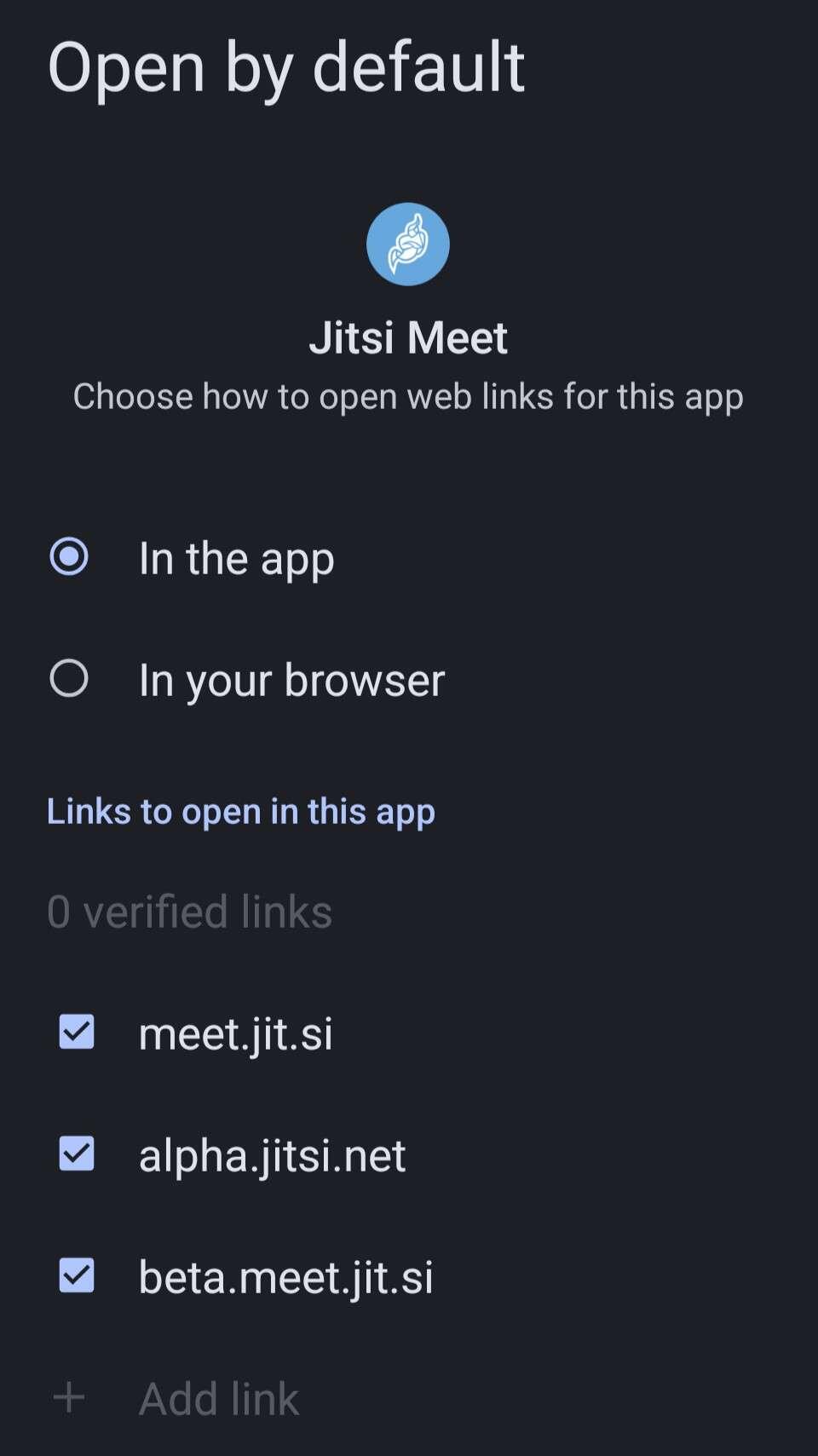
I believe this can only be configured by app developers. Users generally cannot add their own.
See: https://github.com/jitsi/jitsi-meet/issues/5199
You pinged the project account so another team member can correct me if I am wrong.
No, links to open by default in this app.
https://developer.android.com/training/app-links/verify-site-associations
Then no, unless I'm not understanding. Only apps can be in that dialog, and you can't have it open a certain web page like on Windows or other OSes if that's what you're asking.
nostr:nprofile1qqstnr0dfn4w5grepk7t8sc5qp5jqzwnf3lejf7zs6p44xdhfqd9cgspzpmhxue69uhkummnw3ezumt0d5hszrnhwden5te0dehhxtnvdakz7qgawaehxw309ahx7um5wghxy6t5vdhkjmn9wgh8xmmrd9skctcnv0md0 is it possible to add a manually typed link to the open by default list for apps in nostr:nprofile1qqs9g69ua6m5ec6ukstnmnyewj7a4j0gjjn5hu75f7w23d64gczunmgpz4mhxue69uhhyetvv9ujumt0wd68ytnsw43q4gnztg?
By the open by default list, do you mean this?:
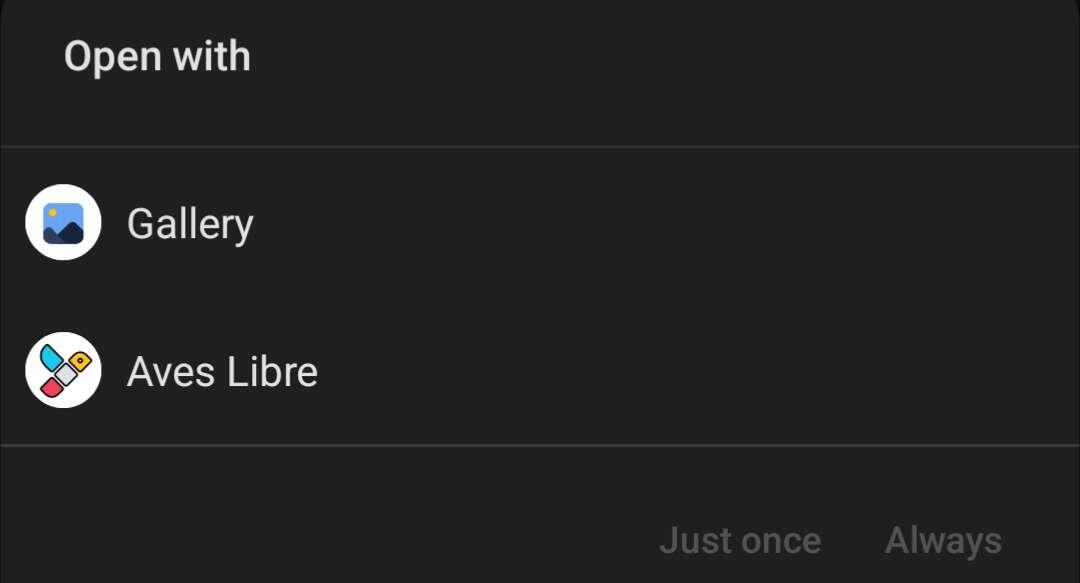
I think it can only be other apps that go here. Or, if you mean have a manually typed link open an app then there are apps that do that. Not tried this though.
Good news for #GrapheneOS and Cryptomator users
https://cryptomator.org/blog/2025/01/24/cryptomator-accrescent/